
Introduction
This manual provides essential information for the safe and efficient operation of your Enginstar R300 296Wh Portable Power Station. Please read it thoroughly before use and retain it for future reference.
Package Contents
Upon unpacking, ensure all items listed below are present and undamaged:
- 1 x EnginStar 300W Portable Power Station
- 1 x User Manual
- 1 x Home Charger
- 1 x Car Charger Cable

Image: Enginstar R300 Portable Power Station with included home charger, car charger cable, and user manual.
Setup and Initial Charging
Before first use, fully charge the power station. This ensures optimal battery performance and longevity.
Charging Methods:
- Wall Charger: Connect the provided home charger to a standard wall outlet. Full charge takes approximately 3 hours.
- Car Charger: Use the included car charger cable to charge the unit from your vehicle's 12V outlet while on the go.
- Solar Panel (Sold Separately): The unit can be charged using a compatible solar panel (12-25V) for off-grid recharging.

Image: Diagram illustrating the multiple output ports and three charging methods: 110V wall outlet, 12V car port, and solar panels (not included).
Video: Official product overview of the Enginstar R300 Portable Power Station, demonstrating its features and charging capabilities.
Operating Instructions
Powering On/Off:
- Press the POWER button to turn the unit on or off.
- The large LCD display will show remaining battery, input/output wattage, and active ports.
Using AC Outlets:
- The R300 features two 110V pure sine wave AC outlets, providing stable power for sensitive electronics.
- Press the SWITCH button to activate the AC outlets. A red triangle may briefly appear during AC output check and will disappear in 3-5 seconds.
- Note: This 300W portable generator only supports devices with power consumption lower than 300 Watts. It may not support large capacity products such as electric grills, induction cookers, microwaves, refrigerators, or heaters.
Using DC and USB Ports:
- DC 12V Car Port: Provides power for mini-fridges and car chargers.
- DC Outputs: Two dedicated DC outputs (12V 8A & 24V 3A) for devices like vacuum cleaners.
- USB Outputs: Two standard USB outputs (5V/3.1A) for phones and tablets.
- USB-C Fast Charge Port: One USB-C port (18W) for rapid charging compatible devices.
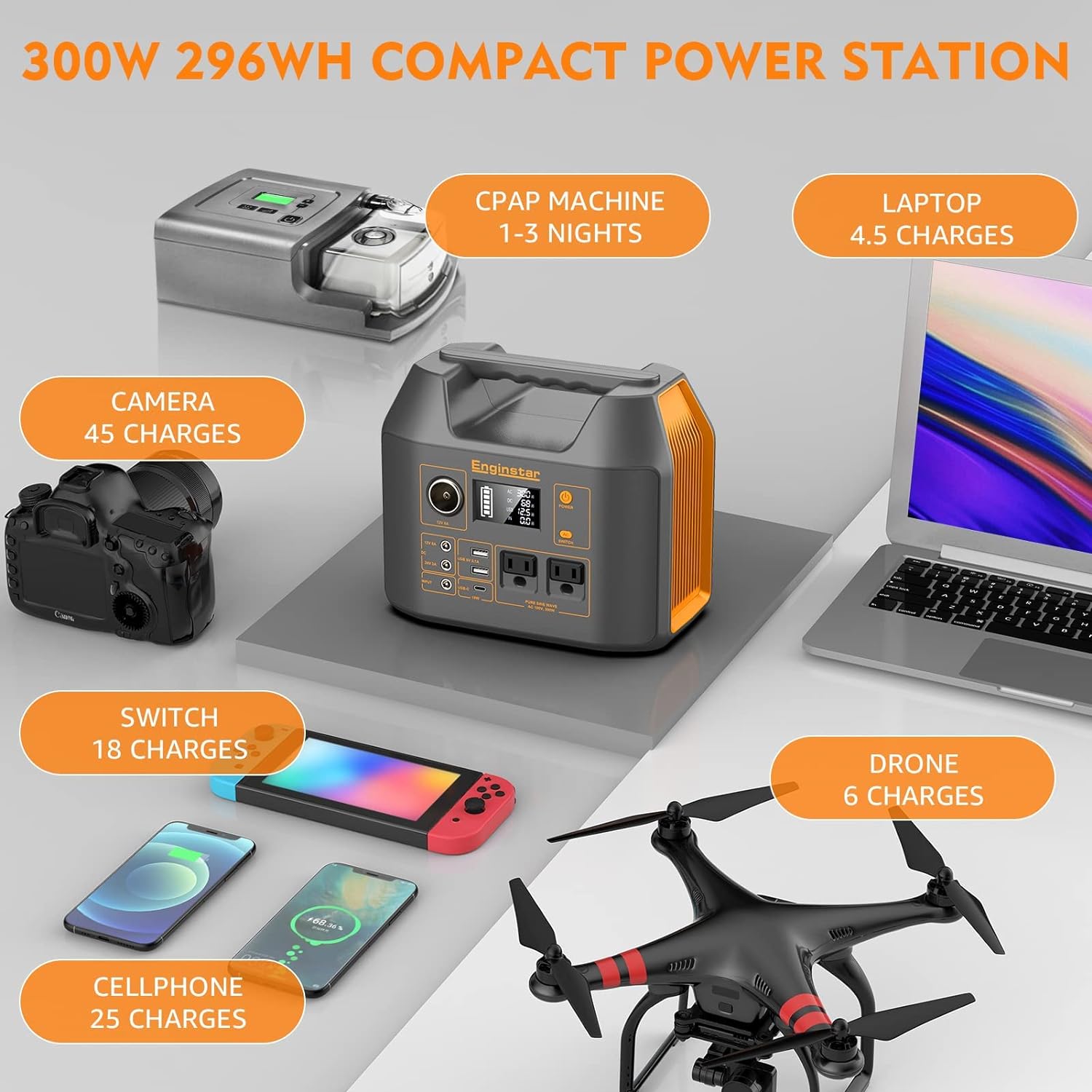
Image: The Enginstar R300 Portable Power Station connected to and charging multiple devices, including a CPAP machine, laptop, camera, Nintendo Switch, cellphone, and drone, with estimated charge capacities.

Image: Chart showing estimated operating times for various devices when powered by the Enginstar R300, such as phones, tablets, and laptops.
LED Light Function:
- The unit includes a built-in LED light with three modes: Steady, Strobes, and SOS.
- Activate the LED light by pressing the dedicated light button, typically located on the back or side of the unit.
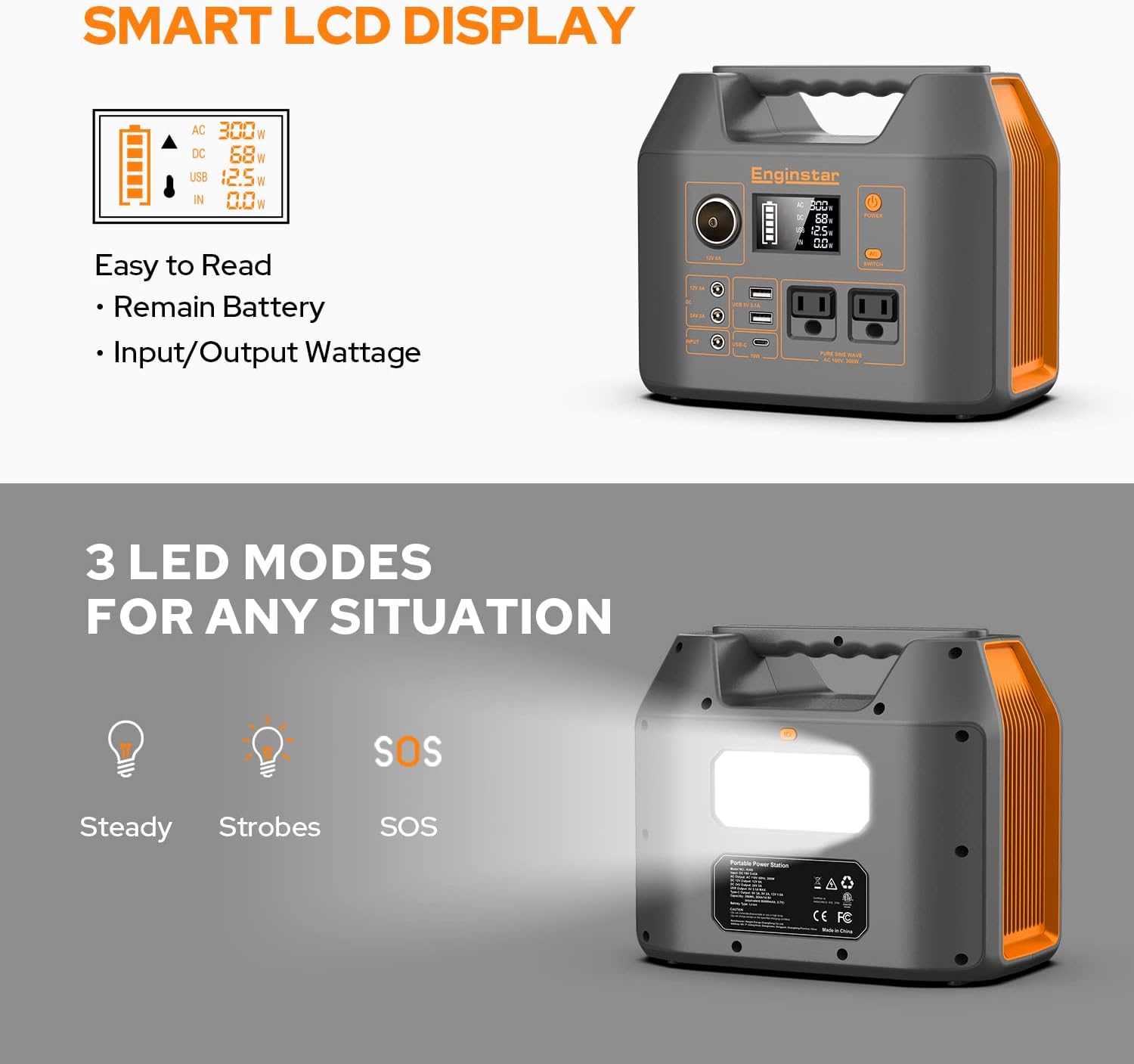
Image: Close-up of the Enginstar R300's smart LCD display showing battery level and wattage, alongside an illustration of its three LED light modes: Steady, Strobes, and SOS.
Video: Official product video from EnginStar US showcasing the R300 portable generator as a great companion for camping and outdoor activities.

Image: Visual guide indicating which types of devices (e.g., mini fridge, camera, drone, laptop, tablet, phone, small fan, LED lamp) are supported by the Enginstar R300, and which high-wattage appliances (e.g., microwave, electric tools, water heater, electric blanket, electric cooker, induction cooker, refrigerator) are not supported.
Maintenance and Battery Care
Proper maintenance ensures the longevity and optimal performance of your power station:
- Fully charge the power station before its first use.
- If not used for an extended period, recharge the battery every 3-6 months, maintaining a charge level of 40%-70%. Avoid completely draining the battery before recharging.
- Store the battery in a dry environment between 40°F and 100°F (4°C and 35°C) or in moisture-proof packaging.
- Keep the unit away from heat sources and direct sunlight.
Troubleshooting
- AC Output Not Working: Ensure the AC outlets are activated by pressing the SWITCH button. Verify the connected device's power consumption does not exceed 300 Watts.
- Charging Issue: If the unit is not charging, ensure the charger is properly connected and the power source is active. If using solar, ensure panels are in direct sunlight and correctly connected.
- Battery Level Display Inaccurate: Fully charge and discharge the unit a few times to recalibrate the battery management system.
Specifications
| Feature | Detail |
|---|---|
| Brand | EnginStar |
| Model Name | R300 |
| Wattage | 300 Watts |
| Running Wattage | 300 Watts |
| Starting Wattage | 500 Watts |
| Fuel Type | Electric |
| Power Source | Battery Powered/ Solar Panel Powered |
| Item Weight | 6.5 Pounds |
| Voltage | 110 Volts |
| Total Power Outlets | 2 (AC) + 2 (DC) + 2 (USB-A) + 1 (USB-C) |
| Special Feature | AC outlet and USB Outlet, Lightweight, Overload Protection, Portable, Short Circuit Protection |
| Item Dimensions L x W x H | 9"L x 5.5"W x 7.5"H |
| Material Type | Steel/Aluminum (Frame & Housing), Plastic/Rubber (Insulation), Lithium-Ion (Battery) |
| UPC | 762765727195 |
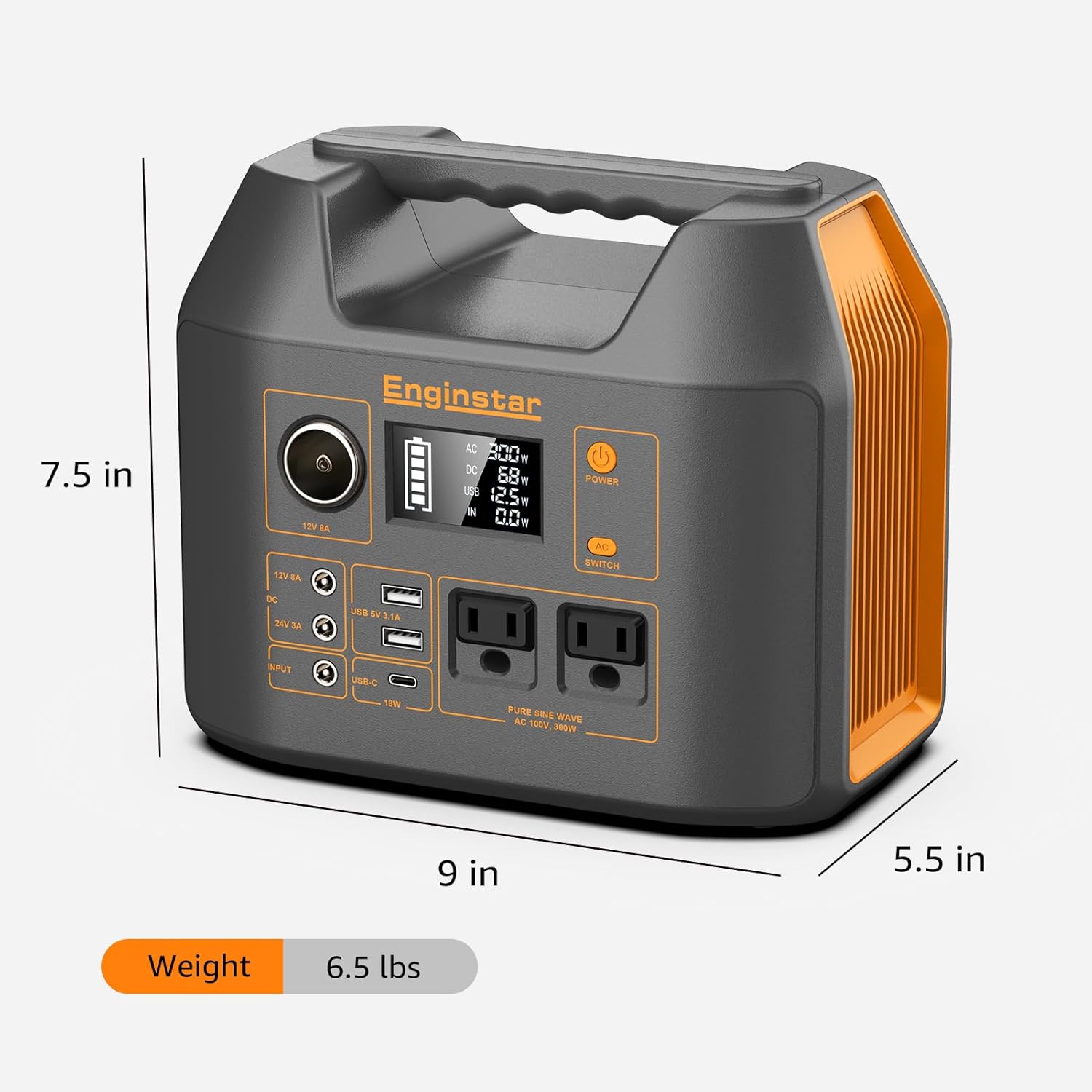
Image: The Enginstar R300 Portable Power Station with its dimensions (9 x 5.5 x 7.5 inches) and weight (6.5 lbs) highlighted.
Safety Features
The Enginstar R300 is equipped with a smart battery management system to ensure safe operation:
- Overloading Protection
- Over Discharging Protection
- Overcharging Protection
- Overheating Protection
- Short Circuit Protection
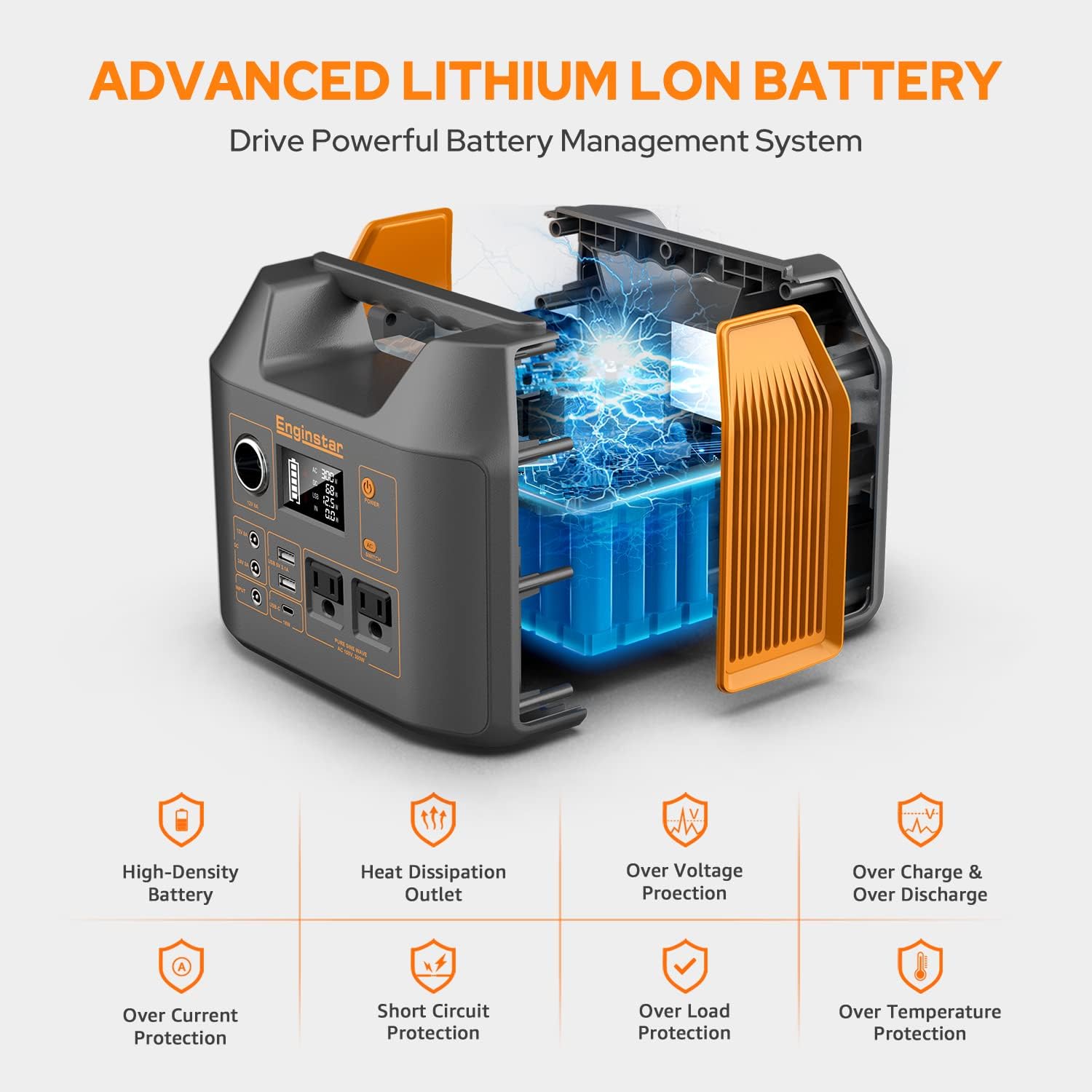
Image: An exploded view of the Enginstar R300 highlighting its advanced lithium-ion battery and various protection features like high-density battery, heat dissipation, over voltage, over charge/discharge, over current, short circuit, over load, and over temperature protection.
Warranty and Support
Your Enginstar R300 Portable Power Station comes with a 2-year manufacturer's warranty.
For technical support, warranty claims, or any inquiries, please refer to the contact information provided in your user manual or visit the official EnginStar website.
