
1. Introduction
Thank you for choosing the PELONIS 16-inch Wall Mount Fan. This manual provides important information regarding the safe operation, installation, maintenance, and troubleshooting of your fan. Please read this manual thoroughly before use and retain it for future reference.
2. Important Safety Instructions
To reduce the risk of fire, electric shock, or injury, observe the following safety precautions:
- Always unplug the fan before cleaning or performing any maintenance.
- Do not operate the fan with a damaged cord or plug. If the cord or plug is damaged, contact qualified service personnel.
- Do not run the power cord under carpeting. Do not cover the cord with throw rugs, runners, or similar coverings. Arrange the cord away from traffic areas where it will not be tripped over.
- Avoid contact with moving parts. Keep fingers, hair, and clothing away from the fan blades during operation.
- Do not use the fan in wet or damp locations, such as bathrooms or laundry areas.
- This fan is for indoor use only. Do not use outdoors.
- Ensure the fan is mounted securely to a wall stud or appropriate anchor point capable of supporting its weight.
- Do not insert any objects into the fan grille openings.
3. Product Overview and Components
The PELONIS 16-inch Wall Mount Fan is designed to provide efficient air circulation with adjustable settings. Key features include three-speed levels, 80° oscillation, and a 32° adjustable tilt.

Image 3.1: Overview of the PELONIS 16-inch Wall Mount Fan.

Image 3.2: Illustration of the fan's 80° oscillation and 32° manual tilt adjustment capabilities.
The fan features a 100% copper motor for powerful airflow and operates at a low noise level of approximately 50dB.

Image 3.3: The fan is equipped with a 71-inch extra-long power cord for flexible installation.
4. Setup and Installation
This fan is designed for wall mounting. Proper installation is crucial for safety and performance.
- Select Location: Choose a sturdy wall location, preferably a wall stud, that can safely support the fan's weight. Ensure there is sufficient clearance around the fan for oscillation and airflow.
- Mark Drilling Points: Hold the mounting bracket against the wall at the desired height and mark the positions for drilling.
- Drill Holes: Drill pilot holes at the marked positions. If mounting into drywall without a stud, use appropriate wall anchors (not included).
- Secure Bracket: Attach the mounting bracket to the wall using screws (not included) suitable for your wall type. Ensure the bracket is firmly secured.
- Mount Fan: Carefully align the fan's rear housing with the mounting bracket and slide it into place until it locks securely.
- Connect Power: Plug the fan's power cord into a standard electrical outlet.
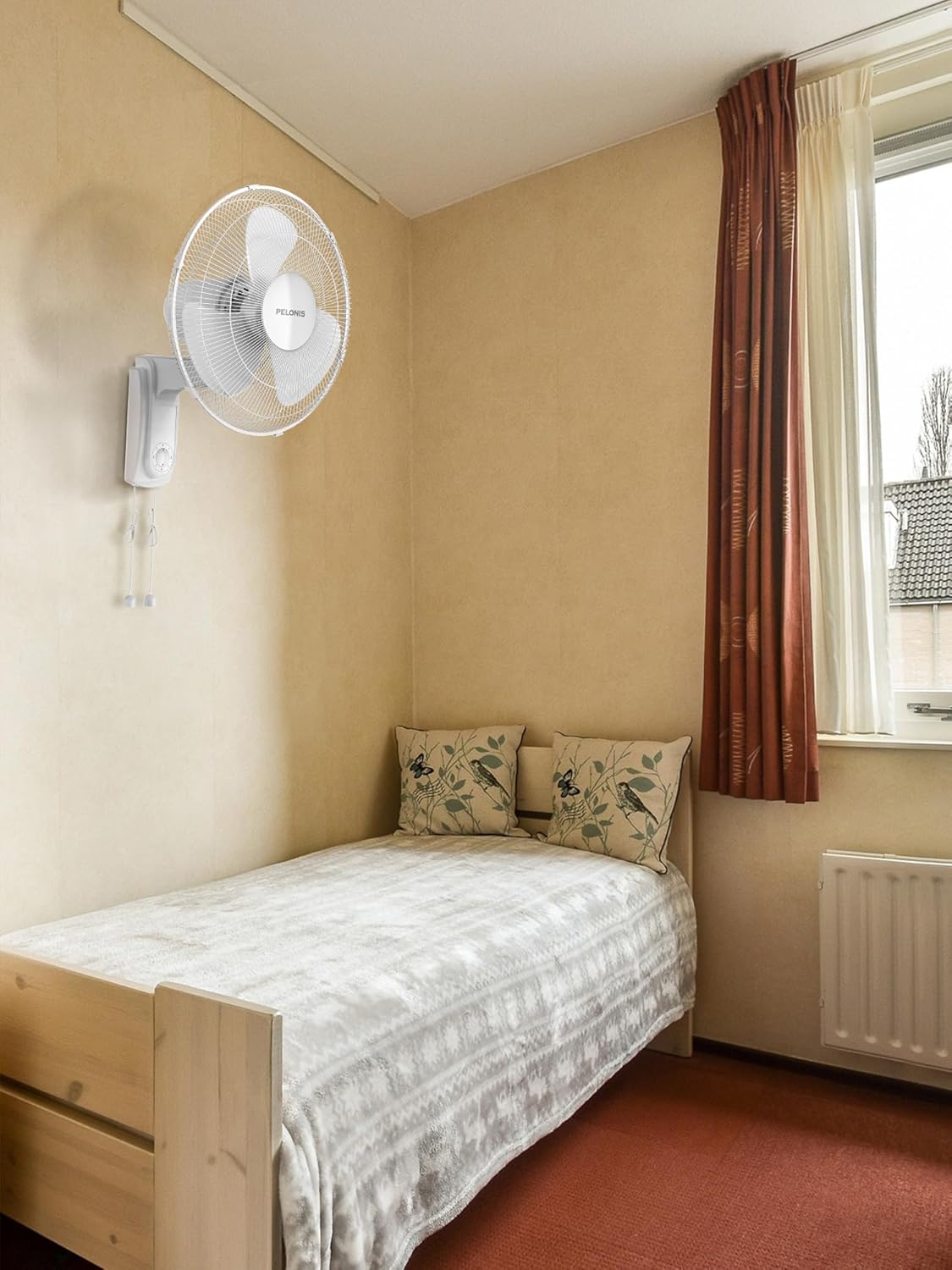
Image 4.1: Example of a PELONIS wall mount fan installed in a room.
5. Operating Instructions
The PELONIS wall mount fan is controlled using two pull cords located at the bottom of the fan unit.

Image 5.1: The fan offers three adjustable speed levels.
- Speed Control: One pull cord controls the fan speed. Pull the cord repeatedly to cycle through the speed settings: Off → Low → Medium → High → Off.
- Oscillation Control: The other pull cord controls the oscillation function. Pull the cord once to activate 80° horizontal oscillation. Pull it again to stop oscillation.
- Adjustable Tilt: The fan head can be manually tilted up or down by up to 32° to direct airflow as needed. Gently adjust the fan head to the desired angle.
6. Maintenance and Cleaning
Regular cleaning and maintenance will help prolong the life of your fan and ensure optimal performance.
- Always unplug the fan from the power outlet before cleaning.
- Exterior Cleaning: Use a soft, damp cloth to wipe the exterior surfaces of the fan. Do not use abrasive cleaners or solvents, as these may damage the finish.
- Grille Cleaning: The front grille can be removed for cleaning the fan blades. Refer to the assembly instructions for safe removal and reattachment. Use a soft cloth or a vacuum cleaner with a brush attachment to remove dust from the blades.
- Storage: If storing the fan for an extended period, cover it to protect it from dust and store it in a cool, dry place.
7. Troubleshooting
If you encounter issues with your fan, refer to the following table for common problems and solutions.
| Problem | Possible Cause | Solution |
|---|---|---|
| Fan does not turn on | No power supply Power cord not fully plugged in Fan switch is off | Check power outlet and circuit breaker Ensure power cord is securely plugged in Pull the speed control cord to turn on the fan |
| Weak airflow | Fan blades are dirty Fan is set to a low speed | Clean fan blades and grille Increase fan speed using the pull cord |
| Fan is noisy | Loose parts Fan blades are dirty Fan not securely mounted | Check for and tighten any loose screws Clean fan blades and grille Ensure the fan is securely attached to the wall bracket |
| Oscillation not working | Oscillation function is off | Pull the oscillation control cord to activate the function |
8. Specifications
Detailed technical specifications for the PELONIS 16-inch Wall Mount Fan, Model PFW40HA2AW.
- Brand: PELONIS
- Model Name: PFW40HA2AW
- Size: 16 inch
- Color: White
- Power Source: AC
- Number of Power Levels: 3
- Oscillation: 80° Horizontal
- Tilt Adjustment: 32° Manual
- Noise Level: 50 Decibels
- Product Dimensions (D x W x H): 13" x 17.8" x 21.3"
- Item Weight: 15.2 pounds (6.91 Kilograms)
- Control Method: Pull Cord
- Included Components: Cord
- Indoor/Outdoor Usage: Indoor
- UPC: 810049711313
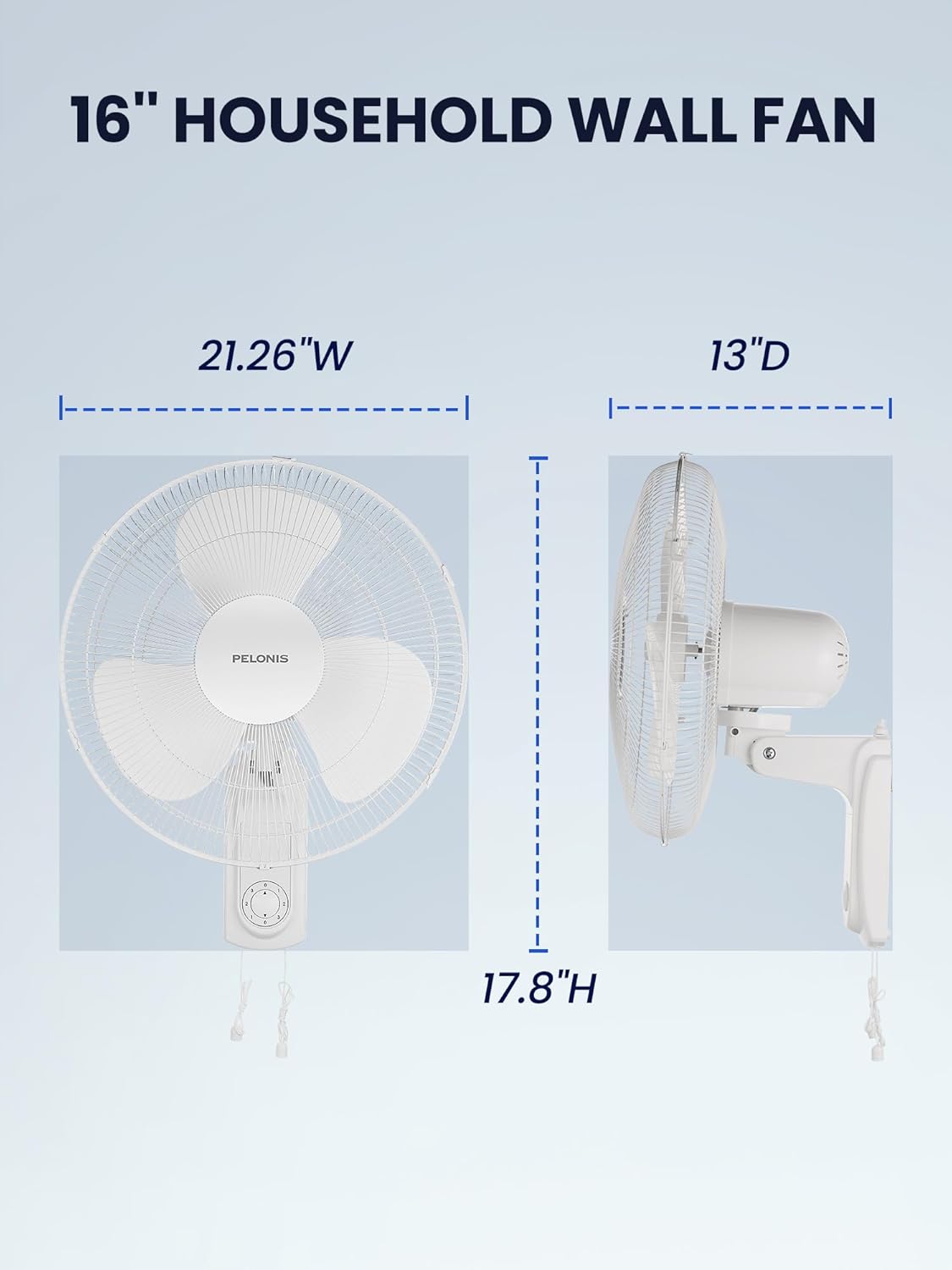
Image 8.1: Product dimensions of the PELONIS 16-inch Wall Mount Fan.
9. Warranty and Support
PELONIS products are manufactured to high-quality standards. For warranty information, product support, or to inquire about replacement parts, please refer to the warranty card included with your purchase or visit the official PELONIS website. Please have your model number (PFW40HA2AW) and purchase date available when contacting support.

