
1. Introduction
The BSIDE A5 Smart Digital Multimeter is an advanced, easy-to-use electrical testing device designed for both professionals and beginners. It features automatic identification of tested parameters and range selection, simplifying various electrical measurements. This manual provides essential information for the safe and effective use of your multimeter.
Key functions include:
- Measurement of DC and AC Voltage
- Measurement of AC and DC Current
- Resistance Measurement
- Continuity Testing
- Capacitance Measurement
- Frequency Measurement
- Diode Testing
- Temperature Measurement
- Non-Contact Voltage (NCV) Detection with adjustable sensitivity
- Live Wire Check
- VFC Mode for inverter output voltage measurement

Image 1.1: The BSIDE A5 Smart Digital Multimeter with included test leads, thermocouple, batteries, and protective case.
2. Setup
2.1 Battery Installation
- Ensure the multimeter is powered off.
- Locate the battery compartment on the back of the device.
- Open the battery compartment cover.
- Insert two 1.5V AAA batteries, observing the correct polarity (+/-).
- Close the battery compartment cover securely.
2.2 Connecting Test Leads
- Insert the black test lead into the 'COM' (Common) input jack.
- For most measurements (voltage, resistance, continuity, capacitance, frequency, diode, temperature), insert the red test lead into the 'VOLTAGE INPUT' jack.
- For current measurements (mA), insert the red test lead into the '600mA' input jack.
3. Operating Instructions
3.1 Power On/Off
Press the power button (U) to turn the multimeter on or off.
3.2 Auto Mode Selection
The BSIDE A5 features intelligent auto mode selection. When powered on, it automatically detects and measures voltage, resistance, continuity, and frequency without manual range selection. For specific functions like NCV, VFC, or current, use the 'V~Alert' or 'SEL' buttons.

Image 3.1: The multimeter automatically selects the appropriate measurement mode for voltage, resistance, continuity, and frequency.
3.3 Voltage Measurement (AC/DC)
Connect the test leads in parallel to the circuit or component. The multimeter will automatically detect AC or DC voltage and display the reading.
- DC Voltage Range: 0-620V (DC mode) / 0.8-620V (Auto mode)
- AC Voltage Range: 0-620V (DC mode) / 0.8-620V (Auto mode); 10-620V (VFC mode)
3.4 Current Measurement (AC/DC)
To measure current, ensure the red test lead is inserted into the '600mA' jack. Connect the multimeter in series with the circuit. The device will automatically switch to AC/DC ampere test mode.

Image 3.2: The multimeter automatically identifies and measures current when the red lead is in the 600mA port.
- DC Current Range: 1.0-610mA
- AC Current Range: 1.0-610mA (40-1000Hz)
3.5 Resistance, Capacitance, Frequency, Diode, and Continuity
For these measurements, ensure the red test lead is in the 'VOLTAGE INPUT' jack. The multimeter will automatically detect the function based on the connected component.
- Resistance: 0Ω-60MΩ
- Capacitance: 0.5μF-60.00mF
- Frequency: 0-9999Hz
- Diode: Automatic measurement for diodes under 3V.
- Continuity: An audible beep sounds if resistance is below 50Ω.
3.6 NCV (Non-Contact Voltage) Detection
Press the 'V~Alert' button to enter NCV mode. The multimeter can detect AC voltage without direct contact. It offers adjustable sensitivity:
- Low Sensitivity: More precise for distinguishing adjacent conductors with hazardous voltages.
- High Sensitivity: Detects hidden conductors, useful for locating wires behind walls.

Image 3.3: The NCV function allows for non-contact voltage detection, indicated by visual and audible alerts.
3.7 VFC Mode
The VFC (Variable Frequency Control) function allows for accurate measurement of the output voltage from inverters. This is useful for analyzing variable frequency drives in applications like pumps, elevators, air conditioners, and compressors.

Image 3.4: The VFC mode measures the output voltage of inverters, displaying the voltage and frequency.
3.8 Temperature Measurement
Connect the included thermocouple to the multimeter. The device can measure both thermometer temperature and ambient temperature.
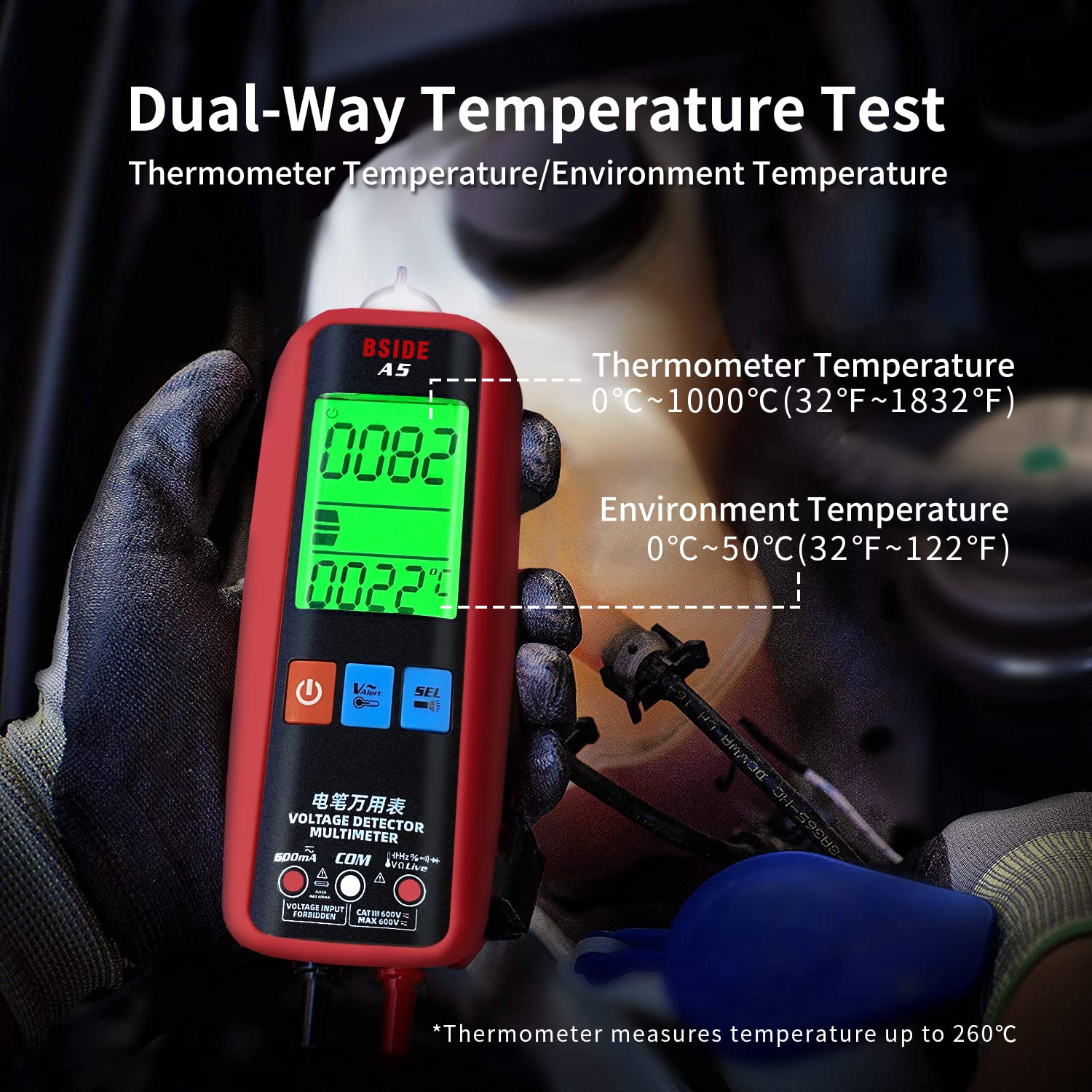
Image 3.5: The multimeter can display both the temperature measured by the thermocouple and the ambient temperature.
- Thermometer Temperature: 0-1000°C (32-1832°F)
- Ambient Temperature: 0-50°C (32-122°F)
3.9 Display Features
The multimeter features a large, high-resolution LCD with 3 test result displays for easy reading. It also includes a red and green backlight for enhanced visibility in various lighting conditions.

Image 3.6: The multimeter's display features red and green backlighting for clear readings.
4. Maintenance
4.1 General Care and Cleaning
- Keep the multimeter dry. If it gets wet, wipe it dry immediately.
- Use a soft, damp cloth to clean the casing. Do not use abrasive cleaners or solvents.
- Avoid exposing the device to extreme temperatures or direct sunlight.
- Store the multimeter in its protective case when not in use.
4.2 Battery Replacement
When the low battery indicator appears on the display, replace the batteries as described in Section 2.1. Always use two new 1.5V AAA batteries.
4.3 Applications
The BSIDE A5 Multimeter is suitable for various maintenance tasks, including:
- Electronic Maintenance: Testing components like capacitors, diodes, and checking circuit continuity.
- Automotive Maintenance: Checking battery voltage, alternator output, and various electrical systems in vehicles.

Image 4.1: The multimeter is a versatile tool for electronic maintenance, including capacitance testing.

Image 4.2: The multimeter can be used for automotive maintenance, such as checking battery voltage.
5. Troubleshooting
If you encounter issues with your BSIDE A5 Multimeter, consider the following:
- No Display/Power: Check if the batteries are correctly installed and have sufficient charge. Replace if necessary.
- Incorrect Readings: Ensure test leads are properly connected to the correct input jacks for the desired measurement. Verify the test leads are not damaged.
- No Continuity Beep: Confirm the resistance is below 50Ω. Check test lead connections.
- NCV Not Detecting: Ensure the 'V~Alert' mode is active. Adjust sensitivity if needed.
For persistent issues, please contact BSIDE customer support.
6. Specifications
| Parameter | Specification |
|---|---|
| Display | 6000 Counts, 2.2 inches LCD |
| DC Voltage | 0-620V (DC mode) / 0.8-620V (Auto mode) |
| AC Voltage | 0-620V (DC mode) / 0.8-620V (Auto mode); 10-620V (VFC mode) |
| DC Current | 1.0-610mA |
| AC Current | 1.0-610mA (40-1000Hz) |
| Resistance | 0Ω-6MΩ; 6MΩ-60MΩ |
| Capacitance | 0.5μF-6mF; 6mF-60.00mF |
| Frequency | 0-9999Hz (900mVrms-20Vrms) |
| Temperature | 0-1000°C (32-1832°F) |
| Ambient Temperature | 0-50°C ±2°C |
| Diode Test | Automatic for diodes < 3V |
| Continuity Test | Buzzer sounds if resistance < 50Ω |
| Power Supply | 2 x 1.5V AAA Batteries |
| Dimensions | 139.7 x 53.7 x 32.8 mm |
| Weight | 92g |
| Safety Compliance | CE Certified |
7. Package Contents
The BSIDE A5 Smart Digital Multimeter package includes:
- 1 x BSIDE A5 Multimeter
- 1 x Pair of Test Leads
- 1 x Thermocouple
- 1 x Protective Case
- 2 x AAA Batteries
- 1 x Screwdriver
- 1 x User Manual
8. Warranty and Support
For warranty information and technical support, please refer to the documentation provided with your purchase or visit the official BSIDE website. Keep your proof of purchase for warranty claims.


