
Introduction
The TRIGKEY S5 Mini PC is a compact and powerful micro-computer designed for a wide range of applications, from everyday use and office tasks to 4K media consumption and light gaming. Featuring an AMD Ryzen 5 5500U processor, integrated Radeon Graphics, and versatile connectivity options, it offers a reliable and efficient computing experience in a small form factor.

Image: Front view of the TRIGKEY S5 Mini PC, showcasing its compact design and front ports.

Image: An overview highlighting key features of the TRIGKEY S5 Mini PC, including its AMD Ryzen 5 5500U processor, plastic body, triple-screen display support, Wi-Fi 6 + Bluetooth 5.2, quiet cooling fan, 2.5G LAN, RAM DDR4, and M.2 NVME SSD.
What's in the Box
Upon unboxing your TRIGKEY S5 Mini PC, please ensure all the following items are present:
- 1 x TRIGKEY Mini PC
- 1 x Power Adapter
- 1 x HDMI Cable
- 1 x User Manual
Setup Guide
1. Initial Setup
Before powering on your Mini PC, connect all necessary peripherals. The TRIGKEY S5 offers a variety of ports for comprehensive connectivity.

Image: Diagram illustrating the front and rear ports of the TRIGKEY S5 Mini PC, including USB 3.2 Gen2, Type-C, HDMI, DP1.4, 2.5G LAN, and audio jack.
2. Connecting Peripherals
- Power Connection: Connect the power adapter to the DC Jack port on the rear of the Mini PC and plug it into a power outlet.
- Display Connection: Connect your monitor(s) using the HDMI, DisplayPort (DP1.4), or Type-C port. The Mini PC supports up to three 4K@60Hz displays simultaneously.
- Keyboard and Mouse: Connect your USB keyboard and mouse to any of the available USB 3.2 Gen2 ports.
- Network Connection: For a wired connection, connect an Ethernet cable to the 2.5G LAN port. For wireless, ensure your Wi-Fi network is available (see Operating Instructions for Wi-Fi setup).
- Audio Devices: Connect headphones or speakers to the Audio Jack (HP&MIC) port.
Operating Instructions
1. Powering On/Off
- Power On: Press the power button located on the front of the Mini PC. The power indicator light will illuminate.
- Power Off: To shut down, use the standard Windows shutdown procedure (Start Menu > Power > Shut down). Avoid directly unplugging the power cable during operation to prevent data loss.
2. Display Configuration (Triple Display)
The TRIGKEY S5 supports connecting up to three 4K@60Hz displays simultaneously, enhancing productivity and multimedia experiences.

Image: The TRIGKEY S5 Mini PC connected to three external monitors, demonstrating its triple display support for multi-screen setups.
To configure multiple displays, right-click on your desktop, select "Display settings," and arrange your monitors as desired. You can extend your desktop across all displays or duplicate content.

Image: A family enjoying 4K Ultra HD content on a large screen, illustrating the high-resolution output capability of the TRIGKEY S5 Mini PC for home theater use.
3. Network Connectivity
- Wi-Fi 6: The Mini PC supports Wi-Fi 6 (802.11ax) for faster and more stable wireless connections. To connect, click the network icon in the system tray, select your Wi-Fi network, enter the password, and connect.
- 2.5G LAN: For a high-speed wired connection, plug an Ethernet cable into the 2.5G LAN port.

Image: The TRIGKEY S5 Mini PC highlighting its support for Wi-Fi 6 and Bluetooth 5.2, indicating faster and more stable wireless connectivity.

Image: A visual representation of the TRIGKEY S5 Mini PC's Wi-Fi 6 and Bluetooth 5.2 support, emphasizing lower latency and more stable connections.
4. Storage Expansion
The Mini PC comes with a 500GB M.2 2280 NVMe SSD. For additional storage, you can expand it up to 2TB via a 2.5-inch 7mm HDD (not included).

Image: A close-up of an M.2 2280 NVMe SSD module, representing the fast storage solution used in the TRIGKEY S5 Mini PC.

Image: A graphic highlighting the 16GB DDR4 3200MHz RAM and 500GB M.2 2280 NVMe SSD, with an indication of expandable storage via a 2.5-inch 7mm HDD up to 2TB.
5. Performance Overview
The TRIGKEY S5 is powered by an AMD Ryzen 5 5500U processor and 16GB of DDR4 RAM, providing robust performance for various tasks.

Image: A close-up of the AMD Ryzen 5 5500U processor chip, detailing its 6 Cores, 12 Threads, Max 4.0GHz speed, 1800MHz Graphics Card Frequency, 7nm Processor Technology, and Max 64GB Memory Size.

Image: Two DDR4 RAM modules, illustrating the memory components of the TRIGKEY S5 Mini PC, which supports up to 64GB of 3200MHz DDR4 RAM.
6. Usage Scenarios
The TRIGKEY S5 Mini PC is versatile and suitable for a variety of applications:

Image: A collage depicting various usage scenarios for the TRIGKEY S5 Mini PC, including Home Theater, School Computer Room, Meeting, Education, Office, Design, and Audio Making.

Image: A graphic showcasing various applications the TRIGKEY S5 Mini PC can handle, such as Office work, Rendering, Design, Gaming, and Video Editing, emphasizing its multi-system compatibility.

Image: Examples of gaming performance on the TRIGKEY S5 Mini PC for popular titles like League of Legends, CS:GO, PUBG Battlegrounds, and Overwatch, indicating playable frame rates.
Maintenance
1. Heat Dissipation
The TRIGKEY S5 Mini PC features an efficient cooling system with two copper tubes, an upgraded aluminum plate, and a quiet fan. To ensure optimal performance and longevity:
- Ensure proper airflow around the device. Do not block the ventilation grilles.
- Operate the Mini PC in a well-ventilated area.
- Avoid placing the device on soft surfaces (e.g., carpets, blankets) that can obstruct airflow.

Image: A diagram illustrating the quiet cooling fan system within the TRIGKEY S5 Mini PC, designed for efficient heat dissipation.
2. Cleaning
- Use a soft, dry cloth to clean the exterior of the Mini PC.
- For dust accumulation in vents, use compressed air sparingly and carefully.
- Do not use liquid cleaners or abrasive materials.
3. Software Updates
Regularly check for and install operating system updates (Windows 11) and driver updates to ensure optimal performance, security, and compatibility.
Troubleshooting
Common Issues and Solutions
- No Power/Does Not Boot:
- Ensure the power adapter is securely connected to both the Mini PC and a working power outlet.
- Verify the power outlet is functional by testing it with another device.
- If the device shows a blue screen or fails to boot into the operating system, try accessing the Windows recovery environment for repair or factory reset options.
- Overheating:
- Ensure the Mini PC is placed in a well-ventilated area and that its vents are not obstructed.
- Avoid placing the device directly on soft surfaces that can trap heat.
- Monitor CPU temperatures using system monitoring software, especially during heavy loads like gaming. While the device has efficient cooling, prolonged high loads can increase temperatures.
- No Display Output:
- Check that the HDMI, DisplayPort, or Type-C cable is securely connected to both the Mini PC and the monitor.
- Ensure the monitor is powered on and set to the correct input source.
- Try connecting to a different display or using a different cable to rule out faulty components.
- Wi-Fi/Bluetooth Connectivity Issues:
- Ensure Wi-Fi and Bluetooth are enabled in Windows settings.
- Restart your router/modem.
- Update wireless drivers from the TRIGKEY support website if available.
For persistent issues, please refer to the Warranty and Support section for contact information.
Specifications
| Feature | Detail |
|---|---|
| Brand | TRIGKEY |
| Model | Speed S5 |
| Processor | AMD Ryzen 5 5500U (6C/12T, up to 4.0GHz) |
| Graphics | AMD Radeon Integrated Graphics (7 cores, 1800MHz) |
| RAM | 16GB DDR4 3200MHz (Dual-channel, Max 64GB) |
| Storage | 500GB M.2 2280 NVMe SSD (Expandable via 2.5" HDD/SSD) |
| Operating System | Windows 11 Pro (Pre-installed) |
| Display Output | Triple 4K@60Hz (DP + HDMI + Type-C) |
| Wireless Connectivity | Wi-Fi 6 (802.11ax), Bluetooth 5.2 |
| Wired Connectivity | 1 x 2.5G LAN Port |
| USB Ports | 3 x USB 3.2 Gen2, 1 x USB 2.0, 1 x Type-C (Data & Video) |
| Audio | 1 x Audio Jack (HP&MIC) |
| Dimensions | Approximately 4.96 x 4.44 x 1.65 inches |
| Weight | Approximately 1.9 pounds |
Warranty and Support
TRIGKEY is committed to providing excellent customer service and support for your Mini PC.
- Warranty: The product comes with a 1-year free warranty.
- Returns: Enjoy a 30-day no-reason return policy.
- Replacements: Replacements are available within 12 months for eligible issues.
- Technical Support: Lifetime technical issue assistance is provided. Our customer service team is available 7 days a week, 24 hours a day.


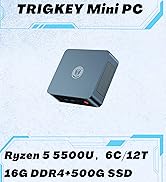

Image: Icons representing TRIGKEY's customer support commitments: 24-hour quick reply, 30-day return policy, 12-month replacement, and lifetime technical support.
If you need assistance, you can contact TRIGKEY through the following channels:

Image: Contact options for TRIGKEY support, including email, consultation, website, and technical support.
For automatic startup setup, please send the barcode on the bottom of your machine to customer service for the corresponding tutorial files.


