
1. Introduction
Thank you for choosing the Omana 30M Mini Laser Measure Device. This compact and portable digital laser measurement tool is designed for precise distance, area, and volume calculations. This manual provides essential information for safe and effective operation, maintenance, and troubleshooting.
2. Safety Information
Please read and understand all safety instructions before using the device.
- This device emits a Class 2 laser. Do not stare directly into the laser beam or direct it towards other people's eyes.
- Do not attempt to modify or disassemble the device. Unauthorized modifications can lead to hazardous laser radiation exposure.
- Keep the device out of reach of children.
- Use the device only for its intended purpose as a measurement tool.
- Avoid exposing the device to extreme temperatures, moisture, or strong vibrations. The device is not water resistant.
3. Package Contents
Ensure all items are present in the package:
- Omana 30M Mini Laser Measure Device (Model Yu67)
- USB Charging Cable
4. Product Overview
The Omana Mini Laser Measure Device features a compact design with an HD backlit LCD for clear readings and intuitive controls.
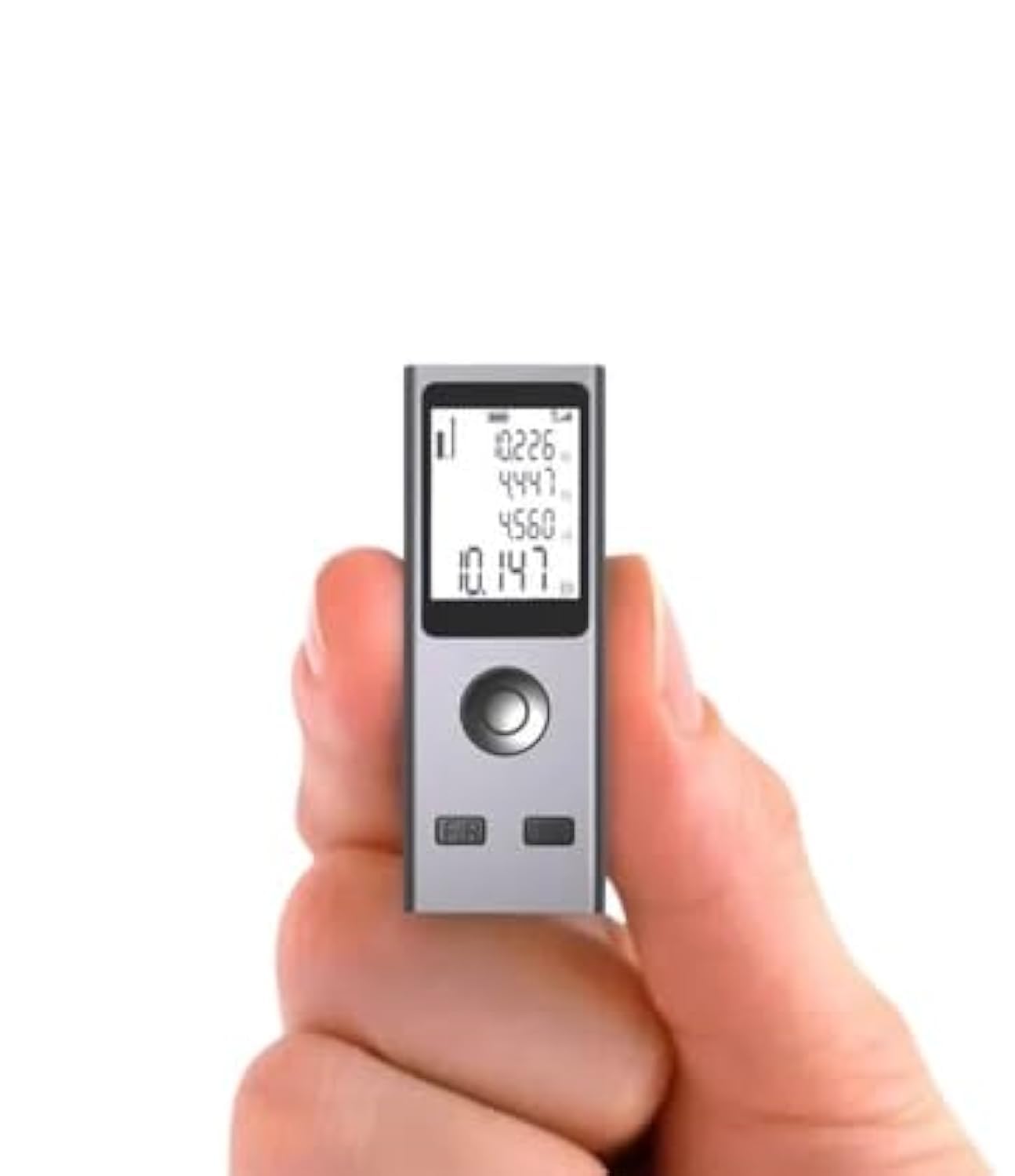
Figure 1: Front view of the Omana Mini Laser Measure Device, highlighting its display and compact form factor.

Figure 2: Top view of the device, illustrating the main control buttons and the laser emitter.
Key Features:
- Mini Size & Ultra Portable: Easily fits in a pocket or toolbox.
- HD Backlit LCD: High-definition display for clear readings in various lighting conditions.
- Zero Meter Measurable: Capable of measuring from absolute zero for precision.
- Long Battery Endurance: Built-in rechargeable lithium battery for extended use.
- Super Wide Operating Temperature: Reliable performance across a broad temperature range.
5. Setup
Charging the Device
The Omana Mini Laser Measure Device is equipped with a rechargeable lithium battery. Before first use, or when the battery indicator shows low power, charge the device using the provided USB charging cable.
- Locate the USB charging port on the device.
- Connect the small end of the USB charging cable to the device's port.
- Connect the larger end of the USB charging cable to a standard USB power adapter (not included) or a computer USB port.
- The battery indicator on the display will show charging status. A full charge typically takes a short period, providing long battery endurance.

Figure 3: Device connected via USB cable for charging.
6. Operating Instructions
Power On/Off
- To power on, press the power button (usually marked with a power symbol or 'ON/MEAS').
- To power off, press and hold the power button, or the device may automatically shut down after a period of inactivity to conserve battery.
Basic Distance Measurement
The device provides accurate measurement capability with 1mm distance measurement accuracy.
- Power on the device.
- Point the laser beam at the target surface. Press the measurement button once to activate the laser.
- Press the measurement button again to take the measurement. The distance will be displayed on the screen.

Figure 4: Visual representation of the laser measurement process, highlighting 1mm accuracy.
Measurement Modes
The device offers multi-purpose functionality with various measurement modes. Use the 'Mode' or 'Function' button (often labeled 'F/R' or similar) to cycle through available modes.
- Single Measurement: Measures the direct distance between two points.
- Area Measurement: Calculates the area by measuring two perpendicular sides.
- Volume Measurement: Calculates the volume by measuring length, width, and height.
- Continuous Measurement: Provides real-time distance updates as the device is moved.
- Pythagorean Measurement: Calculates indirect distances using the Pythagorean theorem (e.g., height of a building).

Figure 5: Display icons indicating different measurement modes available on the device.
7. Maintenance
Proper maintenance ensures the longevity and accuracy of your device.
- Cleaning: Use a soft, damp cloth to clean the device's exterior. Do not use abrasive cleaners or solvents. Keep the laser lens clean and free of dust.
- Storage: Store the device in a cool, dry place, away from direct sunlight and extreme temperatures. If storing for extended periods, ensure the battery is partially charged (around 50%) to prolong its life.
- Battery Care: Recharge the battery regularly, even if not in frequent use, to prevent deep discharge.
8. Troubleshooting
If you encounter issues with your device, refer to the following common problems and solutions:
- Device does not power on:
- Ensure the battery is sufficiently charged. Connect the device to a USB power source and allow it to charge for at least 15 minutes before attempting to power on again. - Inaccurate readings:
- Check if the laser lens is clean and free from obstructions.
- Ensure the target surface is suitable for laser measurement (not highly reflective or transparent).
- Verify that the measurement reference point (front or rear of the device) is correctly set if applicable. - Laser beam is not visible:
- This may occur in very bright environments. Try to use the device in shaded areas or indoors.
- Ensure the device is powered on and the laser is activated by pressing the measurement button once. - Display is blank or frozen:
- Try restarting the device by powering it off and on again.
- If the issue persists, ensure the battery is charged.
9. Specifications
| Feature | Specification |
|---|---|
| Brand | Omana |
| Model Number | Yu67 |
| Colour | Silver |
| Material | Plastic |
| Item Weight | 50 Grams |
| Product Dimensions | 5.6L x 2W x 1.3H Centimeters |
| Battery Type | Lithium (Rechargeable) |
| Water Resistance Level | Not Water Resistant |
| Included Components | USB Charging Cable |
10. Warranty Information
Please refer to the warranty card or purchase documentation included with your device for specific warranty terms and conditions. Keep your proof of purchase for any warranty claims.
11. Support
For technical support, service, or further inquiries, please contact the retailer or manufacturer directly using the contact information provided with your purchase.