
1. Introduction
The Tapo A200 Solar Panel is designed to provide continuous, eco-friendly power to compatible Tapo battery-powered cameras. This manual provides essential information for the proper installation, operation, and maintenance of your solar panel to ensure optimal performance and longevity.

Image 1.1: The Tapo A200 Solar Panel, a compact and efficient power source for outdoor cameras.
2. Features
- Eco-Friendly Power: Provides clean solar energy to your Tapo full-wireless network camera, eliminating concerns about charging times or electricity bills.
- 4.5W High-Efficiency Output: Equipped with high-quality monocrystalline silicon panels that efficiently capture solar energy to provide up to 4.5W of power.
- IP65 Weatherproof: Features IP65 waterproof and dustproof performance, making it suitable for reliable outdoor use in various environmental conditions.
- 360° Adjustable Mounting: The panel's direction can be freely adjusted by 360 degrees to ensure optimal exposure to sunlight throughout the day.
- Optimized for Tapo Battery Cameras: Designed to seamlessly integrate with Tapo battery-powered cameras such as Tapo C425, C420S2, C420S1, and C420, ensuring continuous operation.
- Flexible Installation: Includes a 4-meter (13.1 ft) charging cable, allowing for flexible placement of the solar panel relative to the camera.
- Efficient Charging: Under standard environmental conditions, approximately 30 minutes of direct sunlight can provide sufficient power for a full day of camera operation (based on 100 events per day).

Image 2.1: Visual representation of the solar panel's key features, including 4.5W output, 360° adjustment, 4m cable, and IP65 rating, shown with a compatible Tapo camera.
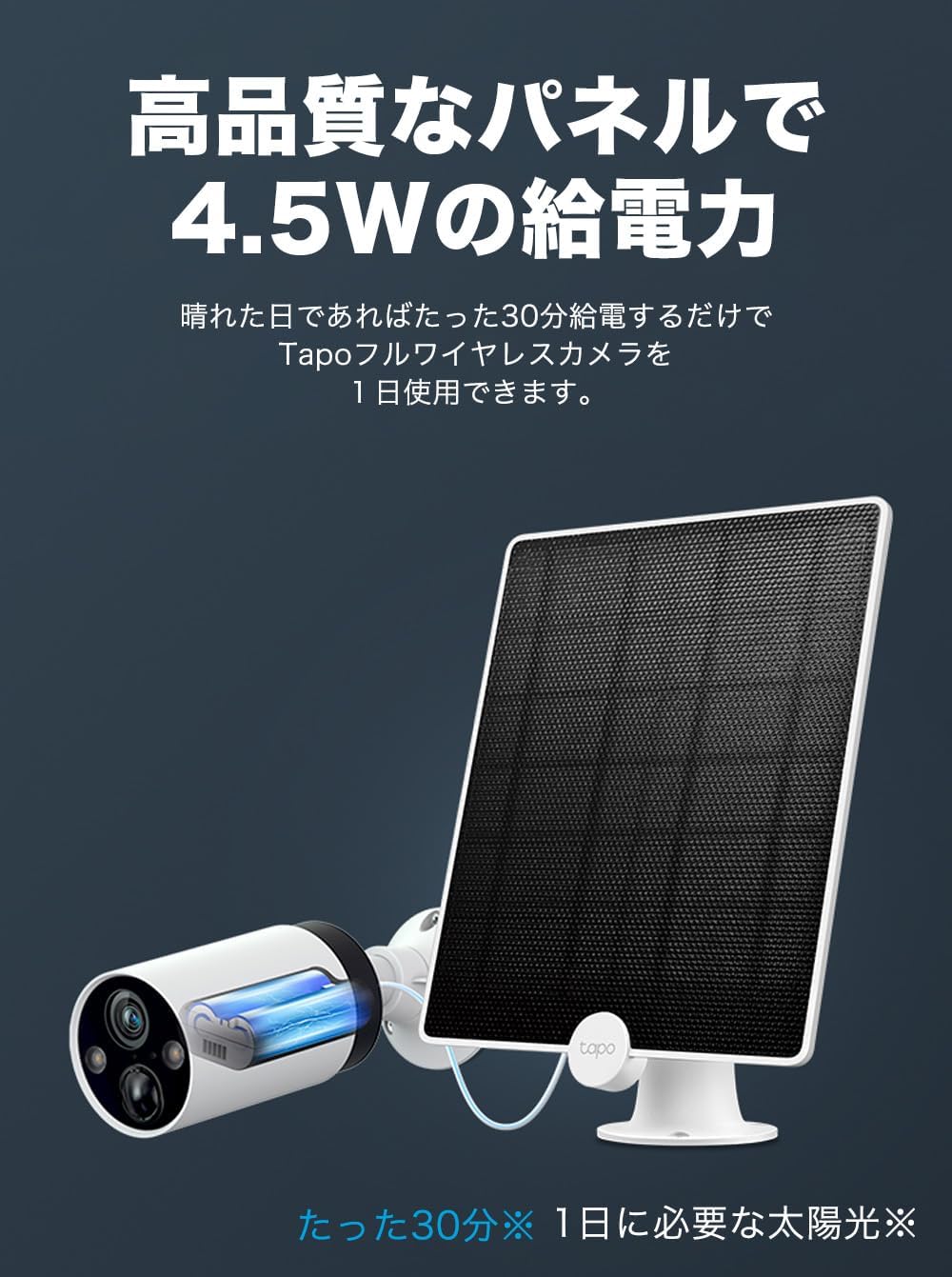
Image 2.2: Illustration demonstrating how the solar panel can provide a full day's power to a Tapo camera with just 30 minutes of sunlight.
3. Package Contents
Verify that all items are present in your package:
- Tapo A200 Solar Panel
- Mounting Bracket
- 4-meter Charging Cable (attached to panel)
- Mounting Screws and Wall Anchors
- Quick Start Guide (this document)
4. Setup
Follow these steps to set up your Tapo A200 Solar Panel:
- Choose a Location: Select an outdoor location that receives direct sunlight for most of the day. Avoid areas with significant shade from trees, buildings, or other obstructions.
- Mount the Bracket: Use the provided screws and wall anchors to securely attach the mounting bracket to a wall or ceiling. Ensure the surface is sturdy enough to support the panel.
- Attach the Solar Panel: Slide the solar panel onto the mounting bracket.
- Adjust the Angle: Loosen the adjustment screw on the bracket and orient the solar panel to face the sun directly. The 360° adjustable design allows for optimal positioning. Tighten the screw once the desired angle is achieved.
- Connect to Camera: Route the 4-meter charging cable from the solar panel to your compatible Tapo battery camera. Plug the cable firmly into the camera's charging port. Ensure the connection is secure and waterproof.
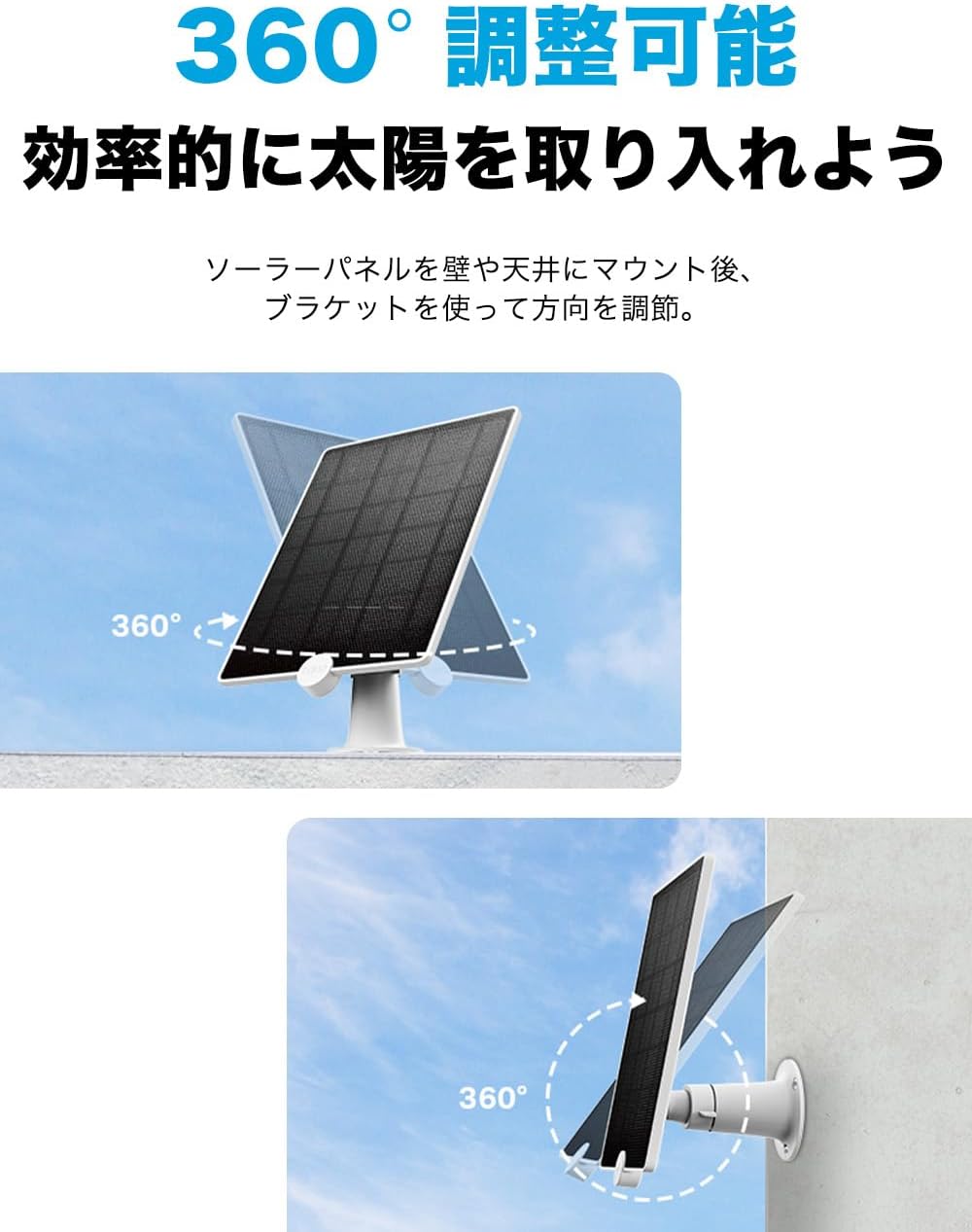
Image 4.1: Demonstrates the 360-degree adjustability of the solar panel for optimal sunlight capture.

Image 4.2: Illustrates the 4-meter cable connecting the solar panel to a Tapo camera, allowing for flexible installation distances.
5. Operating
Once installed and connected, the Tapo A200 Solar Panel will automatically begin charging your compatible Tapo camera when exposed to sufficient sunlight. The charging process is passive and requires no user intervention.
- Automatic Charging: The panel converts sunlight into electrical energy, which is then supplied to the connected camera to maintain its battery level.
- Continuous Power: Designed to provide a continuous power supply, reducing the need for manual battery recharges for your camera.
- Compatibility: The Tapo A200 is specifically designed for Tapo battery-powered cameras, including models like Tapo C425, Tapo C420, and Tapo C400. Note that one solar panel connects to one camera.

Image 5.1: Shows the Tapo A200 Solar Panel's compatibility with various Tapo battery camera models, such as C425, C420, and C400.
6. Maintenance
Regular maintenance helps ensure the optimal performance and lifespan of your solar panel:
- Cleaning the Panel: Periodically clean the surface of the solar panel with a soft, damp cloth to remove dust, dirt, leaves, or other debris that may obstruct sunlight. Do not use abrasive cleaners or harsh chemicals.
- Check Connections: Regularly inspect the cable connection between the solar panel and the camera to ensure it remains secure and free from damage.
- Inspect Mounting: Verify that the mounting bracket and screws are still securely fastened, especially after strong winds or storms.
- Weather Resistance: While the panel is IP65 rated for water and dust resistance, extreme weather conditions (e.g., severe hail, prolonged heavy snow) may temporarily affect performance or require additional care.

Image 6.1: Depicts the Tapo A200 Solar Panel's IP65 waterproof rating, showcasing its ability to withstand rain and dust.
7. Troubleshooting
If you encounter issues with your Tapo A200 Solar Panel, refer to the following common problems and solutions:
| Problem | Possible Cause | Solution |
|---|---|---|
| Camera battery not charging or charging slowly. | Insufficient sunlight; Panel surface is dirty; Loose cable connection; Incompatible camera model. | Ensure panel is in direct sunlight and adjusted correctly. Clean the panel surface. Check cable connection. Verify camera compatibility with Tapo A200. |
| Panel appears damaged after installation. | Improper mounting; Exposure to extreme physical impact. | Ensure secure mounting. Avoid installing in areas prone to physical damage. Contact support if damage persists. |
| Cable connection issues. | Cable not fully inserted; Damaged cable or port. | Ensure the cable is fully inserted into both the panel and camera. Inspect the cable and ports for any visible damage. |
8. Specifications
| Attribute | Detail |
|---|---|
| Brand | Tapo |
| Manufacturer | TP-Link |
| Model Number | Tapo A200 |
| Color | Solar Panel |
| Item Weight | 0.5 kg (500 g) |
| Product Dimensions | 23.8 x 17.5 x 1.7 cm |
| Material | Monocrystalline Silicon |
| Efficiency | High Efficiency |
| Waterproof Rating | IP65 |
| Cable Length | 4 meters |
9. Warranty and Support
For warranty information and technical support, please refer to the official TP-Link website or contact their customer service. Keep your purchase receipt for warranty claims.
TP-Link Official Website: www.tp-link.com
For further assistance, please contact TP-Link support directly.


