
1. Introduction
The KREAFUNK Alight is a versatile portable device combining a Bluetooth speaker with an integrated lamp. Designed for both indoor and outdoor use, it features water resistance (IPX5), a magnetic mounting option, and a long-lasting rechargeable battery. This manual provides instructions for proper setup, operation, and maintenance of your Alight device.
2. What's in the Box
- KREAFUNK Alight Portable Bluetooth Speaker and Lamp
- USB Charging Cable
- Adhesive Metal Plate for Magnetic Mounting
- User Manual
3. Product Overview
Familiarize yourself with the components of your KREAFUNK Alight speaker.
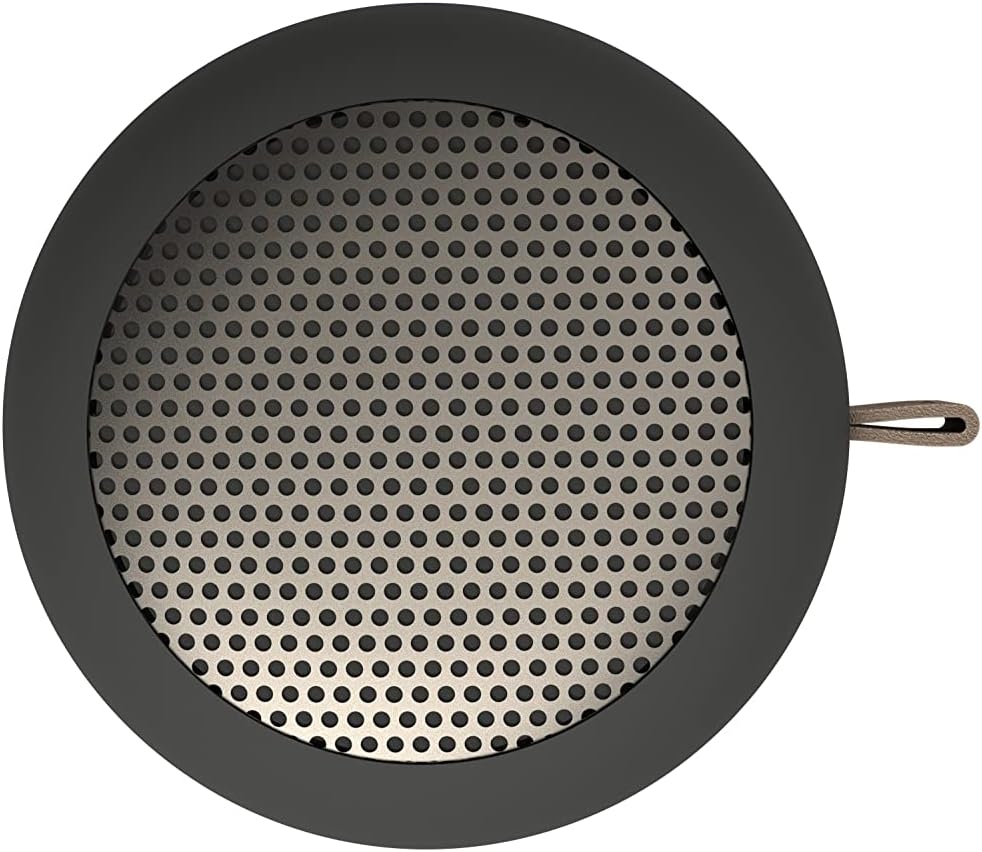


The device features a single multi-function button located on the bottom for power, Bluetooth pairing, and light control. The charging port is also located on the bottom.
4. Setup
4.1 Charging the Device
- Connect the supplied USB charging cable to the charging port on the bottom of the Alight speaker.
- Connect the other end of the USB cable to a compatible USB power adapter (not included) or a computer's USB port.
- The LED indicator will show charging status. A full charge takes approximately 2 hours.
- Once fully charged, the device provides up to 15 hours of combined music playback and light usage.
4.2 Powering On/Off
- To Power On: Press and hold the multi-function button on the bottom of the device until you hear an audible cue or see the LED indicator light up.
- To Power Off: Press and hold the multi-function button again until you hear an audible cue or the LED indicator turns off.
4.3 Bluetooth Pairing
- Ensure the Alight speaker is powered on and within 10 meters (33 feet) of your Bluetooth-enabled device (smartphone, tablet, etc.).
- The speaker will automatically enter Bluetooth pairing mode when powered on for the first time, indicated by a flashing LED. If it has been paired before, it will attempt to reconnect to the last device.
- On your Bluetooth-enabled device, go to the Bluetooth settings and search for available devices.
- Select "KREAFUNK Alight" from the list.
- Once paired, the LED indicator will become solid, and you will hear a confirmation sound.
4.4 Magnetic Mounting
The Alight speaker includes an adhesive metal plate for convenient magnetic mounting on various surfaces.
- Clean the desired mounting surface thoroughly to ensure proper adhesion.
- Peel off the protective backing from the adhesive metal plate.
- Firmly press the adhesive metal plate onto the clean surface and hold for 30 seconds. Allow sufficient time for the adhesive to set before mounting the speaker.
- The bottom of the Alight speaker is magnetic and will attach to the metal plate. This allows for easy placement and removal while still providing access to controls.
5. Operating Instructions
5.1 Playing Audio
- After successful Bluetooth pairing, open your preferred music or audio application on your connected device.
- Start playback. Audio will stream wirelessly to your Alight speaker.
- Volume control is managed directly from your connected Bluetooth device. The Alight speaker does not have integrated volume buttons.
5.2 Using the Lamp Function
- While the speaker is powered on, short press the multi-function button on the bottom to cycle through the light modes.
- The Alight typically offers multiple brightness levels or light patterns. Continue short pressing to find your desired setting.
- To turn off the light, cycle through all modes until the light turns off.
5.3 Water Resistance (IPX5)
The Alight speaker is rated IPX5 water resistant, meaning it can withstand splashes and light rain. It is suitable for use in bathrooms, by the pool, or outdoors in mild weather.
- Do NOT immerse the speaker in water.
- Ensure the charging port cover (if present) is securely closed before exposure to water.
- After exposure to water, wipe the device dry with a soft cloth.

5.4 Stereo Pairing (True Wireless Stereo - TWS)
If you have two KREAFUNK Alight speakers, you can pair them together for a true wireless stereo experience.
- Ensure both Alight speakers are powered off and fully charged.
- Power on both speakers. They will enter Bluetooth pairing mode.
- On one of the speakers (this will be your primary speaker), quickly double-press the multi-function button. The speaker will search for another Alight speaker.
- Once connected, you will hear a confirmation sound, and the LED indicators on both speakers will change to indicate a successful TWS connection.
- Now, connect your Bluetooth-enabled device to the primary Alight speaker as described in section 4.3. Audio will play in stereo through both speakers.
6. Maintenance
- Cleaning: Use a soft, dry, or slightly damp cloth to clean the exterior of the speaker. Do not use harsh chemicals or abrasive cleaners.
- Storage: Store the speaker in a cool, dry place away from direct sunlight and extreme temperatures when not in use for extended periods.
- Battery Care: To prolong battery life, avoid fully discharging the battery frequently. Charge the device regularly, even if not in use, to maintain battery health.
7. Troubleshooting
| Problem | Possible Solution |
|---|---|
| Device does not power on. | Ensure the battery is charged. Connect the charging cable and allow it to charge for at least 15 minutes before attempting to power on again. |
| Cannot pair via Bluetooth. |
|
| No sound or low volume. |
|
| Light function not working. | Ensure the speaker is powered on. Short press the multi-function button to cycle through light modes. If the battery is very low, the light function may be limited. |
8. Specifications
| Feature | Detail |
|---|---|
| Model Number | KF-0901 |
| Brand | KREAFUNK |
| Connectivity Technology | Bluetooth |
| Bluetooth Range | Up to 10 meters (33 feet) |
| Speaker Maximum Output Power | 10 Watts |
| Audio Output Mode | Stereo |
| Water Resistance Level | IPX5 (Water Resistant) |
| Battery Life | Up to 15 hours (combined play and light) |
| Battery Charge Time | Approximately 2 hours |
| Battery Capacity | 1000 mAh |
| Control Method | Push Button |
| Additional Features | LED Light, Magnetic Base, Lightweight |
| Dimensions (D x W x H) | 2.52" x 2.52" x 2.01" (6.4 cm x 6.4 cm x 5.1 cm) |
| Weight | 100 Grams |
| Material | Metal, Plastic |
9. Warranty and Support
The KREAFUNK Alight (KF-0901) comes with a 1-Year Limited Warranty from the date of purchase. This warranty covers manufacturing defects in materials and workmanship under normal use.
The warranty does not cover damage caused by misuse, accidents, unauthorized modifications, or normal wear and tear. Please retain your proof of purchase for warranty claims.
For technical support, warranty claims, or further assistance, please contact KREAFUNK customer service through their official website or the retailer where the product was purchased.
You can visit the KREAFUNK store for more information: KREAFUNK Store on Amazon


