
Introduction
This manual provides instructions for the Beyution RC-V21-0B replacement remote control. This remote is designed to function as a direct replacement for the original remote controls of various Dynex Digital TV models. It requires no programming or setup; simply insert batteries to begin operation.

Image: A side-by-side comparison showing the Beyution RC-V21-0B replacement remote on the left and an original remote on the right, highlighting their similar layouts.
Setup
Installing Batteries
The Beyution RC-V21-0B remote control requires two AAA batteries (not included) for operation. Follow these steps to install them:
- Locate the battery compartment cover on the back of the remote control.
- Slide the cover downwards or press the latch to open the compartment.
- Insert two AAA batteries, ensuring the positive (+) and negative (-) terminals align correctly with the markings inside the compartment.
- Slide the battery compartment cover back into place until it clicks securely.
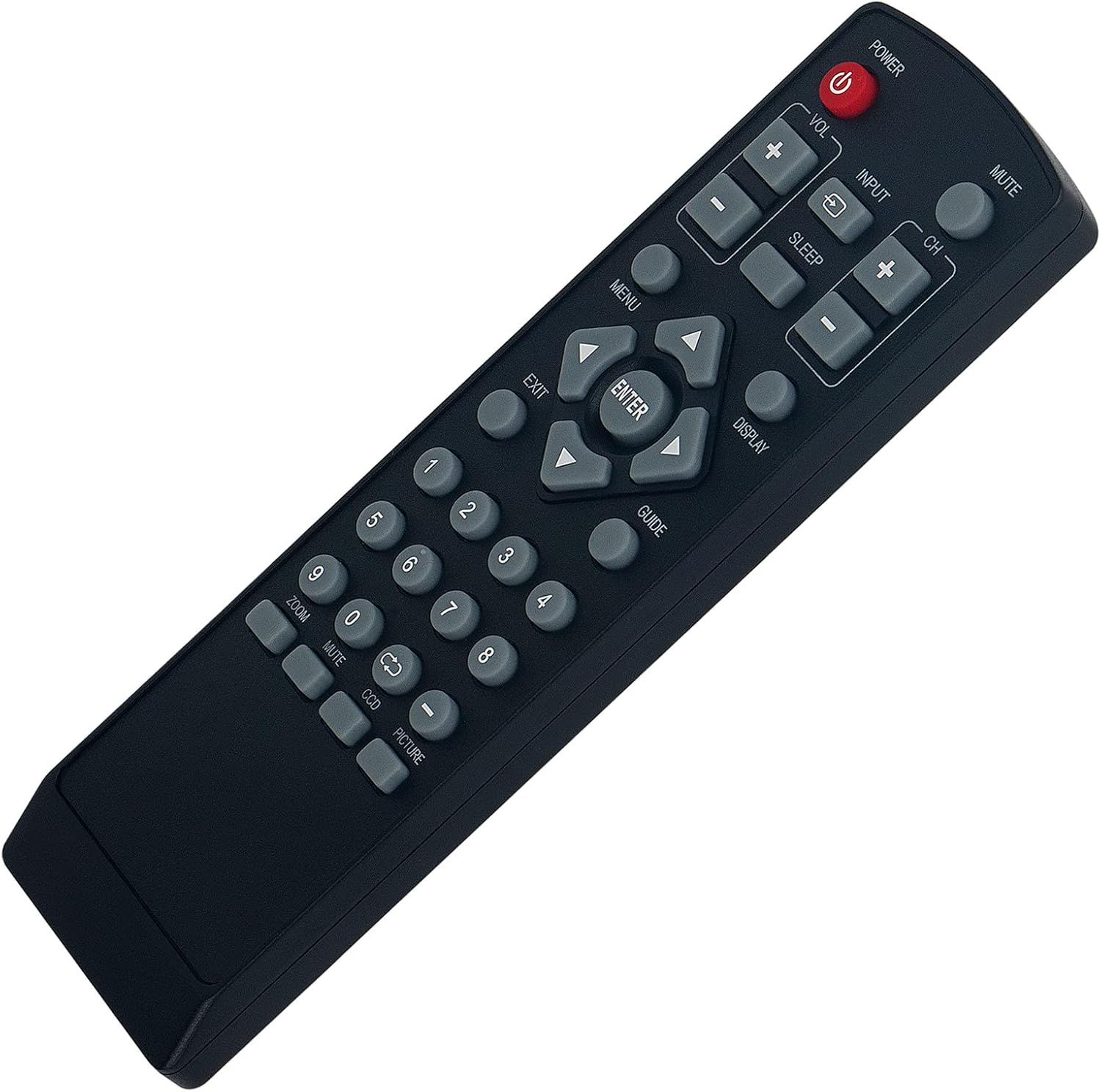
Image: The rear view of the Beyution RC-V21-0B remote control, showing the open battery compartment ready for AAA battery insertion.
Once batteries are installed, the remote is ready for use with compatible Dynex Digital TVs without any additional programming.
Operating Instructions
No Programming Required
The Beyution RC-V21-0B is a pre-programmed replacement remote control. No codes need to be entered, and no synchronization steps are required. Simply insert the batteries, and the remote will function with your compatible Dynex Digital TV.
Button Functions
The remote control features standard buttons for TV operation. Refer to the image below for button layout and their general functions:
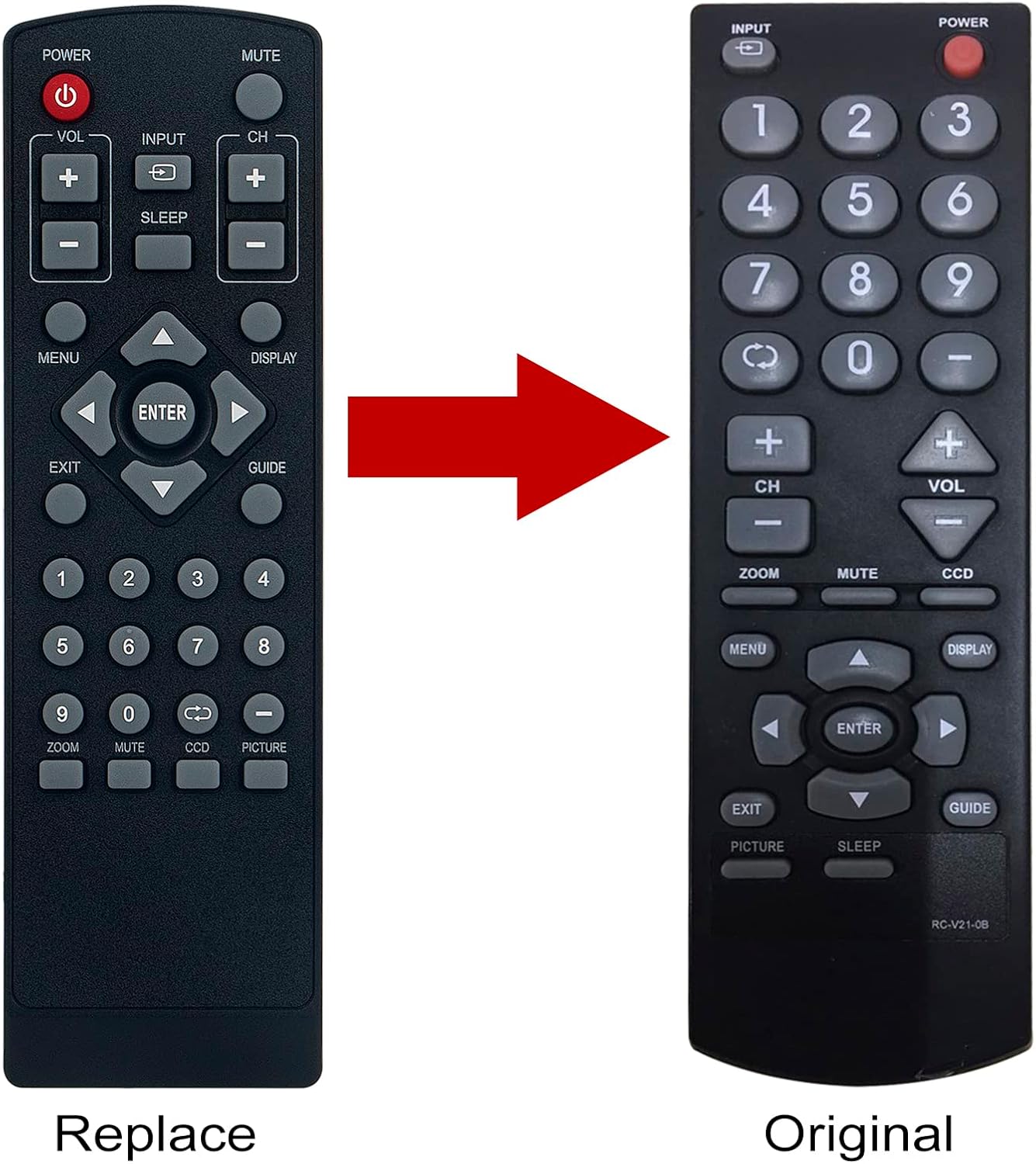
Image: A clear, straight-on view of the Beyution RC-V21-0B remote control, displaying all its buttons and their labels.
- POWER: Turns the TV on or off.
- MUTE: Mutes or unmutes the TV audio.
- VOL +/-: Adjusts the volume level.
- CH +/-: Changes the TV channel.
- INPUT: Selects the video input source (e.g., HDMI, AV).
- SLEEP: Activates or adjusts the sleep timer function.
- MENU: Opens the TV's main menu.
- DISPLAY: Shows current channel information or other on-screen display.
- GUIDE: Accesses the electronic program guide (if available).
- Navigation Arrows (Up, Down, Left, Right): Navigates through menus and options.
- ENTER: Confirms selections in menus.
- EXIT: Exits the current menu or on-screen display.
- Number Buttons (0-9): Directly enters channel numbers.
- ZOOM: Adjusts the screen zoom level.
- CCD: Activates or adjusts Closed Captioning.
- PICTURE: Accesses picture settings.
The functionality of some buttons may vary slightly depending on your specific Dynex TV model.
Maintenance
Cleaning the Remote
To clean the remote control, use a soft, dry cloth. Do not use liquid cleaners, sprays, or abrasive materials, as these can damage the remote's surface or internal components.
Battery Care
- Replace batteries when the remote's response becomes sluggish or inconsistent.
- Always replace both batteries at the same time with new ones of the same type (AAA).
- If the remote control will not be used for an extended period, remove the batteries to prevent leakage and potential damage.
- Dispose of used batteries according to local regulations.
Troubleshooting
Remote Not Responding
- Check Batteries: Ensure batteries are inserted correctly with the correct polarity (+/-) and are not depleted. Replace with fresh AAA batteries if necessary.
- Line of Sight: Make sure there is a clear line of sight between the remote control and the TV's infrared receiver. Obstructions can block the signal.
- Distance: Operate the remote within a reasonable distance from the TV (typically up to 8-10 meters).
- TV Compatibility: Confirm that your Dynex TV model is listed as compatible with the Beyution RC-V21-0B remote control. Compatible models include DX-R24TV, DX-R20TV, DXR20TV, DX-R20, DXR20, DXR24TV, NSF20TV, NSF24TV, NSF27TV, NSLCD22.
Specific Button Issues
If only certain buttons are not working, ensure they are not stuck or obstructed. If the issue persists, it may indicate a fault with the remote or the TV's receiver.
Specifications
| Model Number | RC-V21-0B |
| Product Dimensions | 6.3 x 1.57 x 0.39 inches (16 x 4 x 1 cm) |
| Item Weight | 2.82 ounces (80 grams) |
| Batteries Required | 2 AAA batteries |
| Compatible Devices | Dynex Digital TVs (Specific models listed in Introduction) |
| Special Feature | Ergonomic design |
Warranty Information
Specific warranty details for the Beyution RC-V21-0B remote control are typically provided by the seller at the time of purchase. Please refer to your purchase documentation or contact the seller directly for information regarding warranty coverage, terms, and conditions.
Customer Support
If you encounter any issues with your Beyution RC-V21-0B remote control that cannot be resolved using the troubleshooting steps in this manual, or if you have questions regarding its compatibility or functionality, please contact the seller or manufacturer for assistance. Provide your product model number (RC-V21-0B) and a detailed description of the issue to facilitate a quicker resolution.