
1. Introduction
This manual provides instructions for the Beyution Replacement Remote Control, designed for use with the Teac TC-102M Mini Stereo Speaker. This remote control offers a direct replacement solution, requiring no complex setup.

Image 1.1: Front and back view of the Beyution Replacement Remote Control. The front displays various function buttons, while the back is smooth and ergonomic.
2. Setup
2.1 Battery Installation
- Locate the battery compartment on the back of the remote control.
- Slide open the battery compartment cover.
- Insert two (2) AAA batteries, ensuring correct polarity (+ and -) as indicated inside the compartment.
- Close the battery compartment cover securely.
Note: Two AAA batteries are required and are not typically included with the remote control.
2.2 Initial Use
This replacement remote control is designed to function immediately with the Teac TC-102M Mini Stereo Speaker without any programming or pairing steps. Simply install the batteries, and it is ready for use.
3. Operating Instructions
The remote control features an ergonomic design for comfortable handling and responsive buttons. The effective operating distance is approximately 8 to 10 meters.
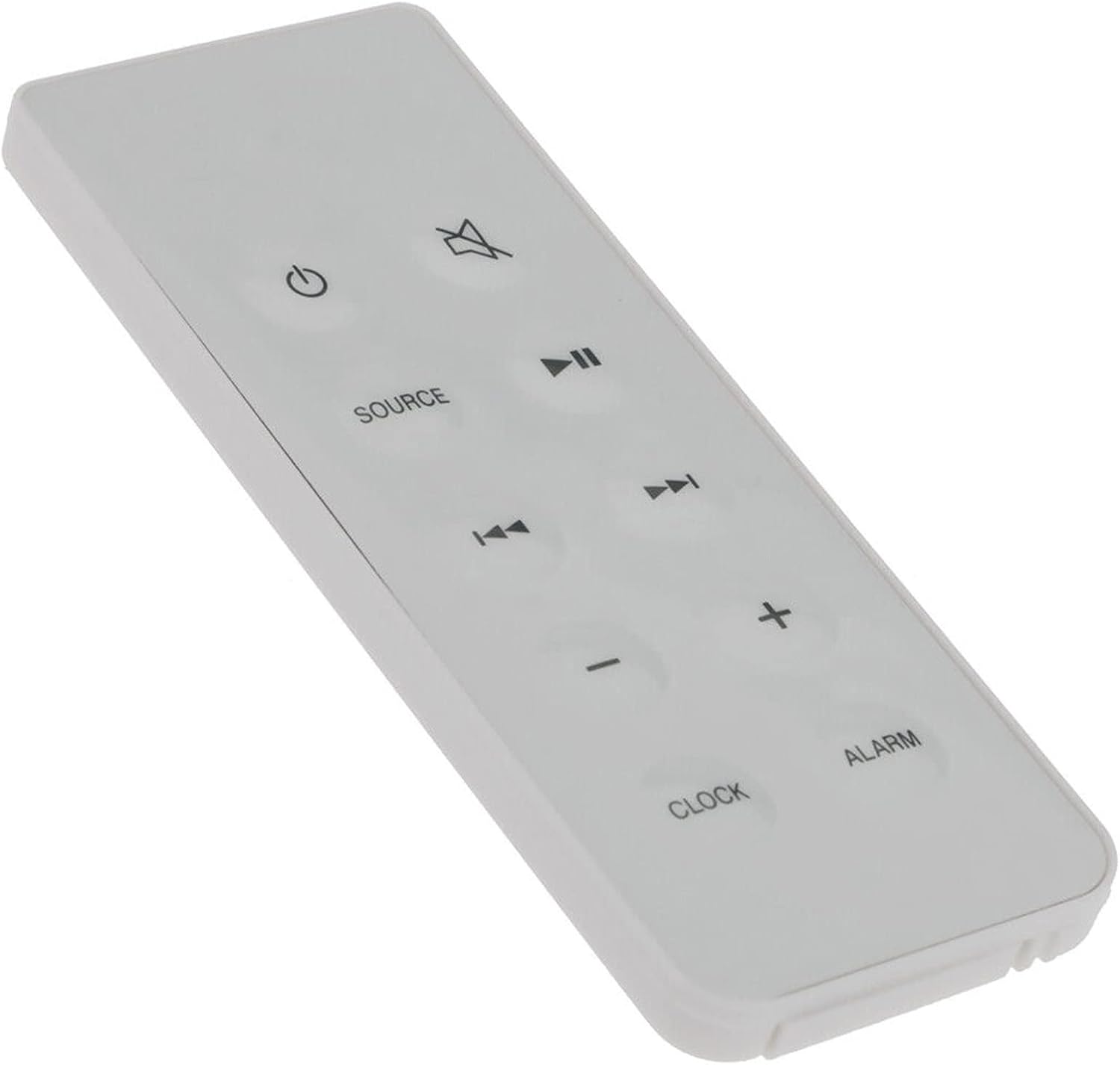
Image 3.1: Angled view of the remote control, highlighting the layout of the function buttons.
3.1 Button Functions
- ⏻ (Power): Turns the stereo speaker on or off.
- 🔇 (Mute): Mutes or unmutes the audio output.
- SOURCE: Selects the input source (e.g., CD, Radio, Aux).
- ⏸ (Play/Pause): Plays or pauses audio playback.
- ⏮ (Previous/Rewind): Skips to the previous track or rewinds during playback.
- ⏭ (Next/Fast Forward): Skips to the next track or fast forwards during playback.
- - (Volume Down): Decreases the volume level.
- + (Volume Up): Increases the volume level.
- CLOCK: Accesses or sets the clock function.
- ALARM: Accesses or sets the alarm function.
4. Maintenance
4.1 Cleaning
To clean the remote control, use a soft, dry cloth. Avoid using abrasive cleaners, solvents, or chemical sprays, as these can damage the surface or internal components.
4.2 Battery Care
- Replace batteries when the remote control's performance diminishes or stops working.
- Remove batteries if the remote control will not be used for an extended period to prevent leakage.
- Dispose of used batteries according to local regulations.
5. Troubleshooting
5.1 Remote Control Not Responding
- Check Batteries: Ensure batteries are inserted correctly with the correct polarity and are not depleted. Replace with fresh AAA batteries if necessary.
- Line of Sight: Ensure there is a clear line of sight between the remote control and the Teac TC-102M Mini Stereo Speaker. Obstructions can block the infrared signal.
- Distance: Confirm you are within the effective operating range (approximately 8-10 meters).
- Speaker Power: Ensure the Teac TC-102M Mini Stereo Speaker is powered on and functioning correctly.
If the issue persists after performing these checks, please refer to the support information in Section 7.
6. Specifications
| Feature | Detail |
|---|---|
| Model Number | WY-TC-102M-KH |
| Compatible Device | Teac TC-102M Mini Stereo Speaker |
| Power Source | 2 x AAA Batteries (not included) |
| Product Dimensions | 6.3 x 1.57 x 0.39 inches (16 x 4 x 1 cm) |
| Item Weight | 2.82 ounces (80 grams) |
| Color | White |
| Special Feature | Ergonomic Design |
7. Warranty and Support
7.1 After-Sales Service
If you encounter any issues with your Beyution Replacement Remote Control or have questions not covered in this manual, please contact customer service. Provide your product model number (WY-TC-102M-KH) and a detailed description of the issue for prompt assistance. Customer service representatives aim to provide a satisfactory solution within 24 hours.
For specific contact information, please refer to the retailer or the original purchase documentation.