
1. Introduction
This manual provides instructions for the Beyution RG66A1/BGEF universal replacement remote control. This remote is designed to operate various Midea, Pioneer, Senville, and Kaden mini split air conditioner and heat pump units. It functions as a direct replacement for the original remote, requiring no complex programming.
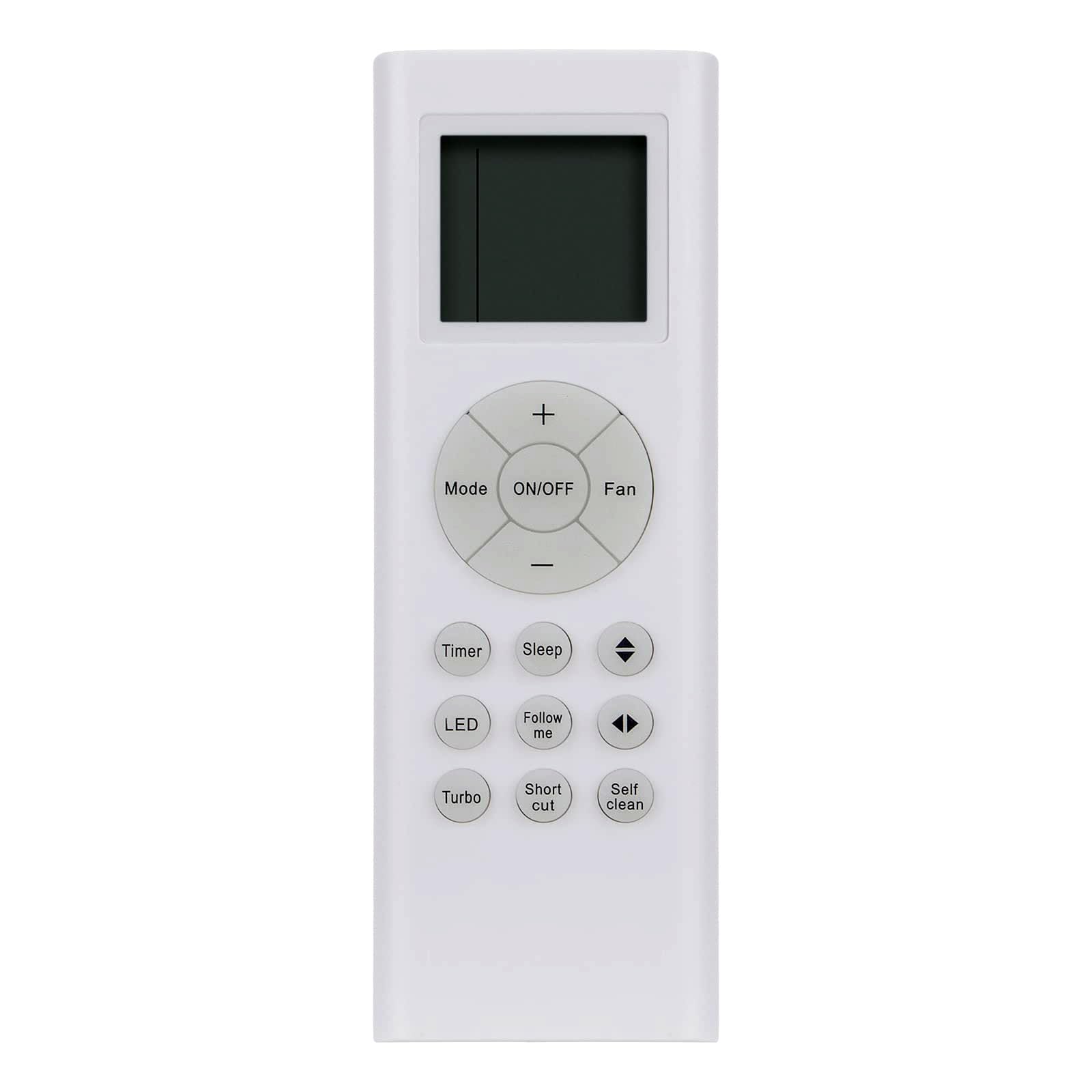
Image 1.1: Front view of the RG66A1/BGEF remote control. This image displays the remote's dimensions (approximately 6.30 inches in length and 2.17 inches in width) and highlights key features such as ABS material construction, soft-touch and anti-dusted buttons, and long transmission distance.
2. Setup
2.1 Battery Installation
- Locate the battery compartment on the back of the remote control.
- Slide the battery cover downwards to open it.
- Insert two (2) AAA batteries, ensuring the positive (+) and negative (-) terminals match the markings inside the compartment.
- Slide the battery cover back into place until it clicks securely.

Image 2.1: Back view of the remote control with the battery compartment open. This illustrates the correct orientation for inserting two AAA batteries.
2.2 Initial Use
Once batteries are installed, the remote control is ready for use. No additional programming is typically required for this replacement unit. Point the remote directly at the air conditioner's receiver.
3. Operating Instructions
The remote control features various buttons for controlling your air conditioner or heat pump. Note that the display shows temperature in Celsius only.

Image 3.1: Detailed view of the remote control buttons. This image clearly labels each button for easy identification during operation.
- ON/OFF Button: Press to turn the unit on or off.
- Mode Button: Cycles through operating modes (e.g., Cool, Heat, Fan, Dry, Auto).
- Fan Button: Adjusts fan speed.
- Temperature Adjustment (+/-) Buttons: Increases or decreases the set temperature.
- Timer Button: Sets the timer for automatic on/off operations.
- Sleep Button: Activates or deactivates sleep mode for comfortable night operation.
- LED Button: Controls the display light on the indoor unit.
- Follow Me Button: Activates a feature where the unit senses temperature at the remote's location.
- Turbo Button: Engages maximum cooling or heating for rapid temperature change.
- Short Cut Button: Recalls your preferred settings.
- Self Clean Button: Initiates a self-cleaning function for the indoor unit.
- Directional Arrows: Used for adjusting fan swing or navigating menu options if available.
4. Maintenance
4.1 Battery Replacement
Replace batteries when the remote's display becomes dim or the unit no longer responds reliably. Always replace both AAA batteries simultaneously with new ones. Do not mix old and new batteries or different types of batteries.
4.2 Cleaning
Wipe the remote control with a soft, dry cloth. Do not use liquid cleaners, abrasive materials, or chemical solvents, as these can damage the remote's surface or internal components.
4.3 Storage
If the remote control will not be used for an extended period, remove the batteries to prevent leakage and potential damage to the remote.
5. Troubleshooting
- Remote not responding:
- Check if the batteries are correctly inserted and have sufficient charge. Replace if necessary.
- Ensure there are no obstructions between the remote control and the air conditioner's receiver.
- Confirm you are within the effective operating range of the air conditioner.
- Unit functions incorrectly:
- Verify that the remote control model RG66A1/BGEF is compatible with your specific air conditioner model. Refer to the 'Compatible Models' section.
- If the issue persists, try resetting the air conditioner unit (refer to your air conditioner's manual).
6. Specifications
| Model Number | RG66A1/BGEF |
| Product Dimensions | 6.3 x 1.57 x 0.39 inches (16 x 4 x 1 cm) |
| Item Weight | 2.39 ounces (67.7 grams) |
| Batteries Required | 2 x AAA (not included) |
| Compatible Devices | Air Conditioner, Heat Pump |
| Color | White |
| Display Temperature Unit | Celsius ONLY |
7. Compatible Models
This remote control is a replacement for the following air conditioner and heat pump models:
- Midea Air Conditioner: RG66B3/BGEF
- Pioneer A/C Unit Air Conditioner: WYS009AMFI17RL, WS012GMF119HLD, WYS009GMFI17RL, WYS009AMFI19RL, WYS012GMFI17RL, WYS012G-19
- Senville Air Conditioner and Heat Pump: SENA-36MO-218, SENA36/MO9999, RG66B6/BGEFU1, SENA/48HF/F, SENA/48HF/MOZ, SENA/48HF/D, RG66A2/BGEFU1, RG66A1/BGEFU1, SENA-09HF/ID
8. Warranty and Support
For warranty information or technical support, please refer to the original purchase documentation or contact the seller directly. Keep your purchase receipt as proof of purchase.