Introduction
This manual provides essential information for setting up, operating, and maintaining your Garmin Forerunner 965 Advanced GPS Multisport Smartwatch. Please read thoroughly to ensure optimal performance and longevity of your device.
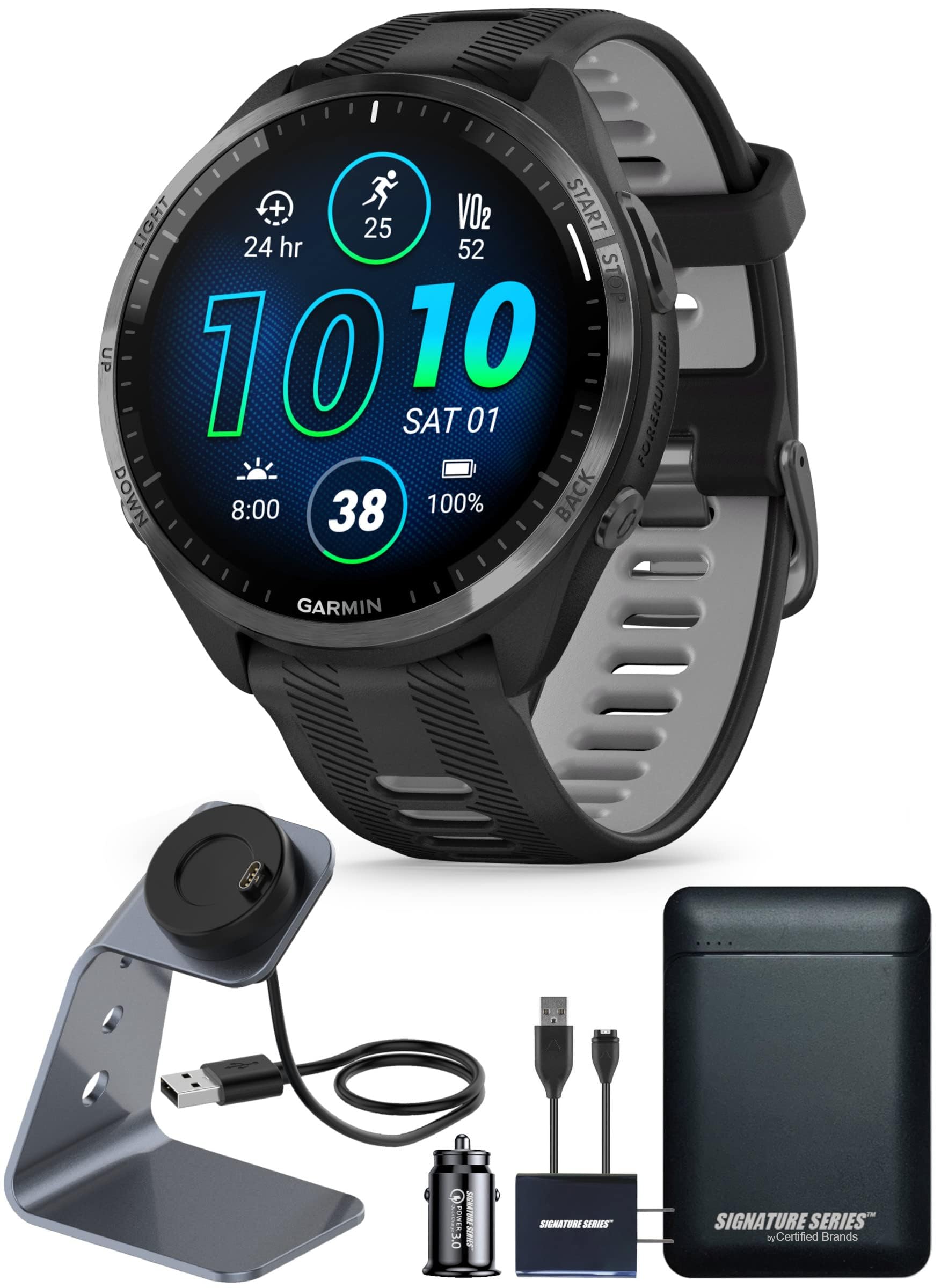
Figure 1: Front view of the Garmin Forerunner 965 Smartwatch.
Setup
What's in the Box
- 1 Garmin Forerunner 965 GPS Running Smartwatch
- 1 Signature Series Watch Stand with Charging Cable
- 1 Signature Series 5000mAh Portable Power Bank with Wall Charger and Car Plug Adapter
Initial Charging
Before first use, fully charge your Forerunner 965 using the provided charging cable and power bank or wall charger. Connect the charging cable to the watch's charging port and plug it into a power source. The watch display will indicate charging status.

Figure 2: Garmin Forerunner 965 display showing time and battery status.
Operating Instructions
Basic Navigation
The Forerunner 965 features both a responsive touchscreen and five physical buttons for navigation. You can swipe up/down on the touchscreen to scroll through widgets and menus, or use the UP/DOWN buttons on the left side of the watch. The START/STOP button (top right) initiates activities and confirms selections, while the BACK/LAP button (bottom right) returns to the previous screen or marks a lap during an activity. The LIGHT button (top left) controls the backlight and can be customized for quick access to features.

Figure 3: Left side of the watch with LIGHT, UP, and DOWN buttons.

Figure 4: Right side of the watch with START/STOP and BACK/LAP buttons.
Training Readiness & Daily Suggested Workouts
The watch provides a training readiness score each morning, based on sleep quality, recovery, and training load. This score helps determine if it's an optimal day for intense training or rest. Daily suggested workouts adapt after each run, considering performance, recovery, and upcoming races in your Garmin Connect calendar. Indicators like HRV status and recent exercise history provide insights into your overall effort.

Figure 5: Watch display showing "Training Readiness" score.
Multisport Profiles
Easily switch between sports during multi-event activities using built-in profiles for triathlons, duathlons, brick workouts, and swimruns. You can also create custom multisport profiles to suit your specific training needs.

Figure 6: Watch display showing "Training Status".
Features
Advanced GPS and Mapping
The Forerunner 965 features advanced GPS capabilities with full-color, built-in mapping. This ensures accurate tracking and navigation whether you're running on city streets or exploring densely covered trails. You can download courses with turn-by-turn guidance via the Garmin Connect app.

Figure 7: Watch display showing GPS map navigation.
Heart Rate Monitoring
The integrated heart rate monitor provides continuous heart rate data, crucial for optimizing training intensity and monitoring overall cardiovascular health. The watch uses advanced sensors on the back to accurately track your heart rate.

Figure 8: Back of the watch showing the optical heart rate sensors.
Garmin Connect App Integration
The Garmin Connect app (available on mobile and web) is your central hub for tracking, analyzing, and sharing all health and fitness activities recorded by your Forerunner 965. It offers digital insights, detailed performance metrics, and the ability to download courses.
Music Storage and Controls
Store up to 8 GB of music directly on your watch, allowing you to listen to your favorite playlists or podcasts without needing your phone. You can also control music playback from your paired smartphone.
Garmin Pay
Make contactless payments directly from your wrist with Garmin Pay, supported wherever Google Pay is accepted.
Built-in Flashlight
The watch includes a built-in flashlight feature, which can be activated via customizable hotkeys. This is useful for visibility during night runs or in low-light conditions.
Maintenance
Cleaning the Watch
Regularly clean your watch and band to prevent buildup of sweat, dirt, and other debris. Use a soft, damp cloth to wipe the watch face and sensors. For the silicone band, you can use mild soap and water. Ensure the watch is completely dry before wearing or charging.
Storage
Store the watch in a cool, dry place away from direct sunlight and extreme temperatures when not in use for extended periods.
Troubleshooting
Battery Life Issues
If battery life is shorter than expected (up to 13 days in smartwatch mode), ensure all background features like continuous GPS tracking or always-on display are optimized or disabled when not needed. Reduce screen brightness or disable Wi-Fi/Bluetooth if not actively syncing.
GPS Accuracy Problems
For optimal GPS accuracy, ensure you are in an open area with a clear view of the sky. Allow the watch sufficient time to acquire a GPS signal before starting an activity. Syncing with Garmin Connect regularly helps update satellite data.
Display Not Responding
If the touchscreen is unresponsive, try restarting the watch. If the issue persists, ensure the screen is clean and dry. You can also rely on the physical buttons for navigation.
Specifications
- Model Name: Forerunner 965
- Item Model Number: XN-P01
- Display Size: 35.4 Millimeters
- Display Resolution: 454 x 454
- Battery Life: Up to 13 days (Smartwatch mode), Up to 23 days (GPS mode)
- Memory Storage Capacity: 32 GB
- Item Weight: 53 Grams (1.87 ounces)
- Product Dimensions: 1.86 x 1.86 x 0.52 inches
- Connectivity Technology: Bluetooth
- Special Features: Bluetooth, Touchscreen, Waterproof, GPS Enabled
- Battery Cell Composition: Lithium Ion
Warranty and Support
For warranty information and customer support, please refer to the documentation included with your product or visit the official Garmin website. Keep your proof of purchase for warranty claims.
Official Product Video
Video: Garmin Forerunner 965 Series | Vibrant AMOLED Display. This video highlights the vibrant AMOLED display and key features of the Forerunner 965 smartwatch.


