1. Product Overview
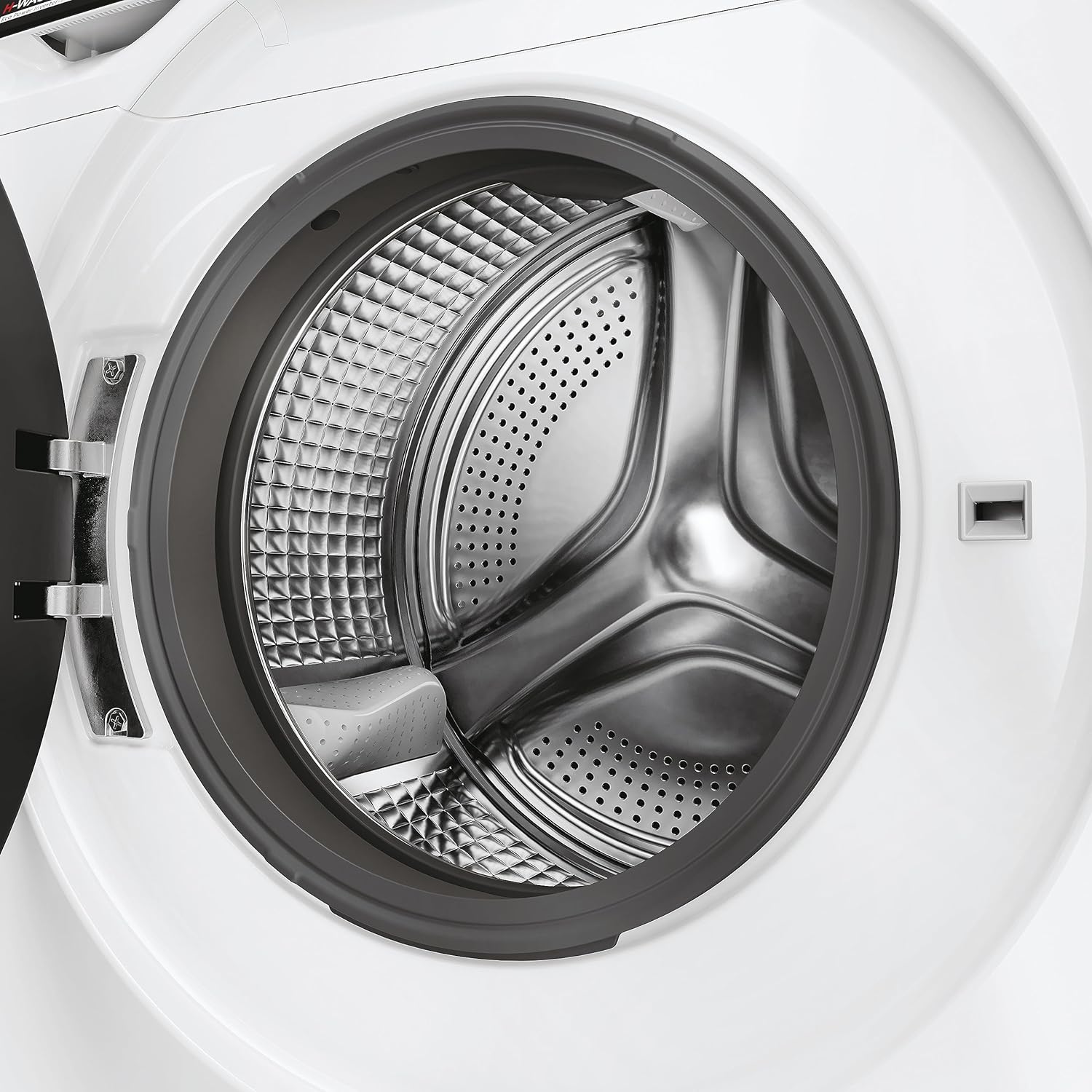
The Hoover H-WASH 700 H7W449AMBC-S is a slim, 9 kg capacity washing machine designed for efficient and convenient laundry care. It features a large 525 mm basket for high performance and gentle fabric treatment. This model includes Wi-Fi + BLE connectivity, Auto Care, and Steam Care Pro functions for enhanced washing results and user experience.


2. Safety Information
Please read all safety instructions carefully before installing and using the appliance. Keep this manual for future reference.
- Ensure the appliance is properly grounded and connected to a suitable power supply.
- Do not allow children to play with or operate the washing machine.
- Never force the door open during operation.
- Do not wash items that are soiled with flammable substances.
- Always unplug the appliance before cleaning or performing maintenance.
- Ensure all transport bolts are removed before first use to prevent damage and excessive vibration.
3. Installation and Setup
The Hoover H-WASH 700 is designed for free installation. Follow these steps for proper setup:
- Unpacking: Carefully remove all packaging materials. Check for any damage during transit.
- Remove Transport Bolts: Locate and remove all transport bolts from the rear of the machine. These bolts secure the drum during transport and must be removed before operation. Refer to the diagram below for typical locations.
- Positioning: Place the washing machine on a firm, level surface. Ensure there is adequate space around the appliance for ventilation and access.
- Leveling: Adjust the adjustable feet at the bottom of the machine to ensure it is perfectly level. A level machine reduces vibration and noise during operation.
- Water Connection: Connect the water inlet hose(s) to the appropriate cold and hot water taps (if applicable) and to the machine's inlet valves. Ensure connections are tight to prevent leaks.
- Drain Hose Connection: Securely connect the included drain hose to a suitable drain pipe or sink. Ensure the hose is not kinked or blocked.
- Electrical Connection: Plug the power cord into a grounded electrical outlet. Ensure the voltage matches the appliance's requirements (230 Volts).

4. Operating Instructions
Operating your Hoover H-WASH 700 washing machine is straightforward. Here are the basic steps and key features:
- Loading Laundry: Open the door and load your laundry into the drum. Do not overload the machine; ensure there is enough space for clothes to tumble freely. The maximum capacity is 9 kg.
- Add Detergent and Softener: Pull out the detergent drawer and add the appropriate amount of detergent to the main wash compartment and fabric softener to its designated compartment.
- Select Program: Turn the central program selection knob to choose your desired wash cycle. The machine offers various programs suitable for different fabric types and soil levels.
- Adjust Settings (Optional): Use the control panel buttons to adjust settings such as temperature, spin speed (up to 1400 RPM), or to activate special functions like Auto Care or Steam Care Pro.
- Start Cycle: Press the Start/Pause button to begin the wash cycle.
Special Features:
- Wi-Fi + BLE Connectivity: Connect your washing machine to the hOn app on your smartphone. This allows you to control the machine remotely, download additional programs, and receive smart notifications.
- Auto Care: This intelligent function automatically sets the optimal wash schedule, detergent amount, water level, and time based on the load and fabric type, ensuring efficient and effective cleaning.
- Steam Care Pro: The Steam Care Pro cycle releases steam into the drum to help eliminate odors, reduce wrinkles, and soften fabric fibers, making ironing easier.
- 60°C Hygiene Program: A dedicated program designed for deep cleaning and sanitization of garments at 60°C.

5. Maintenance
Regular maintenance ensures the longevity and optimal performance of your washing machine.
- Cleaning the Detergent Drawer: Periodically remove and clean the detergent drawer to prevent residue buildup. Rinse it under running water and dry thoroughly before reinserting.
- Cleaning the Drum: Run a maintenance wash cycle (e.g., a hot wash with no laundry and a descaling agent) regularly to clean the drum and remove any detergent or fabric softener residues.
- Cleaning the Filter: The drain pump filter should be cleaned periodically to remove lint, coins, or other small objects that may have accumulated. Refer to your full manual for specific instructions on accessing and cleaning the filter.
- Door Seal: Wipe the door seal after each wash to prevent mold and mildew buildup. Leave the door slightly ajar when not in use to allow air circulation.
- Exterior Cleaning: Wipe the exterior of the machine with a soft, damp cloth. Do not use abrasive cleaners or solvents.
6. Troubleshooting
If you encounter issues with your washing machine, refer to the following common problems and solutions:
| Problem | Possible Cause | Solution |
|---|---|---|
| Machine does not start | Power cord unplugged, door not closed properly, program not selected, Start/Pause button not pressed. | Check power connection, ensure door is securely latched, select a program, press Start/Pause. |
| Excessive vibration/noise | Transport bolts not removed, machine not level, uneven load, small objects in drum/filter. | Ensure all transport bolts are removed, level the machine, redistribute laundry, check drain pump filter. |
| Water not draining | Drain hose kinked or blocked, drain pump filter clogged. | Check drain hose for kinks, clean the drain pump filter. |
| Poor washing results | Overloading, incorrect detergent dosage, wrong program selected. | Reduce load size, use correct detergent amount, select appropriate wash program. |
For more complex issues or if the problem persists, please contact Hoover customer support.
7. Specifications
| Feature | Detail |
|---|---|
| Brand | Hoover |
| Model | 31018970 |
| Product Dimensions (H x W x D) | 85 x 60 x 51 cm |
| Item Weight | 9 kg |
| Energy Efficiency Class | A |
| Capacity | 9 Kilograms |
| Maximum Rotational Speed | 1400 RPM |
| Installation Type | Free installation |
| Special Features | Wi-Fi + BLE, Connected, Auto Care, Steam Care Pro |
| Colour | White |
| Control Console | Push Button or Knob |
| Access Location | Front Load |
| Voltage | 230 Volts |
| Fuel Type | Electric |
| Included Components | Drain Hose |
8. Warranty and Support
For information regarding the product warranty, please refer to the warranty card included with your appliance or consult the retailer from whom you purchased the product. Warranty terms and conditions may vary by region and retailer.
For technical support, spare parts, or service inquiries, please contact Hoover customer service. You can typically find contact information on the Hoover official website or in the documentation provided with your washing machine.
Note: Always provide your product model number (31018970) and serial number when contacting support for faster assistance.


