
1. Introduction and Overview
This manual provides detailed instructions for the installation, operation, and maintenance of your Ctronics 5MP 30X Optical Zoom Metal Security Camera. Designed for outdoor surveillance, this camera offers advanced features such as high-definition resolution, extensive optical zoom, intelligent human detection, and robust weather resistance to ensure comprehensive security monitoring.
2. What's in the Box
- 1 x Ctronics 5MP 30X Optical Zoom Metal Security Camera
- 1 x Power Cord
- 1 x Installation Package (screws, wall plugs)
- 1 x Installation Bracket
- 1 x User Manual (this document)
3. Key Features
The Ctronics security camera is equipped with a range of features to enhance your surveillance capabilities:

30X Optical Zoom & 5MP HD Resolution
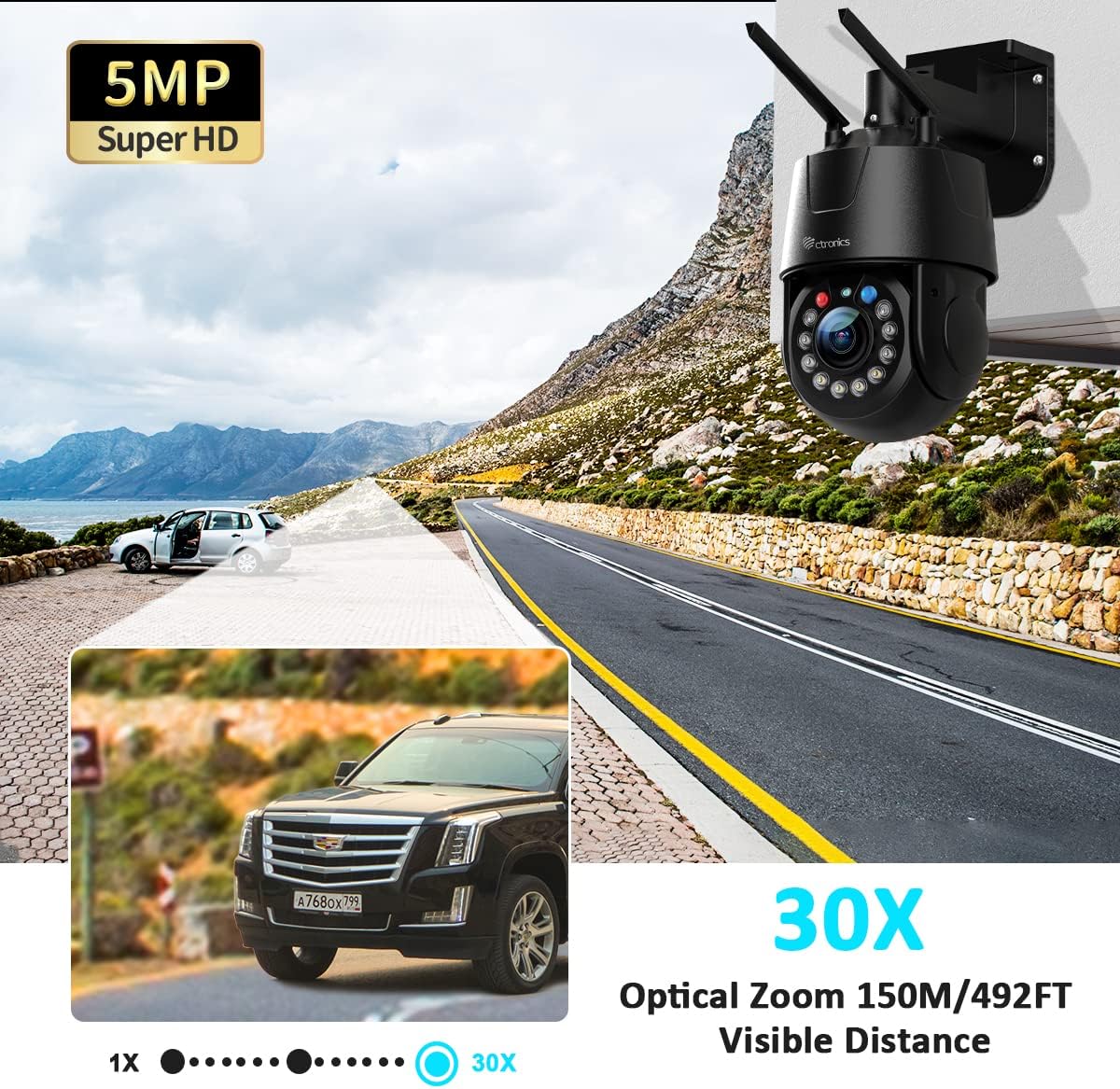
Experience crystal-clear images with 5MP (2560 x 1920P) resolution. The 30X optical zoom allows for detailed magnification without image degradation, ensuring clarity even at long distances. The camera supports 355° pan and 90° tilt for comprehensive area coverage.
Advanced Optical Zoom Capabilities
The camera's 30X optical zoom provides the ability to clearly view objects up to 492 feet (150 meters) away, maintaining image quality even when fully zoomed in. This feature is crucial for monitoring large outdoor areas.

Auto Cruise & Zoom
This camera supports both auto cruise and auto tracking. Two cruise types are available: Zoom Cruise (2 routes, up to 16 preset points each) and Normal Cruise (1 route, up to 30 preset points). The camera can automatically zoom in and track human movement during zoom cruise mode.

Human Detection & Auto Tracking
The camera's intelligent human detection minimizes false alarms by distinguishing human movement from other objects. Upon detecting a person, the camera automatically tracks their movement and sends an alert via the CTRONICS PRO app.
492FT Night Vision & Warning Lights
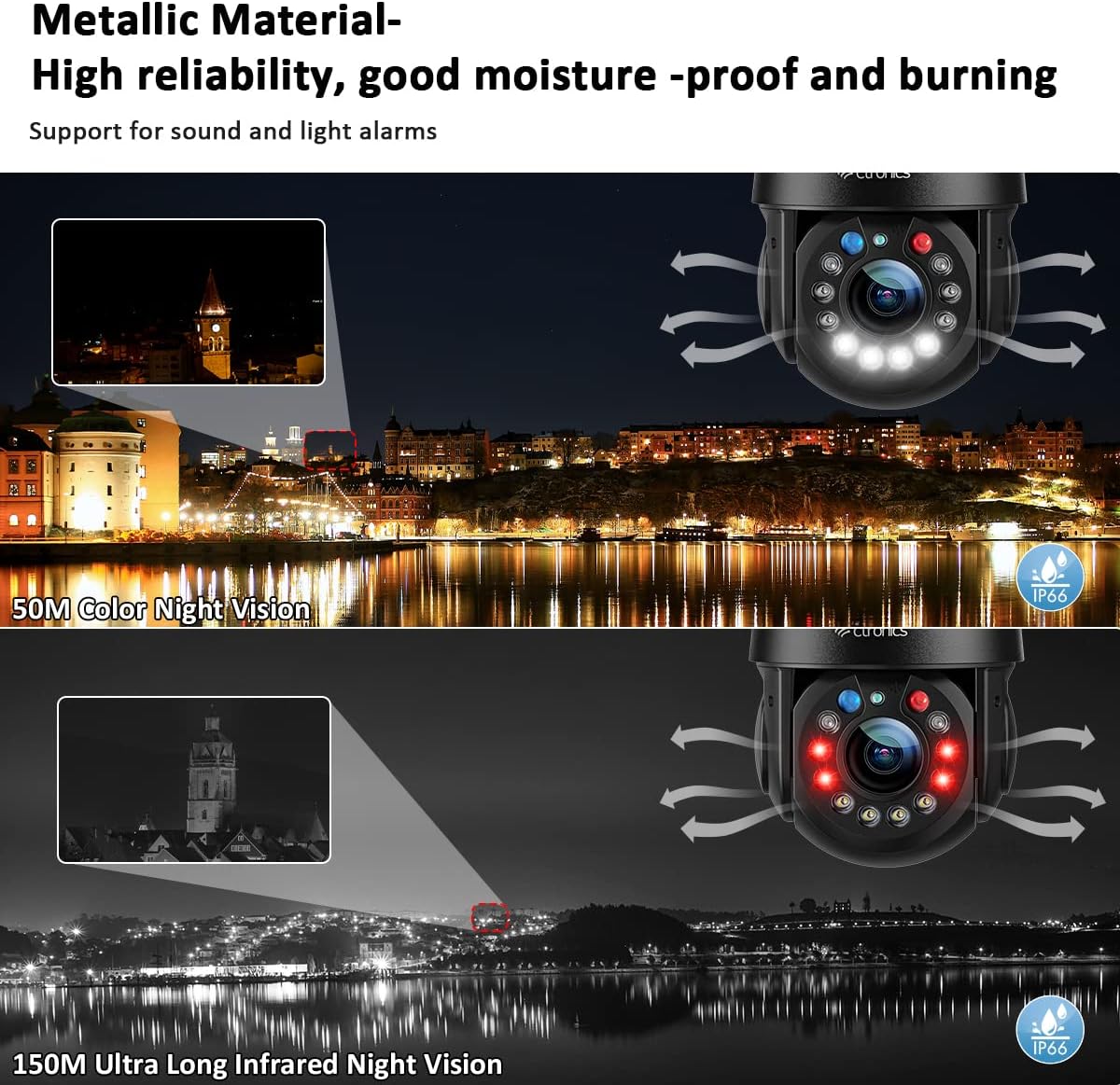
Equipped with 2 laser IR LEDs, 4 IR LEDs, and 4 white LEDs, the camera provides clear night vision up to 492ft (150m) in black and white, or 164ft (50m) in full color. Three night vision modes are selectable. Red and blue warning lights flash with an alarm sound when human movement is detected, which is customizable.

Enhanced Human Detection
The human detection feature significantly reduces false alarms by accurately identifying human shapes, ensuring you only receive relevant alerts. This improves the efficiency of your surveillance system.

Broad Compatibility & 2-Way Audio
The camera is compatible with iOS, Android, Mac OS, and Windows devices via the CTRONICS PRO app and Hip2P Client. A built-in high-quality speaker and microphone enable clear two-way audio communication with individuals near the camera.
Durable Metal Construction & IP66 Weatherproof
Constructed from all-metal material, this camera offers superior heat dissipation, corrosion resistance, and wear resistance, ensuring a long service life. Its IP66 rating guarantees reliable operation in extreme weather conditions.
Feature Demonstration Videos:
This video demonstrates the camera's ability to convert video to high-definition, showcasing the clarity of the 5MP resolution.
This video provides a comprehensive overview of the Ctronics 30X 5MP Security Camera Outdoor, highlighting its various features and capabilities.
4. Setup Guide
4.1 Physical Installation
- Choose a Location: Select an outdoor location with a clear view of the area you wish to monitor. Ensure the location provides stable mounting and access to a power source.
- Mount the Bracket: Use the provided installation bracket as a template to mark drilling points on the wall or mounting surface. Drill holes and insert wall plugs if necessary. Secure the bracket firmly with the included screws.
- Attach the Camera: Securely attach the camera to the installed bracket. Ensure all connections are tight and the camera is stable.
- Connect Power: Connect the provided power cord to the camera and plug it into a suitable outdoor power outlet.
4.2 Network Connection
- Download the App: Download the "CTRONICS PRO" app from your device's app store (iOS/Android). For desktop viewing, download the "Hip2P Client" software for Windows or Mac OS.
- Register/Login: Open the app and register a new account or log in with an existing one.
- Add Device: Follow the in-app instructions to add your camera. This typically involves scanning a QR code on the camera or manually entering its ID.
- Connect to Wi-Fi: During the setup process, select your 2.4Ghz or 5Ghz Wi-Fi network and enter the password. Ensure the camera is within range of your Wi-Fi router. Alternatively, connect the camera directly to your router using an Ethernet cable for a wired connection.
- Initial Configuration: Once connected, the app will guide you through initial settings such as time zone, device name, and password setup.
5. Operating Instructions
5.1 Live View and Control
- Access Live Feed: Open the CTRONICS PRO app and select your camera from the device list to view the live video feed.
- Pan/Tilt/Zoom (PTZ): Use the on-screen controls to remotely adjust the camera's pan (355° horizontal), tilt (90° vertical), and optical zoom (30X).
- Two-Way Audio: Tap the microphone icon in the app to speak through the camera's speaker, and listen through its built-in microphone.
- Night Vision Modes: Switch between different night vision modes (Infrared, Full Color, Intelligent) based on your preference and lighting conditions.
5.2 Motion Detection and Alarms
- Enable Human Detection: In the app settings, activate human detection to receive alerts only when a person is identified, reducing false alarms.
- Auto Tracking: Enable auto tracking for the camera to automatically follow detected human movement within its field of view.
- Alarm Settings: Customize alarm sounds and the flashing of red and blue warning lights upon detection. You can also set up push notifications to your smartphone.
5.3 Recording and Playback
- Recording Options: Configure continuous recording or motion-triggered recording to a microSD card (not included, up to 128GB supported) or cloud storage (subscription may be required).
- Playback: Access recorded footage through the app's playback feature, allowing you to review events by date and time.
6. Maintenance
- Cleaning: Regularly clean the camera lens and housing with a soft, damp cloth to remove dust and debris. Avoid abrasive cleaners.
- Weather Protection: While the camera is IP66 weatherproof, ensure its mounting location provides adequate protection from direct, prolonged exposure to extreme elements if possible, to maximize lifespan.
- Firmware Updates: Check the CTRONICS PRO app periodically for firmware updates. Keeping the firmware updated ensures optimal performance and access to new features.
- Cable Inspection: Periodically inspect the power cable and any Ethernet connections for signs of wear or damage.
7. Troubleshooting
| Problem | Possible Cause | Solution |
|---|---|---|
| Camera offline/Cannot connect to Wi-Fi | Weak Wi-Fi signal, incorrect password, network interference. | Ensure camera is within Wi-Fi range. Verify Wi-Fi password. Try restarting router and camera. Consider wired Ethernet connection. |
| Image blurry/Out of focus | Lens dirty, auto-focus issue, protective film still on lens. | Clean the lens. Ensure protective film is removed. If issue persists, contact support. |
| Frequent false alarms | Motion sensitivity too high, non-human objects triggering detection. | Adjust motion detection sensitivity in the app. Ensure human detection is enabled. |
| Two-way audio not working | Microphone/speaker muted in app, network latency. | Check app settings to ensure audio is enabled. Verify network stability. |
| Night vision not clear | Obstruction in front of IR/white LEDs, incorrect night vision mode. | Clear any obstructions. Try switching between different night vision modes. |
For further assistance, please refer to the Warranty and Support section.
8. Specifications
| Feature | Detail |
|---|---|
| Model Name | CTIPC-550C-B |
| Resolution | 5MP (2560 x 1920P) |
| Optical Zoom | 30X |
| Pan/Tilt Range | Pan 355°, Tilt 90° |
| Night Vision Range | Up to 492 ft (150m) IR, 164 ft (50m) Full Color |
| Connectivity | Wi-Fi (2.4/5Ghz), Ethernet |
| Weatherproof Rating | IP66 |
| Material | Metal |
| Power Source | Corded Electric (12 Volts, 12 watts) |
| Dimensions (L x W x H) | 3.94 x 3.94 x 7.87 inches |
| Item Weight | 4.29 pounds |
| Storage Support | MicroSD card (up to 128GB), Cloud, NVR/NAS |
9. Warranty and Support
Ctronics offers a 3-year warranty for this product, ensuring peace of mind regarding its quality and performance. Should you encounter any issues or require technical assistance, Ctronics provides dedicated customer support.
For support, please refer to the contact information provided on the product packaging or the official Ctronics website. When contacting support, please have your product model number (CTIPC-550C-B) and purchase details ready.

