
1. Introduction
The leadjoy M1B Mobile Game Controller is engineered to transform your iPhone into a portable gaming console, offering a superior gaming experience with precise controls and minimal latency. This manual provides essential information for setting up, operating, maintaining, and troubleshooting your M1B controller.

Image 1.1: leadjoy M1B Mobile Game Controller connected to an iPhone, showcasing gameplay.
2. Compatibility
2.1 iPhone Models
The leadjoy M1B controller is compatible with iPhones running iOS 13 and above that feature a Lightning port. A comprehensive list of supported iPhone models includes:
- iPhone 14, iPhone 14 Plus, iPhone 14 Pro, iPhone 14 Pro Max
- iPhone 13 Mini, iPhone 13, iPhone 13 Pro, iPhone 13 Pro Max
- iPhone 12 Mini, iPhone 12, iPhone 12 Pro, iPhone 12 Pro Max
- iPhone 11, iPhone 11 Pro, iPhone 11 Pro Max
- iPhone SE (1st, 2nd, and 3rd generation)
- iPhone X, iPhone XR, iPhone XS, iPhone XS Max
- iPhone 8 Plus, iPhone 8
- iPhone 7 Plus, iPhone 7
- iPhone 6s Plus, iPhone 6s

Image 2.1: Visual representation of compatible iPhone models.
2.2 Supported Gaming Platforms & Games
The M1B controller supports a wide array of cloud gaming services, remote play options, and iOS games with controller support:
- Cloud Gaming & Remote Play: Xbox Cloud Gaming (Beta), Amazon Luna, Xbox Remote Play, Steam Link, PS Remote Play, Rainway, Moonlight.
- Popular iOS Games: Genshin Impact, Diablo Immortal, Call of Duty, Apex, and many other controller-supported titles.
- Emulator Support: Exclusively supports the EGG-3DS emulator for playing 3DS games.

Image 2.2: Supported cloud gaming and remote play services.
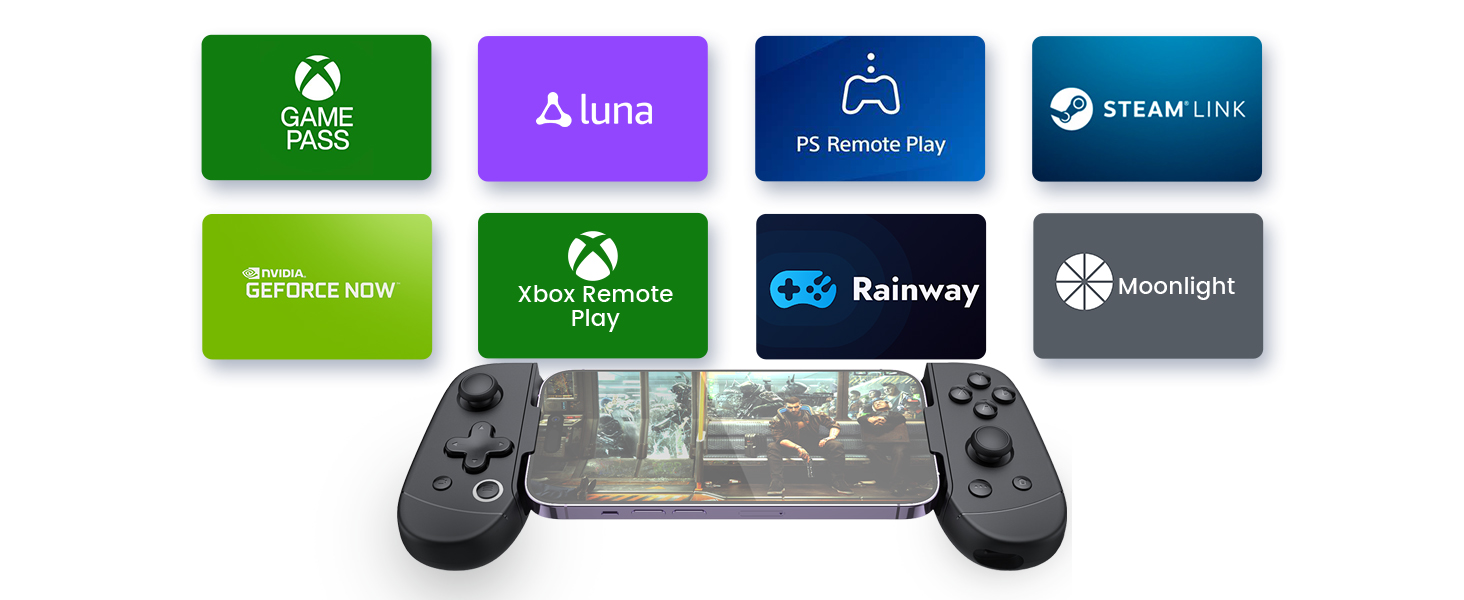
Image 2.3: Examples of controller-supported iOS games.
3. Setup
3.1 Connecting Your iPhone
- Prepare Your iPhone: Ensure your iPhone's Lightning port is clean and free of debris. Lint or dirt can interfere with the connection.
- Screen Protector Check: If your iPhone has a screen protector thicker than 1mm, it may need to be removed to ensure a secure and proper connection with the controller.
- Insert iPhone: Gently slide your iPhone into the leadjoy M1B controller, aligning the Lightning port with the controller's connector. The controller is designed for a snug fit.
- Use Adapter (if necessary): The controller includes a small rubber adapter. If your iPhone feels loose or does not connect properly, use this adapter to ensure a secure fit.
- Verify Connection: Once connected, your iPhone should recognize the controller automatically. Most games with controller support will detect the M1B without additional setup.
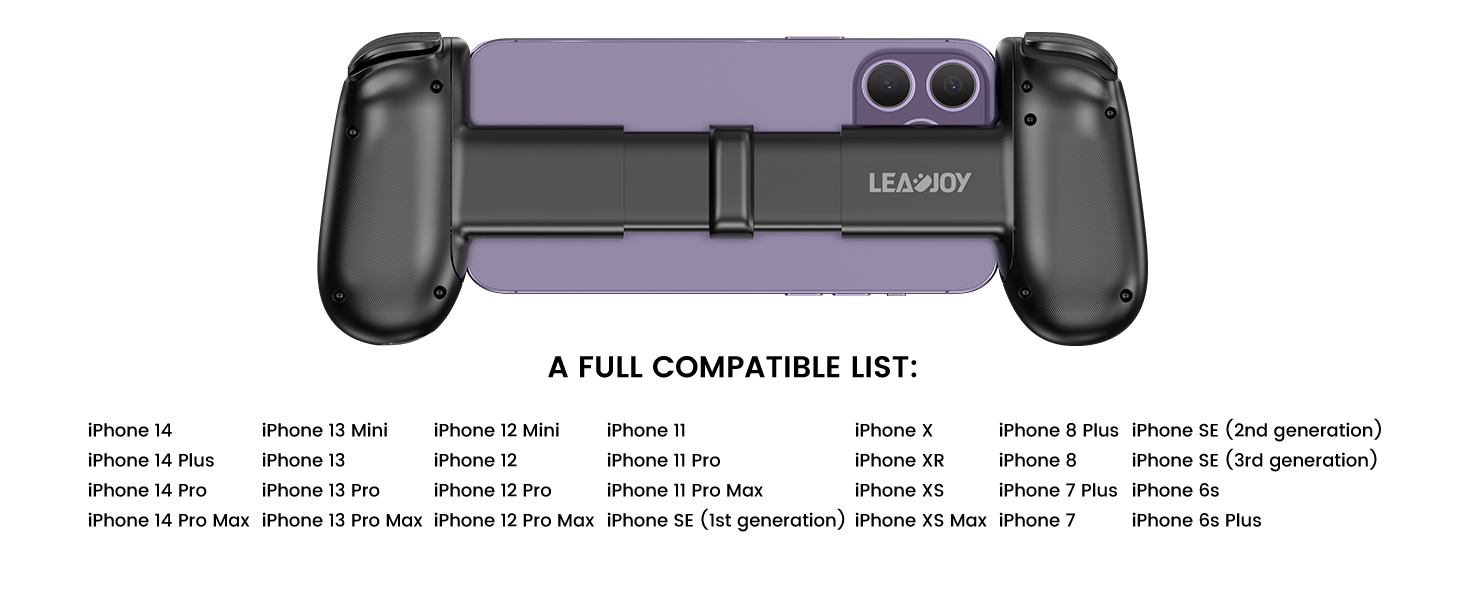
Image 3.1: Connecting the iPhone to the controller's Lightning port.
3.2 VLead App (Optional)
While the controller is generally plug-and-play, some functionalities or updates might be available through the VLead App. Search for "VLead App" or "Leadjoy App" on the App Store to check for availability and additional features.

Image 3.2: Example of the VLead App interface.
4. Operating the Controller
4.1 Controls and Features
The leadjoy M1B is equipped with high-performance controls for a responsive gaming experience:
- Hall Effect Analog Triggers: Provide precise and smooth input for actions like acceleration or braking.
- Mechanical Buttons: Offer tactile feedback and durability, rated for 5 million clicks with a 0.3mm actuation distance and 70 GF actuation force.
- Analog Joysticks: For accurate movement and camera control.
- D-Pad: For directional input.

Image 4.1: Hall Effect Analog Triggers and Mechanical Buttons.
4.2 Passthrough Charging
The M1B controller features passthrough charging, allowing you to charge your iPhone while gaming. Connect your Lightning charging cable to the port on the controller. This ensures uninterrupted gameplay during extended sessions.

Image 4.2: Passthrough charging in action.
4.3 Capture Button
Easily record and share your gaming moments using the dedicated capture button:
- Double Press: Take a screenshot of your current gameplay.
- Long Press: Start or stop recording a video of your gameplay.

Image 4.3: Capture button functionality.
5. Maintenance
To ensure the longevity and optimal performance of your leadjoy M1B controller, follow these general maintenance guidelines:
- Cleaning: Use a soft, dry cloth to wipe the controller. Avoid abrasive cleaners or solvents. For hard-to-reach areas, a cotton swab can be used.
- Storage: Store the controller in a cool, dry place away from direct sunlight and extreme temperatures.
- Handling: Handle the controller with care. Avoid dropping it or subjecting it to strong impacts.
- Port Care: Regularly check and clean your iPhone's Lightning port to prevent connection issues.
6. Troubleshooting
| Issue | Possible Cause | Solution |
|---|---|---|
| Controller not recognized by iPhone | Loose connection, dirty Lightning port, incompatible iOS version. | Ensure iPhone is securely seated. Clean iPhone's Lightning port. Verify iOS version is 13 or above. |
| Controller disconnects during gameplay | Unstable connection, phone shifting, screen protector interference. | Re-seat the iPhone firmly. Use the provided rubber adapter for a tighter fit. Check if screen protector is too thick. |
| Passthrough charging is slow | High power consumption by iPhone/game, charger limitations. | Ensure you are using a high-quality charger and cable. Note that intensive gaming may consume power faster than it charges. |
| Phone feels loose in the controller | Incorrect phone size, missing adapter. | Ensure your iPhone model is compatible. Use the small rubber adapter included with the controller to secure the phone. |
| Buttons feel sticky or unresponsive | Debris under buttons, manufacturing defect. | Gently clean around the buttons. If the issue persists, contact customer support. |
7. Specifications
- Model: leadjoy M1B
- Manufacturer: leadjoy
- Connectivity: Lightning Port (Direct connection)
- Compatibility: iPhones with Lightning port running iOS 13 and above
- Triggers: Hall Effect Analog Triggers
- Buttons: Mechanical Buttons (5 million clicks, 0.3mm actuation distance, 70 GF actuation force)
- Special Features: Passthrough Charging, Capture Button (Screenshot/Video Record)
- Product Dimensions: 7.74 x 3.74 x 1.26 inches
- Item Weight: 12.35 ounces
- First Available: March 24, 2023
8. Warranty Information
Specific warranty details for the leadjoy M1B Mobile Game Controller may vary by region and retailer. Please refer to the warranty card included with your product or contact the seller/manufacturer directly for comprehensive warranty terms and conditions.
9. Customer Support
For technical assistance, product inquiries, or warranty claims, please contact the leadjoy customer support team or the retailer from whom you purchased the product. Refer to the product packaging or the official leadjoy website for contact information.

