
pTron Bassbuds Air
pTron Bassbuds Air TWS Earbuds User Manual
Model: Bassbuds Air
Introduction
This manual provides detailed instructions for the safe and efficient use of your pTron Bassbuds Air True Wireless Stereo (TWS) Earbuds. Please read this guide thoroughly before operating the device and retain it for future reference.

Image: pTron Bassbuds Air TWS Earbuds and their charging case in dark blue.
What's in the Box
Verify that all items are present in the package:
- 1 x pTron Bassbuds Air Earbuds (Left and Right)
- 1 x Charging Case
- 1 x Extra Ear Tips (S/M/L sizes)
- 1 x USB Type-C Charging Cable
- 1 x User Manual (this document)
- 1 x Warranty Card
Setup
1. Charging the Earbuds and Case
Before first use, fully charge the earbuds and the charging case. The charging case provides extended playtime for the earbuds.
- Insert the earbuds into their respective slots in the charging case. Ensure the charging contacts align.
- Connect the provided USB Type-C charging cable to the charging port on the case and to a DC5V-1A power adapter (not included).
- The indicator light on the case will show charging status. Once fully charged, the indicator light may change or turn off.
- Caution: Using incompatible USB cables or high voltage chargers can damage the product and void the warranty. Always use DC5V-1A chargers.
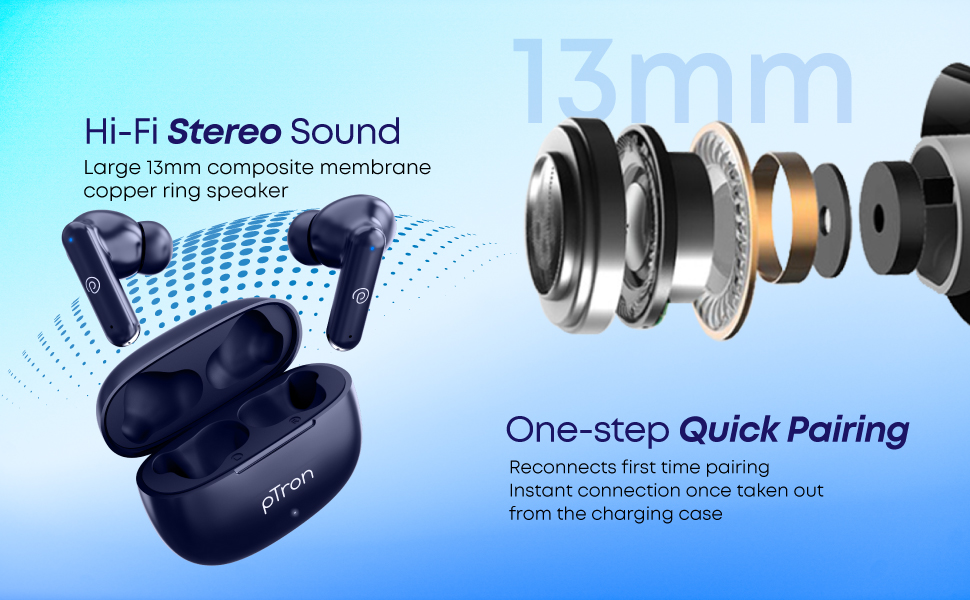
Image: The pTron Bassbuds Air charging case with earbuds inside, connected to a Type-C charging cable.
2. Pairing with a Device
The earbuds feature 1-step pairing for quick and easy connection.
- Ensure the earbuds are charged.
- Open the charging case. The earbuds will automatically power on and enter pairing mode.
- On your smartphone, tablet, or other Bluetooth-enabled device, go to the Bluetooth settings.
- Search for available devices and select "pTron Bassbuds Air" from the list.
- Once connected, you will hear a confirmation tone, and the earbuds will be ready for use.
- The earbuds will automatically re-connect to the last paired device when taken out of the case, provided Bluetooth is enabled on the device.
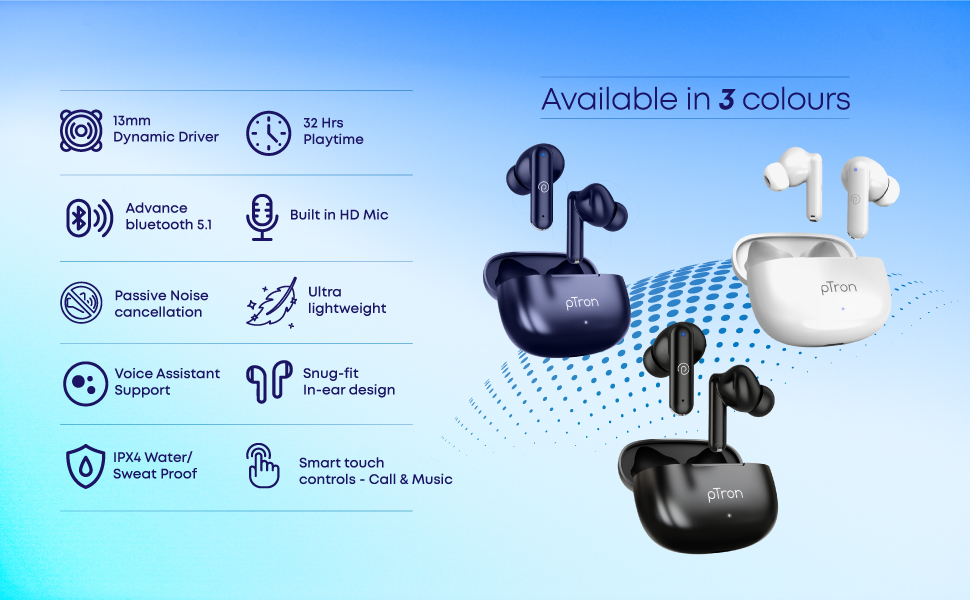
Image: pTron Bassbuds Air earbuds shown next to a smartphone, illustrating Bluetooth connectivity.
Operating the Earbuds
Touch Controls
The pTron Bassbuds Air feature intuitive touch controls on each earbud for managing music playback, calls, and voice assistant activation.
| Function | Action |
|---|---|
| Play/Pause Music | Single tap on either earbud |
| Next Track | Double tap on the Right earbud |
| Previous Track | Double tap on the Left earbud |
| Answer/End Call | Single tap on either earbud |
| Reject Call | Long press on either earbud |
| Activate Voice Assistant | Triple tap on either earbud |

Image: A close-up view of a pTron Bassbuds Air earbud, indicating the location of the touch sensor for controls.
Voice Assistant
Your pTron Bassbuds Air earbuds support instant access to your device's voice assistant (e.g., Google Assistant, Siri). Triple tap either earbud to activate it.
Mono Bud Capability
You can use either the left or right earbud independently for calls or music playback. Simply take one earbud out of the case, and it will connect to your device.
Maintenance
Proper maintenance ensures the longevity and optimal performance of your earbuds.
- Cleaning: Regularly clean the earbuds and charging case with a soft, dry, lint-free cloth. Do not use harsh chemicals or abrasive materials.
- Ear Tips: Remove and clean the ear tips periodically. Ensure they are completely dry before reattaching.
- Charging Contacts: Keep the charging contacts on both the earbuds and inside the case clean and free of debris to ensure proper charging.
- Water Resistance: The earbuds are IPX4 water/sweat resistant, meaning they are protected against splashing water from any direction. They are not designed for submersion in water. Do not expose them to heavy rain or immerse them in liquids.
- Storage: When not in use, store the earbuds in their charging case to protect them and keep them charged. Store in a cool, dry place away from extreme temperatures.
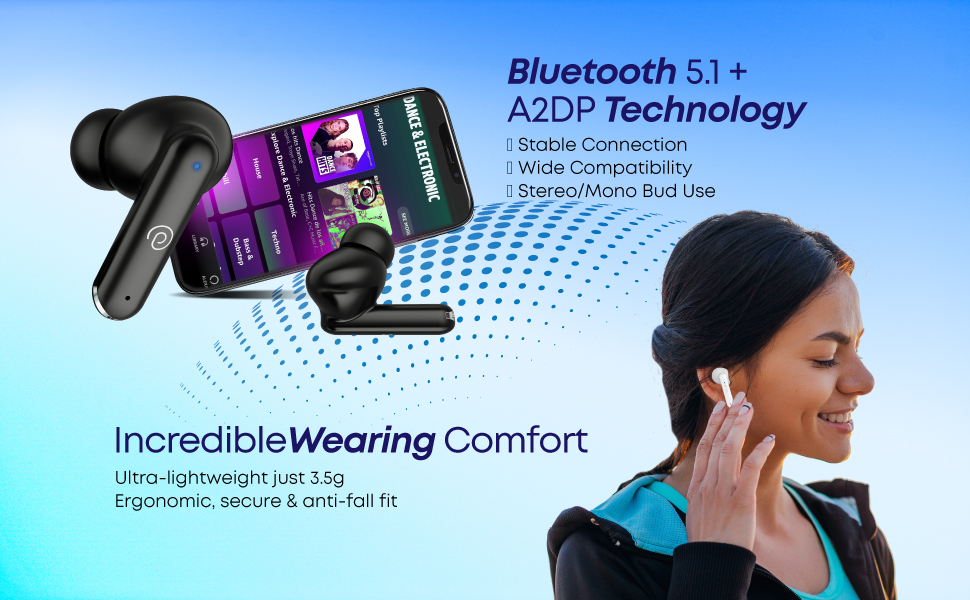
Image: pTron Bassbuds Air earbuds with water droplets, demonstrating their IPX4 water and sweat resistance.
Troubleshooting
If you encounter issues with your pTron Bassbuds Air, refer to the following common solutions:
| Problem | Possible Solution |
|---|---|
| Earbuds not pairing/connecting |
|
| Only one earbud working |
|
| Earbuds not charging |
|
| Low volume or poor sound quality |
|
| Call quality issues |
|
Specifications
Key technical specifications for the pTron Bassbuds Air TWS Earbuds:
- Model Name: Bassbuds Air
- Ear Placement: In Ear
- Form Factor: In Ear
- Driver Size: 13mm Dynamic Driver
- Impedance: 32 Ohms
- Bluetooth Version: 5.1
- Wireless Range: Up to 10 meters (33 feet)
- Battery Life (Earbuds): Up to 32 hours (with charging case)
- Charging Port: USB Type-C
- Water Resistance: IPX4 (Water/Sweat Resistant)
- Noise Control: Passive Noise Cancellation
- Control Method: Touch
- Frequency Range: 20Hz - 20kHz
- Material: Acrylonitrile Butadiene Styrene (ABS)
- Item Weight: 43 Grams (total, likely case + earbuds)
- Compatible Devices: All Bluetooth Devices, Laptops, Mobile Phones, Tablets, PC, Smart TVs, iOS, Android

Image: An exploded view of the pTron Bassbuds Air earbud, highlighting the 13mm dynamic driver for immersive sound.
Warranty and Support
Your pTron Bassbuds Air TWS Earbuds come with a manufacturer's warranty and dedicated customer support.
- Warranty: 1-Year Manufacturer Warranty from the date of purchase, covering manufacturing defects only.
- Manufacturer: PALRED ELECTRONICS PVT. LTD.
- Customer Care Details:
- Phone: 040-67138888
- Email: Support@pTron.in
- Manufacturer Address: SY.NO. 56, 1ST FLOOR, GUNDLAPOCHAMPALLY VILLAGE, TECH PARK MTP, TSIIC-IALA NACHARAM, HYDERABAD - 500076, TELANGANA, INDIA.
Related documentsBassbuds Air

Ask a question about this manual
Ask about setup, troubleshooting, compatibility, parts, safety, or missing instructions. Manuals+ will review the question and use this page’s manual context to help answer it.