
TRILINK XSC-TP1-M26
TRILINK XSC-TP1-M26 Clip-on Fan User Manual
Model: XSC-TP1-M26
1. Introduction
Thank you for choosing the TRILINK XSC-TP1-M26 Small Clip-on Fan. This versatile and portable fan is designed to provide personal cooling in various environments, including desks, strollers, tents, and more. Featuring an 8000mAh rechargeable battery, five wind modes, and remote control functionality, it offers convenience and powerful airflow. Please read this manual thoroughly before use to ensure proper operation and maintenance.

Image 1.1: The TRILINK XSC-TP1-M26 Clip-on Fan with its remote control.
2. Safety Information
- Do not insert fingers or any objects into the fan grill when the fan is operating.
- Keep the fan away from water or other liquids to prevent electric shock.
- Do not disassemble, repair, or modify the fan yourself. Contact qualified service personnel for assistance.
- Ensure the fan is placed on a stable surface or securely clipped to prevent it from falling.
- Keep out of reach of small children and pets.
- Use only the provided charging cable or a compatible USB power source (5V DC).
- Do not expose the battery to extreme temperatures or direct sunlight.
3. Package Contents
Please check the package contents upon unboxing:
- TRILINK XSC-TP1-M26 Clip-on Fan (with built-in battery)
- Remote Control
- USB Charging Cable
- User Manual (this document)
4. Product Overview
The TRILINK XSC-TP1-M26 fan is designed for portability and adaptability, offering multiple placement options and control methods.

Image 4.1: Key features of the TRILINK portable fan.
4.1 Components
- Fan Head: Contains the motor and blades. Features a detachable front grill for cleaning.
- Control Button: Located on top of the fan head for manual operation.
- LED Display: Shows current wind speed and battery level.
- Adjustable Joint: Allows for 270° vertical and 360° horizontal manual rotation of the fan head.
- Clip/Base: Multifunctional base that can be used to clip the fan onto surfaces, stand it on a flat surface, or hang it.
- Remote Control Slot: Integrated into the base for convenient storage of the remote control.
- USB-C Charging Port: Located on the back of the fan for charging.

Image 4.2: Fan rotation capabilities and dimensions.
5. Setup
The TRILINK fan offers three primary setup methods:
- Clip-on: Use the strong clip at the base to attach the fan to the edge of a desk, shelf, baby stroller, or other suitable surfaces. Ensure the clip is firmly secured.
- Stand: Place the fan on any flat, stable surface such as a desk, table, or nightstand. The wide base provides stability.
- Hang: The clip base also features a hook design, allowing you to hang the fan in places like a camping tent or a wall hook.

Image 5.1: Demonstrating the fan's 3-in-1 setup versatility.
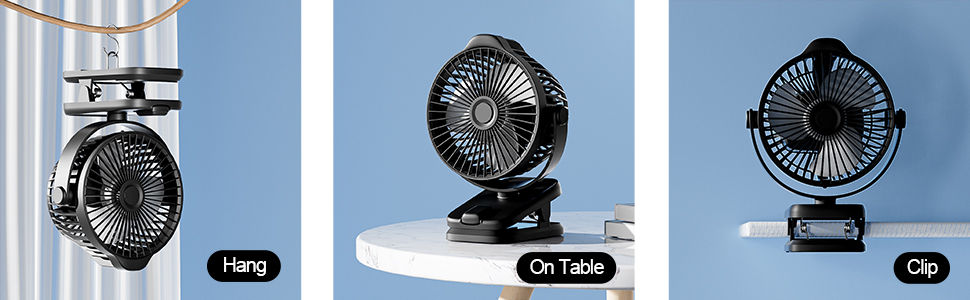
Image 5.2: Detailed view of hanging, table, and clip setups.
6. Charging the Fan
The fan is equipped with a built-in 8000mAh lithium-ion battery, providing extended cordless operation.
- Connect the provided USB charging cable to the USB-C port on the back of the fan.
- Plug the other end of the USB cable into a compatible USB power source (e.g., wall adapter, power bank, laptop, desktop computer).
- The LED display will show the battery charging status. A full charge is indicated by 100% on the display.
- A full charge can provide up to 29 hours of operation on the lowest setting (Mode 1).

Image 6.1: Battery life estimates for each fan mode.
7. Operating Instructions
7.1 Power On/Off and Speed Control (Manual)
- To turn on the fan, press the control button located on the top of the fan head.
- Each subsequent press of the button will cycle through the 5 wind modes:
- Mode 1: Sleep Mode (Quiet, lowest speed)
- Mode 2: Natural Mode
- Mode 3: Normal Mode
- Mode 4: Strong Mode (Highest speed)
- Mode 5: Gradient Mode (Pulsating speed)
- To turn off the fan, continue pressing the button until the fan stops.
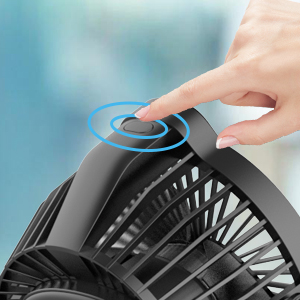
Image 7.1: Manual control button on the fan head.
7.2 Remote Control Operation
The included remote control allows for convenient operation from a distance of approximately 3 meters.
- The remote control is stored in a dedicated slot on the fan's base to prevent loss. Slide it out for use.
- Ensure there is a clear line of sight between the remote and the fan for optimal performance.
- Use the buttons on the remote to power on/off and adjust fan speeds, mirroring the manual control functions.

Image 7.2: Remote control storage on the fan base.
7.3 LED Display
The LED display on the fan head provides real-time information:
- When the fan is on, it displays the current wind mode (1-5).
- When charging or checking battery, it displays the battery percentage (0-100%).
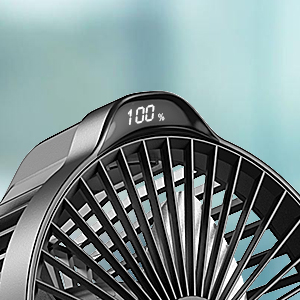
Image 7.3: LED display showing battery level.
7.4 Adjusting Fan Direction
Manually adjust the fan head to direct airflow:
- Vertical Rotation: The fan head can be manually rotated 270° vertically to angle the airflow up or down.
- Horizontal Rotation: The fan head can be manually rotated 360° horizontally on its base to direct airflow left or right.
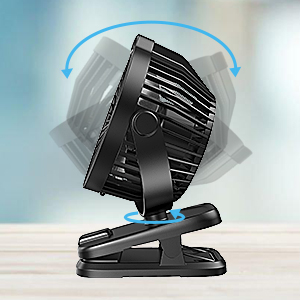
Image 7.4: Fan head rotation capability.
8. Maintenance
Regular cleaning ensures optimal performance and longevity of your fan.
- Cleaning the Fan Grill: The front grill of the fan is detachable for easy cleaning. Gently twist or unclip the front cover to remove it. Wipe the blades and inside of the grill with a soft, dry cloth. Do not use abrasive cleaners or immerse the fan in water.
- Exterior Cleaning: Wipe the exterior of the fan with a soft, damp cloth.
- Storage: When not in use for extended periods, store the fan in a cool, dry place, away from direct sunlight.
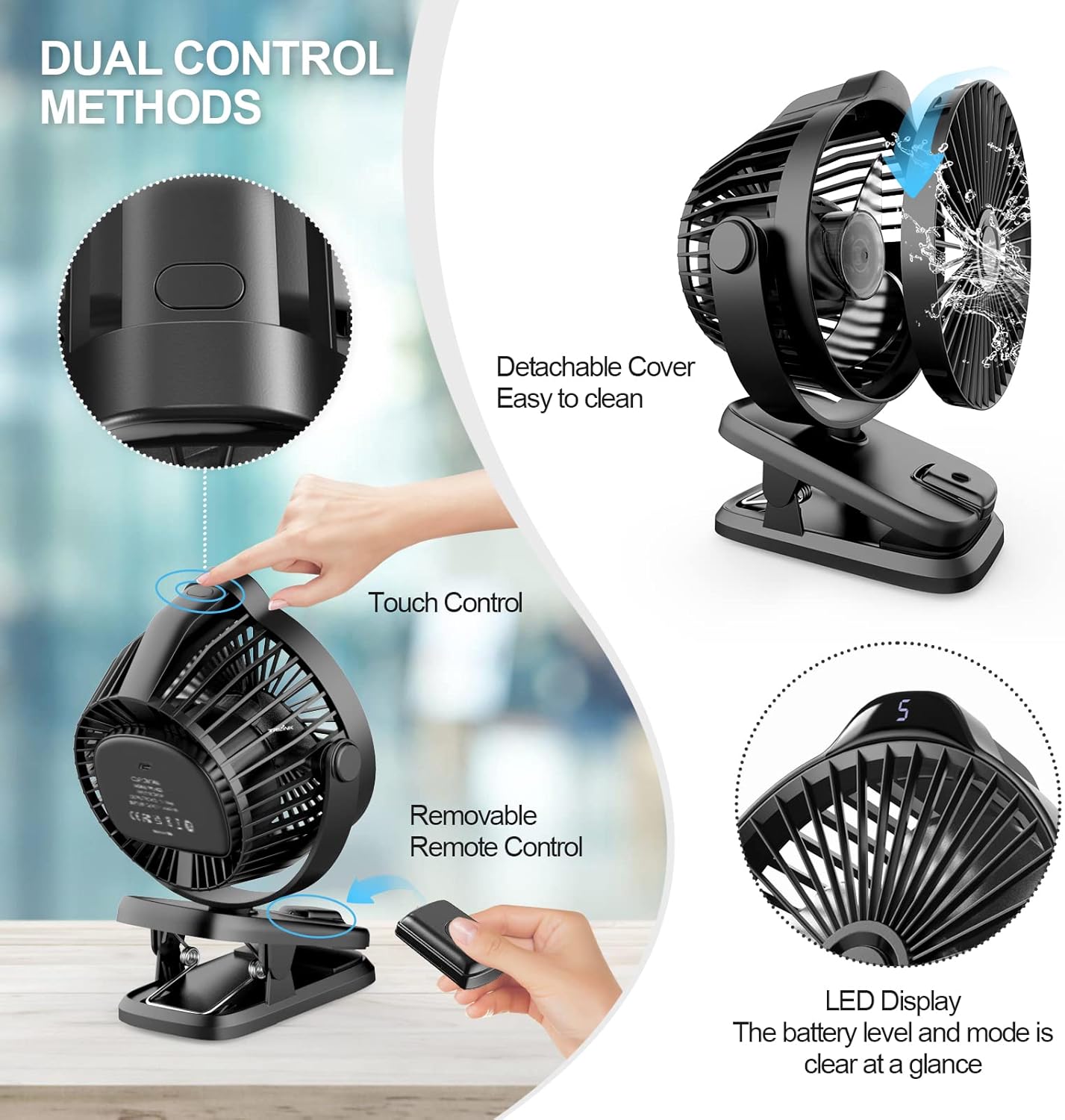
Image 8.1: Detachable front cover for cleaning.
9. Troubleshooting
If you encounter issues with your TRILINK fan, please refer to the following common problems and solutions:
| Problem | Possible Cause | Solution |
|---|---|---|
| Fan does not turn on. | Battery is depleted. | Charge the fan using the provided USB cable. |
| Power button not pressed correctly. | Ensure a firm press on the control button or use the remote. | |
| Remote control not working. | Remote battery is low or dead. | Replace the remote control battery (CR2012 lithium battery). |
| No clear line of sight. | Ensure no obstructions between the remote and the fan. Operate within 3 meters. | |
| Weak airflow. | Fan grill or blades are dirty. | Clean the fan grill and blades as per maintenance instructions. |
| Fan is on a low speed setting. | Increase the fan speed using the control button or remote. | |
| Unusual noise during operation. | Obstruction in the fan blades. | Turn off the fan immediately and check for any foreign objects. Clean if necessary. |
| Fan not on a stable surface. | Ensure the fan is placed or clipped on a stable, flat surface. |
10. Specifications
| Feature | Specification |
|---|---|
| Brand | TRILINK |
| Model Name | XSC-TP1-M26 |
| Electric Fan Design | Table Fan / Clip-on Fan |
| Power Source | Battery Powered (Rechargeable) |
| Battery Capacity | 8000mAh Lithium Ion (included) |
| Working Hours (Max) | Up to 29 hours (Mode 1) |
| Number of Power Levels | 5 |
| Control Method | Remote, Touch Button |
| Product Dimensions | 2.7"D x 5.9"W x 7.8"H (6.86 cm D x 14.99 cm W x 19.81 cm H) |
| Item Weight | 0.6 Kilograms (1.32 pounds) |
| Wattage | 5 watts |
| Voltage | 5 Volts (DC) |
| Number of Blades | 5 |
| Material | Plastic |
| Rotation | 360° Horizontal, 270° Vertical (Manual) |
| Included Components | Fan, Built-in Battery, Charging Cord, User Manual, Remote Control |
11. Warranty and Support
TRILINK products are manufactured to high-quality standards. For warranty information, technical support, or customer service inquiries, please refer to the contact information provided on the product packaging or the official TRILINK website. Please retain your proof of purchase for warranty claims.
Ask a question about this manual
Ask about setup, troubleshooting, compatibility, parts, safety, or missing instructions. Manuals+ will review the question and use this page’s manual context to help answer it.