
iRest A306
iRest A306 Massage Chair User Manual
Comprehensive instructions for your iRest A306 Full Body Zero Gravity Recliner.
1. Important Safety Information
Please read all instructions carefully before using the iRest A306 Massage Chair. Retain this manual for future reference.
- Follow manufacturer's instructions for safe use and assembly.
- This chair meets Class I safety standards.
- Ensure the chair is placed on a stable, level surface.
- Keep children and pets away from moving parts.
- Do not use if you have any medical conditions that may be aggravated by massage. Consult a physician if unsure.
- Unplug the chair from the power outlet when not in use or before cleaning.
2. Product Features
The iRest A306 Massage Chair offers a range of advanced features designed for a comprehensive massage experience:
- Five Massage Techniques: Finger pressing, kneading, tapping, tapping and kneading, and Shiatsu.
- SL Track System: A 53.15-inch SL track provides massage from the neck down to the legs, conforming to the natural curve of the spine.
- AI Voice Control: Activate voice commands by saying "Hi, Alice" or pressing the voice control button on the right armrest.
- Zero Gravity Function: Three levels of zero gravity recline to reduce heart pressure and stimulate blood circulation by aligning the heart and knees horizontally.
- Full Body Airbag Massage: Strategically placed airbags provide compression massage to various body parts, including arms, calves, and feet.
- Foot Rollers: Integrated foot rollers provide targeted massage to the soles of the feet.
- Heating Function: Lumbar heating provides soothing warmth to the lower back.
- Bluetooth Speakers: Connect your device via Bluetooth to enjoy music during your massage.
- Auto Body Scan: Automatically detects body type, height, and shoulder width to customize the massage experience.
- USB Charging Port: Conveniently charge your devices while using the chair.
3. Setup and Assembly
The iRest A306 Massage Chair is designed for easy assembly. The main body comes pre-assembled, with only the footrest requiring attachment.
3.1 Footrest Assembly
Follow these steps to attach the footrest:
- Carefully unpack the massage chair and footrest from their packaging.
- Locate the connection points for the footrest on the main chair body.
- Connect the electrical cables from the footrest to the corresponding ports on the chair. Ensure a secure connection.
- Align the footrest with the chair's frame and secure it using the provided screws and tools.
- Ensure all connections are firm and the footrest is stable before use.
Video: Footrest assembly guide for the A306 massage chair. This video demonstrates the process of connecting the footrest to the main chair unit, including electrical connections and securing the components.

Image: Dimensions and installation guide for the iRest A306 massage chair, illustrating its compact design for easy placement and showing the footrest as a separate component for assembly.
4. Operating Instructions
The iRest A306 offers multiple control methods for a personalized massage experience.
4.1 Power On/Off
- To power on, press the power button on the wired remote control or the quick access button on the armrest.
- To power off, press and hold the power button until the chair shuts down.
4.2 Control Methods
You can control the massage chair using the wired remote, quick access buttons, or AI voice control.

Image: The wired remote control for the iRest A306 massage chair, displaying buttons for power, pause, auto programs, zero gravity, stretch, shoulder position, back & waist, air pressure, mode, speed, width, foot roller, and heating.

Image: Overview of the three control methods: wired remote, quick access buttons on the armrest, and AI voice control, providing flexibility in operating the massage chair.
4.3 AI Voice Control
- To activate, say "Hi, Alice" or press the voice control wake-up button on the right armrest.
- Use simple commands like "Massage on" or "Comfort Massage" to initiate programs.
- Specific commands for adjustments are available in the full user manual.
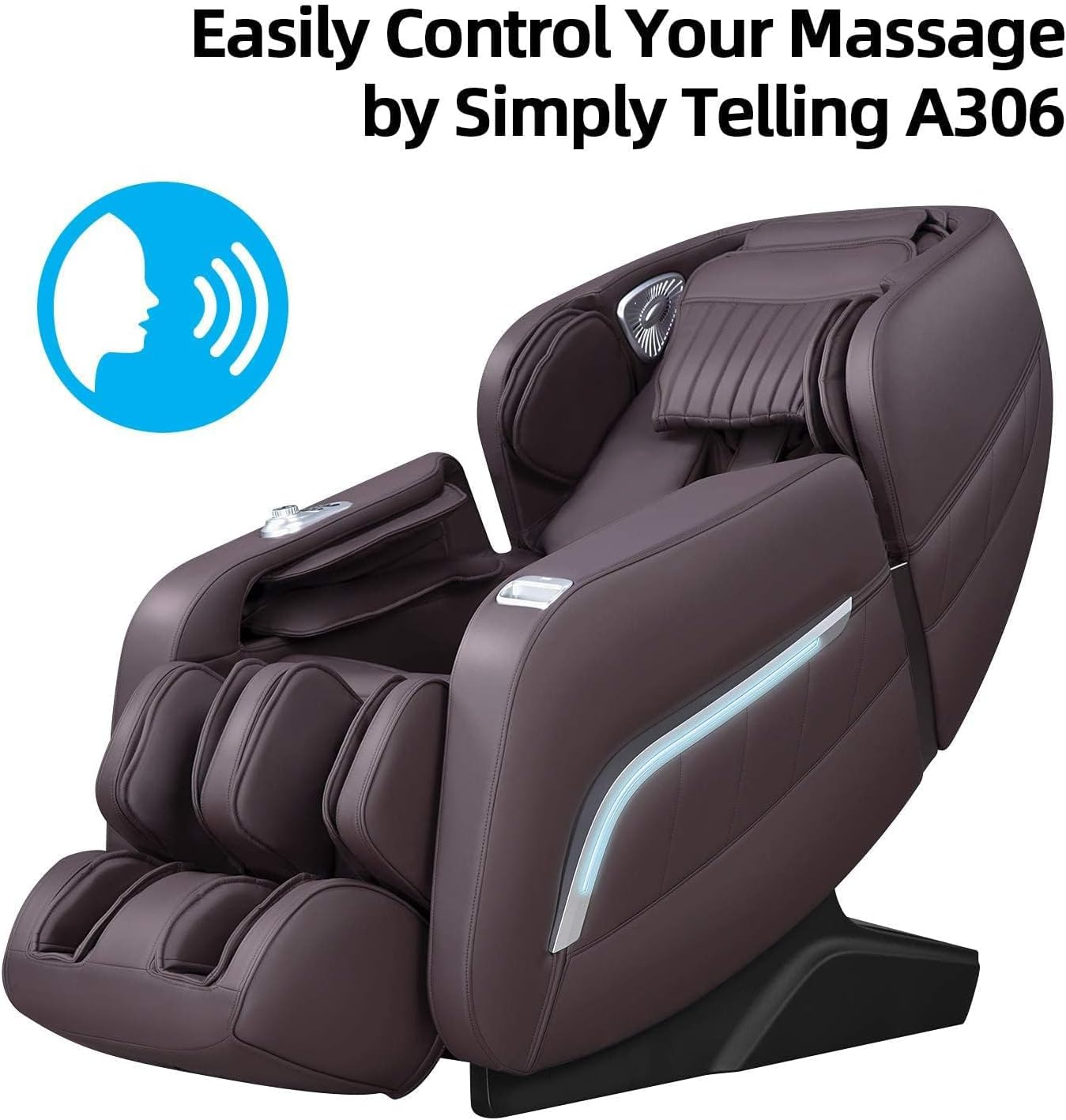
Image: Visual representation of the AI Voice Control system, demonstrating how users can easily control the chair with voice commands.
4.4 Auto Programs
The chair features 12 auto programs and 5 massage techniques:
- Comfort massage
- Relax massage
- Stretch massage
- Neck & shoulder massage
- Back & waist massage
- Full body massage
- Chiropractic massage
- Fatigue recovery
- Elderly care
- Beautiful buttock
- Sleep peacefully
- Yoga Stretching

Image: An illustration of the 12 preset massage programs and 5 massage techniques, including kneading, knocking, tapping & kneading, tapping, and Shiatsu, offered by the chair.
Video: An introduction to using the A306 massage chair, demonstrating how to start a massage, pause, select automatic programs, adjust shoulder position, and utilize other functions like zero gravity and manual modes.
4.5 Zero Gravity Function
- Press the dedicated Zero Gravity button on the remote or armrest to cycle through 3 reclining angles.
- This position elevates your legs above your heart, distributing body weight evenly and reducing pressure on the spine.

Image: The Zero Gravity feature, designed to minimize pressure on the body by positioning the user in a reclined state where the legs are elevated above the heart.
4.6 Footrest and Calf Massage
- The footrest can extend up to 5.9 inches to accommodate different user heights.
- Enjoy calves kneading massage, feet airbag massage, and foot rollers massage.

Image: Detailed view of the foot and calf massage features, including an extendable footrest, kneading, airbag, and roller massage functions.
5. Maintenance
5.1 Cleaning
- Wipe clean with a soft, damp cloth.
- Do not use abrasive cleaners or harsh chemicals.
- Ensure the chair is unplugged before cleaning.
6. Troubleshooting
If you encounter any issues with your iRest A306 Massage Chair, please refer to the following common solutions:
- Chair not powering on: Ensure the power cord is securely plugged into both the chair and a working electrical outlet. Check the power switch on the chair.
- Massage rollers not moving: Verify that an auto program or manual massage mode is selected. Ensure the body scan has completed successfully.
- Remote control unresponsive: Check the remote's connection if it's wired. Ensure there are no obstructions between the remote and the chair if it's wireless (though this model uses a wired remote).
- Unusual noises: Minor operational sounds are normal. If loud or unusual noises occur, stop use and contact customer support.
- Voice control not responding: Ensure the chair is powered on and in standby mode. Speak clearly and at a normal volume.
For further assistance, please contact iRest customer support.
7. Specifications
| Feature | Detail |
|---|---|
| Brand | iRest |
| Model Name | SL-A306 |
| Color | Brown |
| Product Dimensions | 61.02"D x 29.92"W x 45.08"H |
| Item Weight | 210 pounds |
| Maximum Weight Recommendation | 330 Pounds |
| Material | Faux Leather |
| Reclining Position Count | 3 (Zero Gravity levels) |
| Recommended Uses | Relaxing |
8. Warranty and Support
The iRest A306 Massage Chair comes with a 3-year coverage plan, including expert support.
- Coverage: 3-Year Coverage with Expert Support.
- Customer Support: 24/7 local customer support is available for your convenience.
- Returns: This product is returnable until January 31, 2026 (as per product information at time of manual creation). Please refer to your purchase agreement for specific return policies.
For any inquiries or support, please contact iRest customer service.
Related documentsA306


Ask a question about this manual
Ask about setup, troubleshooting, compatibility, parts, safety, or missing instructions. Manuals+ will review the question and use this page’s manual context to help answer it.