
Introduction
This manual provides detailed instructions for the installation, operation, and maintenance of your EMOS GoSmart IP-700A Video Intercom System. Please read this manual thoroughly before using the product to ensure proper function and safety.
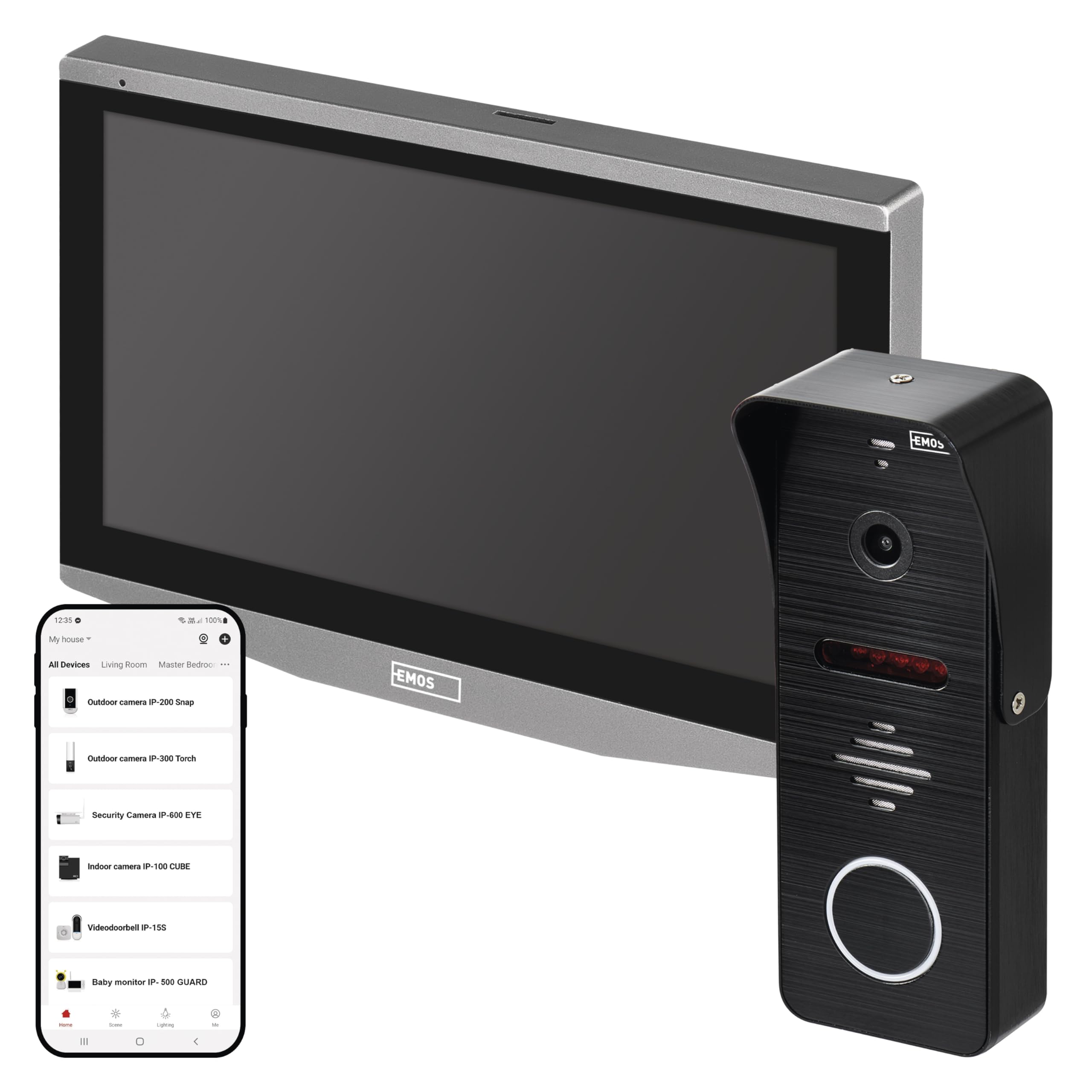
The EMOS GoSmart IP-700A is an intelligent video intercom system featuring a 7-inch color display and a Full HD outdoor camera. It supports memory card insertion for photo and video storage. This system offers advanced features such as remote door lock control, motion detection, and mobile notifications, enhancing home security and convenience.
Setup
Package Contents
Verify that all the following components are included in your package:
- Indoor Monitor
- Outdoor Camera Unit
- Power Adapter (12V)
- Mounting Screws and Wall Plugs
- Mounting Brackets
- Wiring Harness
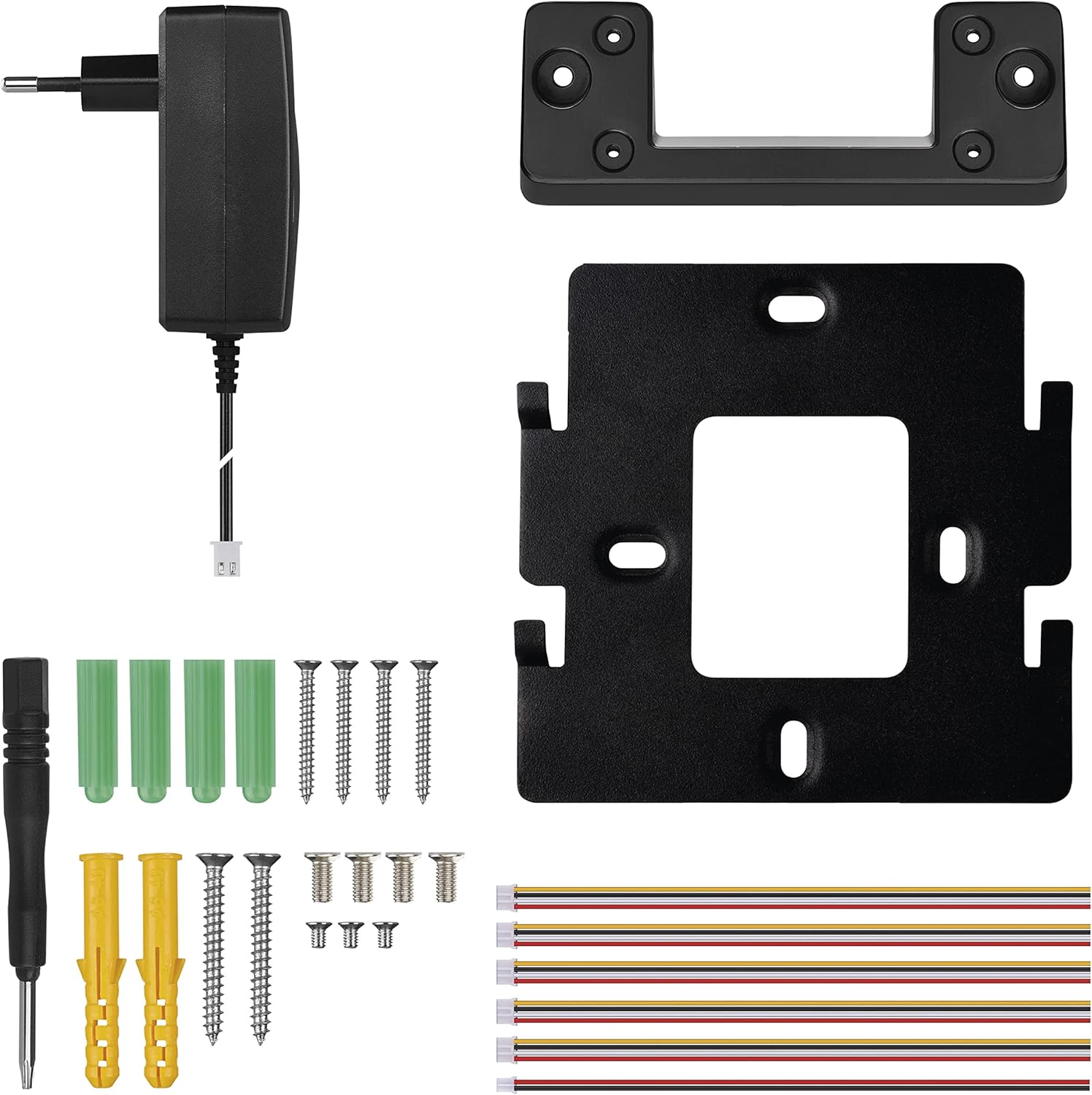
This image displays all the items included in the EMOS GoSmart IP-700A package, such as the camera, monitor, power adapter, mounting brackets, screws, and wiring harness.
Wiring and Installation
For installation, a UTP cable or SYKFY (5 x 2 x 0.5) cable is required (not included). Ensure all connections are secure before powering on the device.
This image displays the rear panel of the indoor monitor and the outdoor camera unit, highlighting the various wiring terminals for power, door lock control, and other connections. Both units require a 12V DC power supply.
App Installation and Connection
Download the free EMOS GoSmart application from Google Play or the App Store. The system supports remote control via Tuya and Smart Life platforms.
This image highlights the compatibility of the EMOS GoSmart IP-700A with smart home ecosystems like Alexa and Google Assistant. It also provides visual cues for downloading the companion mobile application from Google Play and the App Store.
Operating Instructions
Basic Functions
- Intercom Function: Communicate with visitors via the indoor monitor or the mobile application.
- Motion and Person Detection: The system can detect movement and people, sending notifications to your mobile phone.
- Recording and Snapshot: Capture snapshots or record video footage. The system supports memory card storage (card not included).
- Remote Door Lock Control: Unlock your door remotely via the mobile application.
- Customizable Ringtones: Choose from 10 melodies, adjust volume, or insert your own ringtone.
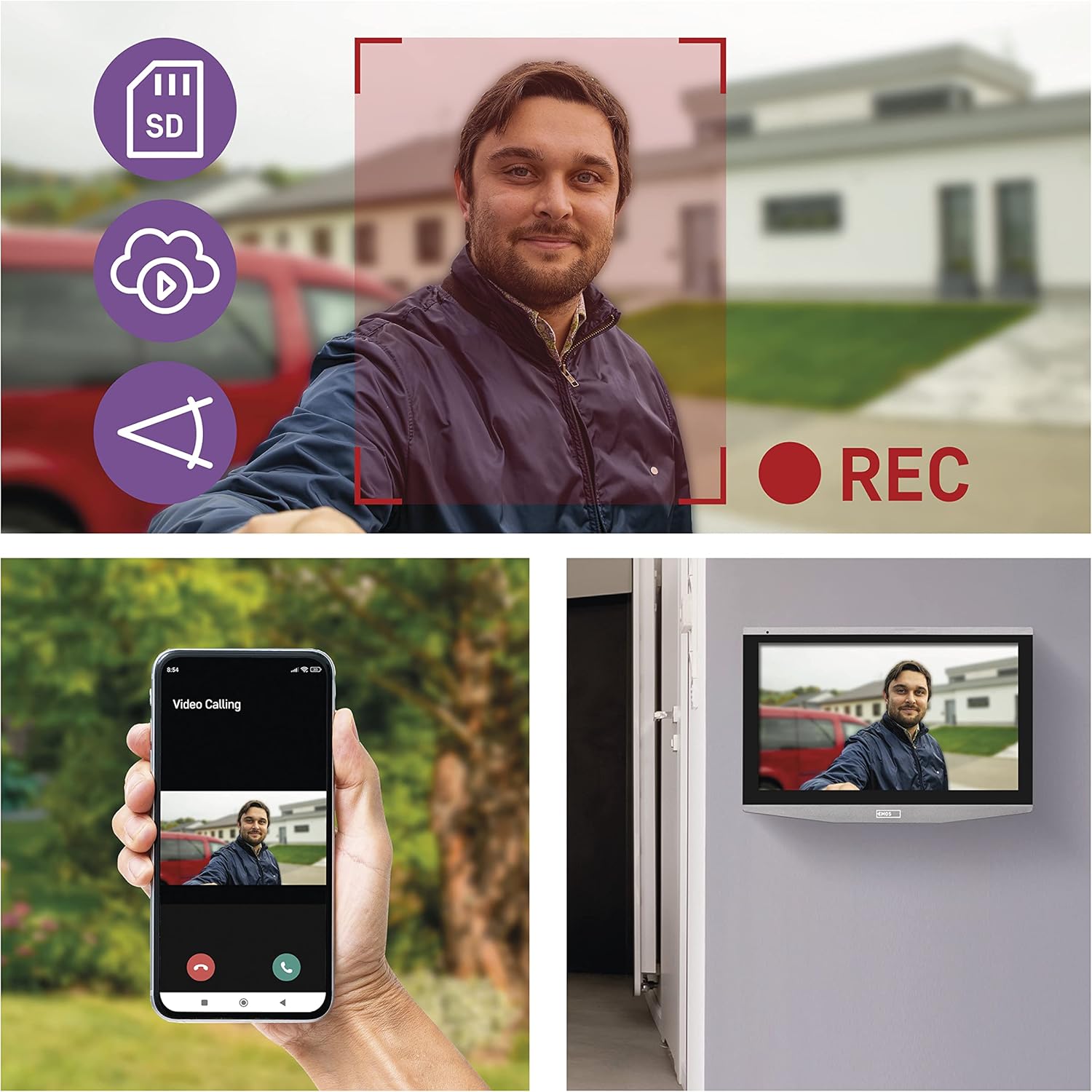
This image demonstrates the live video feed from the EMOS GoSmart IP-700A camera displayed on both the indoor monitor and a connected mobile phone. Icons indicate features like SD card storage, cloud recording, and motion detection.

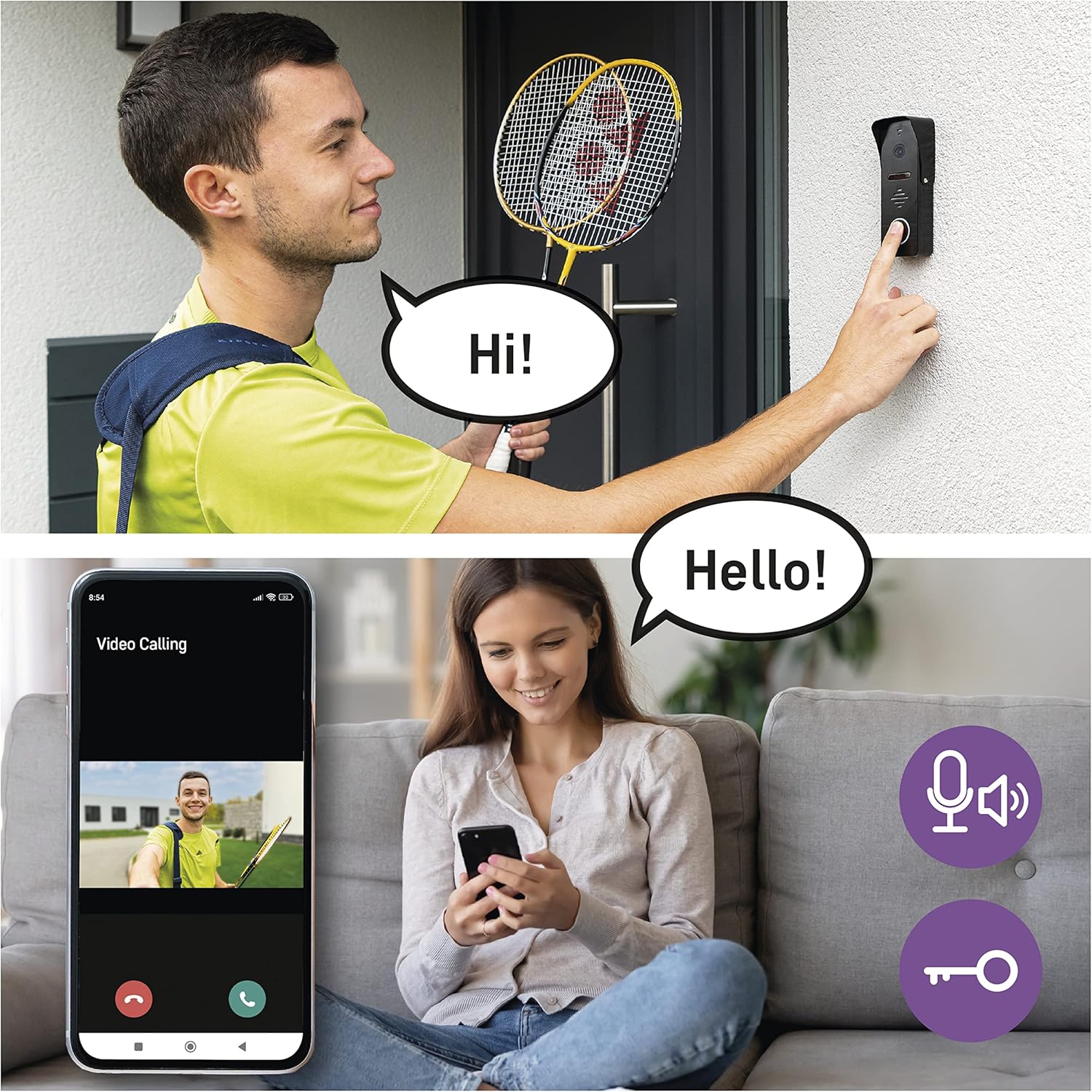
This image illustrates the two-way audio communication feature of the EMOS GoSmart IP-700A, where a visitor at the door can speak with a resident using the mobile app. Icons for a microphone and a key indicate the ability to speak and remotely unlock the door.
Monitor and Camera Features
- 7-inch LCD Color Display: The indoor monitor features a touch screen for easy navigation.
- Full HD 1080p Camera: Provides high-quality image transmission in all lighting conditions.
- 160° Wide-Angle Lens: Offers a broad view of your entrance.
- IP65 Waterproof Rating: Ensures durability and protection against outdoor elements.
- Infrared Night Vision: An infrared filter enables clear vision in low-light conditions.
Maintenance
To ensure the longevity and optimal performance of your EMOS GoSmart IP-700A system, follow these maintenance guidelines:
- Cleaning: Regularly clean the monitor screen and camera lens with a soft, dry, lint-free cloth. Avoid abrasive cleaners or solvents.
- Weather Protection: While the outdoor camera is IP65 rated, periodically inspect it for any signs of damage or wear to the seals that might compromise its water resistance.
- Storage: The system supports an SD card for local storage of recordings. The SD card and cloud storage services are not included with the product. Manage your storage regularly to prevent data loss.
- Firmware Updates: Check the EMOS GoSmart app or website for any available firmware updates to ensure your system has the latest features and security enhancements.
Troubleshooting
If you encounter issues with your EMOS GoSmart IP-700A, refer to the following common problems and solutions:
- Delayed App Notifications: If app notifications are delayed (e.g., up to 2 minutes), check your network connection and ensure the app is running in the background with appropriate permissions. Consult the app's settings for optimization and ensure your mobile device's power-saving features are not interfering.
- No Image/Video on Monitor or App:
- Verify all wiring connections between the camera, monitor, and power adapter are secure.
- Ensure the power adapter is correctly connected and supplying power to both units.
- Check your Wi-Fi connection for stability.
- No Sound or Poor Audio Quality:
- Check the volume settings on the monitor and your mobile device.
- Ensure the microphone and speaker on both the camera and monitor are not obstructed.
- Test the intercom function in a quiet environment.
- Door Lock Control Not Working:
- Confirm that your electric door opener is compatible with the system.
- Verify that the door lock control wiring is correctly connected to the intercom system.
- Ensure the door lock mechanism is functioning independently.
- System Not Connecting to Wi-Fi:
- Ensure your Wi-Fi network is 2.4GHz, as 5GHz networks may not be supported.
- Check that the Wi-Fi password entered is correct.
- Move the monitor or camera closer to your Wi-Fi router to improve signal strength.
Specifications
| Feature | Detail |
|---|---|
| Product Dimensions (L x W x H) | 24 x 17 x 9.9 cm |
| Weight | 1.09 kilograms |
| Model Number | H4010 |
| Brand | EMOS |
| Model Name | GO Smart IP-700A |
| Connectivity Technology | Wireless (Wi-Fi) |
| Special Features | Door lock control, Smart, Infrared night vision |
| Power Source | Electric (12 Volts, 3 Watts) |
| Mounting Type | Wall Mount |
| Video Recording Resolution | 1080p |
| Color | Black, Silver |
| Water Resistance Level | Waterproof (IP65) |
| Effective Capture Resolution | 2 Megapixels |
| View Angle | 160 Degrees |
| Number of Channels | 2 |
| Video Capture Format | MP4 |
| Batteries Required | No |
| Box Contents | Camera and Monitor, Power Adapter |

A technical diagram providing precise measurements for both the indoor monitor and the outdoor camera unit of the EMOS GoSmart IP-700A system, useful for installation planning.
Warranty Information
Specific warranty information is not provided in the product details. Please refer to the manufacturer's official website or contact your retailer for detailed warranty terms and conditions applicable to your region and purchase date.
Support
For technical support, customer service, or further assistance with your EMOS GoSmart IP-700A Video Intercom System, please visit the official EMOS website or contact their customer service department. When contacting support, please have your product model number (IP-700A) and purchase details readily available.


