
1. Introduction
The EMOS GoSmart IP-09D CLOC Smart Video Doorbell is an advanced security solution designed to monitor and protect your home. This device features a Full HD 1080p camera, providing clear video of your entrance day and night. It integrates seamlessly with smart home systems like Tuya, Google Home, and Alexa, offering convenient control and enhanced security. This manual provides detailed instructions for the installation, operation, and maintenance of your video doorbell.

Figure 1.1: EMOS GoSmart IP-09D CLOC Smart Video Doorbell, showing the outdoor unit, indoor chime, and a smartphone displaying the live camera feed.
2. Product Features
The EMOS GoSmart IP-09D CLOC offers a range of features designed to enhance your home security and convenience:
- Full HD 1080p Video: Provides high-definition video surveillance of your entrance.
- Two-Way Audio: Allows communication with visitors from your smartphone.
- Motion Detection: Alerts you to activity at your door with intelligent person recognition.
- Night Vision: Clear visibility up to 4 meters in low-light conditions.
- Weather-Resistant Design (IP44): Ensures durability and reliable operation in various weather conditions.
- Door Lock Control: Manage your door lock directly through the EMOS GoSmart app.
- Real-Time Notifications: Receive instant alerts on your smartphone for motion detection or doorbell presses.
- Integrated Tamper Alarm: An 85 dB alarm provides additional security against theft or tampering.
- Smart Home Compatibility: Works with Tuya, Google Home, and Amazon Alexa for seamless integration.
- Local Storage: Supports Micro SD cards up to 128 GB for video recording and storage.
- Flexible Power Options: The outdoor unit uses a 12V wired power supply, while the indoor chime is battery-powered (3x AA batteries, not included).

Figure 2.1: Overview of key features such as motion detection, two-way audio, integrated siren, and door control.

Figure 2.2: Additional features like night vision, Micro SD recording, and water resistance (IP44).
3. Setup Guide
3.1 Package Contents
Before starting, ensure all components are present:
- EMOS GoSmart IP-09D CLOC Video Doorbell (Outdoor Unit)
- Indoor Chime (EMOS H4031)
- Power Adapter (for outdoor unit)
- Mounting Screws and Wall Plugs
- User Manual (this document)
Note: 3x AA batteries for the indoor chime are not included and must be purchased separately.
3.2 Powering the Devices
- Outdoor Unit: Connect the provided 12V power adapter to the video doorbell. Ensure the connection is secure and protected from moisture.
- Indoor Chime: Open the battery compartment on the indoor chime and insert 3x AA batteries, observing the correct polarity.

Figure 3.1: The IP-09D CLOC model uses a wired power supply for the outdoor unit and batteries for the indoor chime.
3.3 App Installation and Pairing
- Download the EMOS GoSmart App: Search for "EMOS GoSmart" in your smartphone's app store (Google Play Store for Android or Apple App Store for iOS) and install the application.
- Create an Account: Open the app and follow the on-screen instructions to create a new user account or log in if you already have one.
- Add Device: In the app, select "Add Device" or the "+" icon. Choose "Video Doorbell" or scan the QR code on the device if available.
- Connect to Wi-Fi: Follow the app's instructions to connect the doorbell to your 2.4 GHz Wi-Fi network. Ensure your Wi-Fi signal is strong at the installation location.
- Pair Indoor Chime: The indoor chime should automatically pair with the outdoor unit once both are powered on and the outdoor unit is connected to the app. If not, refer to the chime's specific pairing instructions.
3.4 Physical Installation
- Choose Location: Select a suitable location near your front door, ensuring a clear view and access to a power outlet for the outdoor unit. The doorbell is designed for wall mounting.
- Mark Drilling Points: Use the mounting bracket (if provided) or the doorbell itself to mark the drilling points on the wall.
- Drill Holes: Drill holes at the marked points and insert the wall plugs.
- Mount Doorbell: Secure the doorbell to the wall using the provided screws. Ensure the power cable is routed safely and discreetly.
- Test Functionality: After mounting, test the doorbell's functionality through the app to confirm proper installation and connectivity.
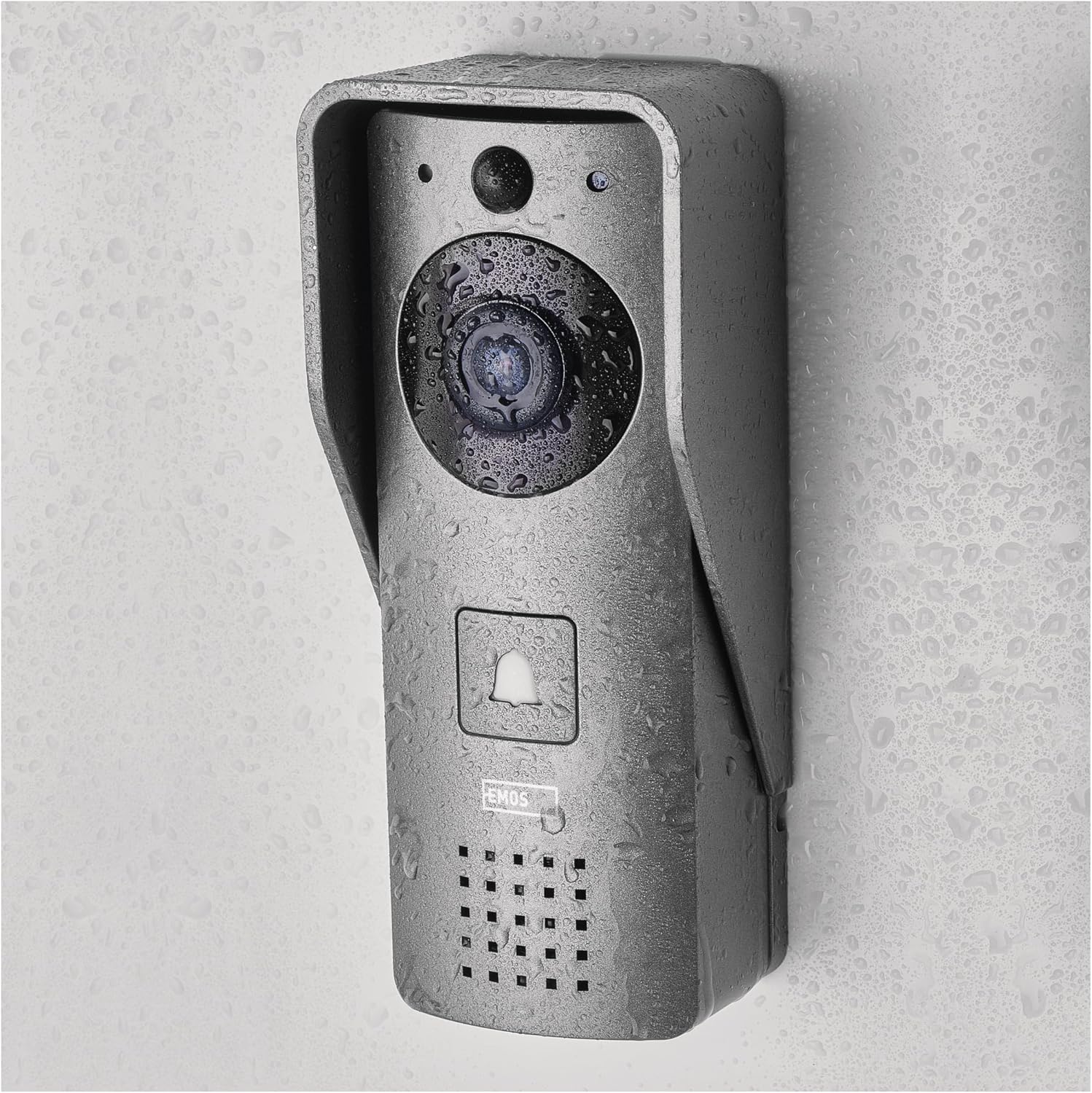
Figure 3.2: The doorbell's IP44 weather-resistant design ensures reliable outdoor performance.
4. Operating Instructions
4.1 Using the EMOS GoSmart App
The EMOS GoSmart app is your primary interface for controlling and monitoring your video doorbell.
- Live View: Open the app to view a real-time feed from your doorbell camera.
- Two-Way Communication: When a visitor presses the doorbell or motion is detected, you will receive a notification. Tap the notification to answer and speak with the visitor using the built-in microphone and speaker.
- Door Lock Control: If connected to a compatible smart door lock, you can unlock your door directly from the app during a call or live view.
- Event History: Review recorded video clips triggered by motion detection or doorbell presses.
- Settings: Adjust motion detection sensitivity, notification preferences, night vision mode, and other device settings within the app.
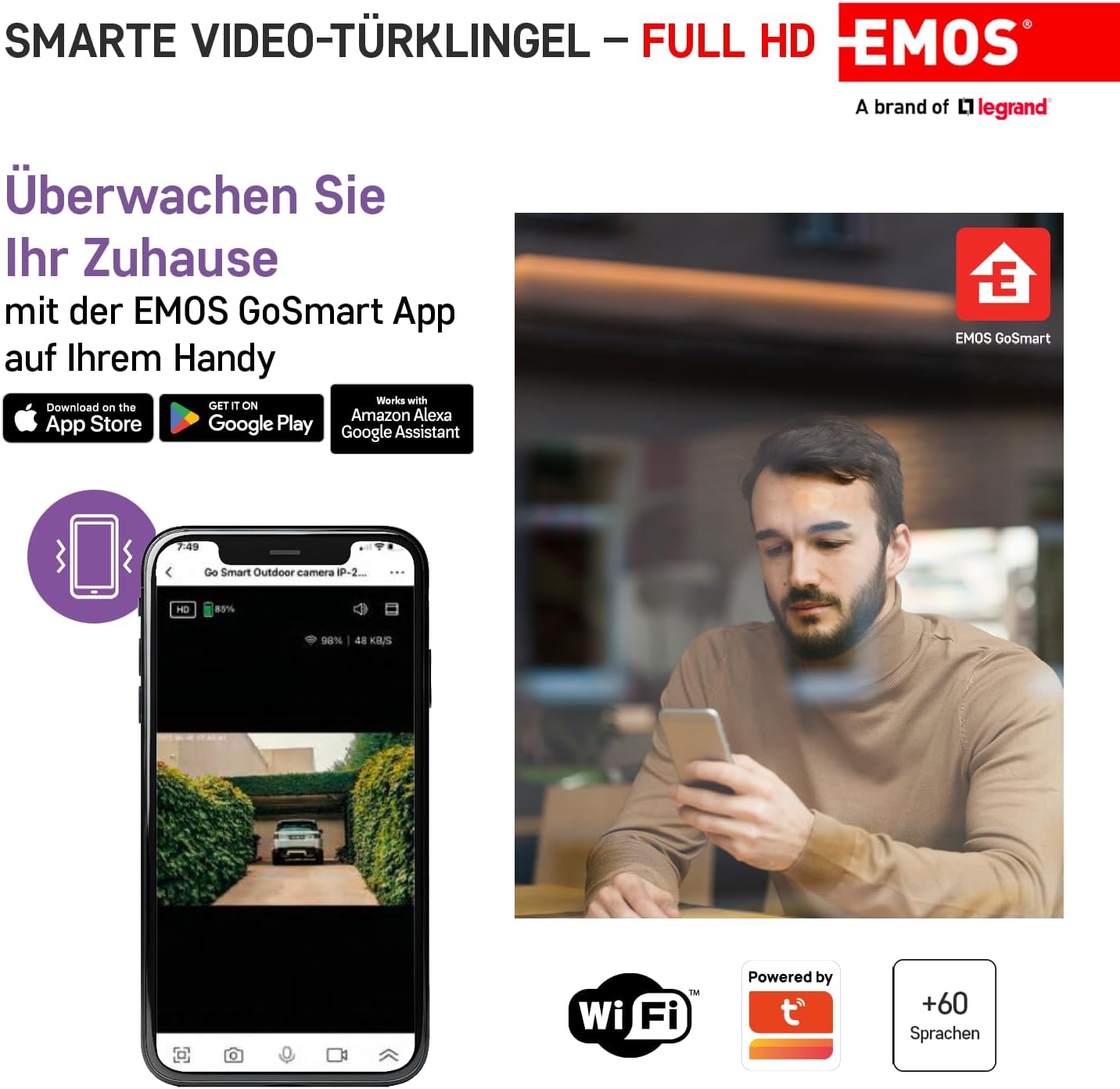
Figure 4.1: The EMOS GoSmart app allows remote monitoring and control of your doorbell.

Figure 4.2: Monitor your home from anywhere using the EMOS GoSmart app.
4.2 Night Vision
The doorbell automatically switches to night vision mode in low-light conditions, providing clear black-and-white video. This feature ensures continuous surveillance even in complete darkness.

Figure 4.3: Day and night vision capabilities of the doorbell camera.
5. Maintenance
5.1 Cleaning
To maintain optimal performance, periodically clean the camera lens and the doorbell's exterior. Use a soft, damp cloth. Avoid abrasive cleaners or solvents that could damage the device.
5.2 Indoor Chime Battery Replacement
When the indoor chime's battery indicator shows low power, replace the 3x AA batteries. Ensure correct polarity during replacement.
5.3 Firmware Updates
EMOS may release firmware updates to improve performance and add new features. Check the EMOS GoSmart app regularly for available updates and follow the in-app instructions to install them.
6. Troubleshooting
- No Power to Outdoor Unit:
Ensure the 12V power adapter is securely connected to both the doorbell and a working power outlet. Check for any damage to the power cable.
- Indoor Chime Not Ringing:
Check the batteries in the indoor chime and replace them if necessary. Ensure the chime is within range of the outdoor unit and properly paired. Verify volume settings.
- No Video Feed in App:
Confirm the doorbell is connected to your 2.4 GHz Wi-Fi network. Check your internet connection. Restart the doorbell by disconnecting and reconnecting its power. Ensure the EMOS GoSmart app is up to date.
- Poor Video Quality:
Check your Wi-Fi signal strength at the doorbell's location. Ensure the camera lens is clean and free from obstructions. Poor lighting conditions can affect video quality, especially if night vision is not active or sufficient.
- Motion Detection Not Working or Too Sensitive:
Adjust the motion detection sensitivity settings within the EMOS GoSmart app. Ensure the detection zone is correctly configured. Environmental factors like strong sunlight or moving branches can trigger false alarms.
- Cannot Connect to Wi-Fi:
Ensure you are connecting to a 2.4 GHz Wi-Fi network (5 GHz networks are not supported). Double-check your Wi-Fi password. Move the doorbell closer to your router during setup if possible. Restart your router.
7. Specifications
| Feature | Specification |
|---|---|
| Model Name | GO Smart IP-09D CLOC |
| Model Number | H4031 |
| Video Resolution | Full HD 1080p |
| Viewing Angle | 110 Degrees |
| Night Vision Range | Up to 4 meters |
| Water Resistance Level | IP44 (Weatherproof) |
| Wireless Communication Technology | Wi-Fi (2.4 GHz) |
| Power Source (Outdoor Unit) | 12V Wired Power Supply |
| Power Source (Indoor Chime) | 3x AA Batteries (not included) |
| Compatible Devices | Smartphone, Tablet (via EMOS GoSmart App) |
| Smart Home Compatibility | Tuya, Google Home, Amazon Alexa |
| Storage | Micro SD card (max. 128 GB) |
| Material | Metal |
| Dimensions (L x W x H) | 17.6 x 15.1 x 6 cm (Outdoor Unit) |
| Weight | 540 grams |

Figure 7.1: Dimensions of the EMOS GoSmart IP-09D CLOC video doorbell and indoor chime.
8. Warranty and Support
EMOS, a brand of Legrand, is committed to providing high-quality electrical products. Each product undergoes rigorous testing for quality and performance in our laboratories. While specific warranty details may vary by region, EMOS products are designed for reliability and customer satisfaction.
For further assistance, troubleshooting not covered in this manual, or warranty inquiries, please contact EMOS customer support through their official website or the EMOS GoSmart app.

Figure 8.1: EMOS is dedicated to making life easy through quality and reliable products.


