Product Overview
The Xiaomi TV Box S (2nd Gen) is a 4K Ultra HD Streaming Media Player designed to transform your television into a smart entertainment hub. Powered by Google TV, it offers access to a vast array of streaming services, apps, and games. This device features 2GB RAM and 8GB ROM, dual-band Wi-Fi (2.4G/5G), Bluetooth 5.2, and supports advanced audio and video technologies like Dolby Audio, DTS-HD, Dolby Vision, and HDR10+ for an immersive viewing and listening experience.

Image: The Xiaomi TV Box S (2nd Gen) device, its remote control, and product packaging.
Setup Guide
Follow these steps to set up your Xiaomi TV Box S (2nd Gen) and begin streaming:
- Connect to TV: Attach the Xiaomi TV Box S (2nd Gen) to an available HDMI port on your television using an HDMI cable. Ensure the power adapter is connected to the TV Box and plugged into a power outlet.
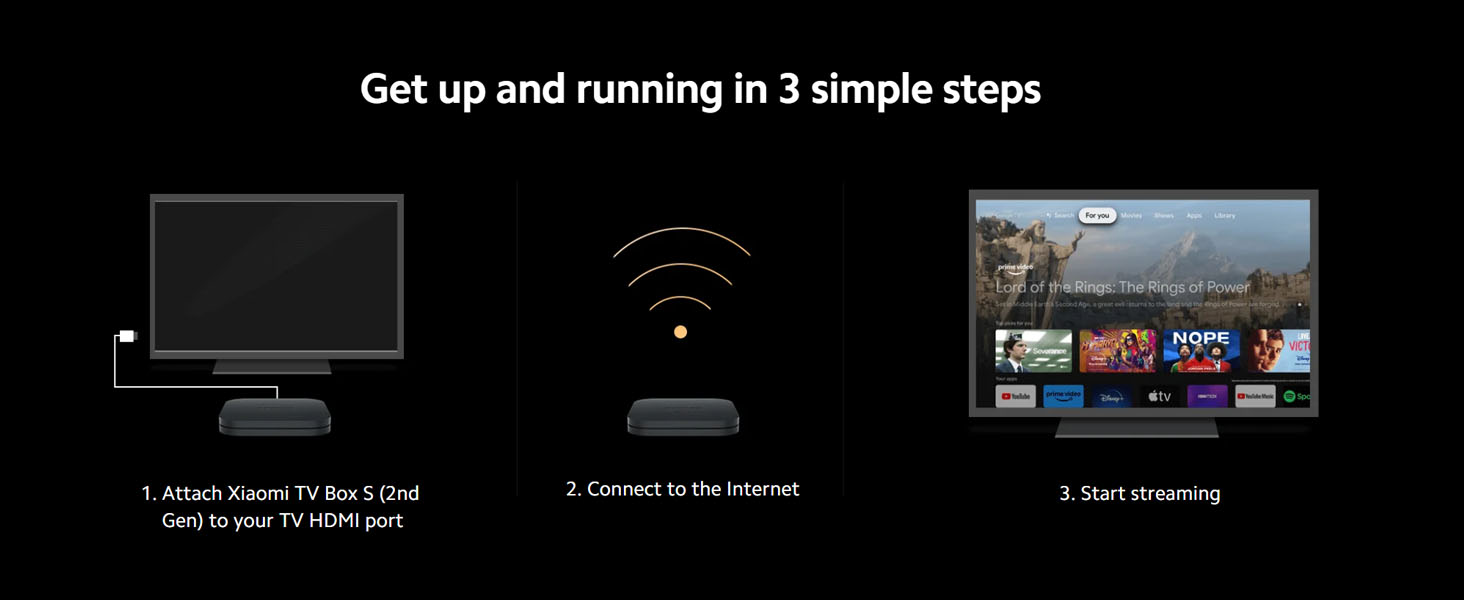
Image: Step 1 of setup, showing the TV Box connected to a television via HDMI.
- Connect to the Internet: Power on your TV and select the correct HDMI input. Follow the on-screen instructions to connect your TV Box to your home Wi-Fi network. Both 2.4G and 5G Wi-Fi bands are supported.
Image: Step 2 of setup, illustrating the TV Box establishing an internet connection.
- Start Streaming: Once connected, complete the Google TV setup, including signing in with your Google account. You can then download your favorite streaming apps and begin enjoying content.
Image: Step 3 of setup, showing the Google TV interface ready for content selection.
Operating Instructions
Remote Control
The included remote control features an intuitive layout and supports both Bluetooth and IR (Infrared) connectivity. This allows you to access content quickly from any angle. The built-in IR functionality enables control of your TV or soundbar's power and volume with a single remote, reducing clutter.
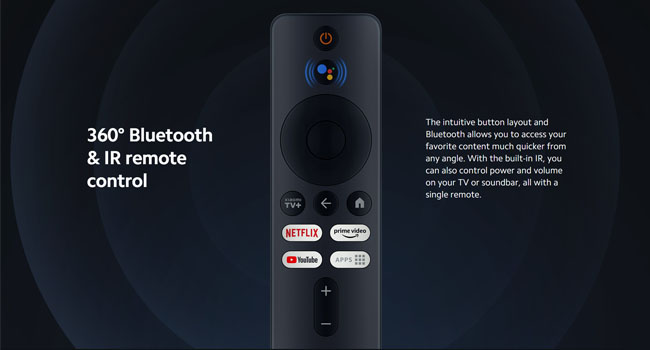
Image: The Xiaomi TV Box S remote control, highlighting its 360° Bluetooth and IR capabilities.
Google TV and Voice Control
The Xiaomi TV Box S (2nd Gen) runs on Google TV, which organizes movies, shows, and more from your apps and subscriptions. Use the integrated Google Assistant for voice commands. Simply say "Ok Google" or press the Google Assistant button on the remote to:
- Find movies and stream apps.
- Play music.
- Control your TV.
- Get answers to questions.
- Control smart home devices.

Image: A screen displaying the Google TV interface with the "Ok Google" voice command prompt.

Image: The Google TV home screen, showcasing personalized content recommendations from various streaming services.
Wireless Projection (Chromecast built-in)
The device features Chromecast built-in, allowing you to easily project content from your smart devices (phones, tablets, computers) directly onto your TV. This provides a wider viewing angle and convenient sharing.
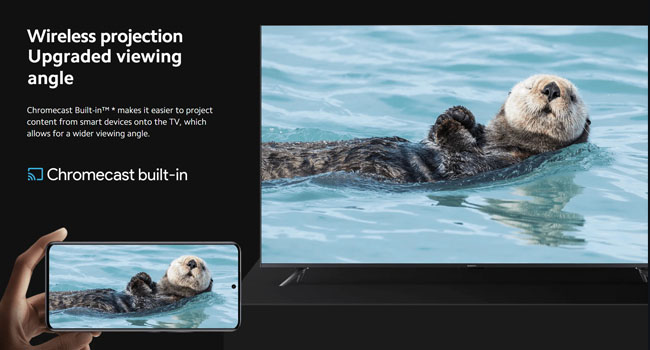
Image: A smartphone screen being wirelessly projected onto a television, demonstrating the Chromecast built-in feature.
Connectivity Ports
The Xiaomi TV Box S (2nd Gen) includes several mainstream ports for expanded functionality:
- Audio Output: Headphone jack for external speakers or headphones.
- HDMI Port: For connecting to your TV.
- USB Port: Supports USB to Ethernet adapters for wired internet, and local video playback from USB flash drives.
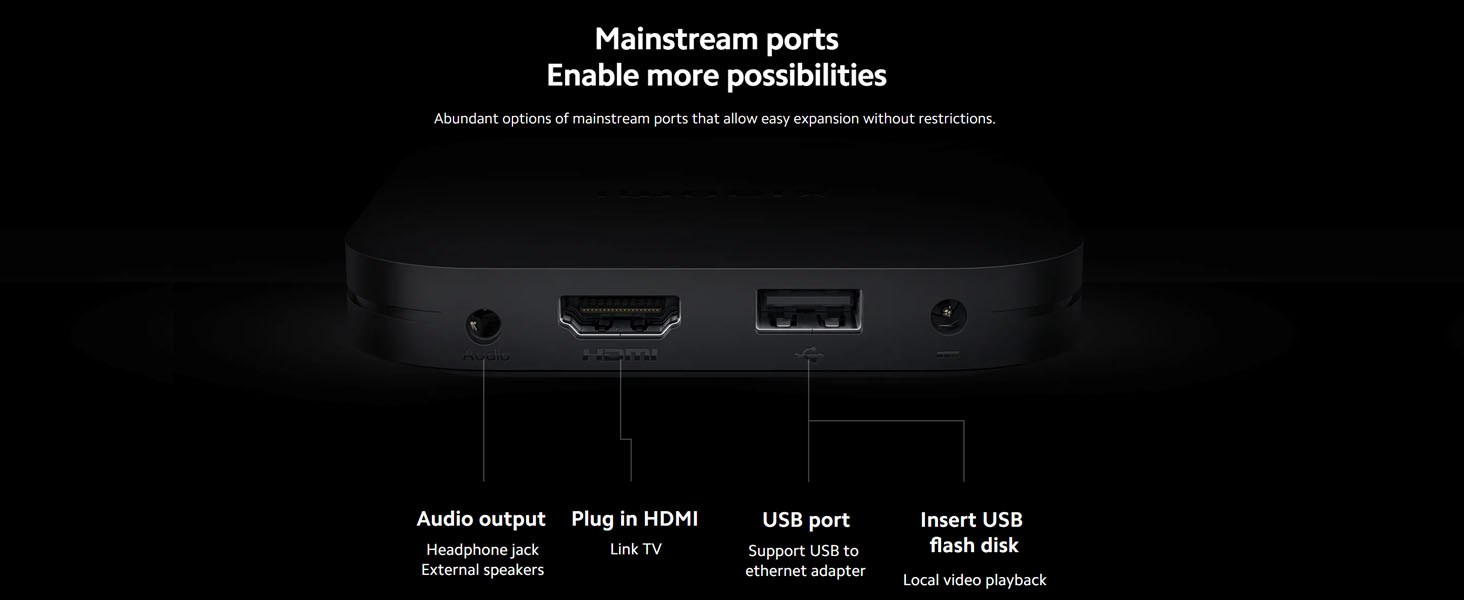
Image: A detailed view of the rear ports on the Xiaomi TV Box S, including audio output, HDMI, and USB.
Maintenance
To ensure optimal performance and longevity of your Xiaomi TV Box S (2nd Gen), follow these maintenance guidelines:
- Cleaning: Use a soft, dry cloth to clean the device and remote. Avoid liquid cleaners or abrasive materials.
- Ventilation: Ensure the device is placed in a well-ventilated area to prevent overheating. Do not cover ventilation openings.
- Power Off: When not in use for extended periods, it is recommended to unplug the device from the power outlet.
- Software Updates: Regularly check for and install system updates to ensure you have the latest features and security patches.
Troubleshooting
If you encounter issues with your Xiaomi TV Box S (2nd Gen), refer to the following common troubleshooting steps:
| Problem | Possible Solution |
|---|---|
| No power/Device not turning on |
|
| No signal on TV |
|
| Remote control not responding |
|
| Buffering or poor streaming quality |
|
| App crashes or freezes |
|
Specifications
| Feature | Detail |
|---|---|
| Model Name | Xiaomi TV Box S (2nd Gen) |
| Resolution | 4K Ultra HD |
| Operating System | Google TV (Android TV OS v13 out of the box) |
| Processor | Quad-core CPU, High-performance GPU |
| RAM | 2GB |
| ROM (Storage) | 8GB |
| Connectivity | 2.4G/5G Dual Wi-Fi, Bluetooth 5.2, HDMI, USB 2.0, Audio Output (Headphone Jack) |
| Video Decoding | Dolby Vision, HDR10+ |
| Audio Decoding | Dolby Audio, DTS-HD |
| Dimensions | 6.7"L x 3.6"W x 1.4"H (approx. 17 x 9.1 x 3.6 cm) |
| Weight | 0.82 Pounds (approx. 372 grams) |
| Color | Black |
Warranty and Support
For warranty information and technical support, please refer to the official Xiaomi website or contact their customer service. Keep your purchase receipt as proof of purchase for warranty claims.
Official Xiaomi Website: www.mi.com


