
TOPDON TC005
TOPDON TC005 Thermal Imaging Device User Manual
Model: TC005
Introduction
This user manual provides detailed instructions for the safe and effective operation of the TOPDON TC005 Thermal Imaging Device. The TC005 is a portable infrared thermal imager designed for various applications, featuring a 256 x 192 IR resolution, a 2 MP visual camera, and support for video recording. It can measure temperatures ranging from -15°C to 550°C.
Please read this manual thoroughly before using the device to ensure proper functionality and to prevent damage or injury.
Product Overview
The TOPDON TC005 is a versatile thermal imaging device. Key components include the thermal lens, visual camera, display screen, control buttons, and USB port.

Figure 1: TOPDON TC005 Thermal Imaging Device with included accessories, including the device itself, a carrying pouch, a 16GB Kioxia Exceria microSD card, and a power adapter.
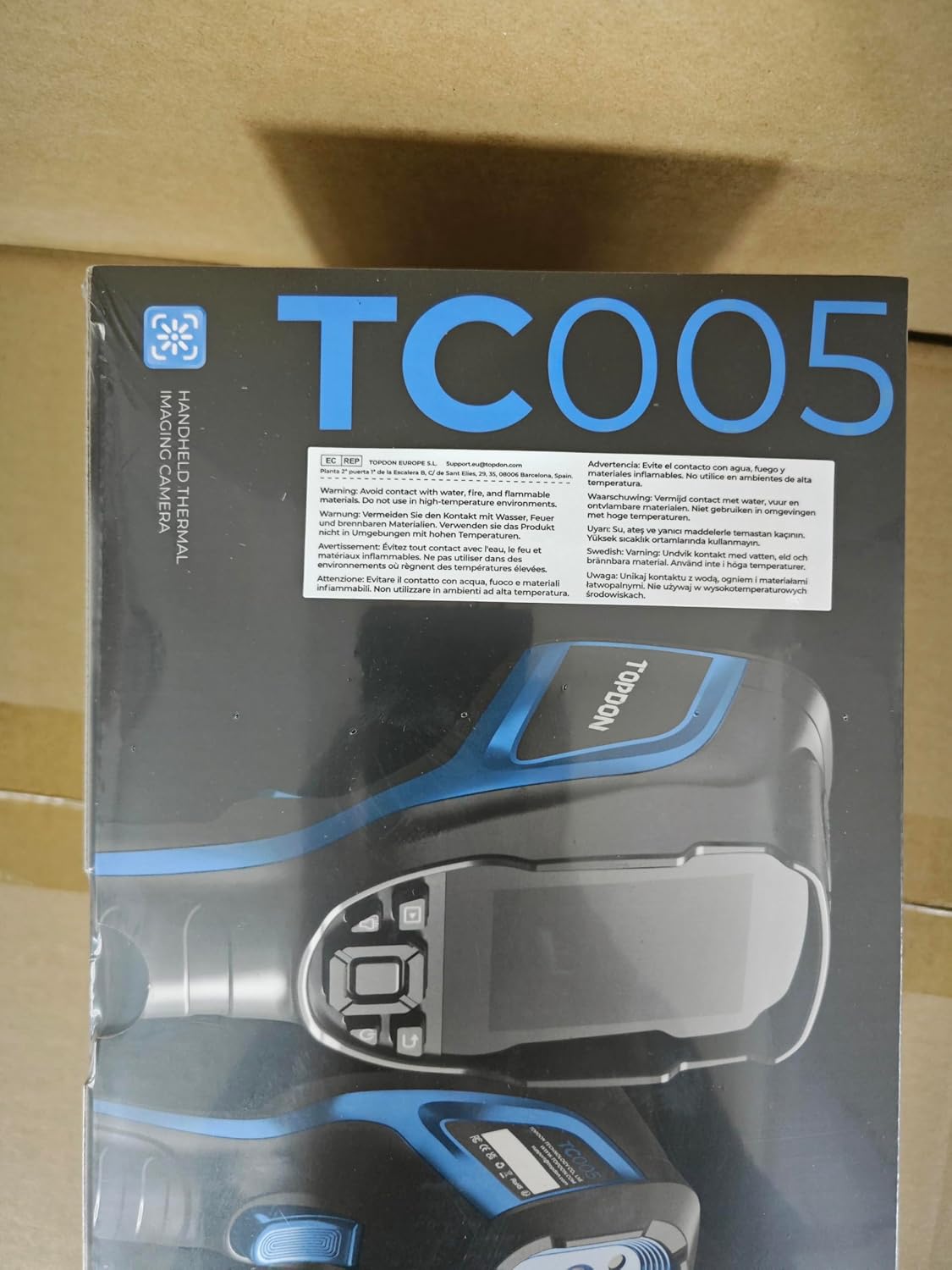
Figure 2: Packaging for the TOPDON TC005 Handheld Thermal Imaging Camera, showing product details and warnings.
Package Contents:
- TOPDON TC005 Thermal Imaging Device
- USB Cable
- Power Adapter
- 16GB Memory Card
- User Manual (this document)
Setup
1. Charging the Device:
Before first use, fully charge the TC005. Connect the provided USB cable to the device's USB port and the power adapter. Plug the adapter into a standard electrical outlet. The charging indicator will show the charging status.
2. Inserting the Memory Card:
Locate the memory card slot, typically protected by a rubber cover. Insert the provided 16GB microSD card into the slot with the gold contacts facing down until it clicks into place. This card is essential for saving images and videos.
3. Powering On/Off:
To power on the device, press and hold the power button for approximately 3 seconds until the screen illuminates. To power off, press and hold the power button again until the device shuts down.
Operating Instructions
1. Basic Operation:
- Display Screen: The 2.8-inch viewing screen displays thermal images, visual images, temperature readings, and various settings.
- Navigation Buttons: Use the directional buttons (up, down, left, right) and the central 'OK' button to navigate through menus and confirm selections.
- Trigger Button: Press the trigger button to capture an image or start/stop video recording.
2. Measurement Modes and Palettes:
The TC005 offers various measurement modes and color palettes to visualize temperature differences. You can access these settings through the on-screen menu.
- Temperature Range: The device measures temperatures from -15°C to 550°C.
- Palettes: Different color palettes (e.g., Iron, Rainbow, Grey, Hot White, Hot Black) represent temperature variations. Select the palette best suited for your application.
- Spot Measurement: The screen typically displays a central spot temperature, along with the hottest (red cross) and coldest (green cross) points within the field of view.
3. Image and Video Capture:
To capture an image, aim the device at the target and press the trigger button. The image will be saved to the inserted memory card. For video recording, select the video mode from the menu and press the trigger to start and stop recording.
4. Settings and Customization:
Access the main menu by pressing the central 'OK' button. Here you can adjust various settings, including:
- Emissivity: Adjust emissivity based on the material being inspected for accurate temperature readings.
- Temperature Unit: Switch between Celsius (°C) and Fahrenheit (°F).
- Date and Time: Set the correct date and time for accurate timestamping of captured data.
- Auto Power Off: Configure the device to automatically power off after a period of inactivity to conserve battery.
- Brightness: Adjust screen brightness.
- Picture-in-Picture (PIP) Mode: Overlay a visual image with the thermal image for enhanced context.
Maintenance
1. Cleaning the Device:
Regularly clean the device to ensure optimal performance. Use a soft, dry cloth to wipe the exterior. For the lens, use a specialized lens cleaning cloth and solution to avoid scratches. Do not use abrasive cleaners or solvents.
2. Battery Care:
The device uses a Lithium Ion battery. To prolong battery life:
- Avoid fully discharging the battery frequently.
- Store the device with a partial charge (around 50%) if not used for extended periods.
- Charge the device in a cool, dry environment.
3. Storage:
Store the TC005 in a cool, dry place, away from direct sunlight, extreme temperatures, and high humidity. Use the provided carrying pouch for protection during transport and storage.
Troubleshooting
| Problem | Possible Cause | Solution |
|---|---|---|
| Device does not power on. | Battery is depleted. | Charge the device fully using the provided power adapter and USB cable. |
| Image is blurry or unclear. | Lens is dirty or damaged. | Clean the lens with a soft, lint-free cloth. If damaged, contact support. |
| Cannot save images/videos. | Memory card is full, not inserted correctly, or corrupted. | Check memory card insertion. Delete unnecessary files or format the card (backup data first). Replace if corrupted. |
| Inaccurate temperature readings. | Incorrect emissivity setting or environmental interference. | Adjust emissivity based on the target material. Ensure no strong heat sources or reflections are interfering. |
If the problem persists after attempting these solutions, please contact TOPDON customer support for further assistance.
Specifications
| Feature | Detail |
|---|---|
| Model | TC005 |
| IR Resolution | 256 x 192 pixels |
| Visual Camera | 2 MP |
| Temperature Range | -15°C to 550°C (5°F to 1022°F) |
| Response Time | 0.1 Milliseconds |
| Display Screen | 2.8 inches |
| Storage | 16GB Memory Card (included) |
| Power Source | Battery Powered (1 Lithium Ion battery included) |
| Dimensions | 11.02 x 6.97 x 4.88 inches |
| Weight | 2.16 Pounds |
Warranty and Support
TOPDON products typically come with a manufacturer's warranty. Please refer to the warranty card included in your package or visit the official TOPDON website for detailed warranty terms and conditions.
For technical support, service, or inquiries, please contact TOPDON customer service through their official channels. Keep your purchase receipt and product serial number ready when contacting support.
Note: Protection plans are available separately and are not part of the standard manufacturer's warranty.
Related documentsTC005


Ask a question about this manual
Ask about setup, troubleshooting, compatibility, parts, safety, or missing instructions. Manuals+ will review the question and use this page’s manual context to help answer it.