
1. Product Overview
The EDJO Foldable Bluetooth Keyboard is a portable wireless input device designed for use with various operating systems and devices. It features a sensitive touchpad, which can also function as a number pad, and connects via Bluetooth 5.1. Its foldable design makes it convenient for travel and mobile use.

Image: The EDJO Foldable Bluetooth Keyboard in its unfolded state, displaying the full QWERTY layout, integrated touchpad, and dedicated number pad.
Package Contents:
- 1 x EDJO Foldable Bluetooth Keyboard
- 1 x Type-C Charging Cable
- 1 x User Manual
2. Setup
2.1 Initial Charging
Before first use, it is recommended to fully charge the keyboard. Connect the provided Type-C charging cable to the keyboard's charging port and a compatible USB power source. The power indicator light will show charging status.
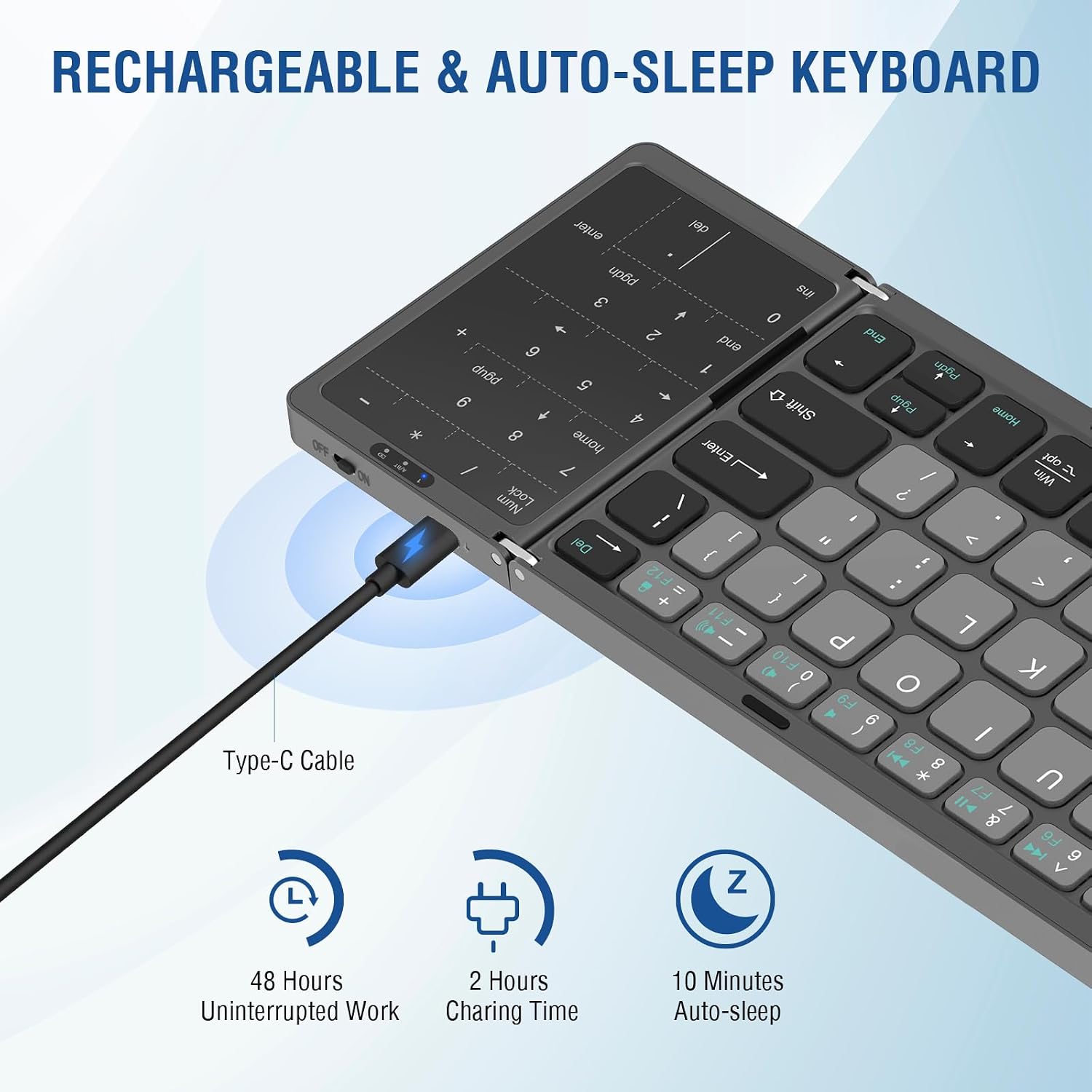
Image: The keyboard being charged via its Type-C port, highlighting its battery life and auto-sleep feature.
2.2 Bluetooth Pairing
The keyboard supports simultaneous connection with up to three devices. Follow these steps to pair your device:
- Ensure Bluetooth is disabled on your device before starting the pairing process.
- Turn on the keyboard using the power switch. The power indicator will light up.
- Enter pairing mode: Press Fn + C simultaneously. The Bluetooth indicator light will flash, indicating it is ready for pairing.
- Select your device's operating system:
- For Windows: Press Fn + A
- For iOS/Mac: Press Fn + S
- For Android: Press Fn + D
- Activate Bluetooth on your device (smartphone, tablet, laptop).
- Search for available Bluetooth devices and select "Bluetooth 5.1 Keyboard" from the list.
- If prompted, enter the pairing code displayed on your screen using the keyboard and press Enter.

Image: Visual guide for Bluetooth connection steps, including system selection and device pairing.
2.3 Switching Between Devices
To switch between paired devices (BT1, BT2, BT3), press Fn + Q for BT1, Fn + W for BT2, or Fn + E for BT3.

Image: The keyboard connected to multiple devices, demonstrating the ease of switching between them.
3. Operating Instructions
3.1 Touchpad Functionality
The integrated touchpad allows for mouse-like navigation and supports multiple gesture commands. It functions as a mouse replacement for precise control.
3.2 Number Pad Functionality
The touchpad can be converted into a number pad. To activate the number pad, press Fn + Space. Press Fn + Space again to switch back to touchpad mode.

Image: Detailed view of the touchpad and its conversion to a number pad.
3.3 Auto-Sleep Function
To conserve battery, the keyboard will automatically enter sleep mode after 10 minutes of inactivity. To wake it up, press any key.
3.4 Quiet Scissor-Switch Keys
The keyboard features quiet scissor-switch keys, providing a comfortable and silent typing experience.

Image: A close-up illustrating the scissor-switch key mechanism, emphasizing quiet operation.
4. Maintenance
4.1 Charging
Recharge the keyboard when the battery indicator is low. Use the provided Type-C cable for optimal charging. A full charge typically takes approximately 2 hours.
4.2 Cleaning
To clean the keyboard, gently wipe the surface with a soft, dry, or slightly damp cloth. Avoid using harsh chemicals or abrasive materials. Ensure the keyboard is powered off before cleaning.
5. Troubleshooting
5.1 Keyboard Not Pairing
- Ensure the keyboard is fully charged.
- Verify Bluetooth is enabled on your device and disabled on other nearby devices that might interfere.
- Make sure the keyboard is in pairing mode (Bluetooth indicator flashing after pressing Fn + C).
- Select the correct operating system mode (Fn + A for Windows, Fn + S for iOS/Mac, Fn + D for Android).
- Restart both the keyboard and your device, then attempt pairing again.
5.2 Touchpad Not Responding (iOS)
Note: The touchpad functionality may not be fully supported on iOS versions below 13.4.1. Ensure your iOS device is updated to a compatible version for full touchpad functionality.

Image: The keyboard in use with mobile devices, highlighting the iOS compatibility note for the touchpad.
5.3 Keys Not Responding or Sticky
- Ensure the keyboard is fully charged and connected.
- Clean around the affected keys to remove any debris.
- If certain keys (e.g., 'T', 'V') feel less responsive due to the folding design, adjust your typing style to ensure full key press.
6. Specifications
| Feature | Detail |
|---|---|
| Brand | EDJO |
| Model | Foldable Bluetooth Keyboard |
| Connectivity Technology | Bluetooth 5.1 |
| Compatible Devices | Laptop, PC, Smartphone, Tablet |
| Compatible Operating Systems | Windows, Android, iOS, MacOS |
| Special Features | Foldable, Rechargeable, Touchpad, Number Pad |
| Battery Capacity | 140mAh Lithium Battery |
| Charging Interface | Type-C |
| Charging Time | Approx. 2 hours |
| Working Time | Up to 48 hours (uninterrupted) |
| Auto-Sleep | After 10 minutes of inactivity |
| Product Dimensions (Folded) | 6"L x 3.9"W x 0.8"H |
| Keyboard Layout | QWERTY |
| Number of Keys | 59 |
| Material | Plastic |
7. Warranty and Support
The EDJO Foldable Bluetooth Keyboard comes with a 12-month warranty service. If you encounter any issues with the product, please contact EDJO customer support through the Amazon email system. Our support team aims to provide a quick response within 24 hours and a satisfactory solution.
For further assistance, please refer to the contact information provided in your purchase documentation or on the official EDJO store page.