
1. Safety Information
Please read all instructions carefully before using this heating pad. Failure to follow these instructions may result in electric shock, fire, or serious injury.
- Use this heating pad with caution to avoid burns.
- Ensure it is not used or stored near flammable materials.
- Individuals with certain health conditions, such as pregnancy, should consult a doctor before use.
- Do not use the highest heat setting for more than 8 minutes.
- The included charging cable is for this device only. Do not use it with other devices.
- Always read the label, warnings, and instructions provided on the product packaging before use.
2. What's in the Box
Verify that all items are present upon unboxing:
- Slimpal Heating Pad (SPC023 White)
- Type-C Charging Cable
- User Manual
3. Product Overview
The Slimpal Heating Pad SPC023 White is a portable electric heating pad designed for comfort and relief. It features multiple heat and vibration settings, along with an automatic shut-off timer for safe and personalized use.

Image: Slimpal Heating Pad SPC023 White, showing its compact and ergonomic design.
4. Setup
- Charge the Heating Pad: Before first use, fully charge the heating pad using the provided Type-C charging cable. Connect the cable to the device and a suitable USB power source.
- Adjust the Belt: The heating pad comes with an adjustable elastic belt. Adjust it to comfortably fit around your waist.
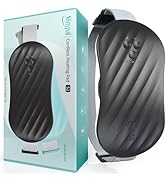
Image: The Type-C charging cable and the charging port on the Slimpal Heating Pad.
5. Operating Instructions
- Wear the Heating Pad: Securely wear the heating pad around your waist, ensuring the heating surface is positioned over the desired area (e.g., abdomen or lower back).
- Power On: Press the power button to turn on the device.
- Adjust Heat Settings: Use the dedicated buttons to select your preferred heat level. The device offers multiple heat settings for customized comfort.
- Adjust Vibration Settings: Use the dedicated buttons to select your preferred vibration mode. The device offers multiple vibration modes for a gentle massage effect.
- Set Timer: Customize the usage time with the 3 available timer settings (e.g., 60, 120, 180 minutes). The device will automatically shut off after the selected duration.
- Power Off: When finished, press the power button again to turn off the device.

Image: Illustration of the 3 timer settings with automatic shut-off feature.
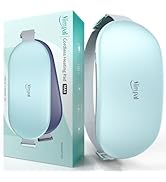
Image: Close-up of the control panel showing heat and vibration settings.
6. Key Features
- Adjustable Heat & Vibration: Three heat settings and three vibration modes for personalized comfort.
- Automatic Shut-off: Three timer settings (e.g., 60, 120, 180 minutes) with automatic shut-off for safety and convenience.
- Portable & Discreet Design: Wearable and thin design allows for discreet use under clothing, suitable for home, office, or travel.
- Rechargeable Battery: Built-in rechargeable battery with Type-C charging for cordless operation.
- Soft Material: Made from flannel for a comfortable feel against the skin.
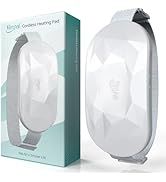
Image: The Slimpal Heating Pad showcasing its elegant and portable design.
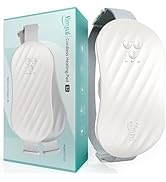
Image: A person wearing the Slimpal Heating Pad discreetly under clothing.
7. Maintenance
- Cleaning: The material is smooth and can be wiped down easily with a damp cloth. Ensure the device is turned off and unplugged before cleaning.
- Storage: Store the heating pad in a cool, dry place away from direct sunlight and extreme temperatures.
- Battery Care: To prolong battery life, avoid fully discharging the device frequently. Charge it regularly, even if not in use for extended periods.
8. Troubleshooting
- Device not turning on: Ensure the device is fully charged. If the battery is low, connect it to the charger.
- No heat or vibration: Check if the device is powered on and the desired settings are selected. If the issue persists, try recharging the device.
- Charging issues: Ensure the Type-C cable is securely connected to both the device and the power source. Use only the provided charging cable.
If you encounter any other issues, please refer to the detailed user manual or contact customer support.
9. Specifications
| Feature | Detail |
|---|---|
| Model Number | SPC023 |
| Brand | Slimpal |
| Color | White |
| Material | Flannel |
| Item Weight | 200 Grams |
| Package Dimensions | 18.5 x 9.4 x 5.3 cm |
| Power Source | 1 Lithium Polymer battery (included) |
| Voltage | 230 Volts |
| Wattage | 207 Watts |
| Number of Settings | 6 (Heat & Vibration) |
| Special Feature | Portable |
10. Product Videos
Portable Heating Belt with Wireless Charging
Video: This video demonstrates the portability and wireless charging capabilities of a heating belt, similar to the Slimpal SPC023. It shows how the device can be used on the go for pain relief.
Comfytemp Menstrual Pain Heating Belt
Video: This video illustrates the features and benefits of a menstrual pain heating belt, including its soft fabric, dual-zone heating, and adjustable settings. It highlights its use for abdominal and lower back pain.
Rechargeable Menstrual Massaging Cushion
Video: This video demonstrates a rechargeable massaging cushion for menstrual relief. It shows how the device can be worn discreetly and used in various settings, offering heat and vibration therapy.
How to Apply Patches for Menstrual Pain
Video: This video provides instructions on how to apply patches for menstrual pain relief. While not directly the Slimpal heating pad, it offers general guidance on targeting pain areas.
11. Warranty and Support
For warranty information and customer support, please refer to the contact details provided in the product packaging or visit the official Slimpal website. Keep your purchase receipt for warranty claims.
