
1. Product Overview
This HMHAMA replacement parts kit is designed to maintain the optimal performance of your NARWAL T10, J1, or J2 robot vacuum cleaner. Regular replacement of these components ensures efficient cleaning and extends the lifespan of your device. The kit includes essential consumables for routine maintenance.
2. Compatibility
This replacement parts kit is compatible with the following robot vacuum cleaner models:
- NARWAL T10
- NARWAL J1
- NARWAL J2
Please verify your robot vacuum cleaner model before installation to ensure proper fit and function.
3. Package Contents
The HMHAMA replacement parts kit includes the following items:
- 4 x High-Efficiency Filters
- 4 x Microfiber Mop Pads
- 2 Pairs (4 pieces) x Tangle-Free Side Brushes
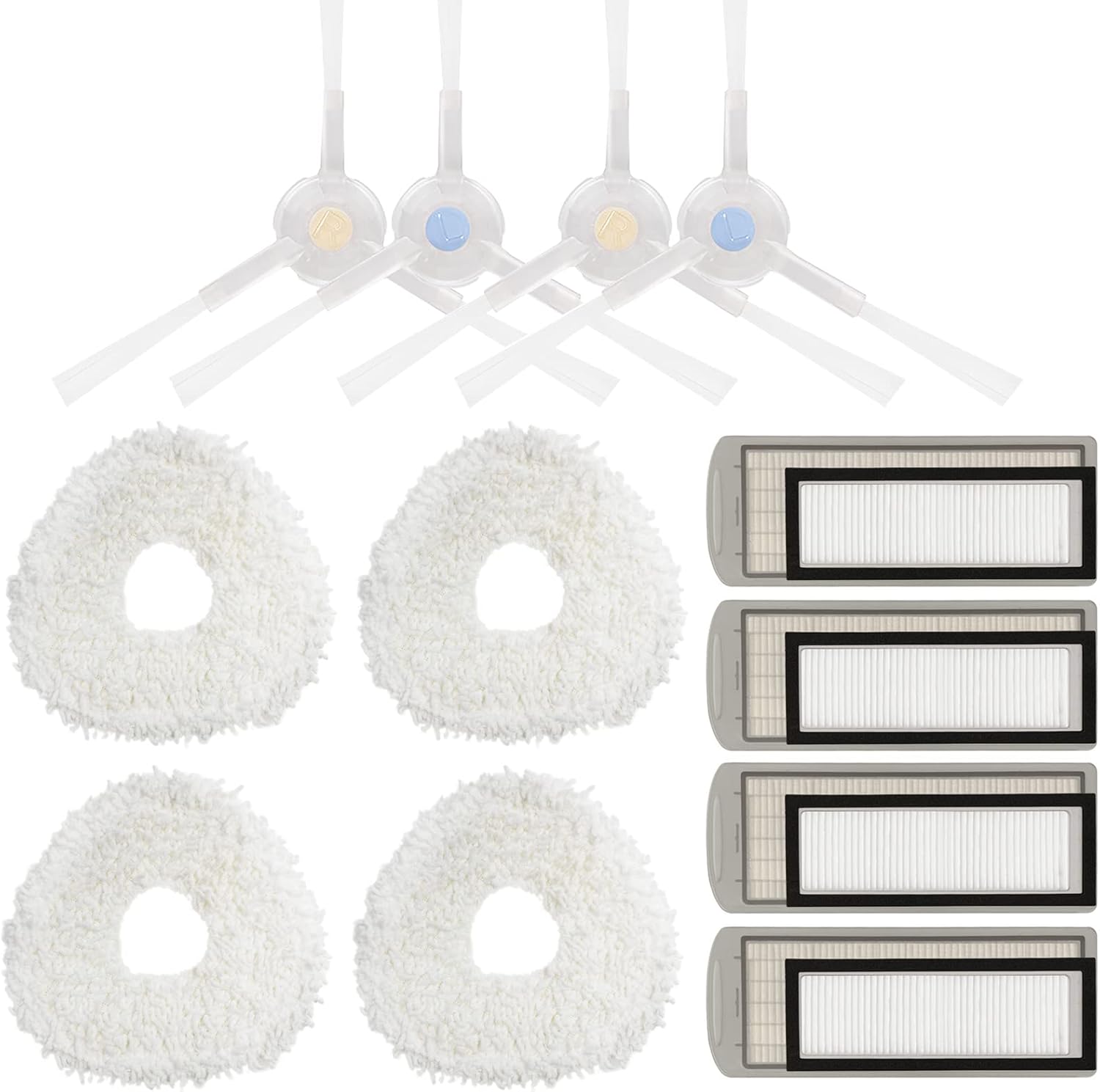
Image 3.1: Overview of the HMHAMA replacement parts kit, showing filters, mop pads, and side brushes.
4. Installation and Setup
4.1. Replacing Side Brushes
- Turn off your robot vacuum cleaner and place it upside down on a flat surface.
- Locate the existing side brushes. Depending on your model, they may be secured with a screw or snap into place.
- If secured by a screw, use a screwdriver to remove it. Gently pull the old side brush upwards to detach it.
- Align the new side brush with the corresponding slot (often marked 'L' for left and 'R' for right, or indicated by color). Press it down firmly or re-insert the screw to secure it.
- Ensure the side brush rotates freely after installation.

Image 4.1: Close-up view of two side brushes, indicating their design for efficient debris collection.
4.2. Replacing Filters
- Open the dustbin cover of your robot vacuum cleaner.
- Remove the dustbin from the robot.
- Locate the filter compartment within the dustbin. Remove the old filter by pulling it out.
- Insert a new high-efficiency filter into the compartment, ensuring it is seated correctly and securely.
- Close the filter compartment, re-insert the dustbin into the robot, and close the dustbin cover.

Image 4.2: Two replacement filters, designed to capture fine dust and allergens.
4.3. Replacing Mop Pads
- Turn off your robot vacuum cleaner.
- Locate the mop pad attachment area, typically on the underside of the robot or on a removable water tank.
- Remove the used mop pad. This usually involves detaching it from a hook-and-loop fastener or sliding it out of a slot.
- Attach a new microfiber mop pad, ensuring it is securely fastened and covers the designated area completely.

Image 4.3: A single microfiber mop pad, featuring a shaggy texture for effective cleaning.
5. Maintenance
Regular maintenance of your robot vacuum cleaner's consumable parts is crucial for optimal performance and longevity. The following guidelines are recommended:
- Filters: It is recommended to clean the filter replacements every few weeks. For optimal performance, replace filters every two months.
- Mop Pads: Mop pads should be cleaned after each use. They are reusable and can be hand-washed or machine-washed. Replace them when they show signs of wear or reduced cleaning effectiveness.
- Side Brushes: Inspect side brushes regularly for tangled hair or debris. Clean them as needed. Replace side brushes every 3-6 months, or if bristles are bent or damaged.
- General: Keep your robot running efficiently by changing the consumable replenishment kit every 2-4 months, depending on your usage frequency and environment.
6. Specifications
| Component | Quantity | Material | Key Feature |
|---|---|---|---|
| High-Efficiency Filters | 4 | HEPA-grade material | Blocks 99.97% of particles as small as 0.3 microns |
| Microfiber Mop Pads | 4 | Microfiber | Strong water absorption, non-shedding, durable |
| Side Brushes | 2 Pairs (4 pieces) | Plastic, Nylon bristles | Tangle-free design, directs hair to suction path |
Overall Kit Details:
- Item Weight: 9 ounces
- Package Dimensions: 8.27 x 5.67 x 2.72 inches
- Total Number of Pieces: 10

Image 6.1: Dimensional diagram illustrating the approximate sizes of the side brush, filter, and mop pad components.
7. Troubleshooting
If you encounter issues after replacing parts, consider the following:
- Reduced Suction: Ensure the filter is correctly seated and not clogged. Clean or replace if necessary.
- Ineffective Mopping: Check if the mop pad is securely attached and sufficiently damp. Ensure the water tank (if applicable) is filled.
- Side Brush Not Rotating: Verify the side brush is installed correctly and not obstructed by debris or hair. Ensure any securing screws are tightened.
- Unusual Noises: Inspect all installed parts for proper fit. Remove any foreign objects that might be caught in the brushes or wheels.
If problems persist, refer to your robot vacuum cleaner's original instruction manual or contact the manufacturer for further assistance.
8. Warranty and Support
For information regarding warranty coverage or product support for this HMHAMA replacement parts kit, please refer to the seller's policies on the platform where the purchase was made. Keep your purchase receipt as proof of purchase.