
Popglory H52
Popglory H52 Military Smart Watch User Manual
Model: H52
1. Introduction
Thank you for choosing the Popglory H52 Military Smart Watch. This rugged fitness tracker is designed for durability and functionality, offering a wide range of features including call management, health monitoring, and extensive sports tracking. This manual provides essential information to help you set up, operate, and maintain your device.

Image: The Popglory H52 Military Smart Watch, showcasing its robust design and the included interchangeable strap.
2. Setup
2.1 Initial Charging
Before first use, fully charge your smartwatch. Connect the magnetic charging cable to the charging points on the back of the watch and plug the USB end into a power adapter (not included) or a computer USB port. A full charge typically takes approximately 2 hours.

Image: The smartwatch connected to its magnetic charging cable, indicating a full charge and highlighting its long battery life.
2.2 App Installation and Pairing
To unlock the full potential of your Popglory H52 Smart Watch, download and install the GloryFit app on your smartphone.
- Scan the QR code in the watch's manual or search for "GloryFit" in your smartphone's app store (iOS 11.0+ or Android 5.0+).
- Open the GloryFit app and create an account or log in.
- Enable Bluetooth on your smartphone.
- In the GloryFit app, navigate to the 'Device' section and select 'Add Device'.
- Select 'H52' from the list of available devices to pair. Follow the on-screen prompts to complete the pairing process.
2.3 Strap Installation
The watch comes with two 22mm straps. To change the strap, locate the quick-release pins on the underside of the strap. Pull the pin inwards to detach the strap. Align the new strap with the watch lugs and push the pin inwards to secure it in place.
3. Operating Your Smart Watch
3.1 Basic Navigation
- Touchscreen: Swipe left/right, up/down to navigate through menus and features. Tap to select.
- Side Button: Press to return to the home screen or wake the device. Rotate to switch watch faces or scroll through lists.
- Raise to Wake: Enable this feature in the settings or GloryFit app to automatically turn on the screen when you raise your wrist.
3.2 Communication Features
The H52 Smart Watch allows you to manage calls and receive notifications directly on your wrist.
- Make/Answer Calls: Use the watch to dial numbers or answer incoming calls directly. The watch features a noise-cancelling microphone and high-fidelity speaker. You can also quickly call emergency contacts via the SOS feature.
- AI Voice Control: Control your watch with voice commands. You can make calls, play music, ask for weather updates, and more.
- Notifications: Receive social media notifications (WhatsApp, Facebook, Twitter, Instagram, etc.) directly on your wrist.

Image: Visual representation of the watch's communication capabilities, including making calls, receiving app notifications, and using voice control.
3.3 Customization
- Watch Faces: Choose from over 100 pre-installed watch faces or customize your own in the GloryFit app. Rotate the side button to quickly switch between dials.
- Themes: Adapt to your habits with 3 operative themes.
- Settings: Adjust brightness, vibration, voice settings, time system, and unit settings.
- Password Setting: Secure your watch with a password.

Image: The 1.91-inch HD screen showcasing a variety of watch faces, emphasizing customization options.
3.4 Additional Functions
- Calculator: Perform basic calculations directly on your watch.
- Breathing Training: Guided breathing exercises to help relieve stress.
- Weather Forecast: Get real-time weather updates.
- Timer & Stopwatch: Useful tools for timing activities.
- Remote Camera: Control your smartphone's camera remotely from your watch.
- Alarm Clock: Set alarms for reminders.
4. Health Monitoring
The Popglory H52 Smart Watch provides comprehensive health monitoring features to help you stay informed about your well-being. Note: All data are for fitness reference only, not for medical use.
- Heart Rate Monitor: 24/7 continuous heart rate tracking. You can set maximum/minimum heart rate values in the app, and the watch will vibrate to alert you if these values are exceeded or dropped below.
- Blood Pressure Monitor: Measures your blood pressure.
- Blood Oxygen (SpO2) Monitor: Measures your blood oxygen levels.
- Sleep Tracking: Monitors your sleep patterns, including deep sleep, light sleep, REM, and awake time.
- Sedentary Reminder: Alerts you when you've been inactive for too long, encouraging you to move.

Image: The watch screen showing various health metrics like blood oxygen, blood pressure, heart rate, and sleep quality, indicating comprehensive health management.
5. Sports Modes & Activity Tracking
The H52 Smart Watch is equipped with over 100 sports modes to accurately track your physical activities, both indoors and outdoors.
- 100+ Sports Modes: Covers a wide range of activities, from running and cycling to swimming and tactical sports.
- Daily Activity Monitoring: Tracks steps taken, calories burned, and distance covered.
- Weekly Reports: View detailed weekly activity reports within the GloryFit app to monitor your progress.
- GPS Tracking: Utilizes your smartphone's GPS for accurate route tracking during outdoor activities.
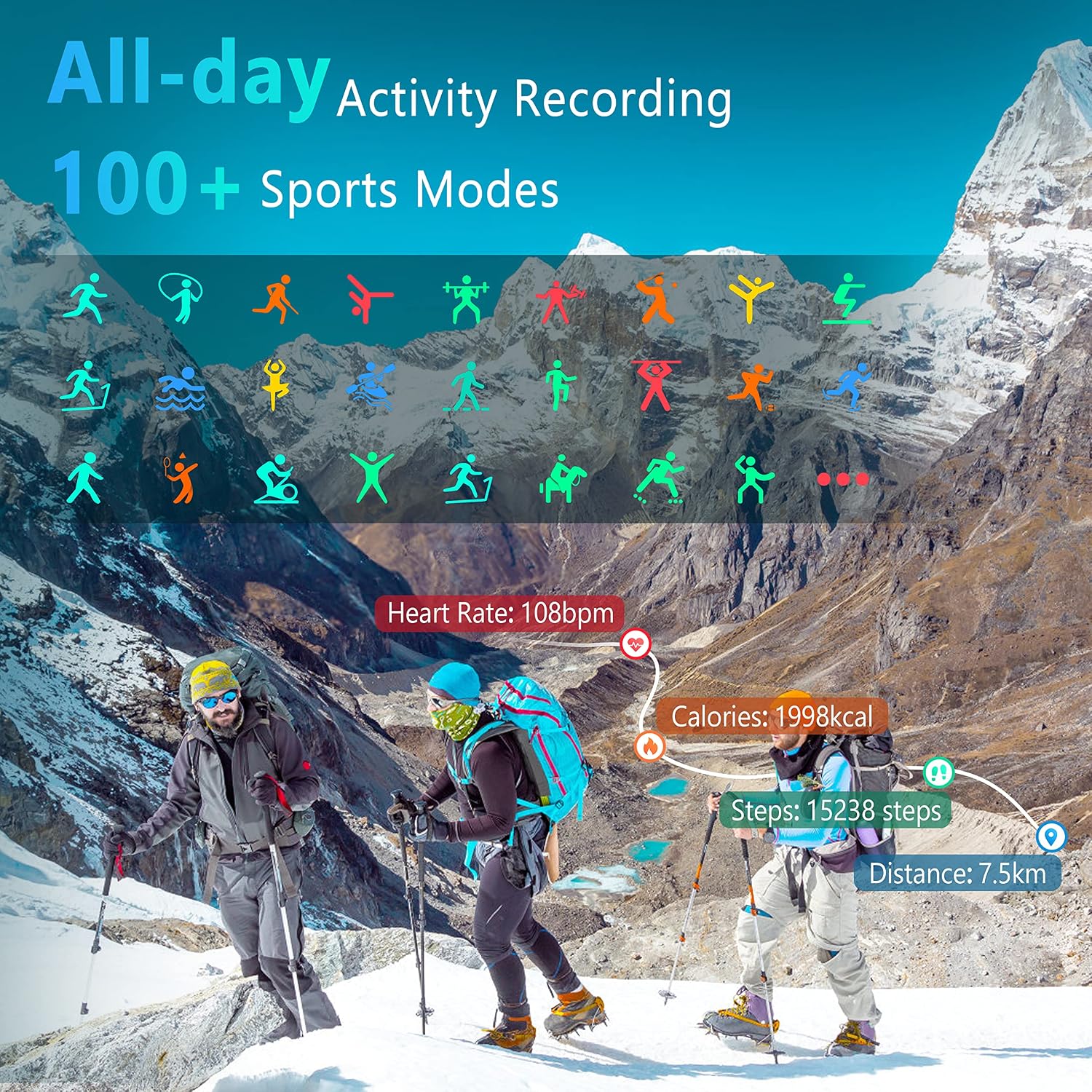
Image: An illustration of the watch's extensive sports modes and its ability to record daily activity metrics like heart rate, calories, steps, and distance.
6. Maintenance
6.1 Durability and Water Resistance
The Popglory H52 is built with a military-grade triple-resistant design, making it sturdy and suitable for extreme environments. It is:
- Shockproof: Designed to withstand impacts.
- Dust-proof: Resistant to dust ingress.
- Temperature Resistant: Operates in temperatures from -40°C to 70°C.
- IPX8 Waterproof: Suitable for daily activities and swimming. Avoid hot water, saunas, or deep diving.
- Anti-Magnetic: Protected against magnetic interference.

Image: The watch being splashed with water, demonstrating its shockproof, dust-proof, temperature resistance, IPX8 waterproof, and anti-magnetic features.
6.2 Cleaning and Care
To ensure the longevity of your watch, clean it regularly. Wipe the screen and strap with a soft, damp cloth. Avoid using harsh chemicals or abrasive materials. Ensure the charging contacts are clean and dry before charging.
7. Troubleshooting
If you encounter issues with your Popglory H52 Smart Watch, please refer to the following common solutions:
- Watch not turning on: Ensure the watch is fully charged. Connect it to the charger and wait a few minutes before attempting to power it on.
- Connectivity issues (Bluetooth): Ensure Bluetooth is enabled on your smartphone and the watch is within range. Try unpairing and re-pairing the device in the GloryFit app.
- Inaccurate health readings: Ensure the watch is worn snugly on your wrist, about one finger's width above the wrist bone. Readings are for fitness reference only and should not be used for medical diagnosis.
- Notifications not appearing: Check notification permissions for the GloryFit app in your phone's settings. Ensure the app is running in the background.
- Screen unresponsive: Try restarting the watch by pressing and holding the side button. If unresponsive, allow the battery to drain completely and then recharge.
For more detailed troubleshooting or persistent issues, consult the GloryFit app's help section or contact Popglory customer support.
8. Specifications
| Feature | Specification |
|---|---|
| Model Name | H52 |
| Screen Size | 1.91 Inches |
| Operating System | Android, iOS |
| Connectivity Technology | Bluetooth |
| Special Features | Heart Rate Monitor, Blood Pressure Monitor, Blood Oxygen Monitor, Sleep Tracker, 100+ Sports Modes, Call Function, AI Voice Control, IPX8 Waterproof |
| Battery Life (Daily Use) | Up to 10 days |
| Standby Time | Up to 30 days |
| Charging Time | Approx. 2 hours |
| Water Resistance | IPX8 |
| Product Dimensions | 2.35 x 1.77 x 0.53 inches |
| Item Weight | 5 ounces |
9. Warranty and Support
Popglory offers the following for your product:
- 30-Day Return: No reason to return policy.
- 1-Year Replacement: For damage.
For further assistance, please refer to the official user manual PDF or contact Popglory customer support.
Official Product Video:
Video: An official product video showcasing the features and capabilities of the Popglory H52 Tactical Smart Watch.
You can also download the full user manual in PDF format for more detailed instructions: Download User Manual (PDF)
Related documentsH52


Ask a question about this manual
Ask about setup, troubleshooting, compatibility, parts, safety, or missing instructions. Manuals+ will review the question and use this page’s manual context to help answer it.