
1. Introduction
Thank you for choosing the MLOVE S203 Bluetooth Speaker. This portable, waterproof audio device is designed to provide high-quality sound for various environments. Featuring advanced Bluetooth 5.3 technology for stable connectivity, IPX7 waterproofing for outdoor use, and True Wireless Stereo (TWS) pairing for an immersive audio experience, the S203 delivers deep bass and clear stereo sound with an extended playtime. Please read this manual carefully before using the speaker to ensure proper operation and to maximize its performance.
2. Package Contents
Please check the package for the following items:
- 1 x MLOVE S203 Bluetooth Speaker
- 1 x USB Type-C Charging Cable
- 1 x Lanyard
- 1 x Instruction Manual

Image: MLOVE S203 Speaker and Included Accessories
3. Product Features
- Amazing & Delightful Sound: Equipped with 2x45mm full-range speakers and 2 bass radiators, delivering 15W of powerful, clear, and deep bass stereo sound.
- Excellent Waterproof & Dustproof: IPX7 rated for water resistance, allowing immersion in up to 1 meter of water for 30 minutes. Also IPX6 dustproof, making it suitable for various outdoor conditions. Operates reliably in temperatures from -20°C to +45°C.
- Powerful True Wireless Stereo (TWS): Connect two MLOVE S203 speakers wirelessly to create an immersive stereo sound experience, doubling the audio output for larger spaces or parties.
- All Day Playtime: The powerful built-in battery provides up to 24 hours of continuous music playback, ensuring your favorite songs are available whenever and wherever you are.
- Easy Connectivity: Supports Bluetooth 5.3 for fast and stable wireless connections up to 20 meters, and features an AUX input for wired connections. Compatible with most smartphones, laptops, PCs, and tablets.

Image: Internal Speaker Components and Sound Output

Image: Speaker's Waterproof and Dustproof Capabilities
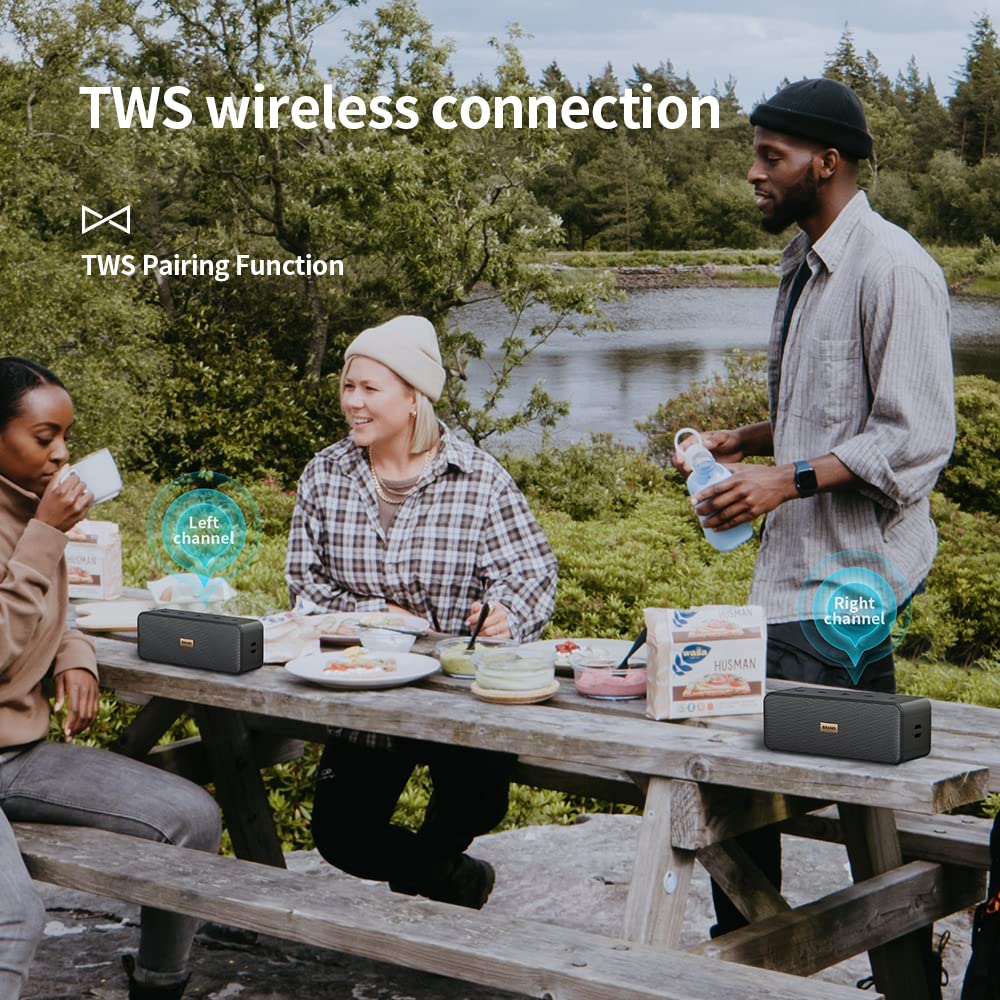
Image: True Wireless Stereo (TWS) Pairing in Use

Image: Extended Playtime Feature

Image: Bluetooth 5.3 Connectivity
4. Product Layout and Controls
The MLOVE S203 speaker features intuitive controls located on the top panel and essential ports on the side.

Image: MLOVE S203 Speaker Top View with Controls
Control Buttons (Top Panel):
- Power Button (⏸): Press and hold to turn the speaker On/Off. Short press to check battery status (if applicable).
- Volume Down / Previous Track (-): Short press to decrease volume. Long press to go to the previous track.
- Play/Pause Button (⏸): Short press to play or pause music.
- Volume Up / Next Track (+): Short press to increase volume. Long press to go to the next track.
- Mode Button (M): Short press to switch between Bluetooth and AUX input modes.
Ports (Side Panel):
- USB Type-C Charging Port: For charging the speaker's internal battery.
- AUX-in Port: For connecting external audio devices via a 3.5mm audio cable.
5. Setup
5.1 Charging the Speaker
- Connect the provided USB Type-C charging cable to the speaker's charging port.
- Connect the other end of the cable to a USB power adapter (not included) or a computer's USB port.
- The charging indicator light will illuminate during charging and turn off when fully charged.
- A full charge typically takes approximately 3-4 hours.
5.2 Powering On/Off
- To Power On: Press and hold the Power button (⏸) for 2-3 seconds until you hear an audible prompt and the indicator light turns on.
- To Power Off: Press and hold the Power button (⏸) for 2-3 seconds until you hear an audible prompt and the indicator light turns off.
6. Operating Instructions
6.1 Bluetooth Pairing
- Ensure the speaker is powered on and in Bluetooth pairing mode (the indicator light will flash blue rapidly). If not, short press the 'M' (Mode) button to switch to Bluetooth mode.
- Enable Bluetooth on your smartphone, tablet, or other audio device.
- Search for available Bluetooth devices and select "MLOVE S203" from the list.
- Once successfully paired, you will hear a confirmation sound, and the indicator light will turn solid blue.
- The speaker will automatically reconnect to the last paired device when powered on, if the device's Bluetooth is enabled and within range.
6.2 True Wireless Stereo (TWS) Pairing
TWS allows you to pair two MLOVE S203 speakers together for a true stereo sound experience.
- Ensure both MLOVE S203 speakers are powered on and not connected to any Bluetooth device.
- On one of the speakers (this will be the primary speaker), double-press the Play/Pause button (⏸). You will hear a prompt indicating it's searching for another speaker.
- The two speakers will automatically connect to each other. Once connected, you will hear a confirmation sound, and the indicator light on the primary speaker will flash blue, while the secondary speaker's light will be solid blue.
- Now, connect your audio device to the primary speaker via Bluetooth as described in section 6.1.
- Audio will now play in stereo through both speakers.
- To disconnect TWS, double-press the Play/Pause button (⏸) on either speaker.
6.3 AUX-in Mode
Use the AUX-in mode to connect devices without Bluetooth capability.
- Connect one end of a 3.5mm audio cable (not included) to the AUX-in port on the speaker.
- Connect the other end of the cable to the headphone jack or audio output port of your device.
- The speaker will automatically switch to AUX-in mode, or you may need to short press the 'M' (Mode) button to select AUX mode.
- Control volume and playback from your connected device.
7. Maintenance
- Cleaning: Use a soft, dry cloth to clean the speaker. For stubborn dirt, a slightly damp cloth can be used. Do not use harsh chemicals, cleaning solvents, or strong detergents.
- Water Exposure: While the speaker is IPX7 waterproof, ensure the charging port cover is securely closed before exposing it to water. After exposure to chlorinated or saltwater, rinse the speaker with fresh water and dry thoroughly before charging.
- Storage: Store the speaker in a cool, dry place away from direct sunlight and extreme temperatures.
- Battery Care: To prolong battery life, fully charge the speaker before first use. If not used for extended periods, charge it at least once every three months. Avoid completely draining the battery frequently.
8. Troubleshooting
| Problem | Possible Cause | Solution |
|---|---|---|
| Speaker won't turn on | Low battery; Power button not held long enough | Charge the speaker fully. Press and hold the Power button for 2-3 seconds. |
| No sound | Volume too low; Incorrect mode; Device not connected | Increase speaker and device volume. Ensure correct mode (Bluetooth/AUX). Reconnect device. |
| Cannot pair Bluetooth | Speaker not in pairing mode; Device Bluetooth off; Too far from device | Ensure speaker is flashing blue. Turn device Bluetooth on/off. Move speaker closer to device (within 20m). |
| TWS pairing failed | Speakers too far apart; One speaker already paired to a device | Ensure speakers are close to each other. Disconnect any Bluetooth devices from both speakers before TWS pairing. |
| Sound distortion | Volume too high; Low battery; Interference | Reduce volume. Charge speaker. Move away from other electronic devices. |
9. Specifications
| Feature | Specification |
|---|---|
| Model Name | S203 |
| Speaker Type | Woofer |
| Connectivity Technology | Bluetooth 5.3, AUX-in |
| Speaker Maximum Output Power | 15 Watts |
| Waterproof Rating | IPX7 |
| Dustproof Rating | IPX6 |
| Battery Life | Up to 24 Hours |
| Product Dimensions (D x W x H) | 6.2 x 17 x 6.4 Centimeters |
| Item Weight | 0.61 Kilograms (610 g) |
| Compatible Devices | Laptop, Personal Computer, Smartphone, Tablet |
| Included Components | 1* S203 Bluetooth Speaker, 1* USB Type-C Charging Cable, Lanyard, 1* Instruction Manual |

Image: MLOVE S203 Speaker Dimensions
10. Warranty and Support
The MLOVE S203 Bluetooth Speaker comes with a 12-month warranty from the date of purchase. This warranty covers manufacturing defects and workmanship under normal use. It does not cover damage caused by misuse, accidents, unauthorized modifications, or natural disasters.
For warranty claims, technical support, or any questions regarding your MLOVE S203 speaker, please contact our customer support team through the retailer's platform or the contact information provided on the product packaging.
