
Important Safety Instructions
Please read and follow all safety instructions before using this product to prevent injury or damage.
- Do not expose the speaker to extreme temperatures, direct sunlight, or high humidity.
- Avoid dropping or subjecting the speaker to strong impacts.
- Do not disassemble, repair, or modify the speaker yourself. Refer all servicing to qualified personnel.
- Keep the speaker away from water and other liquids.
- Use only the charging cable provided with the speaker.
- Clean the speaker with a soft, dry cloth. Do not use abrasive cleaners or solvents.
Package Contents
- 1 X Charging Cable
- 1 X User Manual
- 1 X Bluetooth Speaker with lights
Product Overview
The Oraolo Roller Bluetooth Speaker M167 is a portable audio device designed for powerful sound and versatile connectivity, featuring dynamic LED lighting.

Front view of the Oraolo Roller Bluetooth Speaker M167, showcasing its compact design and central LED panel.

Illustration highlighting the speaker's 40W powerful sound output and deep bass capabilities.

Top panel of the speaker showing various input options including Bluetooth, AUX-in, Mic-in, TF Card, and USB.

Graphic representing the speaker's large 4000mAh battery, providing up to 24 hours of playback.
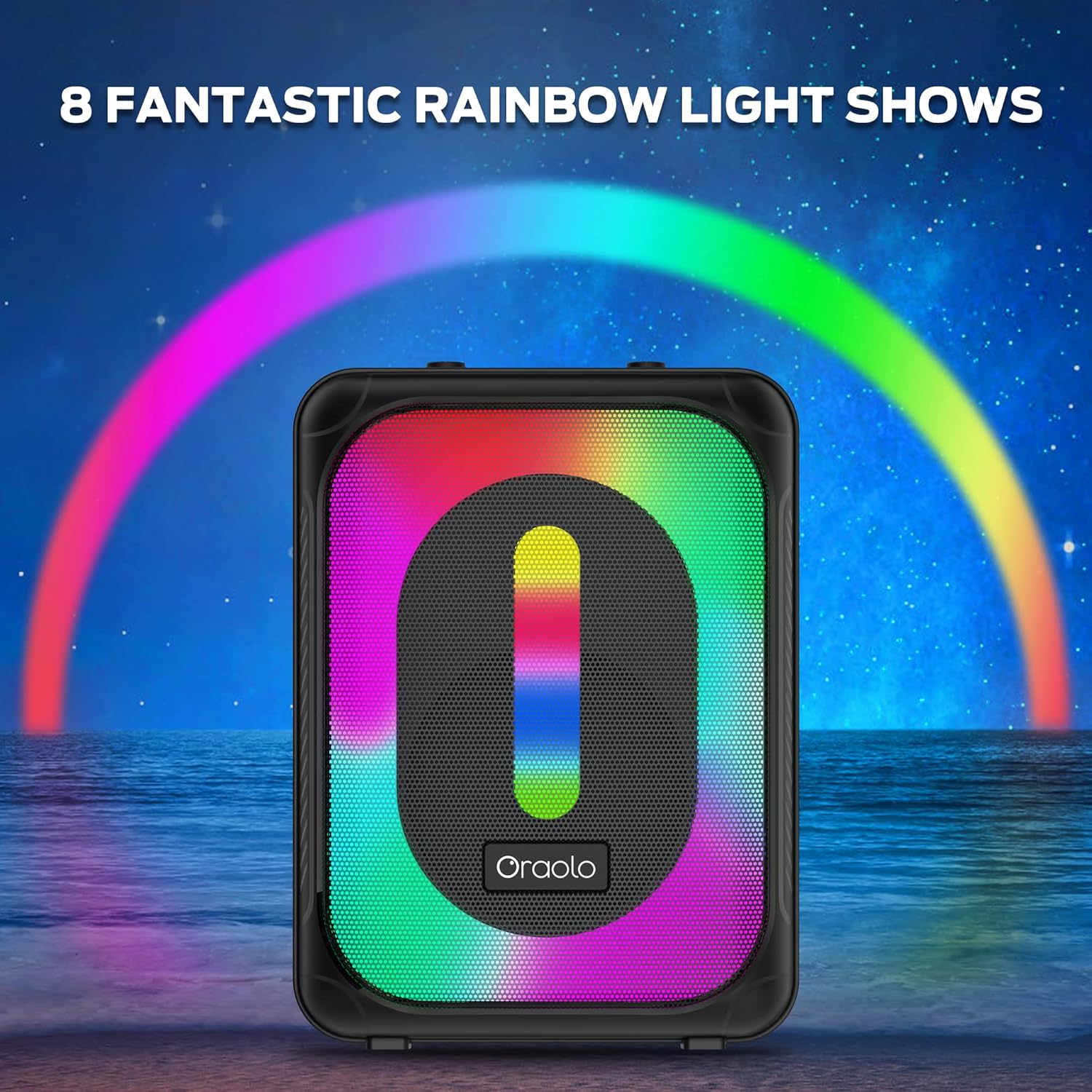
The speaker displaying its vibrant LED lighting, illustrating the 8 fantastic rainbow light shows.

The speaker in an outdoor setting, demonstrating its karaoke functionality with a connected microphone.
Setup
Charging the Speaker
Before first use, fully charge the speaker. Connect the provided charging cable to the USB-C port on the speaker and to a compatible USB power adapter (not included). The LED indicator will show charging status and turn off when fully charged.
Powering On/Off
To power on the speaker, press and hold the Power button located on the control panel until the LED lights illuminate and you hear an audible prompt. To power off, press and hold the Power button again until the lights turn off.
Operating Instructions
Bluetooth Pairing
- Ensure the speaker is powered on and in Bluetooth mode (indicated by 'BLUE' on the display). If not, press the 'Mode' button to switch.
- On your device (smartphone, tablet, laptop), enable Bluetooth and search for available devices.
- Select 'Oraolo M167' from the list of devices.
- Once paired, the speaker will emit a confirmation sound.
TWS (True Wireless Stereo) Pairing
To achieve a full 360° stereo sound experience, you can pair two Oraolo Roller M167 speakers together.
- Ensure both speakers are powered on and not connected to any Bluetooth device.
- On one speaker, press and hold the TWS button (often indicated by a chain link icon or 'TWS').
- The speaker will search for another Oraolo M167 speaker. Once connected, both speakers will emit a confirmation sound.
- Now, connect your device to one of the paired speakers via Bluetooth as described above. Audio will play through both speakers in stereo.
Using Other Inputs (AUX, TF Card, USB)
- AUX-in: Connect an audio device using a 3.5mm AUX cable to the AUX port. The speaker will automatically switch to AUX mode.
- TF Card: Insert a TF (Micro SD) card with audio files into the TF Card slot. The speaker will automatically play music from the card.
- USB: Insert a USB flash drive with audio files into the USB port. The speaker will automatically play music from the drive.
Light Modes
The speaker features 6 RGB colors and 8 LED lighting modes. To switch between light modes or turn off the lights, use the dedicated ON/OFF light switch on the speaker's control panel.
Karaoke Function
The speaker includes a 6.35mm mic input for karaoke. Simply plug in a compatible microphone (not included) into the 'MIC IN' port. Adjust the microphone volume using the dedicated 'MIC VOL' knob.
Volume Control
Adjust the main volume using the 'VOLUME' knob on the control panel. The display will show the current volume level.
Maintenance
- Cleaning: Wipe the speaker with a soft, dry, lint-free cloth. Do not use liquid or aerosol cleaners.
- Storage: Store the speaker in a cool, dry place away from direct sunlight and extreme temperatures when not in use for extended periods.
- Battery Care: To prolong battery life, avoid fully discharging the battery frequently. Charge the speaker regularly, even if not in use.
Troubleshooting
| Problem | Possible Cause | Solution |
|---|---|---|
| Speaker not turning on | Low battery; Power button not held long enough. | Charge the speaker; Press and hold the Power button for 3-5 seconds. |
| No sound | Volume too low; Incorrect input mode; Device not connected. | Increase volume; Press 'Mode' button to select correct input; Re-pair Bluetooth or check cable connection. |
| Bluetooth not connecting | Speaker not in pairing mode; Device Bluetooth off; Interference. | Ensure speaker is in Bluetooth mode; Turn device Bluetooth off/on; Move closer to speaker. |
| Distorted sound at high volume | Volume too high; Audio source quality. | Reduce speaker volume; Check audio source quality. |
| TWS pairing fails | Speakers too far apart; Already connected to another device. | Ensure speakers are close; Disconnect from other Bluetooth devices before TWS pairing. |
Specifications
| Feature | Detail |
|---|---|
| Brand | Oraolo |
| Model Number | M167 |
| Connectivity Technology | Wireless (Bluetooth 5.0) |
| Output Wattage | 40 Watts |
| Power Source | Battery Powered (4000mAh Lithium Ion) |
| Playtime | Up to 24 hours (varies with volume and light modes) |
| Audio Inputs | Bluetooth, AUX, TF Card, USB, Mic Interface |
| Lighting Modes | 6 RGB colors, 8 LED lighting modes |
| Item Weight | 3.3 pounds (1.5 Kilograms) |
| Product Dimensions (L x W x H) | 13.78 x 5.91 x 6.3 inches |
| Recommended Use | Outdoor |
Warranty and Support
Oraolo products are designed for reliability and performance. For specific warranty information and customer support, please refer to the warranty card included in your product packaging or visit the official Oraolo website. Keep your purchase receipt for warranty claims.


