
1. Introduction
The BoxWave EverTouch Capacitive Stylus is designed to provide a natural and precise interaction with your capacitive touchscreen devices, such as the SZZT KS8226. It features a durable FiberMesh tip for smooth and accurate input without the need for batteries or Bluetooth pairing.
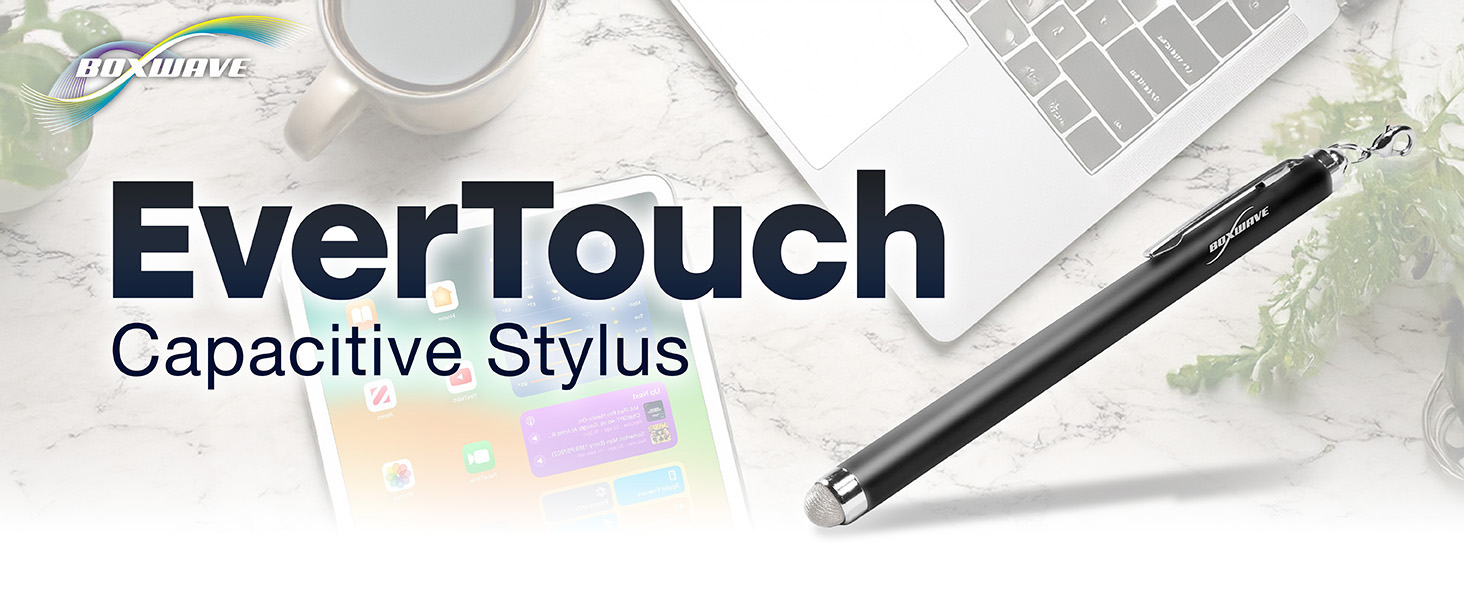
Image: The EverTouch Capacitive Stylus, ready for use with various devices.
2. Product Features
- FiberMesh Tip: A tightly-woven conductive material that is highly durable, resistant to tearing, and provides ultra-accurate and responsive performance.
- Natural and Comfortable Design: The stylus is designed with an optimal length and weight for a comfortable grip, mimicking a traditional writing tool. The barrel is constructed from lightweight aluminum.
- No Pairing Required: Operates instantly without the need for batteries, charging, or Bluetooth connection.
- Screen Cleaning Functionality: The soft FiberMesh tip helps clean the screen as it is used, reducing fingerprints and smudges.
- Lanyard Attachments: Includes multiple options for convenient attachment to your device or keychain.

Image: Visual representation of the stylus's key features.
3. Setup
The BoxWave EverTouch Capacitive Stylus is designed for immediate use. No setup, charging, or pairing is required.
- Remove the stylus from its packaging.
- Attach one of the included lanyards if desired for convenience and portability. The package includes:
- A 2-inch lanyard with a 3.5mm headphone jack attachment.
- A 12-inch elastic coil with a 3.5mm headphone jack attachment.
- A charm clip for attachment to key chains, charms, or bracelets.
- The stylus is now ready to interact with your capacitive touchscreen device.

Image: The stylus shown with its included lanyard attachments.
4. Operating Instructions
Using the EverTouch Capacitive Stylus is intuitive and similar to using your finger, but with enhanced precision.
- Hold the Stylus: Grip the stylus comfortably as you would a pen or pencil. Its lightweight aluminum barrel is designed for a natural feel.
- Interact with Screen: Gently touch the FiberMesh tip to your device's capacitive touchscreen. The stylus will simulate your finger's touch, allowing you to navigate, tap, swipe, write, and draw.
- Pressure: The FiberMesh tip requires minimal pressure for activation, providing a responsive experience.

Image: Demonstrating the natural and comfortable grip of the stylus.

Image: The stylus in use for writing, drawing, and navigating on a tablet.
5. Maintenance
Proper care will ensure the longevity and optimal performance of your EverTouch Capacitive Stylus.
- Cleaning the Tip: The FiberMesh tip is self-cleaning to some extent, helping to remove smudges from your screen during use. For deeper cleaning, gently wipe the tip with a soft, lint-free cloth.
- Cleaning the Body: Wipe the aluminum barrel of the stylus with a soft, dry cloth to remove dust or fingerprints.
- Storage: Store the stylus in a clean, dry place when not in use. Avoid storing it in direct sunlight or extreme temperatures.
- Avoid Harsh Chemicals: Do not use abrasive cleaners or harsh chemicals on any part of the stylus, as this may damage the materials.
6. Troubleshooting
If you encounter any issues with your EverTouch Capacitive Stylus, consider the following:
- Stylus Not Responding:
- Ensure your device's screen is clean and free of dust, smudges, or debris that might interfere with touch recognition.
- Verify that your device supports capacitive touch input. The EverTouch stylus is designed for capacitive screens.
- The stylus does not require power, so battery-related issues are not applicable.
- Inaccurate Input:
- Ensure the FiberMesh tip is clean. Accumulation of dirt can affect accuracy.
- Confirm that your device's screen is clean and free from any screen protectors that might hinder touch sensitivity.
If problems persist, please refer to the support information in Section 7.
7. Specifications
| Feature | Detail |
|---|---|
| Model Name | EverTouch Capacitive Stylus |
| Brand | BoxWave |
| Compatibility | Capacitive touchscreen devices, including SZZT KS8226 |
| Tip Type | FiberMesh Capacitive Tip |
| Material | Lightweight Aluminum Barrel |
| Item Weight | 0.5 ounces |
| Lanyard Attachments | 2-inch lanyard with 3.5mm jack, 12-inch elastic coil with 3.5mm jack, Charm clip |
8. Warranty and Support
BoxWave is committed to providing quality products and customer satisfaction.
- Return Policy: This product is eligible for a refund or replacement within 30 days of purchase, subject to the seller's return policy.
- Technical Support: Limited 3rd party technical support is available for your device (up to 3 inquiries via messaging). Please note that this support is not affiliated with or endorsed by SZZT.
- Manufacturer: BoxWave Corporation
- Seller: BoxWave Corporation
For further assistance or inquiries, please contact the seller directly through your purchase platform.