
hohem M6
hohem iSteady M6 Gimbal Stabilizer User Manual
Model: M6
1. Introduction
The hohem iSteady M6 is an advanced 3-axis gimbal stabilizer designed for smartphones, offering enhanced stability and creative shooting capabilities. It features the iSteady 7.0 anti-shake technology, an OLED display, and various intelligent modes to elevate your mobile videography and photography.
2. Package Contents
Verify that all the following items are included in your package:
- hohem iSteady M6 Gimbal Stabilizer
- Mini Tripod
- USB-C Charging Cable
- USB-C to USB-C Cable
- Carrying Case
- User Manual
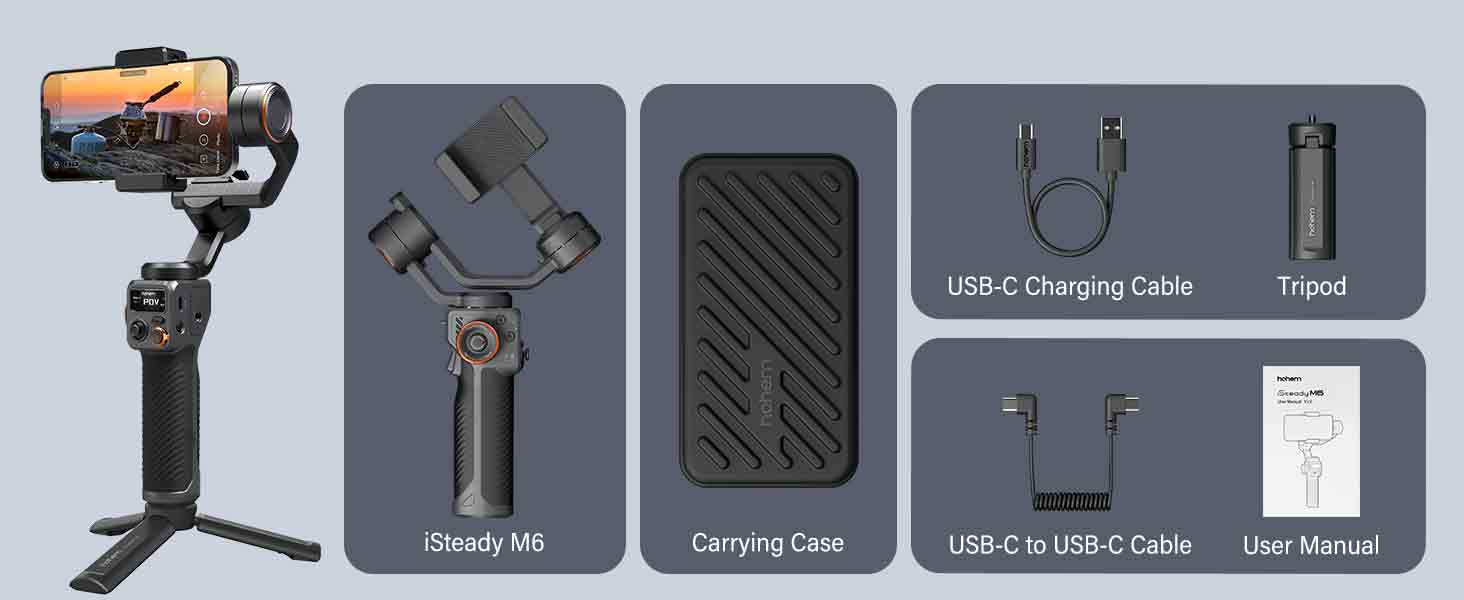
Image: All components included in the hohem iSteady M6 package.
3. Product Overview
Familiarize yourself with the main components and controls of the iSteady M6 gimbal.

Image: Detailed view of the iSteady M6 gimbal's controls and features, including the OLED display, multifunctional wheel, and trigger.
- OLED Large Display: Provides real-time information on stabilizer status, function parameters, Bluetooth connection, and battery level.
- Multifunctional Wheel: Controls horizontal roll rotation, adjusts picture vignette, and manages CCT & RGB light dimming.
- Multi-function Trigger: Activates Sport mode, Selfie mode, and Ultra-wide angle mode.
- Precision Scale Rod: Aids in precise balancing and adjustments.
- A-B Point Trajectory Memory: Records shooting trajectories for repeatable movements.
4. Setup
4.1 Mounting Your Smartphone
- Extend the phone clip on the gimbal.
- Carefully place your smartphone into the clip, ensuring it is centered and secure.
- Ensure the phone is firmly seated to prevent accidental drops.
4.2 Balancing the Gimbal
Proper balancing is crucial for optimal performance and to prevent motor overheating. Balance the gimbal before powering it on.
- Tilt Axis Balance: Adjust the horizontal arm until the phone remains level when released.
- Roll Axis Balance: Adjust the roll arm until the phone is horizontal and does not tilt to either side.
- Pan Axis Balance: Ensure the gimbal can rotate freely without resistance.

Image: The iSteady M6 with a smartphone, emphasizing the importance of balancing for effective stabilization.
4.3 Powering On/Off
- Power On: Press and hold the power button for 3 seconds.
- Power Off: Press and hold the power button for 3 seconds.
4.4 Connecting to Hohem Joy App
Download the "Hohem Joy" app from your smartphone's app store to unlock full features and smart tracking capabilities.
- Ensure Bluetooth is enabled on your smartphone.
- Open the Hohem Joy app.
- Follow the in-app instructions to connect your iSteady M6.
5. Operating the Gimbal
5.1 Stabilization Technology
The iSteady M6 utilizes 7th-Gen iSteady Stabilization Algorithm and 3-Axis stabilization to provide smooth, professional-grade footage.
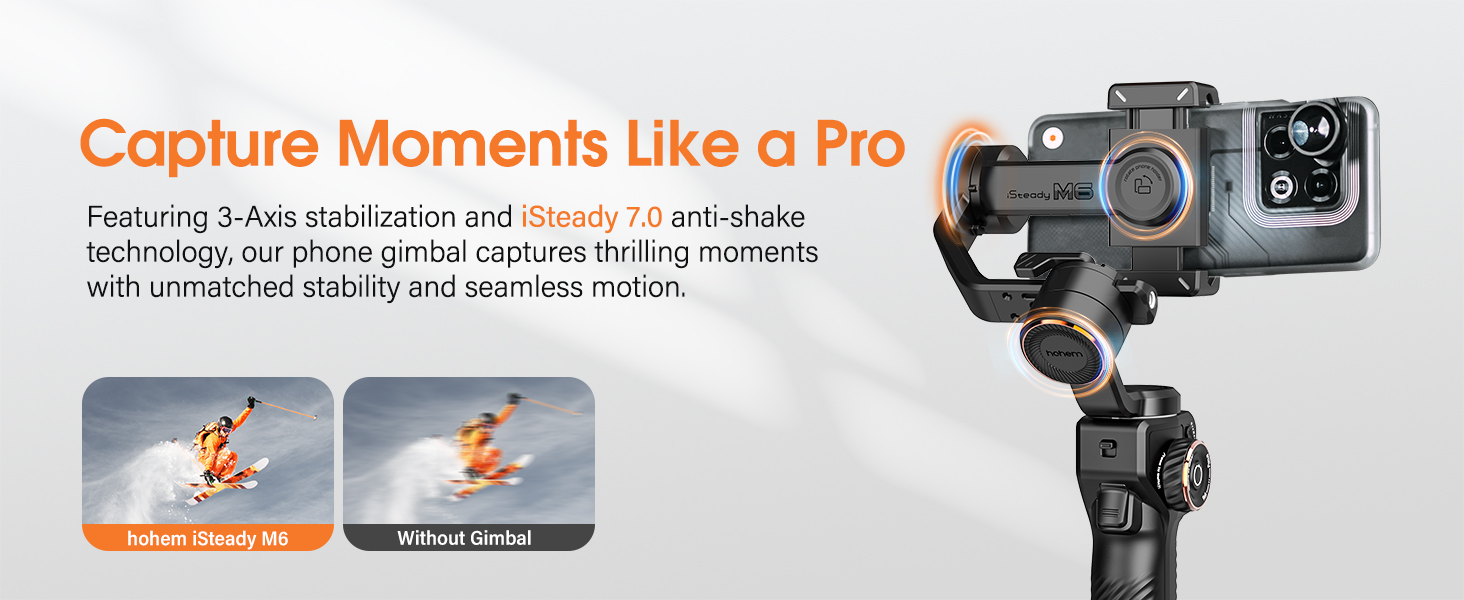
Image: Demonstrates the superior stability achieved with the iSteady M6 gimbal compared to handheld footage.
5.2 Unlimited Shooting Angle & Inception Mode
The gimbal supports 360° infinite vertical rotation and wide-angle rotation of 335° for both rolling and pitching directions, allowing for dynamic and creative shots, including the "Inception" mode.

Image: Visual representation of the iSteady M6's extensive rotation capabilities, including 360° Inception mode.
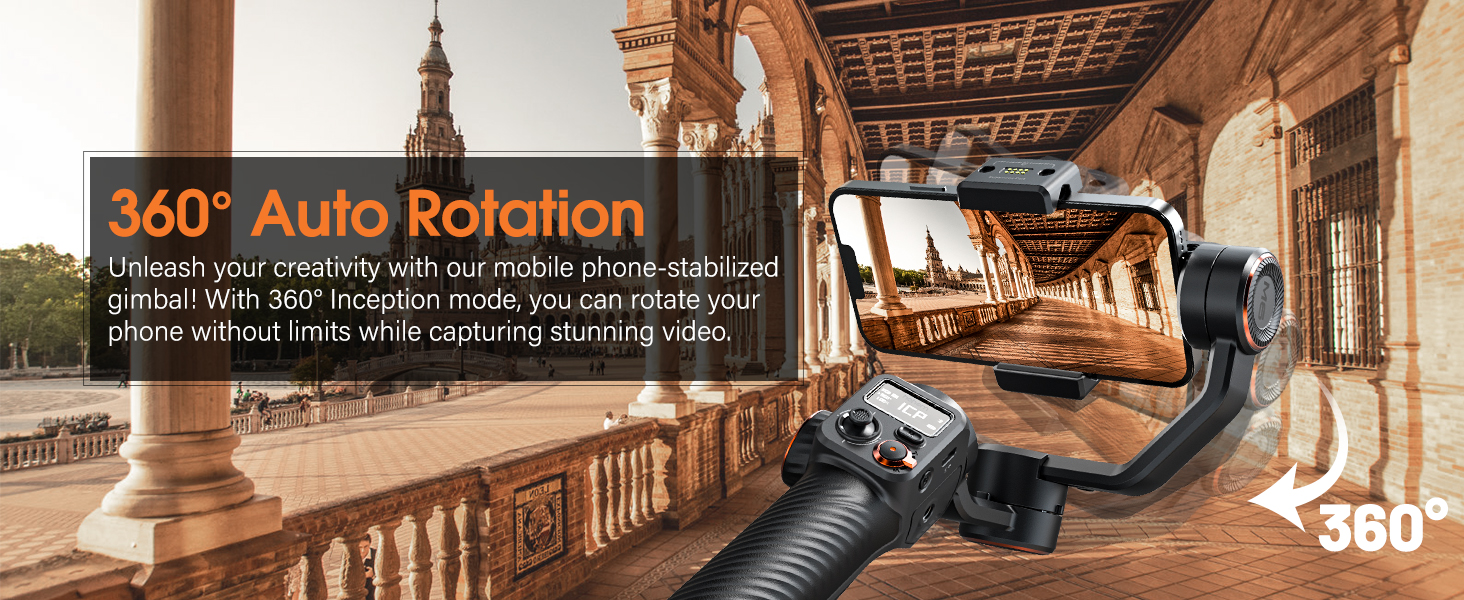
Image: The gimbal executing a 360° auto rotation, ideal for creative video effects.
5.3 Smart Tracking
Through the Hohem Joy app, you can activate face and object tracking by tapping on your phone's screen. This feature simplifies capturing dynamic subjects.

Image: Illustrates the smart tracking capabilities of the iSteady M6, including face and object tracking via the Hohem Joy app.
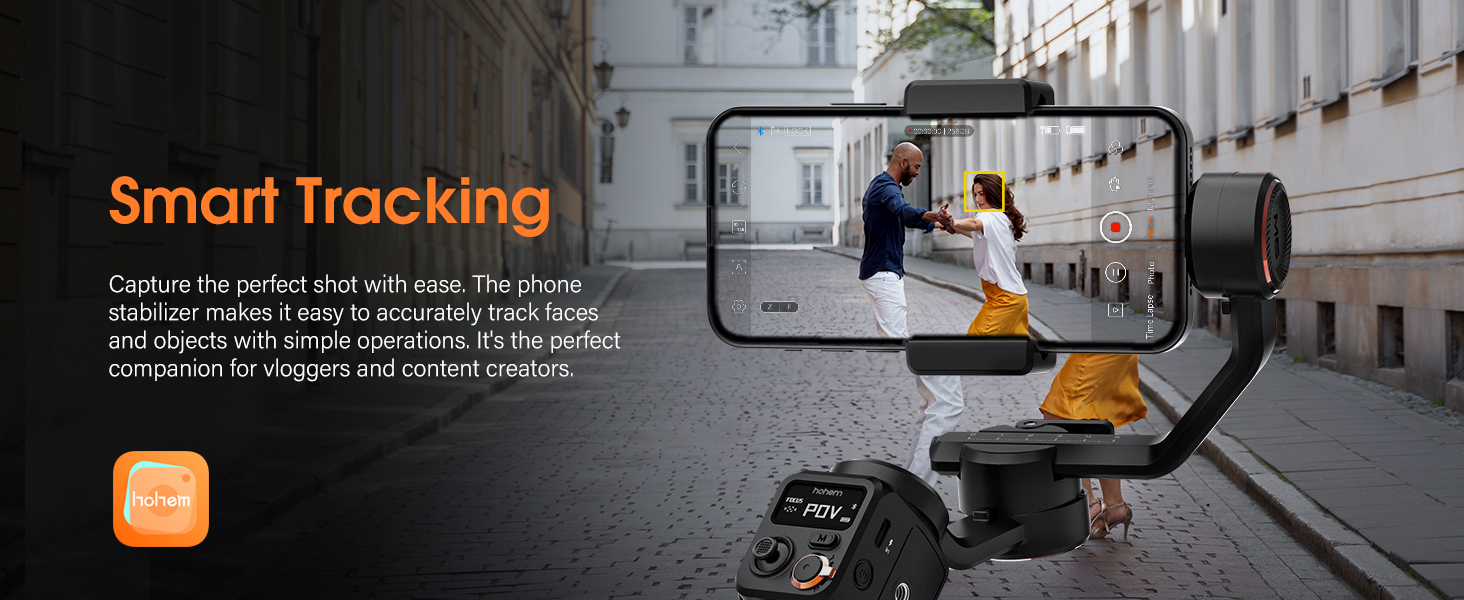
Image: The gimbal actively tracking a subject, ensuring they remain in frame.
5.4 Multifunctional Controls
The iSteady M6 features intuitive controls for precise adjustments:
- Multifunctional Wheel: Allows for fine-tuning of focus, zoom, and light settings (CCT/RGB).
- Shortcut Trigger: Quickly switch between Sport mode for fast-moving subjects, return to center, or enter full lock mode.
- Memory A/B Button: Intelligently records shooting trajectories, sets starting points, and controls time-lapse footage.
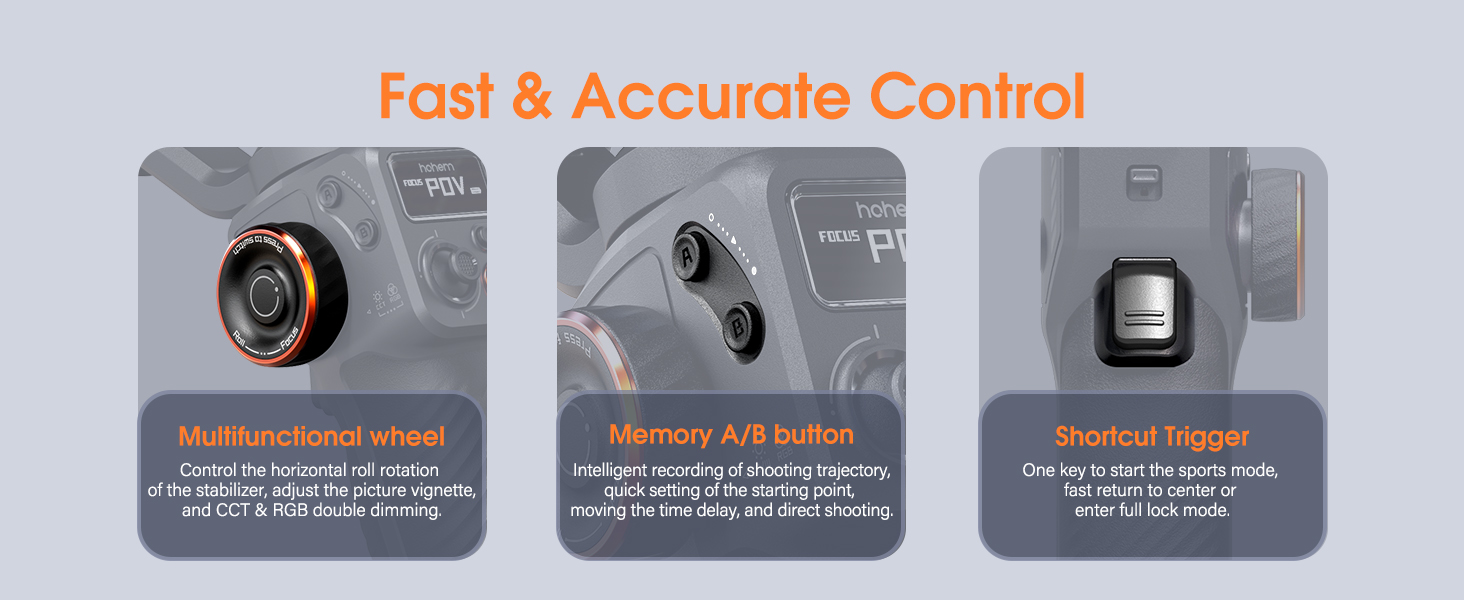
Image: Detailed view of the gimbal's control panel, highlighting the multifunctional wheel, A/B memory buttons, and shortcut trigger.
5.5 "Moment" Mode Features
The Hohem Joy app offers various "Moment" video templates for creative effects:
- Dolly Zoom: Creates a dramatic visual effect where the background appears to change size while the subject remains constant.
- Panoramic Video: Captures wide, sweeping shots.
- Timelapse: Compresses long periods into short, sped-up videos.
- CloneMe: Allows you to appear in multiple places within the same frame.
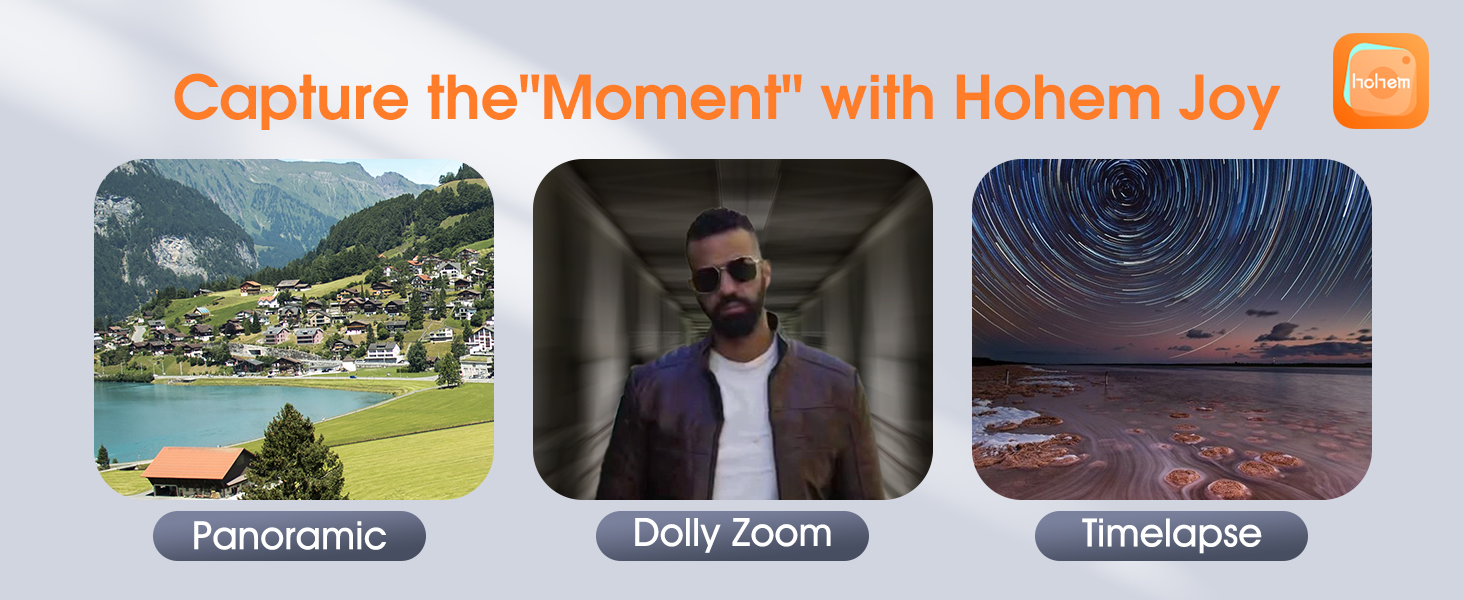
Image: Visual examples of creative modes available in the Hohem Joy app, including Panoramic, Dolly Zoom, and Timelapse.
5.6 Battery Life & Reverse Charging
The iSteady M6 provides up to 18 hours of battery life and can reverse charge your smartphone, acting as a power bank on the go.
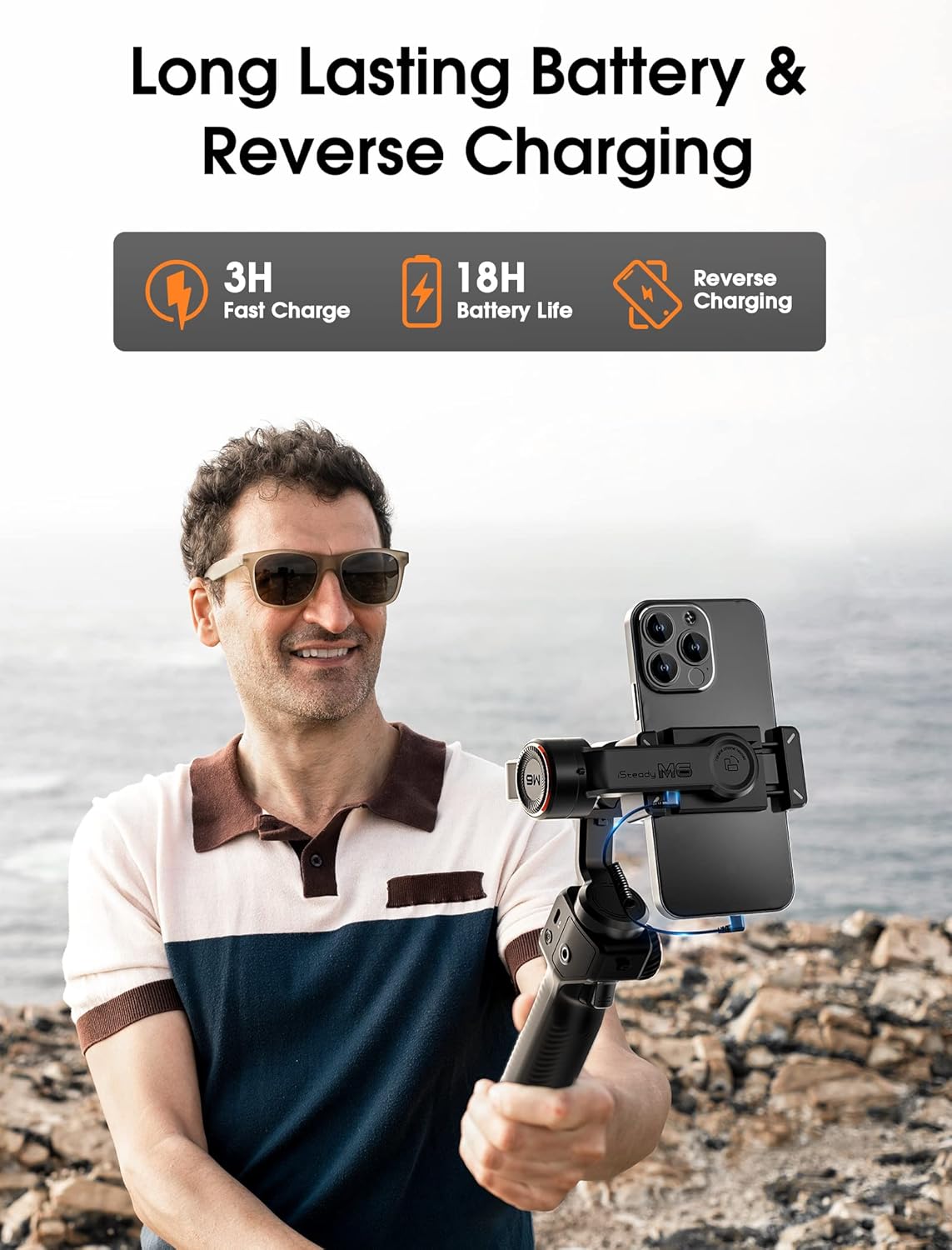
Image: Highlights the long battery life and reverse charging function of the iSteady M6.
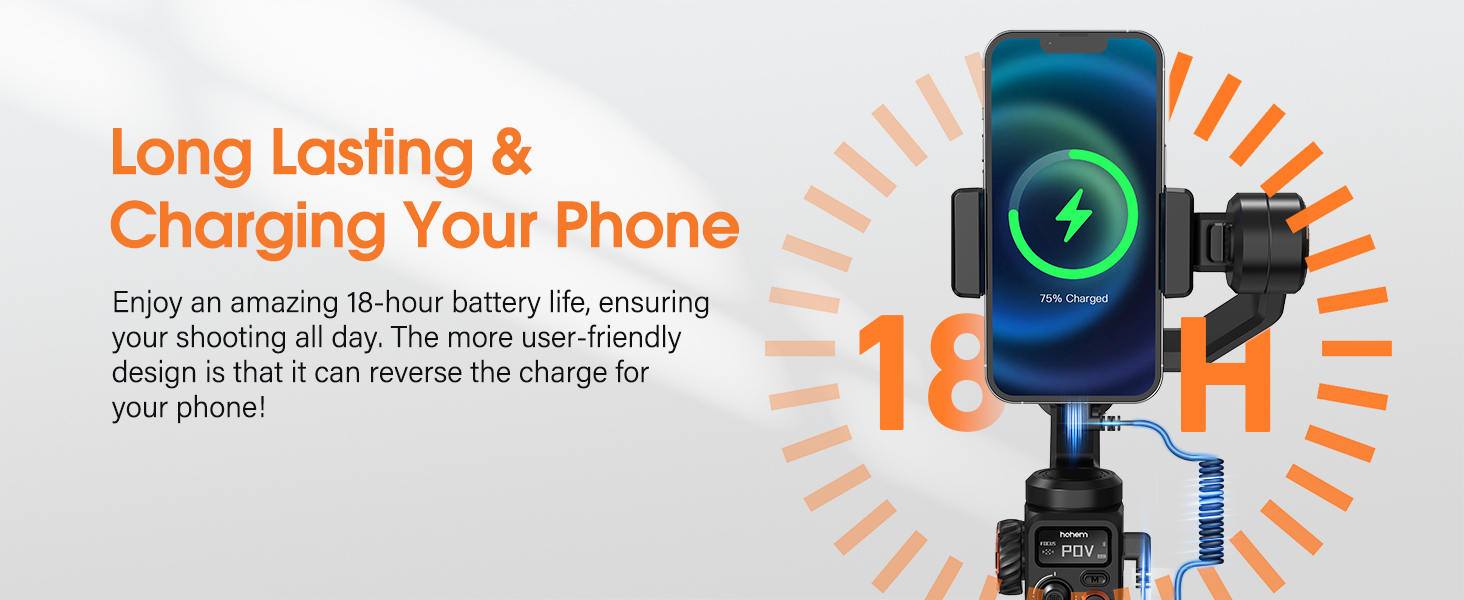
Image: A smartphone being charged directly by the iSteady M6 gimbal.
6. Maintenance
- Keep the gimbal clean and free from dust and debris. Use a soft, dry cloth for cleaning.
- Avoid exposing the gimbal to extreme temperatures or direct sunlight for prolonged periods.
- Store the gimbal in its carrying case when not in use to protect it from damage.
- Do not attempt to disassemble the gimbal, as this will void the warranty.
7. Troubleshooting
| Problem | Possible Cause | Solution |
|---|---|---|
| Gimbal vibrates or motors are hot. | Improper balancing or overloaded. | Ensure the smartphone is correctly balanced on all three axes before powering on. Check phone weight against payload capacity. |
| Cannot connect to Hohem Joy app. | Bluetooth off, app issue, or gimbal not in pairing mode. | Ensure Bluetooth is on. Restart both the gimbal and the app. Try re-pairing through the app. |
| Gimbal does not power on. | Low battery. | Charge the gimbal fully using the provided USB-C cable. |
| Tracking not working correctly. | Poor lighting, subject too far/close, or app settings. | Ensure adequate lighting. Keep subject within optimal range. Check tracking settings in the Hohem Joy app. |
8. Specifications
| Feature | Detail |
|---|---|
| Model Number | M6 |
| Product Dimensions | 11.81 x 6.69 x 2.36 inches (Unfolded) |
| Item Weight | 1.32 pounds (600 Grams) |
| Payload Capacity | Up to 0.88 lbs |
| Battery Life | Up to 18 hours |
| Charging Time | Approximately 3 hours (Fast Charge) |
| Rotation Range (Roll) | 335° |
| Rotation Range (Pitch) | 335° |
| Rotation Range (Pan) | 360° Infinite Rotation |
| Compatible Phone Width | 2.28-3.86 inches |
| Expansion Ports | Four 1/4" Universal Thread ports |
| Display | 0.91-inch OLED |

Image: Detailed compatibility list for various smartphone models with the iSteady M6.
9. Warranty and Support
For warranty information and technical support, please refer to the official hohem website or contact hohem customer service directly. Keep your purchase receipt as proof of purchase.
Manufacturer: hohem Technology Co., LTD.
Seller: hohem Direct
For further assistance, visit the hohem Official Brand Store on Amazon.
Related documentsM6


Ask a question about this manual
Ask about setup, troubleshooting, compatibility, parts, safety, or missing instructions. Manuals+ will review the question and use this page’s manual context to help answer it.