
Introduction
Welcome to the artfone CF241 Flip Phone User Manual. This guide provides detailed instructions on how to set up, operate, and maintain your new artfone CF241 flip phone. Designed for ease of use, this phone features large buttons, a clear display, and essential functions for reliable communication.
Product Overview
The artfone CF241 is a user-friendly flip phone equipped with a 2.4-inch main display, large backlit buttons, and a high-definition call quality. Its robust design and simple operating system make it ideal for seniors and children.
Key Features:
- Large, Backlit Buttons: Easy to see and press, with large font display.
- SOS Emergency Button: Press for 3 seconds to dial up to 5 pre-set emergency numbers and send text messages.
- Enhanced Call Quality: Clearer and louder sound for improved communication.
- Dual Micro SIM Support: Use two different network providers simultaneously.
- Speed Dial: Assign M1, M2, and numbers 1-9 for quick dialing.
- Integrated Flashlight: Convenient side-slip button for easy access.
- Wireless FM Radio: Enjoy radio without needing headphones.
- Long-lasting Battery: 1000 mAh battery with up to 200 hours of standby time.
- USB Type-C Charging: Modern and reversible connector for easy charging.
- Multi-language Support: English, German, French, Italian, Spanish.
What's in the Box:
- artfone CF241A Flip Phone
- 1000 mAh Battery
- USB Type-C Charging Cable
- User Manual
Setup
1. SIM Card and Battery Installation
Before using your phone, you need to install the SIM card(s) and battery.
- Remove the Back Cover: Gently pry open the back cover of the phone.
- Insert SIM Card(s): Locate the SIM card slots. The artfone CF241 supports dual Micro SIM cards. Carefully insert your Micro SIM card(s) into the designated slots with the gold contacts facing down. Ensure they are securely in place.
- Insert Micro SD Card (Optional): If you wish to expand storage, insert a Micro SD card (up to 32GB) into its dedicated slot.
- Insert the Battery: Align the battery contacts with the phone's contacts and gently press the battery into the compartment.
- Replace the Back Cover: Align the back cover and press firmly until it clicks into place.

Detailed view of the artfone CF241's internal components, including dual SIM slots and Micro SD card slot, with a USB-C port and flashlight visible on the exterior.
2. Charging the Phone
It is recommended to fully charge the battery before first use.
- Connect the Charger: Plug the USB Type-C cable into the charging port on the phone.
- Connect to Power: Plug the other end of the USB cable into a compatible USB power adapter and then into a wall outlet.
- Charging Indicator: The phone's screen will display a charging indicator. Once fully charged, the indicator will show a full battery icon.
Operating Instructions
1. Power On/Off
- To Power On: Press and hold the red "End Call" button (usually marked with a power icon) until the screen lights up.
- To Power Off: Press and hold the red "End Call" button until the power-off options appear on the screen. Select "Power Off" and confirm.
2. Making and Receiving Calls
- Making a Call:
- Open the flip to activate the screen.
- Dial the desired phone number using the large keypad.
- Press the green "Call" button to initiate the call.
- Receiving a Call:
- When the phone rings, open the flip to answer the call.
- Alternatively, press the green "Call" button to answer.
- Ending a Call: Press the red "End Call" button or close the flip.
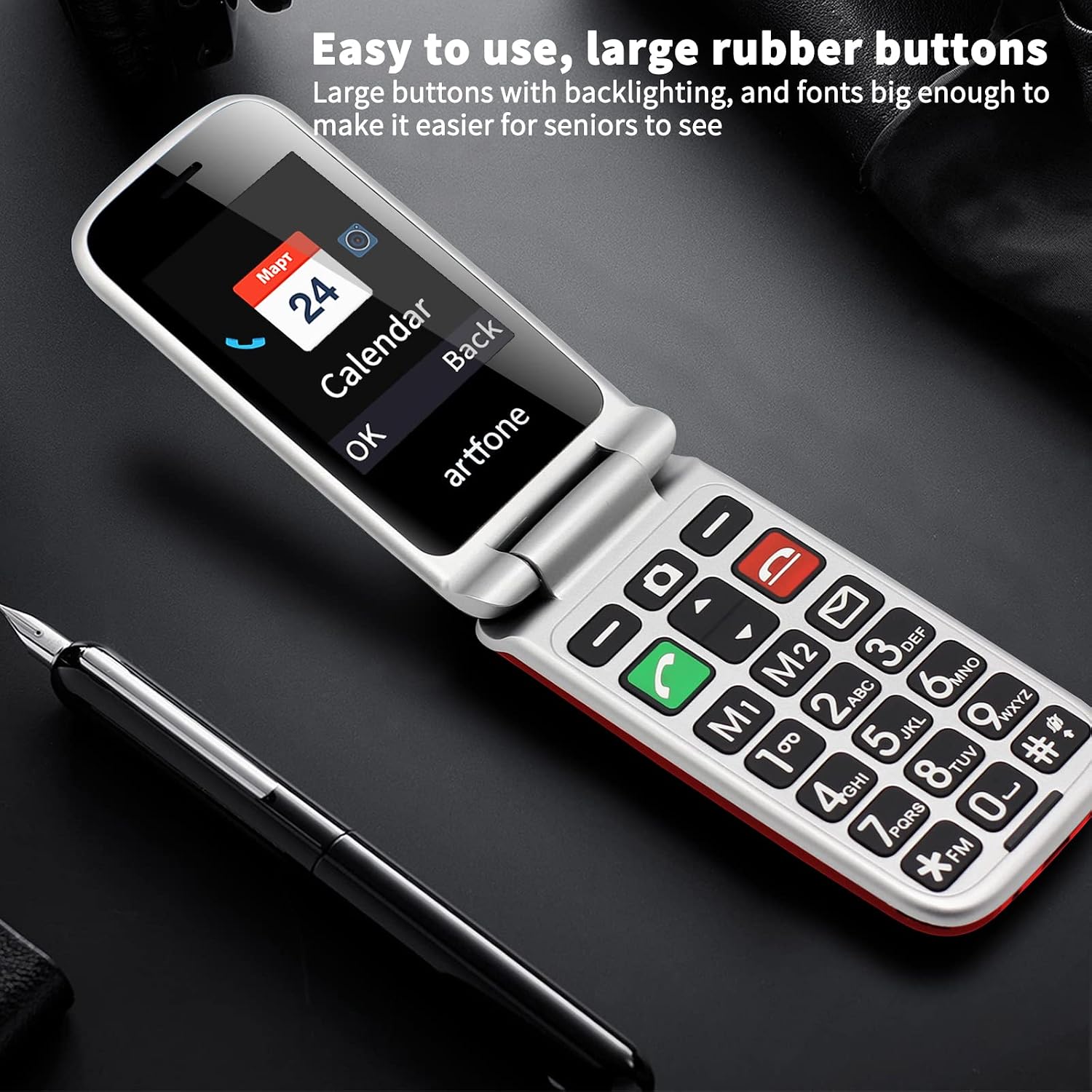
The artfone CF241 with its large, backlit buttons and clear display, designed for easy dialing and navigation.
3. SOS Emergency Function
The SOS button is located on the back of the phone and is designed for quick access in emergencies.
- Setting Up SOS Numbers:
- Navigate to the "SOS Settings" in the phone's menu.
- You can set up to 5 emergency contact numbers.
- These numbers will be called sequentially until one answers, and a pre-set emergency SMS will be sent to all contacts.
- Activating SOS: Press and hold the SOS button on the back of the phone for 3 seconds.
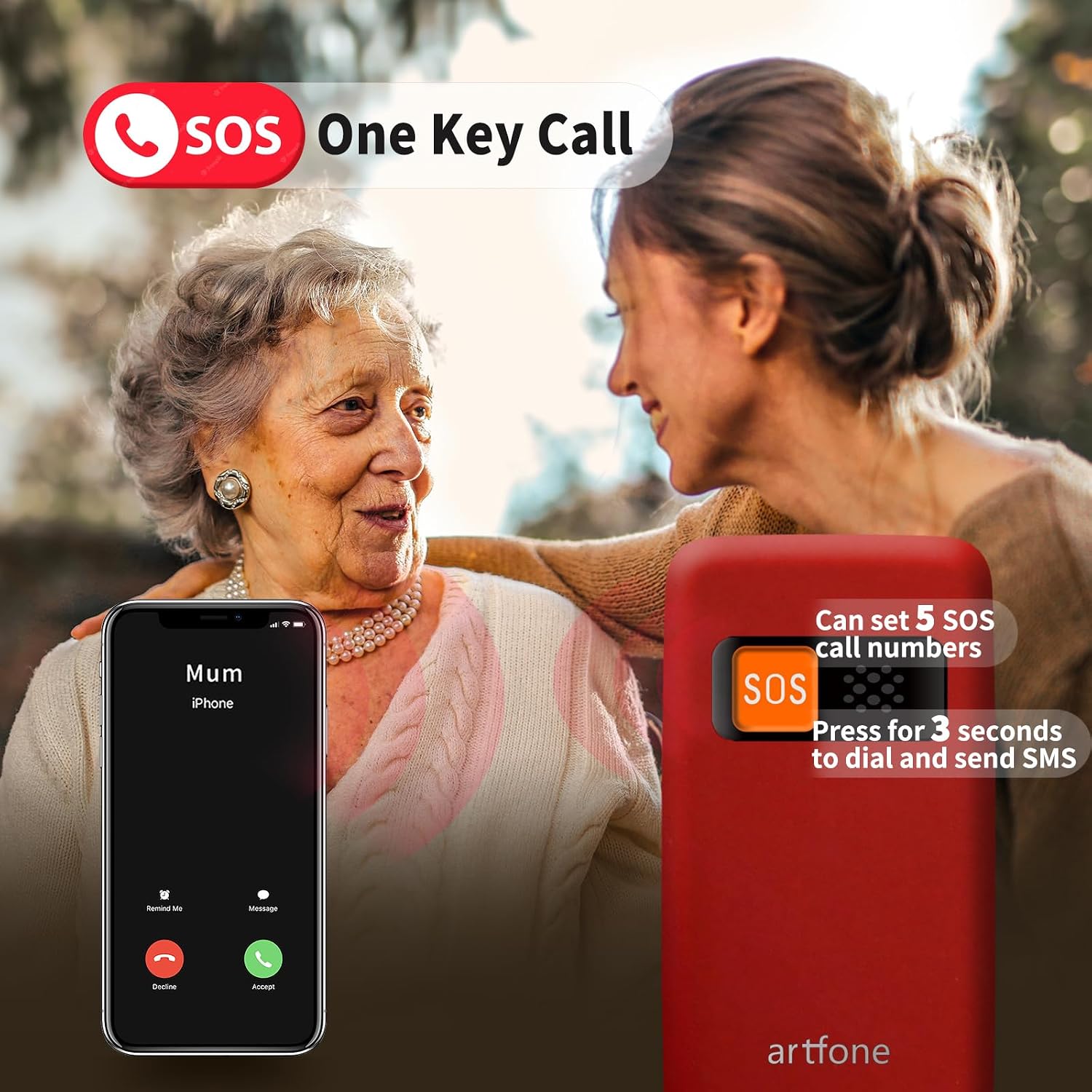
Activating the SOS emergency function on the artfone CF241, which dials pre-set contacts and sends emergency messages.
4. Speed Dial
Assign frequently called numbers to M1, M2, and number keys (1-9) for quick dialing.
- Setting Up Speed Dial:
- Go to "Contacts" or "Settings" and look for "Speed Dial" options.
- Select a key (M1, M2, or 1-9) and assign a contact from your phonebook.
- Using Speed Dial: Press and hold the assigned speed dial key to call the contact.

The artfone CF241's backlit keypad with dedicated speed dial buttons for convenient use.
5. Flashlight
The phone features a convenient flashlight function.
- To Turn On/Off: Use the dedicated side-slip button on the phone's body to activate or deactivate the flashlight.
6. FM Radio
Enjoy your favorite radio stations with the built-in wireless FM radio.
- Accessing FM Radio: Navigate to the "FM Radio" option in the phone's menu.
- Scanning Channels: Use the navigation keys to scan for available stations.
- Adjusting Volume: Use the side volume buttons to adjust the sound level.
Maintenance
- Cleaning: Use a soft, dry cloth to clean the phone's exterior. Avoid using harsh chemicals or abrasive materials.
- Battery Care: To prolong battery life, avoid extreme temperatures and do not leave the phone fully discharged for extended periods.
- Storage: Store the phone in a cool, dry place away from direct sunlight when not in use.
Troubleshooting
| Problem | Possible Solution |
|---|---|
| Phone does not power on. | Ensure the battery is correctly inserted and fully charged. Try charging the phone for at least 30 minutes. |
| Cannot make or receive calls. | Check if the SIM card is properly inserted and activated. Ensure you have network coverage. |
| Poor call quality. | Move to an area with better network reception. Ensure the earpiece/speaker is not obstructed. |
| SOS function not working. | Verify that emergency numbers are correctly set in the SOS settings. Ensure the phone has network coverage to send SMS and make calls. |
| Battery drains quickly. | Reduce screen brightness, close unused applications, or check for background processes. Ensure the battery is not old or damaged. |
Specifications
| Feature | Detail |
|---|---|
| Model Number | CF241A |
| Operating System | Nucleus OS |
| Main Screen Size | 2.4 inches |
| Screen Resolution | 240 x 320 Pixels |
| RAM | 32 MB |
| Internal Storage | 32 GB (Note: This is likely internal ROM, not user-accessible storage for media. Max flash memory is 32GB for Micro SD) |
| Expandable Memory | Up to 32 GB (Micro SD card) |
| Battery Capacity | 1000 mAh (Lithium Ion) |
| Standby Time | Up to 200 hours |
| Mobile Technology | 2G (GSM 850/900/1800/1900 MHz) |
| Connectivity | Bluetooth, USB Type-C |
| SIM Card Type | Dual Micro SIM |
| Audio Jack | 3.5 mm |
| Dimensions | 13.1 x 11.7 x 5.9 cm (Package); 160 g (Weight) |
| Special Features | SOS Button, Flashlight, FM Radio, Large Buttons, Backlit Keypad, Voice Dialing |
Warranty and Support
For warranty information and customer support, please refer to the documentation included with your product or visit the official artfone website. Keep your purchase receipt as proof of purchase for any warranty claims.
If you encounter any issues not covered in this manual, please contact artfone customer service for assistance.


