
1. Product Overview
The BRIKSMAX LED Lighting Kit is specifically designed to enhance your LEGO 10316 Lord of the Rings Rivendell model. This kit transforms your static model into a vibrant display piece by adding carefully placed LED lights, bringing the intricate details of Rivendell to life. The design focuses on integrating lights seamlessly while maintaining the aesthetic integrity of the LEGO set.
Note: This package includes only the LED lighting kit. The LEGO 10316 Rivendell building set is not included and must be purchased separately.
2. Safety Information
- Keep small parts away from children to prevent choking hazards.
- Handle LED lights and wires with care to avoid damage.
- Ensure the power source (USB or battery box) is correctly connected to prevent electrical issues.
- Do not expose the kit to water or excessive moisture.
- Use only the recommended power source. Batteries are not included.
3. Package Contents
Please verify that all components listed below are present in your package:

Detailed view of the BRIKSMAX LED Lighting Kit components, including various lights, cables, and accessories.
- 2 x 15cm Green Dot Lights
- 13 x Yellow Strip Lights
- 1 x Green Strip Light(S)
- 1 x 30cm Yellow Dot Lights
- 6 x 15cm Yellow Dot Lights
- 4 x 30cm Warm White Dot Lights
- 5 x 15cm Ice Blue Dot Lights
- 7 x 15cm Breath flash Yellow Dot Lights
- 6 x 15cm Breath flash Ice Blue Dot Lights
- 10 x 5cm Connecting Cables
- 6 x 15cm Connecting Cables
- 2 x 30cm Connecting Cables
- 5 x 50cm Connecting Cables
- 3 x 20cm Connecting Cables
- 3 x 10cm Connecting Cables
- 3 x Adhesive Squares
- 2 x Block Part (Random Color)
- 2 x Block Part (Random Color)
- 5 x Block Part (Random Color)
- 4 x Block Part (Random Color)
- 8 x Yellow Strip Lights
- 2 x Warm White Strip Lights (30cm)
- 5 x 8-port Expansion Boards
- 1 x 12-port Expansion Boards
- 2 x 2-port Expansion Boards
- 1 x 30cm USB Power Cable
- 1 x Tweezer
- 1 x Building Block Type Battery Box (AA battery) (Batteries not included)
- User Guide (Mounting instruction)
- Service Card
4. Setup Instructions
Follow the detailed step-by-step mounting instructions provided in your package for a smooth installation process. The general steps are outlined below:
- Prepare Your LEGO Model: Ensure your LEGO 10316 Rivendell model is fully assembled and accessible for light installation.
- Unpack Components: Carefully remove all lighting kit components from their packaging. Use the included tweezers for handling small parts.
- Identify Light Placement: Refer to the user guide to identify the specific locations for each LED light and connecting cable within your LEGO model.
- Install Lights and Cables: Integrate the LED lights and connecting cables into your LEGO model according to the instructions. Pay close attention to cable routing to ensure they are hidden and not pinched.
- Connect to Expansion Boards: Connect the individual lights and cables to the appropriate expansion boards. Ensure all connections are secure.
- Connect Power Source: Connect the expansion boards to the battery box (requires AA batteries, not included) or the USB power cable.
- Test Functionality: Before finalizing the installation, connect the power and test all lights to ensure they are working correctly.

BRIKSMAX LED Lighting Kit installed on the LEGO 10316 Rivendell model, showcasing various illuminated sections.
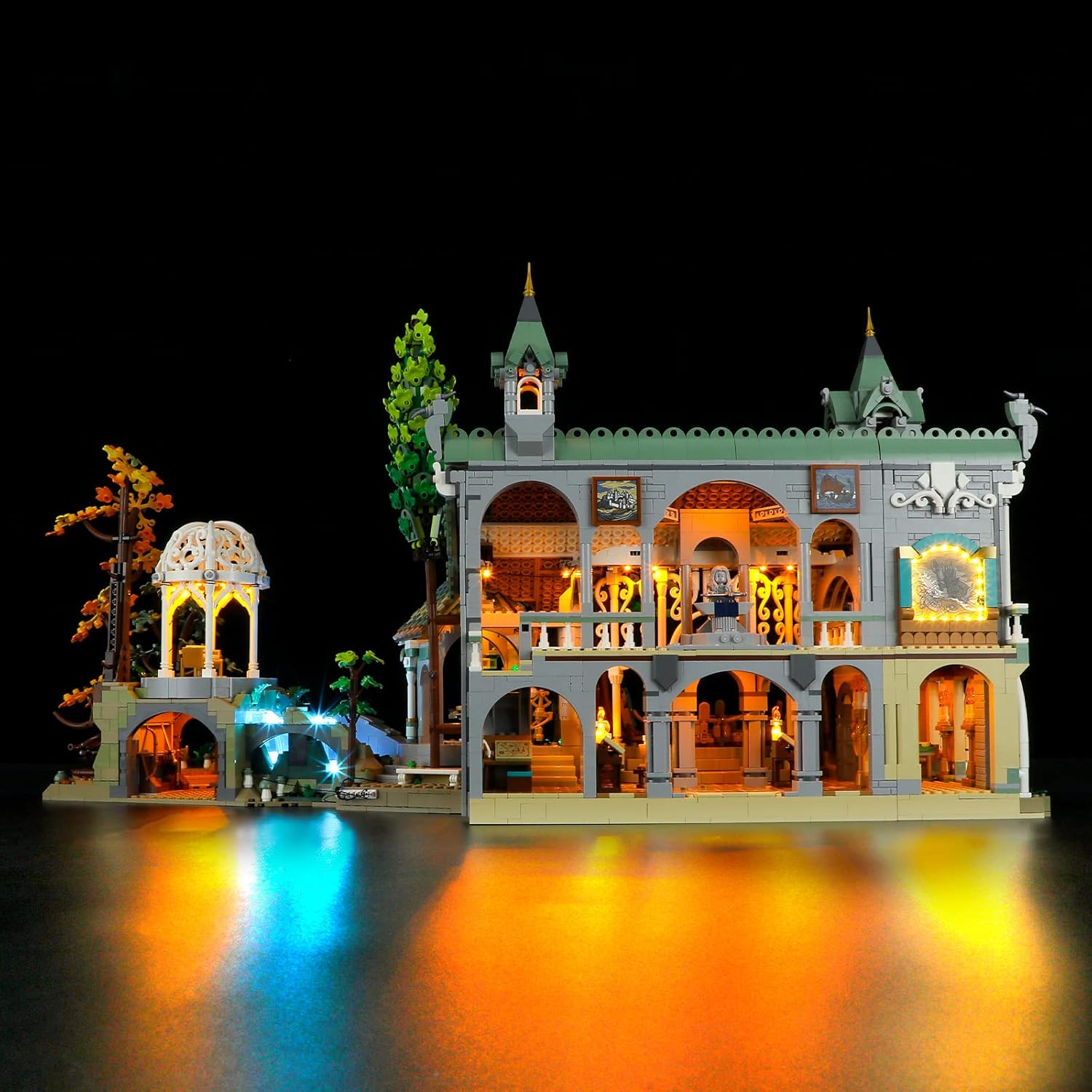
Front-left view of the illuminated LEGO 10316 Rivendell model with BRIKSMAX LED lights.

Close-up of an illuminated interior section of the LEGO Rivendell model, showing warm yellow lights.

Close-up of an illuminated interior section of the LEGO Rivendell model, featuring a glowing forge area.
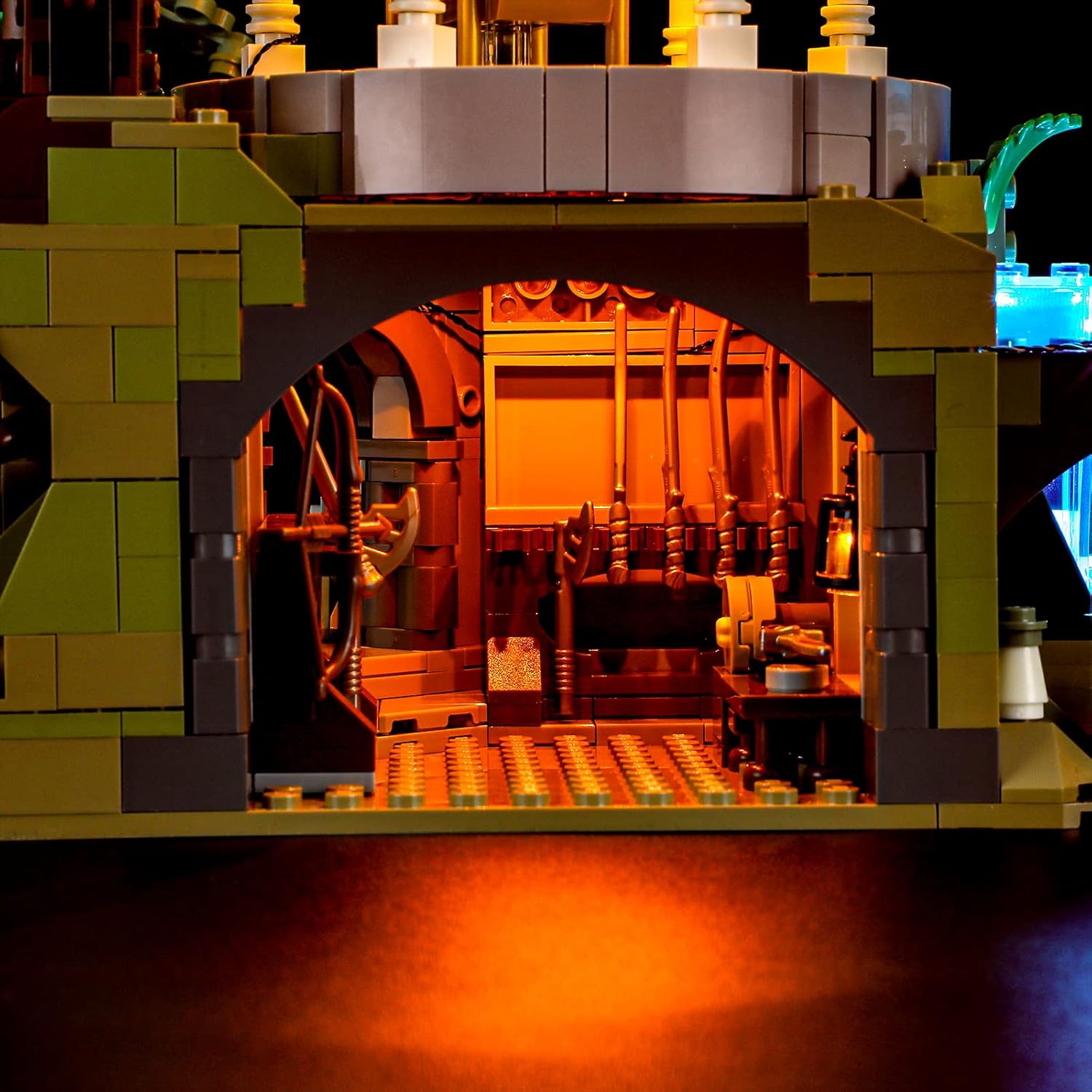
Close-up of an illuminated water feature with blue LED lights in the LEGO Rivendell model.
5. Operating Instructions
Once the lighting kit is fully installed and connected to a power source:
- Power On: If using the battery box, ensure batteries are inserted correctly and switch the power to 'ON'. If using the USB cable, connect it to a compatible USB power adapter (not included) or power bank.
- Remote Control (if applicable): If your kit includes a remote control, use it to turn the lights on/off and adjust any available lighting modes or brightness settings.
- Power Off: To turn off the lights, switch the battery box to 'OFF' or disconnect the USB power cable.
6. Maintenance
- Cleaning: Gently dust the lights and wires with a soft, dry cloth. Avoid using liquid cleaners directly on the electrical components.
- Wire Management: Periodically check that all wires are securely in place and not exposed to undue stress or pinching.
- Battery Replacement: If using the battery box, replace batteries when lights dim or cease to function. Ensure correct polarity when inserting new batteries.
7. Troubleshooting
If your lighting kit is not functioning as expected, consider the following:
- No Lights or Partial Lighting:
- Check all cable connections to the expansion boards and individual lights. Ensure they are firmly seated.
- Verify the power source. If using a battery box, check if batteries are correctly installed and have sufficient charge. If using USB, ensure the USB adapter or power bank is functional.
- Inspect wires for any visible damage or breaks.
- Ensure expansion boards are receiving power and are not faulty. If only one section is lit, check connections to other sections.
- Flickering Lights:
- This may indicate a loose connection or low battery power. Re-check connections and replace batteries if necessary.
- Lights Not Responding to Remote Control:
- Ensure the remote control's battery is functional.
- Check for any obstructions between the remote and the receiver.
If issues persist after following these steps, please contact customer support.
8. Specifications
| Brand | BRIKSMAX |
| Model Number | 10316 |
| Compatible LEGO Set | LEGO 10316 Lord of the Rings Rivendell |
| Material | Plastic |
| Light Source Type | Light Emitting Diode (LED) |
| Power Source | Battery Powered (AA batteries not included) / USB Powered |
| Mounting Type | Standing (integrated into model) |
| Special Features | Remote Control Compatibility |
| Item Weight | 486 Grams |
9. Warranty and Support
Warranty: This BRIKSMAX LED Lighting Kit comes with a 1-year warranty on parts from the date of purchase. Please retain your proof of purchase for warranty claims.
Customer Support: BRIKSMAX is committed to providing high-quality products and excellent customer service. If you encounter any difficulties with your product, require assistance with installation, or have questions regarding its operation, please do not hesitate to contact us. Our support team is available to help you resolve any issues in a timely manner.
For support, please refer to the contact information provided on the service card included in your package or visit the official BRIKSMAX website.
10. Product Video Demonstration
Official product video demonstrating the BRIKSMAX LED Lighting Kit installed on the LEGO 10316 Rivendell set, showcasing various illuminated features and effects.


