
Boxlood E14 (SLZC3705-A)
Boxlood E14 Smart Candle Bulb User Manual
Model: SLZC3705-A
1. Introduction
Welcome to your Boxlood E14 Smart Candle Bulb. This manual provides comprehensive instructions for setup, operation, and troubleshooting to ensure optimal performance of your smart lighting system. Enjoy the convenience of smart lighting with customizable colors, brightness, and voice control.
2. Important Safety Information
- For indoor use only.
- Do not disassemble the bulb.
- Ensure power is off before installation or removal to prevent electric shock.
- Only compatible with 2.4GHz Wi-Fi networks. 5GHz networks are not supported.
- Not suitable for totally enclosed luminaires, as this may shorten bulb lifespan.
- Keep out of reach of children.
3. Product Features
The Boxlood E14 Smart Candle Bulb offers a range of advanced features for a personalized lighting experience:
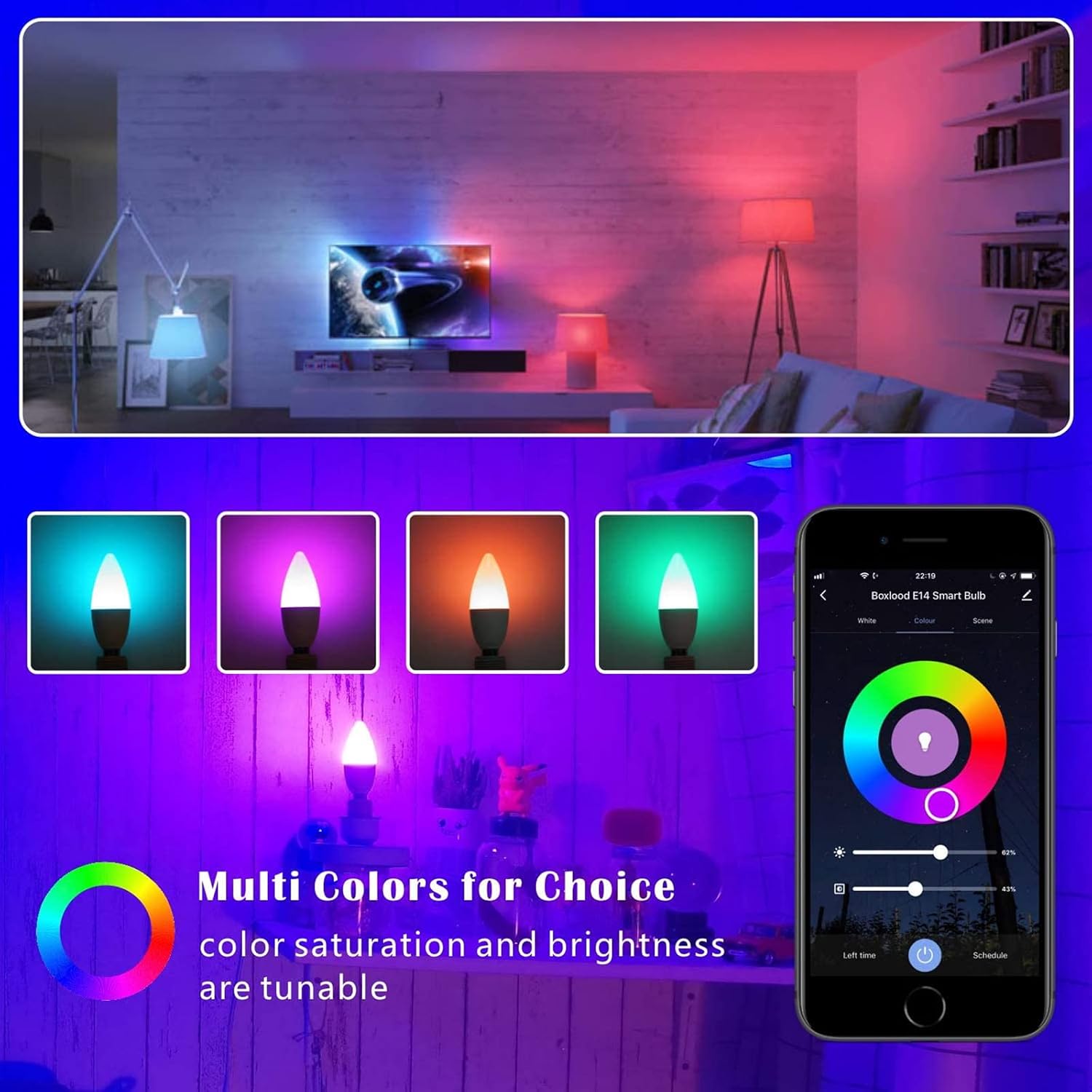
- Warm White to Cool White & Multi-Color: Adjust color temperature from 2700K (warm white) to 6500K (cool white) and choose from 16 million RGB colors.
- Dimmable Brightness: Seamlessly adjust brightness from 1% to 100%.
- Voice Control: Compatible with Amazon Alexa and Google Home for hands-free operation.
- Remote Control: Control your bulbs from anywhere using the Smart Life app via Wi-Fi or mobile data.
- Scene Modes: Access 8 pre-set scene modes or customize your own for different moods and activities.
- Group Control: Create groups to control multiple bulbs simultaneously with a single command.
- Schedule Setting: Automate on/off times to fit your daily routine.

4. Technical Specifications
| Brand | Boxlood |
| Model | E14 Smart Candle Bulb (SLZC3705-A) |
| Cap Type | E14 |
| Wattage | 5W |
| Luminous Flux | 450 Lumen |
| Colour Temperature | 2700K-6500K (Warm White to Cool White) |
| Voltage | 240 Volts |
| Connectivity | 2.4GHz Wi-Fi |
| Special Features | Dimmable, RGB, Voice Control, App Control |
| Item Weight | 190 g |
| Package Dimensions | 13.1 x 8.5 x 8.5 cm |
5. Setup Guide
5.1 Before You Begin
- Ensure your Wi-Fi network is 2.4GHz. 5GHz networks are not supported.
- Download the "Smart Life" app from the App Store (iOS) or Google Play Store (Android).
- Register or log in to your Smart Life account.
5.2 Installation Steps
- Power Off: Turn off the light fixture's power switch before installing the bulb.
- Install Bulb: Screw the Boxlood E14 Smart Candle Bulb into the E14 socket.
- Power On & Pair Mode: Power on the light fixture. The bulb should start blinking rapidly. If it does not blink rapidly, turn the light switch off and on three times (on-off-on-off-on) until it enters rapid blinking mode.
- Open App: Open the Smart Life app on your smartphone. Tap "+" in the top right corner to add a device.
- Select Device Type: Select "Lighting" > "Light Source (Wi-Fi)".
- Confirm Blinking: Confirm the indicator light on the bulb is blinking rapidly. Enter your 2.4GHz Wi-Fi network password.
- Connect: The app will begin connecting to the bulb. Once connected, you can rename the bulb for easy identification (e.g., "Living Room Light").

6. Operating Your Smart Bulb
6.1 Smart Life App Control
Once connected, you can control your Boxlood E14 Smart Candle Bulb from anywhere using the Smart Life app:
- Brightness Adjustment: Use the brightness slider to adjust the light intensity from 1% to 100%.
- Color Adjustment: Select from a palette of 16 million colors using the color wheel.
- Color Temperature: Adjust the white light from warm (2700K) to cool (6500K) to suit your preference.
- Scene Modes: Choose from various pre-programmed scenes (e.g., Reading, Party, Leisure) or create and customize your own.
- Scheduling: Set timers for the bulb to turn on/off automatically at specific times or based on sunrise/sunset.
- Group Control: Create groups of bulbs within the app to control multiple lights simultaneously.

6.2 Voice Control (Alexa & Google Home)
After linking your Smart Life account to Amazon Alexa or Google Home, you can use simple voice commands to control your bulbs:
- "Alexa, turn on [Bulb Name]."
- "Hey Google, set [Bulb Name] to blue."
- "Alexa, dim [Bulb Name] to 50%."
- "Hey Google, change [Bulb Name] to warm white."
- "Alexa, set [Bulb Name] to the Reading scene."

7. Maintenance
The Boxlood E14 Smart Candle Bulb requires minimal maintenance to ensure longevity and optimal performance:
- Clean the bulb with a soft, dry cloth when necessary to remove dust.
- Do not use liquid cleaners, abrasive materials, or harsh chemicals, as these can damage the bulb's surface or internal components.
- Ensure the bulb is cool and the power is off before cleaning.
8. Troubleshooting
- Bulb not connecting to Wi-Fi:
- Ensure your Wi-Fi network is 2.4GHz. Turn the bulb off and on three times to enter pairing mode (rapid blinking). Double-check your Wi-Fi password. Try moving the bulb closer to your Wi-Fi router during setup.
- Bulb appears offline in the app:
- Check your home Wi-Fi connection. Restart your Wi-Fi router. Ensure the bulb has continuous power and the light switch is not turned off. If the issue persists, try re-pairing the bulb.
- Voice control not working:
- Ensure your Smart Life account is linked correctly to your Alexa or Google Home app. Check the bulb's status in the Smart Life app to confirm it's online. Verify that the device name you are using in your voice command matches the name in the app.
- Bulb not responding to commands:
- Try turning the light switch off and on to reset the bulb. If issues persist, consider deleting the bulb from the Smart Life app and re-pairing it following the setup instructions.
9. Warranty and Support
Boxlood E14 Smart Candle Bulbs come with a 2-YEAR SUPPORT warranty, ensuring peace of mind regarding your purchase.
For any questions, technical assistance, or issues, please feel free to contact the Boxlood after-sale service team directly through your order on Amazon. We are committed to providing prompt and effective solutions to ensure your satisfaction.
For more information and other products, visit the official Boxlood Store: Boxlood Store
Related documentsE14 (SLZC3705-A)

Ask a question about this manual
Ask about setup, troubleshooting, compatibility, parts, safety, or missing instructions. Manuals+ will review the question and use this page’s manual context to help answer it.