
NJSJ ME6S
NJSJ Gaming Microphone User Manual
Model: ME6S
Your guide to setting up and using your NJSJ Gaming Microphone.
1. Introduction
The NJSJ ME6S Gaming Microphone is a high-quality USB condenser microphone designed for gaming, streaming, podcasting, and recording. It features a quick-touch mute button, vibrant RGB lighting, a gain control knob, and a 3.5mm headphone jack for real-time monitoring. Its plug-and-play design ensures easy setup across various platforms.
2. What's in the Box
- 1 x USB Microphone with Custom Shock Mount and Pop Filter
- 1 x USB-A to USB-C Cable (1.8 m / 6 ft)
- 1 x Metal Tripod Stand (Disc Base and Support Rod)
- 1 x USB-A to USB-C Adapter
- 1 x User Manual

3. Setup Guide
- Assemble the Microphone Stand: Screw the support rod into the disc base. Attach the microphone with its shock mount to the top of the support rod. Ensure all connections are secure.
- Connect the USB Cable: Insert the USB-C end of the provided 1.8m cable into the USB-C port at the bottom of the microphone.
- Connect to Your Device: Insert the USB-A end of the cable into an available USB port on your PC, laptop, PS4/PS5, or Mac. If your device only has USB-C ports, use the included USB-A to USB-C adapter.
- Plug and Play: The microphone is plug-and-play and does not require any additional drivers for most operating systems (Windows, Mac OS, PlayStation). Your system should automatically recognize the device.
- Adjust Microphone Position: Position the microphone on your desk. You can adjust the angle of the microphone on its stand for optimal sound capture.

4. Operating Instructions
- Quick Touch Mute Button:
The microphone features a convenient touch-sensitive mute button located on the top. Tap once to mute or unmute the microphone. When muted, the RGB lighting will turn off, and when unmuted, the RGB lighting will illuminate, providing a clear visual indicator of its status.
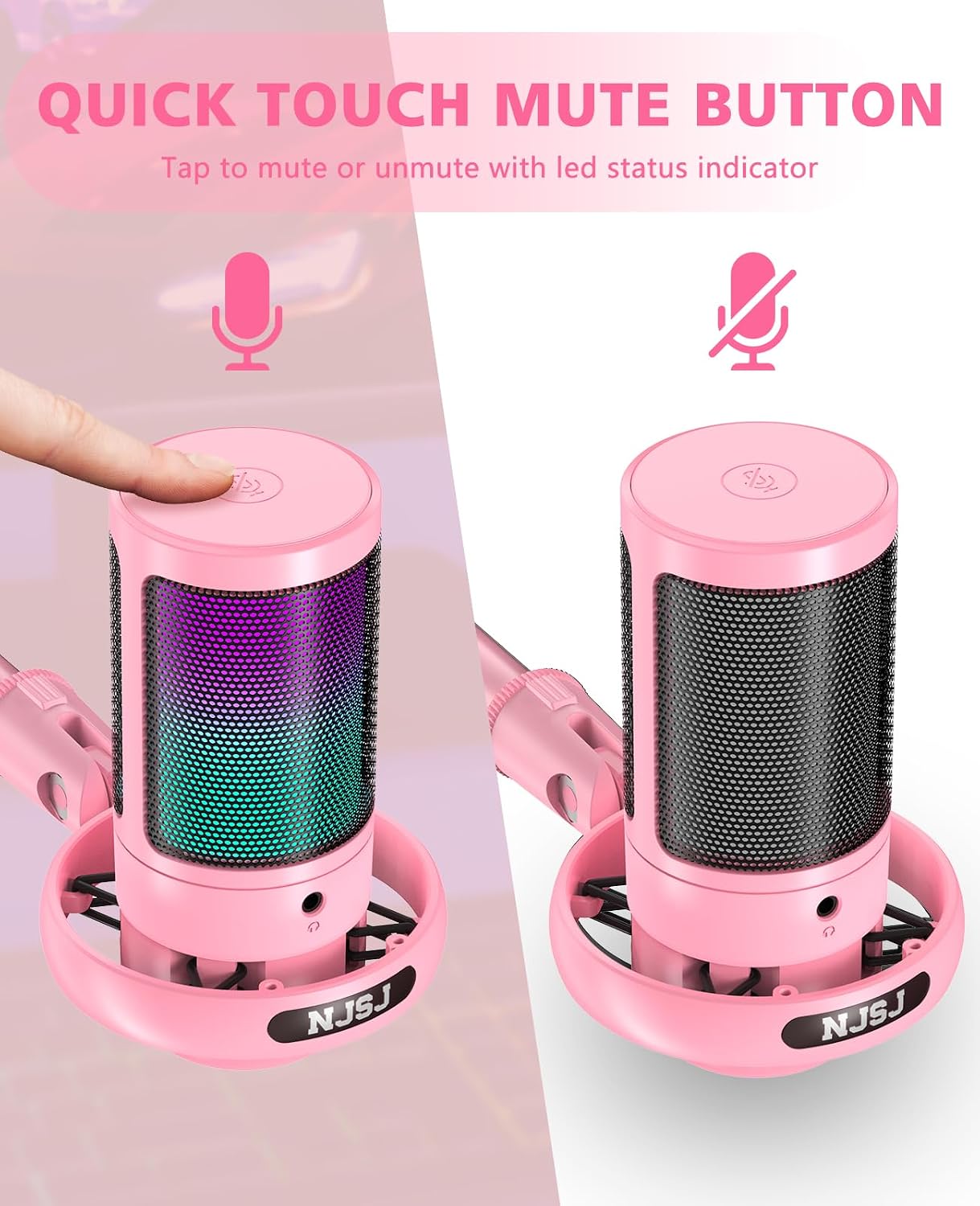
Image: Quick touch mute button with LED status indicator. - Gradient RGB Lighting:
The microphone is equipped with dynamic RGB LED lighting that automatically cycles through multiple colors, enhancing your gaming atmosphere. The lighting also visually indicates the microphone's operational status (on/off). To reduce the brightness of the RGB light, long-press the mute button. Long-press again to restore brightness.

Image: Gradient RGB lighting effects. - Mic Gain Knob and Real-time Monitoring:
A 3.5mm headphone jack is located on the front of the microphone for real-time audio monitoring. Connect your headphones to this jack to hear your voice as it's being captured. The gain control knob, located at the bottom of the microphone, allows you to easily adjust the microphone's sensitivity and volume to achieve optimal recording levels and ensure clear audio output.

Image: Mic gain knob for volume adjustment. 
Image: Real-time monitoring via headphone jack. - Excellent Sound Quality:
The microphone features a premium 14mm audio chipset and a high sampling rate of 192kHz/24Bit, ensuring clear, smooth, and vivid sound capture. The cardioid polar pattern focuses on your voice, effectively reducing background noise for perfect voice reproduction.
- Noise Reduction Accessories:
The included pop filter and shock mount help to minimize unwanted noise caused by breathing, plosives, or desk vibrations, ensuring your audience hears a clearer and smoother voice.
5. Maintenance
- Cleaning: Use a soft, dry cloth to clean the microphone's surface. Do not use liquid cleaners or abrasive materials.
- Storage: Store the microphone in a cool, dry place away from direct sunlight and extreme temperatures.
- Handling: Handle the microphone with care to avoid dropping or impacting it, which could damage internal components.
6. Troubleshooting
- No Sound Output:
- Ensure the USB cable is securely connected to both the microphone and your device.
- Check your device's sound settings to ensure the NJSJ microphone is selected as the input device.
- Verify the microphone is not muted (check the RGB light status).
- Adjust the gain knob on the microphone to increase volume.
- Try connecting the microphone to a different USB port or another device to rule out port issues.
- Distorted or Low-Quality Audio:
- Ensure the microphone is positioned correctly and not too far from the sound source.
- Check for any obstructions between the microphone and the sound source.
- Adjust the gain knob to prevent clipping (distortion) or to increase clarity.
- Ensure the pop filter is correctly installed to reduce plosive sounds.
- Check for background noise in your environment and try to minimize it.
- RGB Lights Remain On After PC Shutdown:
- Some USB ports on computers may continue to supply power even when the PC is off. To turn off the RGB lights completely, disconnect the USB cable from the computer or use a power strip with a switch to cut power to the PC's peripherals.
- Microphone Not Recognized by Device:
- Restart your computer or device.
- Try a different USB port.
- Ensure your operating system is up to date.
- Verify compatibility (Note: Not compatible with Xbox).
7. Specifications
| Feature | Description |
|---|---|
| Model | ME6S |
| Connectivity Technology | USB |
| Microphone Form Factor | Boundary / Desktop |
| Polar Pattern | Unidirectional (Cardioid) |
| Sampling Rate | 192 KHz / 24 Bit |
| Frequency Response | 30 Hz - 20 KHz |
| Signal-to-Noise Ratio (SNR) | 70 dB |
| Impedance | 2.2 kiloohm |
| Power Source | Corded Electric (USB) |
| Material | Metal, Plastic |
| Weight | 400 grams |
| Compatible Devices | Laptop, Gaming Console (PS4/PS5), PC, Smartphone (with adapter) |
| Special Features | RGB LED, Tap-to-Mute, Detachable USB-C Cable (1.8m), Plug and Play, Desktop Mic |
8. Warranty and Support
NJSJ offers a 24-month warranty extension (registration required) for your product, along with lifetime free consultation service. For any questions, technical support, or warranty claims, please contact NJSJ customer service. Our dedicated support team is ready to assist you.
The NJSJ brand, established in 2012, specializes in the design, development, and sale of microphones and audio products. We are committed to creating excellent audio products and providing high standards of service globally.

Related documentsME6S

Ask a question about this manual
Ask about setup, troubleshooting, compatibility, parts, safety, or missing instructions. Manuals+ will review the question and use this page’s manual context to help answer it.