
1. Introduction
Thank you for choosing the miisso Ultra Slim 10000mAh Power Bank. This device is designed to provide portable power for your electronic devices with convenience and efficiency. Please read this manual carefully to ensure proper use and to maximize the lifespan of your power bank.
Package Contents:
- miisso 10000mAh Power Bank (Model Z97) x 1
- USB Charging Cable x 1
- User Guide x 1
2. Product Features
- Built-in Foldable AC Wall Plug: Allows direct charging of the power bank from a wall outlet.
- Integrated Charging Cables: Includes built-in USB-C and Lightning cables for compatibility with various devices.
- Compact and Lightweight Design: Measures 5 x 2.6 x 0.7 inches and weighs 6.4 ounces, designed for portability.
- High Capacity: 10000mAh battery provides multiple charges for smartphones and other small electronic devices.
- Pass-Through Charging: Charge the power bank and a connected device simultaneously.
- Advanced Safety Protection: Features a 15-layer SmartProtect System against overcharging, overcurrent, short-circuiting, and more.
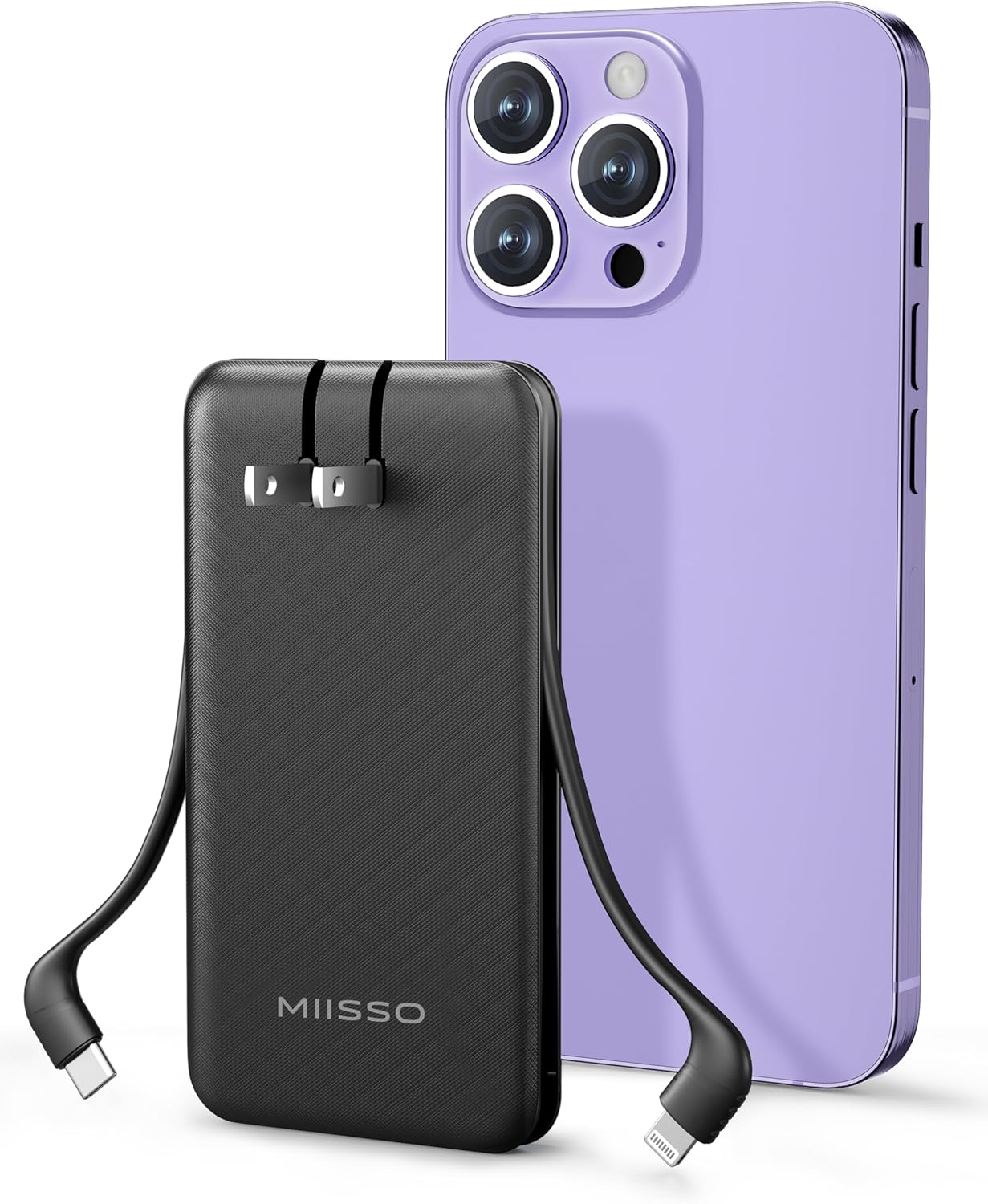
Image: The miisso power bank with its integrated USB-C and Lightning cables, positioned next to a modern smartphone, illustrating its compact size and connectivity options.

Image: A hand holding the miisso power bank, demonstrating its small, pocket-friendly dimensions.
3. Setup
3.1 Initial Charging of the Power Bank
Before first use, fully charge your miisso power bank. There are two methods to charge the power bank:
- Using the Foldable AC Wall Plug: Extend the foldable AC prongs from the power bank and plug it directly into a standard wall outlet (100-240V). The indicator lights will illuminate to show charging status.
- Using the USB-C Input Port: Connect the provided USB charging cable to the power bank's USB-C input port and plug the other end into a USB wall adapter or computer USB port.
The indicator lights will show the current charge level. Once all lights are solid, the power bank is fully charged.

Image: A visual representation of the two charging methods for the power bank: directly via the foldable AC plug into a wall outlet, and via the USB-C input port using an external cable.
4. Operating Instructions
4.1 Charging Your Devices
To charge your electronic devices:
- Identify the appropriate built-in cable (USB-C or Lightning) for your device.
- Connect the built-in cable directly to your device's charging port.
- Alternatively, use your own USB-C cable with the power bank's USB-C output port.
The power bank will automatically begin charging your device. The indicator lights will show the remaining power in the power bank.

Image: The miisso power bank connected to and simultaneously charging two different smartphone models, an iPhone 14 and an iPhone 15/16, demonstrating its dual-cable functionality.
4.2 Pass-Through Charging
The miisso power bank supports pass-through charging, allowing you to charge both the power bank and a connected device at the same time.
- Plug the power bank into a wall outlet using its foldable AC plug.
- Connect your device to the power bank using one of the built-in cables or the USB-C output port.
The power bank will first prioritize charging your connected device, then recharge itself.

Image: The miisso power bank plugged into a wall socket, with a charging cable extending from it to a smartphone on a desk, illustrating the pass-through charging feature.
5. Safety Information
To ensure safe operation and prevent damage to the device or injury, please observe the following safety guidelines:
- Do not expose the power bank to extreme temperatures (above 45°C/113°F or below -10°C/14°F), direct sunlight, or high humidity.
- Do not disassemble, puncture, or attempt to repair the power bank.
- Keep the power bank away from water and other liquids.
- Avoid dropping or subjecting the power bank to strong impacts.
- Do not use the power bank if it is visibly damaged, swollen, or leaking.
- Keep out of reach of children.
- Dispose of the power bank according to local regulations for lithium-polymer batteries.
Built-in Protection System:
The miisso power bank incorporates a 15-layer SmartProtect System to safeguard against common electrical issues, including:
- Overcharging Protection
- Over-discharging Protection
- Overcurrent Protection
- Short-circuit Protection
- Overvoltage Protection
- Temperature Protection

Image: An infographic detailing the 15-layer SmartProtect System, showing various icons representing different safety features like overcharge, overcurrent, and temperature protection.
6. Maintenance
- Cleaning: Use a soft, dry cloth to clean the surface of the power bank. Do not use harsh chemicals or abrasive materials.
- Storage: Store the power bank in a cool, dry place away from direct sunlight and extreme temperatures. For long-term storage, it is recommended to charge the power bank to about 50-70% every three months to maintain battery health.
- Cable Care: Avoid excessive bending or pulling of the built-in cables to prevent damage.
7. Troubleshooting
- Power bank not charging:
- Ensure the foldable AC plug is fully inserted into a working wall outlet, or the USB-C input cable is securely connected to both the power bank and a power source.
- Verify the wall outlet or USB power adapter is functional.
- Device not charging from power bank:
- Check if the power bank has sufficient charge (indicator lights).
- Ensure the built-in cable or external USB-C cable is securely connected to both the power bank and your device.
- Try a different cable or device to isolate the issue.
- Slow charging:
- Ensure your device and cables support fast charging if applicable.
- Charging multiple devices simultaneously may reduce individual charging speeds.
8. Specifications
| Model Number | Z97 |
| Battery Capacity | 10000mAh |
| Battery Type | Lithium Polymer |
| Product Dimensions | 5 x 2.6 x 0.7 inches (12.7 x 6.6 x 1.78 cm) |
| Item Weight | 6.4 ounces (181 grams) |
| Input (AC Wall Plug) | 100-240V |
| Input (USB Type C) | USB Type C |
| Output (Built-in Cables) | USB-C, Lightning |
| Output (Port) | USB Type C |
| Special Features | Built-in Cables, Built-in Wall Plug, Over Charging Protection, Pocket Size, Slim Design |
| Manufacturer | Shenzhen Weilaishenniao Technology Co., Ltd. |
| Date First Available | March 20, 2023 |
9. Warranty and Support
miisso products are manufactured with high-quality materials and undergo rigorous testing. For any questions, concerns, or technical support regarding your miisso Ultra Slim 10000mAh Power Bank, please contact our customer service. Please refer to the product packaging or our official website for specific warranty details and contact information.