
1. Product Overview
The Playseat Keyboard Holder PRO is an accessory designed to provide convenient keyboard access for specific Playseat racing simulator cockpits. It is constructed from durable steel and features an adjustable design to enhance your simulation experience.
Key Features:
- Compatibility: Specifically designed for Playseat Formula Intelligence and Playseat Sensation PRO models.
- Functionality: Offers easy and convenient access to your keyboard during gaming or simulation sessions.
- Adjustability: Features an adjustable holder for optimal positioning.
- Material: Constructed from high-quality steel for durability and stability.
- Dimensions: Measures 57 x 28 x 20.3 cm (22.44 x 11.02 x 7.99 inches).
2. Setup Instructions
Important Note: This product is designed specifically for Playseat Formula Intelligence and Sensation PRO models. Compatibility with other Playseat models or third-party rigs is not guaranteed and may require modifications.
Required Tools: Depending on your Playseat rig configuration, an Allen key set or wrenches may be required for installation.
- Unpack Components: Carefully remove all parts from the packaging. Verify that all components are present and undamaged.
- Identify Mounting Points: Locate the designated attachment points on your Playseat Formula Intelligence or Sensation PRO cockpit. The keyboard holder is designed to clamp onto the reinforced support bars of the rig.
- Attach the Holder Arm: Secure the main arm of the keyboard holder to the identified mounting point on your Playseat rig. Use the provided fasteners and ensure a tight, stable connection. Avoid over-tightening to prevent damage.
- Install the Keyboard Tray: Attach the keyboard tray to the holder arm. Ensure it is securely fastened and can be adjusted smoothly.
- Position and Adjust: Place your keyboard on the tray. Adjust the position and angle of the holder to achieve a comfortable and ergonomic setup for your use. Ensure the tray is stable and does not wobble.
- Final Check: Before initial use, gently test the stability of the installed keyboard holder. Confirm all connections are secure and the tray holds your keyboard firmly.
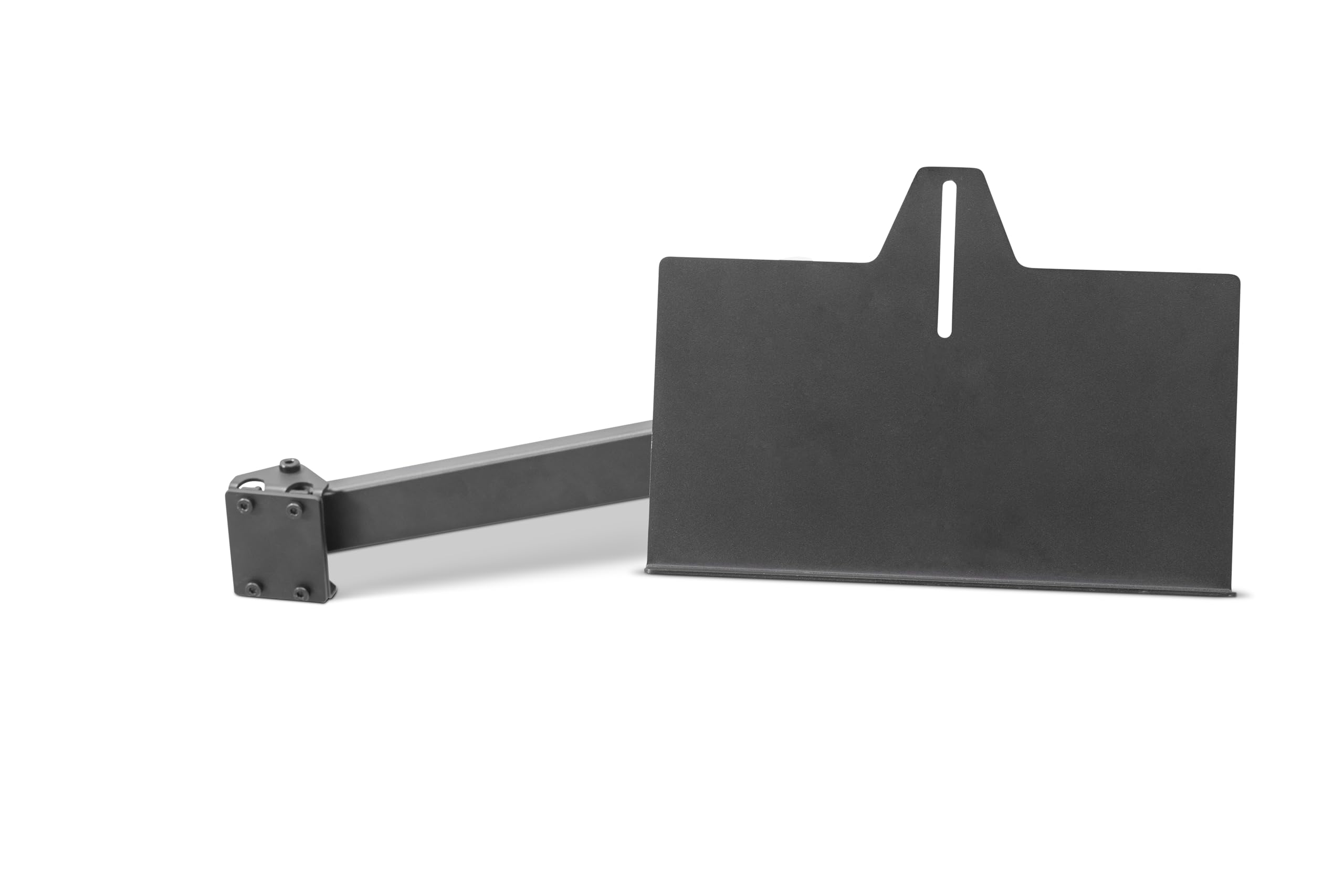
Image: Playseat Keyboard Holder PRO attached to a racing simulator cockpit, showing the mounting mechanism without a keyboard.
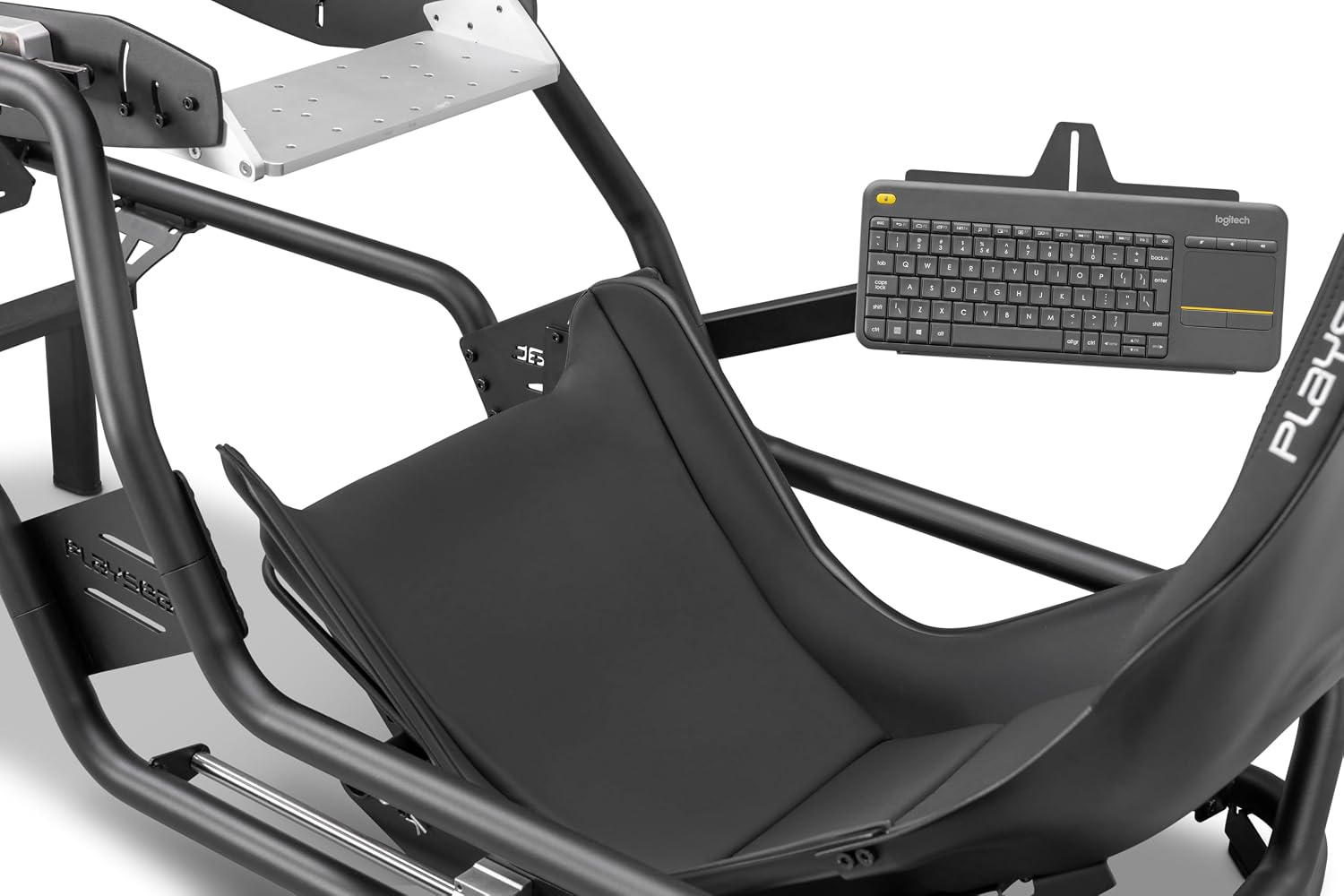
Image: Playseat Keyboard Holder PRO with a keyboard placed on the tray, demonstrating its intended use.
3. Operating Instructions
The Playseat Keyboard Holder PRO is designed for straightforward use once installed.
- Keyboard Placement: Carefully place your keyboard onto the holder tray. Ensure it is centered and stable on the tray.
- Adjusting Position: If your holder allows for adjustment, loosen the adjustment knobs or levers, reposition the tray to your desired height and angle, and then securely tighten the knobs/levers to lock it in place.
- Usage: Use your keyboard as needed during your gaming or simulation sessions.
- Storage/Removal: When not in use, you may adjust the holder to an out-of-the-way position or remove the keyboard for separate storage.
4. Maintenance
To ensure the longevity and proper function of your Playseat Keyboard Holder PRO, follow these maintenance guidelines:
- Cleaning: Wipe down the metal surfaces with a soft, damp cloth. Avoid abrasive cleaners or solvents that could damage the finish.
- Fastener Check: Periodically inspect all screws, bolts, and clamps. Tighten any that may have loosened during use to maintain stability.
- Moving Parts: If the holder has adjustable joints, ensure they move freely and are not obstructed. Lubrication is generally not required for this type of accessory.
- Storage: Store the holder in a dry environment when not attached to the rig for extended periods.
5. Troubleshooting
If you encounter issues with your Playseat Keyboard Holder PRO, refer to the following common solutions:
Issue: The keyboard holder feels unstable or wobbly.
- Solution 1: Ensure all mounting clamps and fasteners are securely tightened. Refer to the "Setup Instructions" for proper attachment.
- Solution 2: Verify that the holder is correctly installed on a compatible Playseat Formula Intelligence or Sensation PRO rig. Incorrect mounting points can lead to instability.
- Solution 3: Check the weight of your keyboard. While designed for standard keyboards, excessively heavy keyboards might affect stability if not properly balanced.
Issue: Difficulty in adjusting the holder's position.
- Solution 1: Loosen the adjustment knobs or levers sufficiently before attempting to reposition the tray.
- Solution 2: Inspect for any obstructions or debris in the adjustment mechanism.
Issue: Missing parts or damaged components upon arrival.
- Solution: Contact Playseat customer support immediately with your purchase details for assistance.
6. Specifications

Image: A close-up view of the Playseat Keyboard Holder PRO component, highlighting its construction.
| Model Number | R.AC.00226 |
| Brand | Playseat |
| Material | Metal |
| Color | Black |
| Item Dimensions (L x W x H) | 57 x 28 x 20.3 cm (22.44 x 11.02 x 7.99 inches) |
| Item Weight | 2.3 kg |
| Compatibility | Playseat Formula Intelligence, Playseat Sensation PRO |
7. Warranty Information
This Playseat Keyboard Holder PRO (Model R.AC.00226) is covered by a 1-year manufacturer's warranty. This warranty covers defects in materials and workmanship under normal use.
The warranty does not cover damage resulting from misuse, accidents, unauthorized modifications, improper installation, or normal wear and tear. For warranty claims, please retain your proof of purchase and contact Playseat customer support.
8. Support
For further assistance, technical support, or inquiries regarding your Playseat Keyboard Holder PRO, please visit the official Playseat website or contact their customer service department.
Official Playseat Website: www.playseat.com
Please have your model number (R.AC.00226) and purchase information ready when contacting support.