
Armocity L Shaped Gaming Desk with Hutch & Shelves
Armocity L Shaped Gaming Desk with Hutch & Shelves User Manual
Model: L Shaped Gaming Desk with Hutch & Shelves
1. Introduction
Welcome to the user manual for your new Armocity L Shaped Gaming Desk. This desk is designed to optimize your gaming or work setup with its spacious L-shaped design, integrated hutch, and versatile storage solutions. It features built-in LED lights, power outlets, and a monitor stand for enhanced ergonomics and convenience. Please read this manual thoroughly before assembly and use to ensure proper setup and longevity of your product.

Image: The Armocity L Shaped Gaming Desk, showcasing its L-shape, hutch, shelves, and integrated LED lighting, set up with a monitor, keyboard, and other gaming accessories.
2. Key Features
- Spacious L-Shaped Design: Maximizes corner space, providing ample room for multiple monitors, gaming consoles, peripherals, and decorative items.
- Integrated Power Outlets & USB Ports: Features built-in power strips with AC outlets and USB ports for convenient charging and powering of your devices directly from the desktop.
- Reversible Configuration: The side storage rack can be assembled on either the left or right side to fit your specific space requirements and preferences.
- Cool RGB LED Element: Equipped with two hidden LED light strips offering static and 20 dynamic modes. The lights can sync with game sounds or music for an immersive experience.
- Ergonomic Monitor Stand: A raised monitor stand helps to position your screen at an ergonomic height, reducing neck strain. It also provides additional storage space underneath.
- Adjustable Storage Shelves: The shelf under the PC gaming desk offers two adjustable height options for flexible storage, ideal for organizing small baskets or components.
- Convenient Headphone Hook: A reversible hook is included for easy storage of headphones, keeping your desktop tidy.
- Durable Construction: Features a sturdy metal base and engineered wood components with strengthened steady bars for stability.

Image: A visual breakdown of the desk's key features, including the hutch, monitor stand, adjustable shelves, and side fabric bag for organization.
3. Setup and Assembly
Your Armocity L Shaped Gaming Desk comes with all necessary parts and hardware, clearly labeled for straightforward assembly. Please follow the included detailed instructions carefully.
3.1. Before You Begin
- Unpack all components and verify against the parts list provided in the separate assembly manual.
- Ensure you have adequate space for assembly.
- Keep all small parts and hardware in a designated area to prevent loss.
- Review the assembly diagrams and steps thoroughly before starting.
3.2. Assembly Tips
- Pay close attention to the orientation of parts, especially holes and specific fittings, as depicted in the diagrams.
- Do not overtighten screws until all components are loosely assembled, then tighten them securely.
- For the reversible design, decide whether you want the storage rack on the left or right side before beginning assembly of that section.

Image: A detailed diagram illustrating the overall dimensions and key measurements of the L Shaped Gaming Desk, including the hutch and shelf components.
4. Operating Instructions
4.1. Using the Built-in Power Strip
- The desk includes a built-in power strip with 120V/12A AC outlets and 5V/2.1A USB ports.
- Plug the desk's power cord (approximately 6.57 FT long) into a standard wall outlet.
- You can now plug in your monitors, gaming consoles, chargers, and other devices directly into the desk's integrated outlets and USB ports.

Image: A close-up view highlighting the integrated power strip with its AC outlets and USB ports, along with the reversible headphone hook and the desk's structural support bars.
4.2. Controlling the RGB LED Lights
- The desk features two hidden LED light strips.
- Control the LED lights using the provided remote control or a compatible mobile application (if applicable, refer to the LED light manual for app details).
- Static Mode: Select from various solid colors to match your preference.
- Dynamic Modes: Choose from 20 different dynamic lighting effects.
- Music/Dynamic Mode: When activated, the color and frequency of the lights will synchronize with the sound of your game or music, creating an immersive visual experience.
- Adjust brightness and speed of dynamic modes as desired.
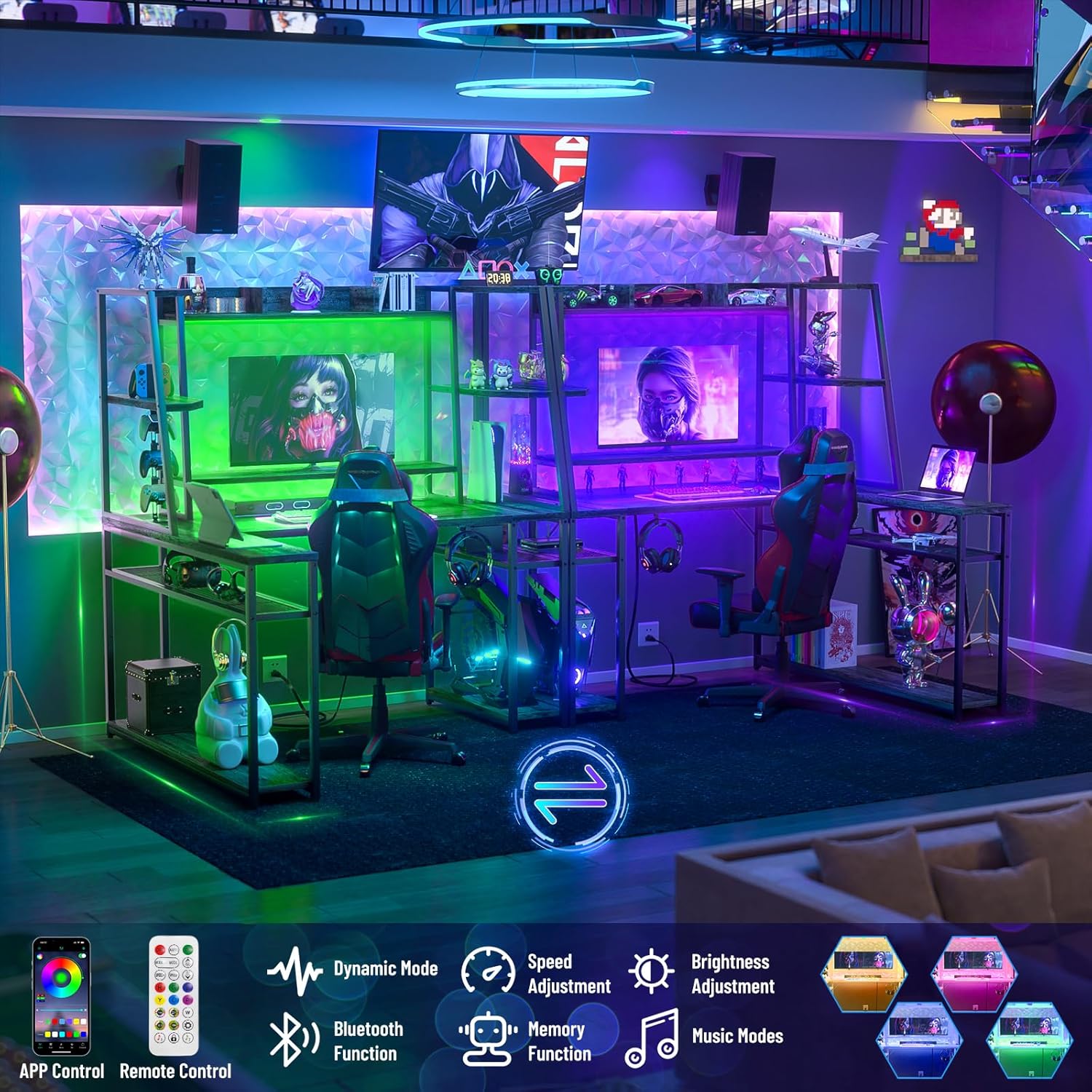
Image: An illustration detailing the various control options for the RGB LED lights, including remote and app control, and features like dynamic modes, music sync, and brightness adjustment.
5. Maintenance and Care
To ensure the longevity and appearance of your Armocity Gaming Desk, follow these simple care instructions:
- Cleaning: Wipe the surfaces with a damp cloth. Avoid using harsh chemicals or abrasive cleaners, as they may damage the finish.
- Spills: Immediately wipe up any spills to prevent staining or damage to the engineered wood.
- Heat: Avoid placing hot items directly on the desk surface without protection.
- Weight Distribution: Distribute weight evenly across the desk surfaces and shelves to maintain stability and prevent warping.
- Fasteners: Periodically check and retighten any loose screws or fasteners to ensure the desk remains stable.
6. Troubleshooting
If you encounter any issues during assembly or use, please refer to the following common solutions:
- Missing or Defective Parts: If you find any parts are missing or defective upon unboxing, please do not proceed with assembly. Contact Armocity customer service immediately for assistance.
- Assembly Difficulties: Double-check the assembly manual diagrams and ensure all parts are oriented correctly. Sometimes, a slight adjustment in part alignment can resolve fitting issues. Do not force parts together.
- Desk Wobbles: Ensure all screws are securely tightened. Check that the desk is placed on a level surface. If necessary, use furniture pads or shims to stabilize.
- LED Lights Not Working: Verify that the power cord for the desk is securely plugged into a working outlet. Ensure the LED light strips are properly connected to their power source and controller. Check the remote control battery if applicable.
- Power Outlets Not Functioning: Confirm the desk's main power cord is plugged in. Test the outlet with another device to ensure it is working.
For any issues not covered here, or if problems persist, please contact Armocity customer service.
7. Product Specifications
| Attribute | Detail |
|---|---|
| Brand | Armocity |
| Color | Grey Oak |
| Style | Modern |
| Base Material | Metal |
| Finish Type | Lacquered |
| Room Type | Multiple |
| Recommended Uses For Product | Gaming |
| Mounting Type | Freestanding |
| Furniture Leg Material | Engineered Wood |
| Product Care Instructions | Wipe with Damp Cloth |

Image: The Armocity L Shaped Gaming Desk, providing a comprehensive view of its design and how it accommodates gaming equipment and accessories.
8. Warranty and Support
Armocity is committed to providing high-quality products and excellent customer service.
- Returns: This product is eligible for 30-day easy returns. Please refer to your purchase platform's return policy for detailed instructions.
- Customer Support: If you have any questions, concerns, or require assistance with your Armocity L Shaped Gaming Desk, please contact our customer service team. We aim to provide a satisfactory solution within one business day.
For the most up-to-date support information, please visit the official Armocity store or contact us through the platform where you purchased the product.
Thank you for choosing Armocity.
Ask a question about this manual
Ask about setup, troubleshooting, compatibility, parts, safety, or missing instructions. Manuals+ will review the question and use this page’s manual context to help answer it.