
Introduction
This manual provides detailed instructions for the assembly, operation, and maintenance of your Armocity 47-inch L-Shaped Gaming Desk. Please read all instructions carefully before beginning assembly and retain this manual for future reference.
Safety Information
Always follow the assembly instructions carefully to avoid injury. This desk is heavy and large; ensure it is properly placed and supported to prevent tipping or damage. Keep the area around the desk clear of obstacles and do not place heavy objects on the desk that could cause it to tip over. Ensure all electrical connections for the LED lights and power strips are made according to local electrical codes and safety guidelines. Do not overload the power outlets.
Package Contents
Verify that all parts and hardware are present before beginning assembly. Refer to the included parts list in your package. If any parts are missing or defective, contact customer service for assistance.
Assembly Instructions
The product comes with clear, step-by-step instructions. All parts and hardware are provided and labeled for easy identification. Pay close attention to the details and the orientation of holes in the pictures provided with the pieces you are working with. Two people are recommended for assembly due to the size and weight of the desk components.

Figure 1: Desk Dimensions and Component Overview

Figure 2: Example of an Assembled Gaming Setup
Features
Reversible Design
The L-shaped desk features a reversible design, allowing the side storage rack to be assembled on either the left or right side to best fit your space and placement needs.
Integrated Power Strips
The desktop includes a built-in power strip with 2 extra power outlets (120V/12A, 3 AC Outlets) and 3 USB connectors (5V/2.1A, 2 USB Ports). This provides convenient access for charging multiple devices and powering your gaming systems. The power cord is 6.57 feet long.
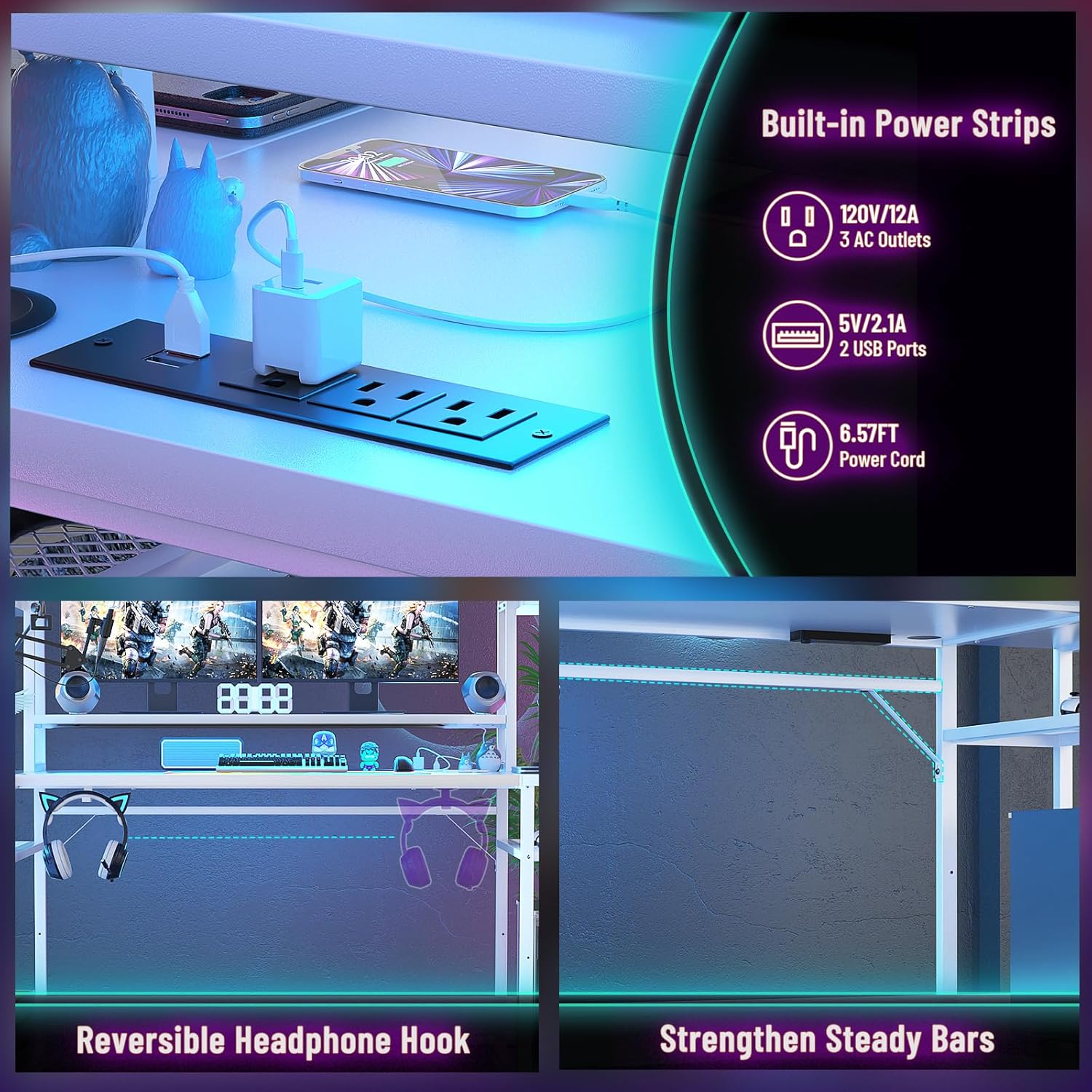
Figure 3: Built-in Power Strips
RGB LED Lights
The desk is equipped with 2 hidden LED light strips. These lights offer static and 20 dynamic modes, controllable via an app or remote. In music/dynamic mode, the lights can synchronize with the sound of your game or music.
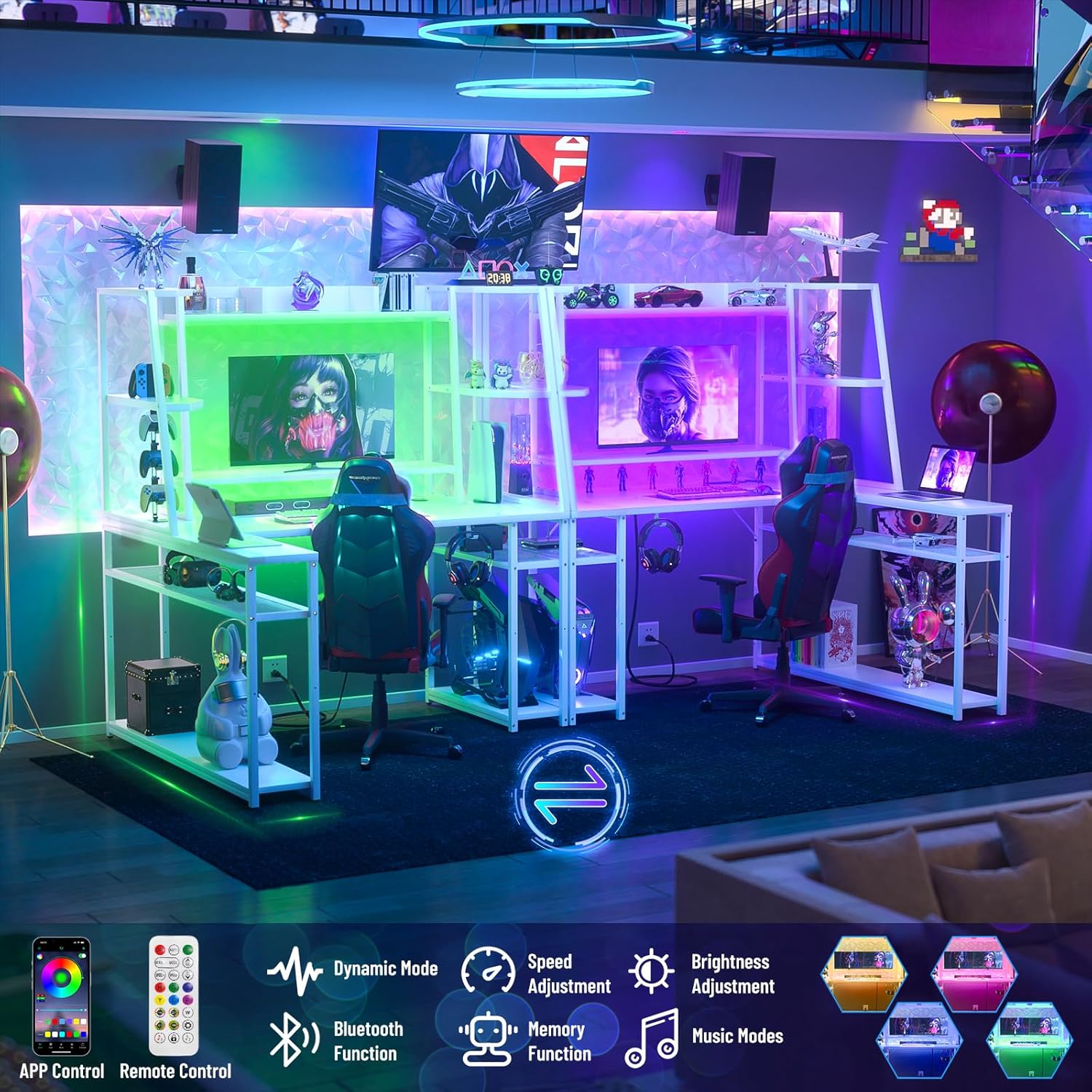
Figure 4: RGB LED Lighting Features
Storage and Display Hutch
The desk includes a hutch and multiple storage shelves, providing ample space for a PC, consoles, peripherals, books, collectibles, and decorative items.

Figure 5: Storage and Display Hutch
Ergonomic Monitor Stand
A dedicated monitor stand helps elevate your screen to an ergonomic height, reducing neck strain. The space underneath the monitor stand can be used for additional setups or storage.
Adjustable Storage Shelves
The shelf under the PC gaming desk offers two adjustable heights, suitable for small baskets or other organizational items.
Headphone Hooks
Convenient hooks are located on the side of the desk, ideal for hanging headphones or other accessories.

Figure 6: Adjustable Shelves and Headphone Hooks
Operation
LED Lights Control
The LED lights can be controlled using the provided remote control or a compatible smartphone application. Refer to the separate LED light instruction sheet for pairing and detailed control options. You can select static colors, dynamic modes, adjust brightness, and enable music synchronization.
Power Strip Usage
Plug your electronic devices into the AC outlets or USB ports on the integrated power strip. Ensure the total power draw does not exceed the strip's maximum capacity to prevent electrical hazards.
Maintenance
To maintain the appearance and longevity of your desk, wipe surfaces with a soft, damp cloth. Avoid using harsh chemicals or abrasive cleaners. Regularly check all screws and connections to ensure they remain tight. Do not place hot items directly on the desk surface without protection. Avoid prolonged exposure to direct sunlight or extreme temperatures.
Troubleshooting
- LED Lights Not Working: Check if the power adapter is securely plugged into both the desk and a working wall outlet. Ensure the remote control batteries are functional. If using the app, verify Bluetooth connection.
- Power Outlets Not Functioning: Confirm the desk's main power cord is plugged into a live electrical outlet. Check for tripped circuit breakers in your home. Do not attempt to repair the power strip yourself.
- Desk Instability: Ensure all assembly screws are tightened. Verify the desk is placed on a flat, level surface.
Specifications
| Brand | Armocity |
| Model Number | LGDR-MW |
| Shape | L-Shape |
| Product Dimensions (D x W x H) | 31.5" x 47" x 62" |
| Color | White |
| Material Type | Engineered Wood, Metal Frame |
| Item Weight | 20 Pounds |
| Maximum Weight Recommendation | 50 Pounds |
| Power Outlets | 3 AC Outlets (120V/12A) |
| USB Ports | 2 USB Ports (5V/2.1A) |
| Special Feature | Reversible Design, LED Lights, Power Strips, Monitor Stand, Adjustable Shelves, Headphone Hooks |
Warranty and Support
Warranty Information
This product comes with a Limited Warranty. Please refer to the warranty card included in your package for specific terms and conditions.
Customer Support
If you encounter any issues or have questions regarding your Armocity L-Shaped Gaming Desk, please contact our customer service team. Our team is available to provide a satisfactory solution within one business day.