
1. Introduction
The SmartGames Criss Cross Cube is a unique 3D puzzle game designed to challenge your spatial reasoning and problem-solving abilities. This manual provides comprehensive instructions to help you understand the game components, set up challenges, and find solutions. Suitable for ages 8 to adult, this game offers 80 challenges of increasing difficulty, providing hours of engaging mental exercise.
2. What's in the Box
Carefully unpack all components. Ensure you have the following items:
- 1 transparent 3D cube
- 13 colorful screws of different lengths (red, yellow, blue)
- 1 challenge booklet with 80 challenges and solutions
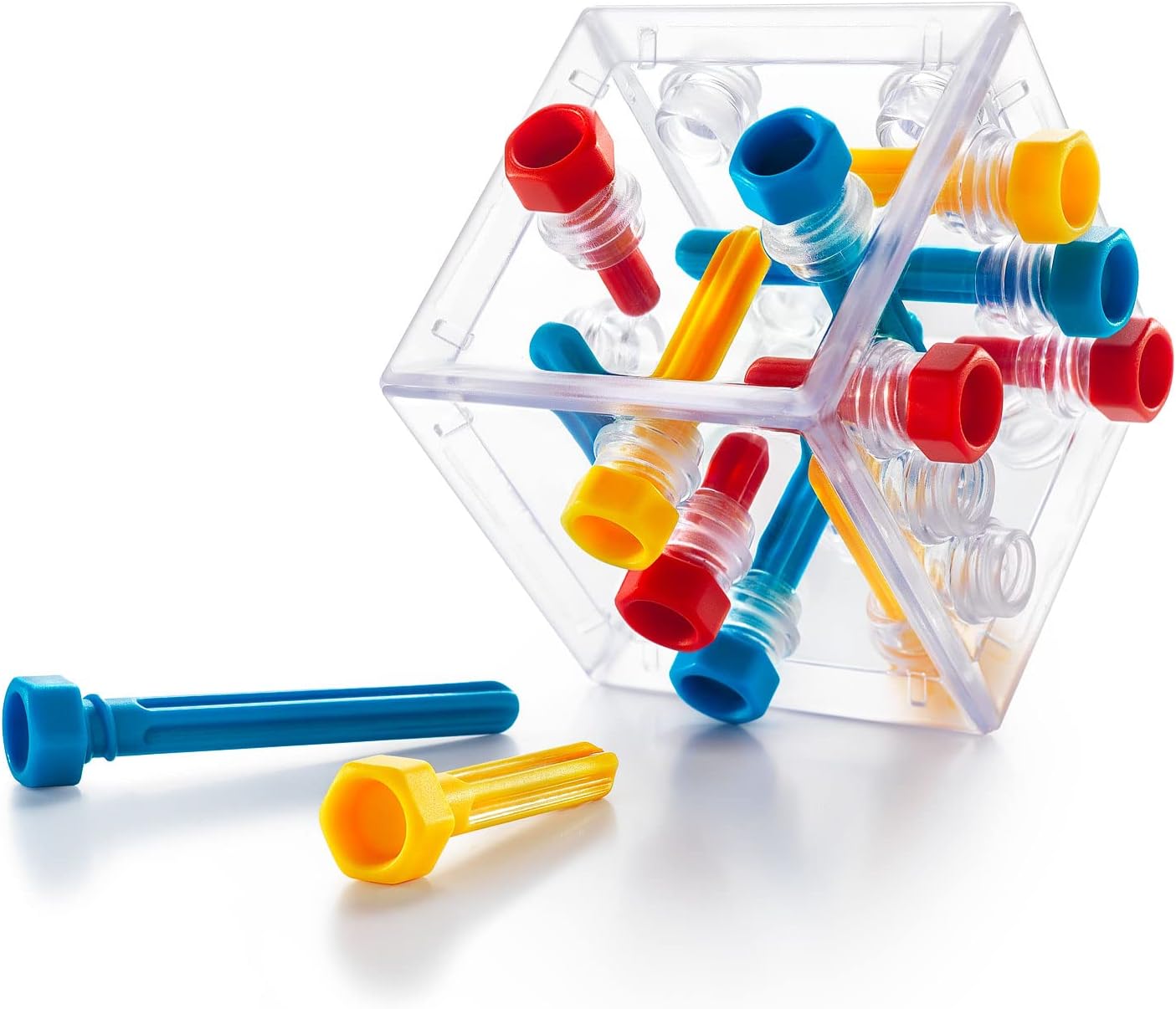
Image: The transparent cube and all 13 colorful screws (red, yellow, blue) laid out, ready for play.
3. Setup
Before starting a challenge, ensure you have a clear playing surface. The game is designed for single-player use.
- Familiarize Yourself with Components: Observe the transparent cube, noting the various holes on its faces. Examine the 13 screws, noting their different lengths and colors (red, yellow, blue).
- Select a Challenge: Open the included challenge booklet and choose a challenge. Challenges are numbered from 1 to 80, progressing from easy to expert.
- Initial Placement: Each challenge will show a diagram indicating which screws to place in specific holes on the cube to begin. Carefully insert these screws as shown in the diagram.

Image: The transparent cube with several colorful screws partially inserted, demonstrating the initial setup phase of a challenge.
4. Operating Instructions (How to Play)
The objective of each challenge is to insert all remaining screws into the cube so that they are fully screwed in and no part of any screw protrudes from the cube's surface. This often requires careful planning as screws can block each other.
- Choose a Challenge: Refer to the challenge booklet for the starting configuration.
- Place Indicated Screws: Insert the screws shown in the challenge diagram into the cube. These are your starting pieces.
- Fit Remaining Screws: Take the remaining screws and strategically insert them into the empty holes. The key is to find the correct sequence and orientation for each screw.
- Solve the Puzzle: A challenge is successfully completed when all 13 screws are fully inserted into the cube, and no screw is blocking another or protruding.

Image: A visual guide demonstrating the four steps of gameplay: selecting a challenge, inserting initial screws, fitting the rest, and achieving the solved configuration.

Image: A child engaged in playing the Criss Cross Cube, demonstrating the hands-on nature of the puzzle.
Challenges and Solutions
The challenge booklet provides 80 unique puzzles. If you encounter difficulty, solutions for all challenges are located at the back of the booklet. It is recommended to attempt solving the puzzle independently before consulting the solutions to maximize the brain-training benefits.
5. Specifications
| Feature | Detail |
|---|---|
| Product Dimensions | 4.72 x 4.8 x 4.72 inches |
| Item Weight | 8.8 ounces |
| Item Model Number | SG415US |
| Manufacturer Recommended Age | 8 years and up |
| Number of Challenges | 80 |
6. Maintenance
To ensure the longevity of your SmartGames Criss Cross Cube, follow these simple maintenance guidelines:
- Cleaning: Wipe the cube and screws with a soft, dry cloth. Avoid using abrasive cleaners or harsh chemicals, as these may damage the plastic.
- Storage: Store all game components in a safe place, preferably in their original packaging or a designated container, to prevent loss of pieces.
- Handling: Handle the pieces with care. While durable, excessive force or dropping may cause damage.
7. Troubleshooting
If you encounter issues while playing the Criss Cross Cube, consider the following:
- Difficulty with a Challenge: If a challenge seems impossible, double-check the initial setup against the diagram in the booklet. Ensure all starting screws are placed correctly and in the right orientation.
- Screws Not Fitting: If a screw does not fit, it may be blocked by another screw, or you might be attempting to insert it in the wrong hole or orientation. Re-evaluate the placement of previously inserted screws.
- Lost Pieces: In case of lost pieces, please contact SmartGames customer support for assistance.
8. Warranty and Support
SmartGames products are designed for quality and durability. For specific warranty information, product support, or to inquire about replacement parts, please visit the official SmartGames website or contact their customer service department directly. Keep your purchase receipt as proof of purchase.
For more information and to explore other SmartGames products, visit: www.smartgames.eu