
1. Product Overview
The Mophie MagSafe 3-in-1 Wireless Charging Stand is designed to simultaneously charge your compatible iPhone, Apple Watch, and AirPods. This stand features MagSafe technology for secure iPhone placement, a dedicated Apple Watch charging puck, and a Qi-compatible pad for AirPods. Its extendable design allows for adjustable viewing angles and optimal positioning.

Figure 1: Mophie MagSafe 3-in-1 Wireless Charging Stand with devices.
2. Important Safety Instructions
Please read and follow all safety instructions before using this product to prevent injury or damage.
- Do not expose the charging stand to moisture, water, or extreme temperatures.
- Avoid disassembling or attempting to repair the device yourself. Contact qualified service personnel if maintenance is required.
- Use only the provided power adapter or a certified equivalent to ensure proper functionality and safety.
- Keep the charging stand away from strong magnetic fields to prevent interference with electronic devices.
- Ensure proper ventilation around the charging stand during use.
3. Package Contents
Verify that all items are present in your package:
- Mophie MagSafe 3-in-1 Wireless Charging Stand
- Power Adapter (Charger)
- Quick Start Guide (not included in this manual)
4. Setup
4.1 Connecting to Power
- Place the Mophie MagSafe 3-in-1 Wireless Charging Stand on a stable, flat surface.
- Connect the power adapter cable to the input port located at the back of the charging stand.
- Plug the power adapter into a wall outlet. The indicator light on the base will illuminate briefly, confirming power connection.

Figure 2: Power input port on the back of the stand.
Video 1: Official Mophie demonstration of the 3-in-1 stand, showcasing its fast charging and sleek design. This video illustrates the product's features and how devices are placed for charging.
5. Operating Instructions
5.1 Charging an iPhone (MagSafe)
The top charging pad is equipped with MagSafe technology for optimal iPhone charging.
- Ensure your iPhone is MagSafe compatible (iPhone 12 series or newer).
- Align the back of your iPhone with the MagSafe charging puck. The magnets will securely snap your iPhone into place.
- A charging animation will appear on your iPhone screen, indicating that charging has begun.
For optimal 15W fast charging, ensure your iPhone is directly aligned with the MagSafe puck. Using a non-MagSafe case may affect charging performance or magnetic attachment.

Figure 3: iPhone receiving 15W fast wireless charging.

Figure 4: Secure magnetic alignment ensures efficient charging.
5.2 Charging an Apple Watch
The side arm of the stand features a dedicated charging puck for your Apple Watch.
- Place your Apple Watch onto the magnetic charging puck on the side arm.
- Ensure the watch is properly seated and the charging icon appears on its display.
5.3 Charging AirPods
The base of the stand includes a Qi-compatible wireless charging pad for your AirPods.
- Place your AirPods case (with wireless charging capability) onto the designated charging area on the base.
- The indicator light on the AirPods case will show its charging status.
5.4 Extendable Stand Feature
The main column of the stand is extendable, allowing you to adjust the height of your iPhone for optimal viewing.
- Gently pull the top section of the stand upwards to extend its height.
- Push the top section downwards to retract it. The stand can be adjusted from 7.5 inches to 16 inches.
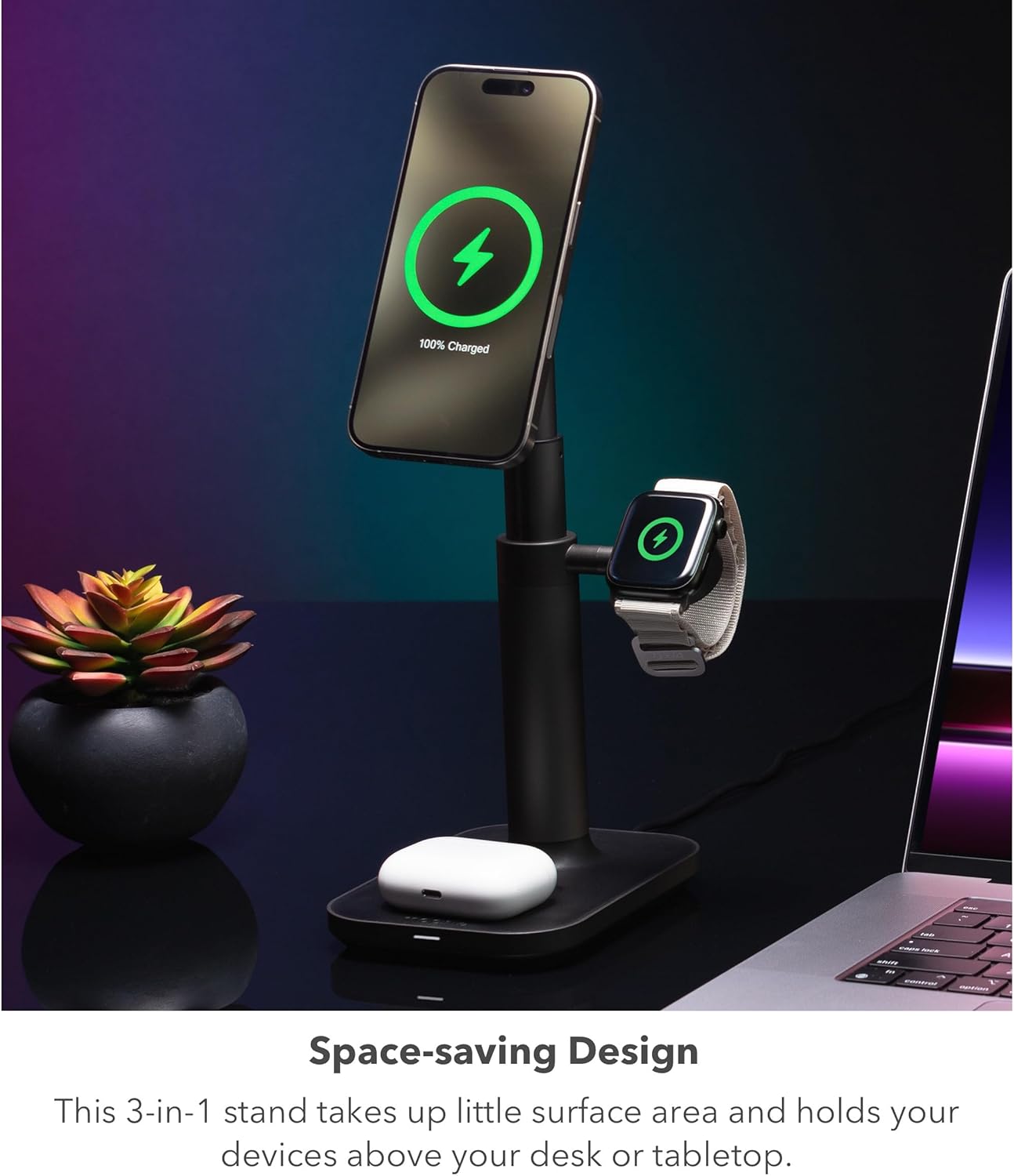
Figure 5: The stand extends for customized height.
5.5 Adjustable Viewing Angles
The MagSafe charging puck for the iPhone can be tilted and rotated to achieve various viewing orientations.
- Gently tilt the MagSafe puck up or down to adjust the vertical viewing angle.
- Rotate your iPhone while it's attached to the MagSafe puck to switch between portrait and landscape modes.

Figure 6: Adjustable head for perfect viewing angles.

Figure 7: Supports both portrait and landscape modes.
6. Maintenance
6.1 Care and Cleaning
- Disconnect the power adapter before cleaning.
- Wipe the charging stand with a soft, dry, lint-free cloth.
- Do not use abrasive cleaners, solvents, or aerosol sprays.
6.2 Storage
- Store the charging stand in a cool, dry place when not in use.
- Avoid placing heavy objects on the stand during storage.
7. Troubleshooting
If you encounter issues with your Mophie MagSafe 3-in-1 Wireless Charging Stand, refer to the table below for common problems and solutions.
| Problem | Possible Cause | Solution |
|---|---|---|
| Device not charging. | No power, improper alignment, non-compatible case. | Ensure power adapter is securely connected and plugged in. Realign device on the charging pad/puck. Remove non-MagSafe compatible cases for iPhone. |
| Slow charging. | Inadequate power adapter, device not optimally aligned. | Use the provided power adapter or a high-wattage (e.g., 20W or higher) USB-C PD adapter. Ensure devices are correctly positioned for charging. |
| Stand instability. | Uneven surface, excessive force. | Place the stand on a firm, level surface. The weighted base is designed for stability, but avoid applying excessive force. |
| MagSafe not attaching securely. | Non-MagSafe compatible phone or case. | Ensure your iPhone is MagSafe compatible. Use a MagSafe compatible case or remove the case for direct attachment. |
8. Technical Specifications
- Model Number: 401311349
- Product Dimensions: 4 x 4 x 2 inches
- Item Weight: 2.61 pounds
- Input Voltage: 120 Volts
- Amperage: 1.67 Milliamps
- Special Features: Extendable Stand, Fast Charging, MagSafe Compatible, Wireless Charging
- Compatible Devices: iPhone 12 series and newer (including iPhone 17 Pro Max, iPhone 17 Pro, iPhone Air, iPhone 17, iPhone 16, iPhone 16 Plus, iPhone 16 Pro, iPhone 16 Pro Max, iPhone 15, iPhone 15 Plus, iPhone 15 Pro Max, iPhone 14, iPhone 14 Plus, iPhone 14 Pro, iPhone 14 Pro Max, iPhone 13, iPhone 13 Mini, iPhone 13 Pro, iPhone 13 Pro Max, iPhone 12, iPhone 12 Mini, iPhone 12 Pro, iPhone 12 Pro Max), Apple Watch Series 1 through 10 (including Apple Watch Ultra, Ultra 2, Ultra 3, SE, SE 3), Apple AirPods Pro (2nd Generation), Apple AirPods (3rd Generation).

Figure 8: The weighted base provides enhanced stability.
9. Warranty and Support
9.1 Warranty Information
This Mophie product is covered by a manufacturer's warranty. Please refer to the warranty card included with your purchase or visit the official mophie website for detailed warranty terms and conditions.
9.2 Customer Support
For further assistance, technical support, or product inquiries, please visit the official mophie support website or contact their customer service department. Contact information can typically be found on the product packaging or the mophie website.


