
1. Introduction
Thank you for purchasing the SODLK T300 120W Portable Bluetooth Speaker. This manual provides essential information for setting up, operating, and maintaining your speaker. Please read it thoroughly before use to ensure optimal performance and longevity of your device. Keep this manual for future reference.
2. Safety Information
- Do not expose the speaker to extreme temperatures, direct sunlight, or high humidity.
- Avoid dropping or subjecting the speaker to strong impacts.
- Do not disassemble, repair, or modify the speaker yourself. Contact qualified service personnel for any repairs.
- Keep the speaker away from water and other liquids. This product is not waterproof.
- Use only the provided USB cable for charging.
- Do not operate the speaker at excessively high volumes for prolonged periods to prevent hearing damage.
3. Package Contents
Please check the package for the following items:
- SODLK T300 Bluetooth Speaker
- USB Charging Cable
- User Manual
4. Product Overview
The SODLK T300 is a powerful portable Bluetooth speaker designed for robust audio performance. It features a durable exterior, integrated handle, and dynamic LED lighting on the sides. The speaker incorporates advanced audio technology for a rich sound experience.

Image: Front view of the SODLK T300 Portable Bluetooth Speaker, showcasing its black finish, front grille, and side LED lights.
Internally, the T300 is equipped with a sophisticated driver system to deliver its 120W output. This includes multiple dynamic driver units and vibrating diaphragms for enhanced bass and clear audio reproduction.

Image: An exploded view illustrating the internal components of the SODLK T300 speaker, highlighting the 4 dynamic driver units and DSP sound processing.
5. Setup
5.1 Charging the Speaker
Before first use, fully charge the speaker. Connect the provided USB charging cable to the speaker's charging port and a compatible USB power adapter (not included). The LED indicator will show charging status and turn off or change color when fully charged.
5.2 Powering On/Off
- To Power On: Press and hold the Power button for a few seconds until the LED lights illuminate and you hear an audible prompt.
- To Power Off: Press and hold the Power button again for a few seconds until the LED lights turn off and you hear an audible prompt.
6. Operating Instructions
6.1 Bluetooth Pairing
The SODLK T300 features Bluetooth 5.1 for a stable and efficient wireless connection.

Image: Graphic illustrating the benefits of Bluetooth 5.1 connectivity for the SODLK T300, including faster and stronger connection, lower power consumption, better sound, more stable transfer, and higher noise reduction.
- Ensure the speaker is powered on and in Bluetooth pairing mode (the LED indicator will typically flash blue).
- On your device (smartphone, tablet, computer), enable Bluetooth and search for available devices.
- Select "SODLK T300" from the list of devices.
- Once paired, the speaker will indicate a successful connection, and the LED light will change.
6.2 TWS (True Wireless Stereo) Connection
To connect two SODLK T300 speakers for a stereo sound experience:
- Ensure both speakers are powered on and not connected to any Bluetooth device.
- On one speaker, press the TWS button. It will enter TWS pairing mode.
- The two speakers will automatically connect to each other. Once connected, one speaker will act as the master (left channel) and the other as the slave (right channel).
- Connect your device to the master speaker via Bluetooth as described in section 6.1.
6.3 Playing Music from Various Sources
The SODLK T300 supports multiple playback modes:
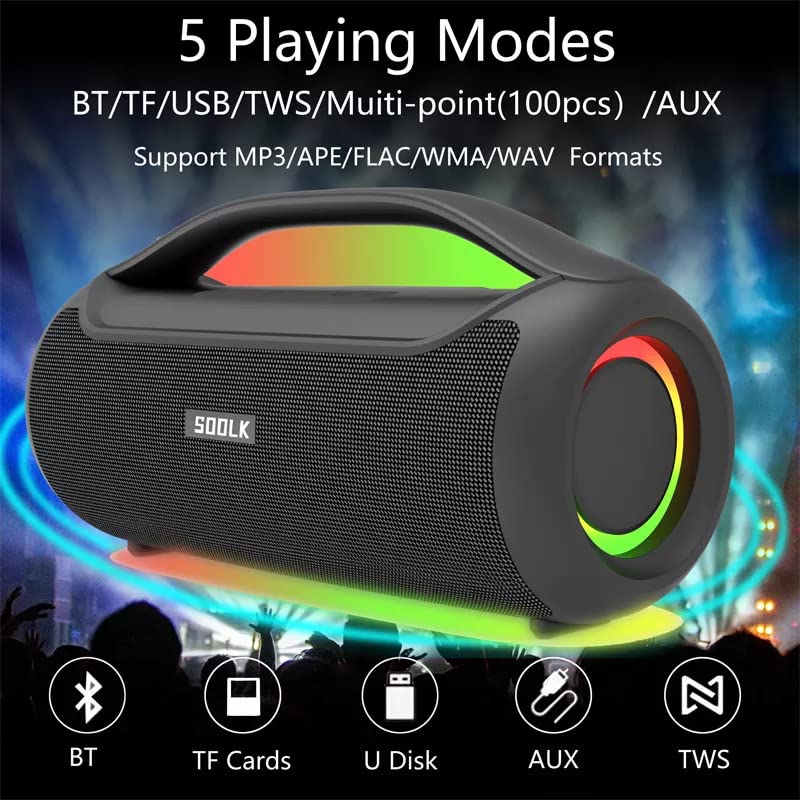
Image: Visual representation of the 5 playing modes supported by the SODLK T300: Bluetooth (BT), TF Cards, U Disk (USB), AUX, and TWS. It also indicates support for MP3/APE/FLAC/WMA/WAV formats.
- Bluetooth: Connect your device wirelessly as described in section 6.1.
- TF Card: Insert a TF (MicroSD) card with audio files into the TF card slot. The speaker will automatically switch to TF card mode and begin playback.
- USB Disk: Insert a USB flash drive with audio files into the USB port. The speaker will automatically switch to USB mode and begin playback.
- AUX Input: Connect an external audio device using a 3.5mm AUX cable (not included) to the AUX port. The speaker will switch to AUX mode.
Use the speaker's control buttons to play/pause, skip tracks, and adjust volume.
6.4 EQ Playing Modes
The speaker offers three equalizer (EQ) modes to optimize your listening experience for different music genres.

Image: Graphic displaying the three EQ playing modes of the SODLK T300: HIFI 6D Surround, Vocal, and Deep Bass, with illustrative icons for each.
Press the EQ button to cycle through the following modes:
- HIFI 6D Surround: Provides an immersive, wide soundstage.
- Vocal: Enhances clarity for vocals, ideal for podcasts or acoustic music.
- Deep Bass: Boosts low frequencies for a more impactful bass response.
6.5 LED Light Control
The SODLK T300 features dynamic LED lights. Press the Light button to cycle through different lighting modes or to turn the lights off.
6.6 NFC Connection (Near Field Communication)
For compatible devices, NFC allows for quick and easy Bluetooth pairing.
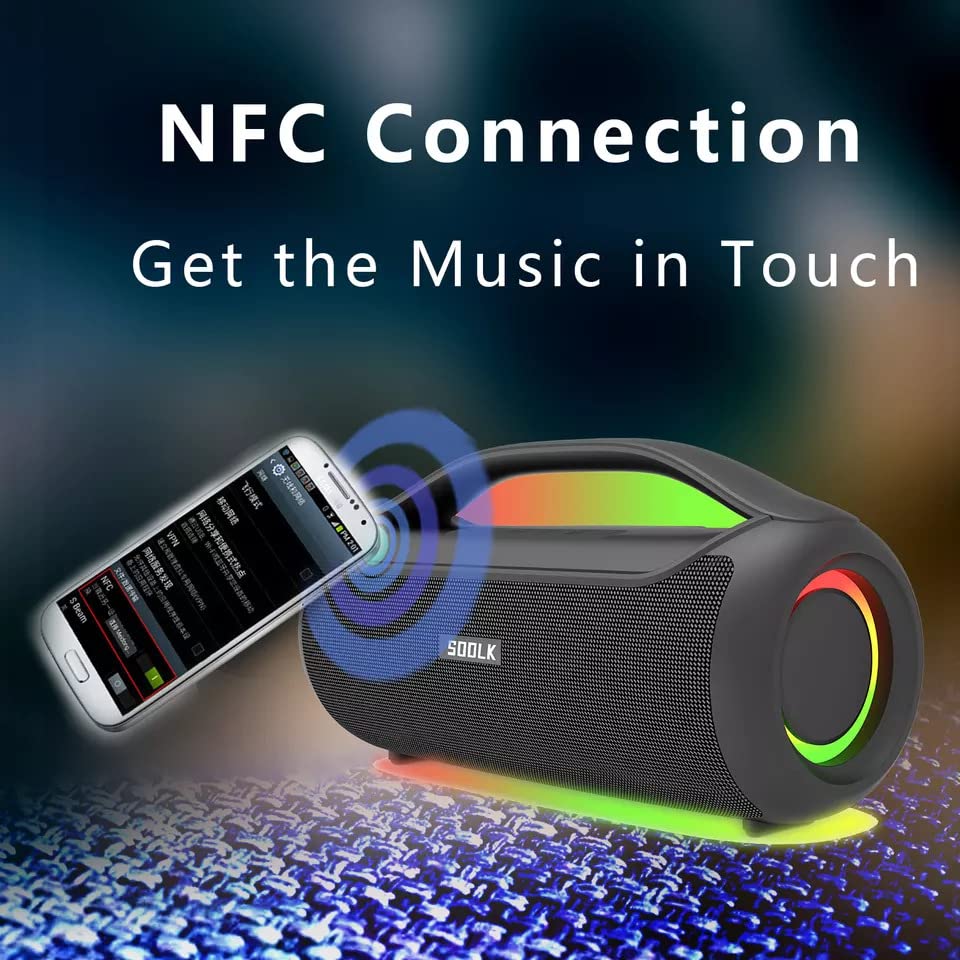
Image: A smartphone being tapped against the SODLK T300 speaker, illustrating the NFC connection process for instant music pairing.
- Ensure NFC is enabled on your smartphone or device.
- Tap your NFC-enabled device gently against the NFC area on the speaker.
- Your device will prompt you to connect via Bluetooth. Confirm the connection.
7. Maintenance
7.1 Cleaning
Wipe the speaker with a soft, dry cloth. Do not use abrasive cleaners, alcohol, or other chemical solvents, as these may damage the surface.
7.2 Storage
When not in use for extended periods, store the speaker in a cool, dry place away from direct sunlight and extreme temperatures. It is recommended to charge the speaker at least once every three months to maintain battery health.
8. Troubleshooting
| Problem | Possible Cause | Solution |
|---|---|---|
| Speaker does not power on. | Low battery. | Charge the speaker fully. |
| No sound. | Volume too low; incorrect input mode; device not paired. | Increase volume; switch to correct input mode (BT, AUX, TF, USB); re-pair Bluetooth device. |
| Bluetooth pairing fails. | Speaker not in pairing mode; device Bluetooth off; too far from speaker. | Ensure speaker is in pairing mode; enable Bluetooth on device; move device closer to speaker. |
| TWS connection fails. | Speakers already connected to another device; too far apart. | Disconnect speakers from other devices; ensure speakers are close to each other. |
9. Specifications
Detailed technical specifications for the SODLK T300 speaker:
| Feature | Specification |
|---|---|
| Model Name | T300 |
| Speaker Type | Portable Speaker |
| Special Feature | Subwoofer, LED Light, TWS Connection |
| Connectivity Technology | Bluetooth 5.1, Auxiliary, TF Card, USB |
| Wireless Communication | Bluetooth |
| Speaker Maximum Output Power | 120 Watts |
| Audio Output Mode | Stereo |
| Surround Sound Channel Configuration | 6D |
| Power Source | Battery Powered |
| Control Method | Touch Buttons |
| Product Dimensions | 11.2D x 29.2W x 10.1H Centimeters |
| Is Waterproof | No |
| Included Components | USB Cable, Speaker, User Manual |
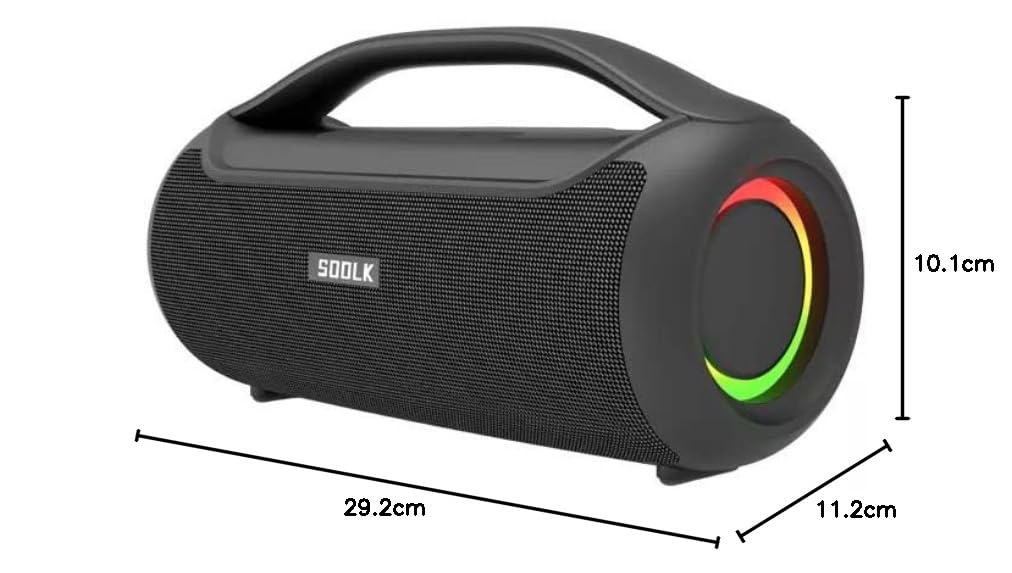
Image: Diagram showing the dimensions of the SODLK T300 speaker: 29.2cm (width), 11.2cm (depth), and 10.1cm (height).
10. Warranty and Support
The SODLK T300 speaker comes with a 1-Year Warranty from the date of purchase. This warranty covers manufacturing defects and workmanship under normal use. It does not cover damage caused by misuse, accidents, unauthorized modifications, or normal wear and tear.
For warranty claims, technical support, or any inquiries, please contact your retailer or the SODLK customer service department with your purchase details.


