
BENEWY ME550
BENEWY USB-C Wired Earbuds User Manual
Model: ME550
Introduction
This manual provides comprehensive instructions for the BENEWY USB-C Wired Earbuds, Model ME550. These earbuds are designed to deliver high-fidelity audio and clear communication across a wide range of USB-C compatible devices, including modern smartphones, tablets, and laptops. Please read this manual thoroughly to ensure proper use and maintenance of your new earbuds.

Figure 1: BENEWY USB-C Wired Earbuds (White)
What's in the Box
The following items are included in your product package:
- 1x USB C Earphones
- 1x User Manual (this document)
- 1x Pair of Eartips
- 1x Protective Case
Setup
To begin using your BENEWY USB-C Wired Earbuds, follow these simple steps:
- Connect to Device: Insert the USB-C connector of the earbuds firmly into the USB-C port of your compatible device (smartphone, tablet, laptop, etc.).
- Device Recognition: Your device should automatically recognize the earbuds. On some devices, you may need to select "Headphones" as the audio output.
- Adjust Volume: Use the in-line volume controls or your device's volume settings to adjust the audio level.

Figure 2: Connecting the USB-C Earbuds to a Device
Note for Android Users (especially Samsung S24 series): If you experience issues with audio routing or controls, you may need to adjust a setting in Developer Options. Refer to the troubleshooting section for a detailed guide or watch the provided video.
Operating Instructions
In-line Remote Control
The earbuds feature an in-line remote with integrated microphone for convenient control of audio playback and calls.
- Volume Up (+): Press to increase volume.
- Volume Down (-): Press to decrease volume.
- Multi-function Button (Center):
- Short Press: Play/Pause music, Answer call, End call.
- Double Press: Next song.
- Triple Press: Previous song.
- Long Press: Reject call.

Figure 3: In-line Remote Control Functions
Audio Quality
These earbuds incorporate a digital DAC chip to convert standard resolution audio into high-fidelity lossless sound, ensuring clear and realistic audio output. The design also contributes to sound isolation for an immersive listening experience.
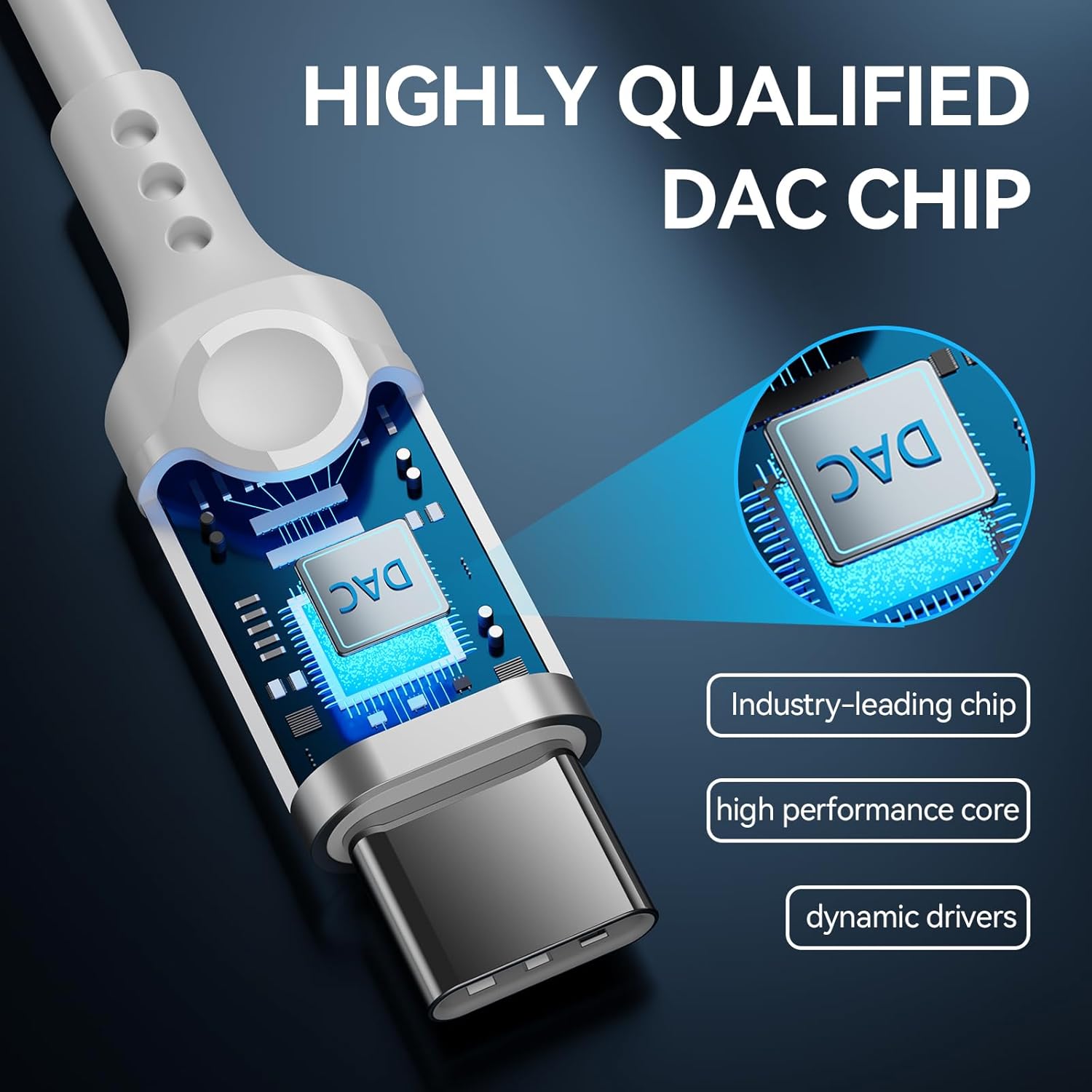

Figure 4: Digital-to-Analog Converter (DAC) Chip and HiFi Sound Components
Comfort and Design
The half-in-ear ergonomic design and lightweight construction provide a secure and comfortable fit, allowing awareness of surroundings while enjoying audio. The anti-wrap oxygen-free copper wire enhances durability and flexibility.

Figure 5: Ergonomic Design for Comfortable Wearing
Maintenance
Proper care will extend the lifespan of your earbuds:
- Cleaning: Gently wipe the earbuds and cable with a soft, dry cloth. Avoid using harsh chemicals or abrasive materials.
- Storage: When not in use, store the earbuds in the provided protective case to prevent tangling and damage.
- Avoid Moisture: While water-resistant, avoid submerging the earbuds in water or exposing them to excessive moisture.
- Cable Care: Do not pull on the cable to disconnect the earbuds from your device. Always grasp the USB-C connector.

Figure 6: Durable Cable Construction
Troubleshooting
If you encounter issues with your earbuds, please refer to the following common solutions:
No Sound or Intermittent Audio
- Check Connection: Ensure the USB-C connector is fully inserted into your device's port.
- Device Volume: Verify that your device's volume is not muted or set too low.
- Audio Output Selection: On some devices, you may need to manually select the USB-C headphones as the audio output in your device's sound settings.
- Test on Another Device: Try the earbuds with a different compatible device to determine if the issue is with the earbuds or the original device.
In-line Controls Not Responding
- Re-plug Earbuds: Disconnect and reconnect the earbuds to your device.
- Device Compatibility: Ensure your device fully supports external USB-C audio controls.
- Android Developer Options (Samsung S24/S25 series and similar): Some Android devices may have a setting that interferes with USB audio routing.
- Go to your phone's Settings.
- Scroll down and tap on "About phone".
- Tap on "Software information".
- Rapidly tap on "Build number" 7 times until "Developer mode has been turned on" appears.
- Go back to Settings, then scroll down to find "Developer options".
- Locate and disable "Disable USB audio routing".
- Re-plug your earbuds to test.
Video: Troubleshooting USB-C Headphone Audio Routing on Samsung S24
This video demonstrates how to disable "Disable USB audio routing" in Developer Options on Android devices, which can resolve issues with USB-C headphone functionality.
Specifications
| Feature | Detail |
|---|---|
| Brand | BENEWY |
| Model Name | ME550 |
| Connectivity Technology | Wired Type C Earphones |
| Headphones Jack | Type C |
| Ear Placement | In Ear |
| Form Factor | In Ear |
| Noise Control | Sound Isolation |
| Frequency Response | 20 Hz - 20,000 Hz |
| Sensitivity | 110 dB |
| Impedance | 32 Ohm |
| Control Type | Volume Control, Button |
| Microphone | Built-in HD Microphone |
| Material | Aluminum, Plastic, Metal, Rubber, Thermoplastic Elastomer (TPE) |
| Cable Feature | Tangle Free |
| Water Resistance Level | Water Resistant |
| Item Weight | 0.04 Kilograms (approx. 1.41 ounces) |
| Compatible Devices | iPhone 16/15 series, iPad Pro/Air/mini, MacBook Air/Pro; Samsung Galaxy S25/S24/S23/S22/S21/S20 series, Note 20/10, A-series, Z Fold/Flip; Google Pixel 9/8/7/6/5/4/3 series; OnePlus 11/10/9/8/7 series, Nord; Huawei Mate/P series and other USB-C audio devices. |
Warranty and Support
BENEWY provides a 360-day free warranty for these in-ear headphones, along with lifetime friendly customer service.
For any questions, concerns, or technical assistance, please contact BENEWY customer service. We aim to respond within 24 hours on weekdays.
Please refer to your purchase documentation or the BENEWY official website for specific contact details.
Ask a question about this manual
Ask about setup, troubleshooting, compatibility, parts, safety, or missing instructions. Manuals+ will review the question and use this page’s manual context to help answer it.