
1. Safety Information
1.1 General Safety
- Read all instructions carefully before using the monitor.
- Do not expose the monitor to rain or moisture to prevent fire or shock hazards.
- Ensure proper ventilation. Do not block ventilation openings.
- Avoid placing the monitor on an unstable surface.
- Do not attempt to service the monitor yourself. Refer all servicing to qualified personnel.
1.2 Electrical Safety
- Use only the power adapter and power cord supplied with the monitor.
- Ensure the power outlet is properly grounded.
- Do not overload power outlets or extension cords.
- Disconnect the power plug from the outlet if the monitor will not be used for an extended period.
2. Package Contents
Verify that all items listed below are included in your package:
- 1 x Touchscreen Monitor
- 1 x Power Adapter
- 1 x Power Line (1.5m)
- 1 x HDMI & USB Cable (1.5m)
- 1 x Product Manual (this document)
- 1 x Wall-Mounted Bracket
3. Product Overview
3.1 Key Features
- 10-Point Capacitive Multi-Touch Screen: Supports simultaneous touch inputs for intuitive interaction.
- Full HD Display: 1920 x 1080P resolution for clear visuals.
- Wide Compatibility: Functions with Windows XP/7/8/10/11, Mac OS, Android, Linux, and Raspberry Pi.
- Multiple Connectivity Options: Features VGA, HDMI, and USB input ports.
- Built-in Speakers: Integrated audio for convenience.
- Durable Design: IP65 standard touch screen monitor with a smooth back-shell and lightweight aluminum alloy frame, suitable for high-traffic environments.
- Flexible Mounting: Supports wall mount (100x100 VESA holes) and desktop stands.

Image: The TouchWo 21.5-inch Capacitive Multi-Touch Industrial Monitor, showcasing its sleek design and touch capabilities.

Image: Various applications of the TouchWo monitor, including external touchscreen, CCTV monitor, POS monitor, and advertising screen.
3.2 Ports and Connections
The monitor features a variety of ports for versatile connectivity:
- HDMI: High-Definition Multimedia Interface for video and audio input.
- VGA: Video Graphics Array for video input.
- USB (Touch): Connects to your device for touch functionality.
- DC IN: Power input port.
- Audio: 3.5mm audio jack for external speakers or headphones.
- LAN (Optional): Ethernet port for network connectivity (available on some models).
- WiFi (Optional): Wireless network connectivity (available on some models).

Image: Rear view of the monitor showing HDMI, VGA, DC IN, Audio, and TOUCH-USB ports.

Image: Rear view of the Android system monitor showing Power, DC IN, LAN, 2xUSB, HDMI, Audio, TF/SD, and WiFi ports.

Image: Rear view of the Windows system monitor showing Power, DC IN, HDMI, VGA, 4xUSB, LAN, MIC, and WiFi ports.
4. Setup
4.1 Wall Mounting
The monitor supports VESA 100x100mm wall mounting. Use the provided wall-mounted bracket for installation.
- Unpack the wall-mounted bracket and screws from the box.
- Attach the bracket to your desired wall location using appropriate tools and fasteners. Ensure the bracket is securely fastened.
- Install the short screws onto the back of the monitor, aligning them with the VESA holes.
- Carefully align the monitor with the wall bracket and slide it into place until it locks securely.
Video: Demonstrates the installation process of the wall mount bracket for the TouchWo touchscreen monitor.
Video: Shows the method for securely mounting the TouchWo touchscreen monitor onto a wall bracket.
4.2 Connecting to a Device
To use the monitor, connect it to your computer or other compatible device using the appropriate cables.
- Connect the HDMI or VGA cable from your device to the corresponding input port on the monitor.
- Connect the USB cable from your device to the TOUCH-USB port on the monitor to enable touch functionality.
- Connect the power adapter to the DC IN port on the monitor and plug it into a power outlet.
- Power on the monitor and your connected device. The display should appear automatically.
Video: Demonstrates the touch function of the TouchWo monitor across Android, Windows, and as a standalone touchscreen monitor, highlighting its responsiveness.
Video: Illustrates how to project content to the touchscreen monitor. Note that projection functionality may vary or be unavailable for Android/Windows All-in-One models.
5. Operating Instructions
5.1 Basic Touch Functions
The monitor features 10-point capacitive touch technology, allowing for precise and responsive interaction. No additional drivers are required for basic touch functions when connected via USB.
- Tap: Single touch to select items or open applications.
- Drag: Touch and hold, then move your finger to move items or scroll.
- Pinch-to-Zoom: Use two fingers to zoom in or out on images and documents.
- Multi-finger Gestures: Supports various multi-finger gestures depending on the operating system and application.

Image: Visual representation of the 10-point touch technology, demonstrating various multi-finger gestures like tapping, dragging, and zooming.

Image: Illustrates various touch gestures supported by the monitor, including writing, reducing, zooming, moving, drag and drop, and erasing.
5.2 System Compatibility
The monitor is designed for broad compatibility, supporting various operating systems:
- Windows XP/7/8/10/11
- Mac OS
- Android
- Linux
- Raspberry Pi
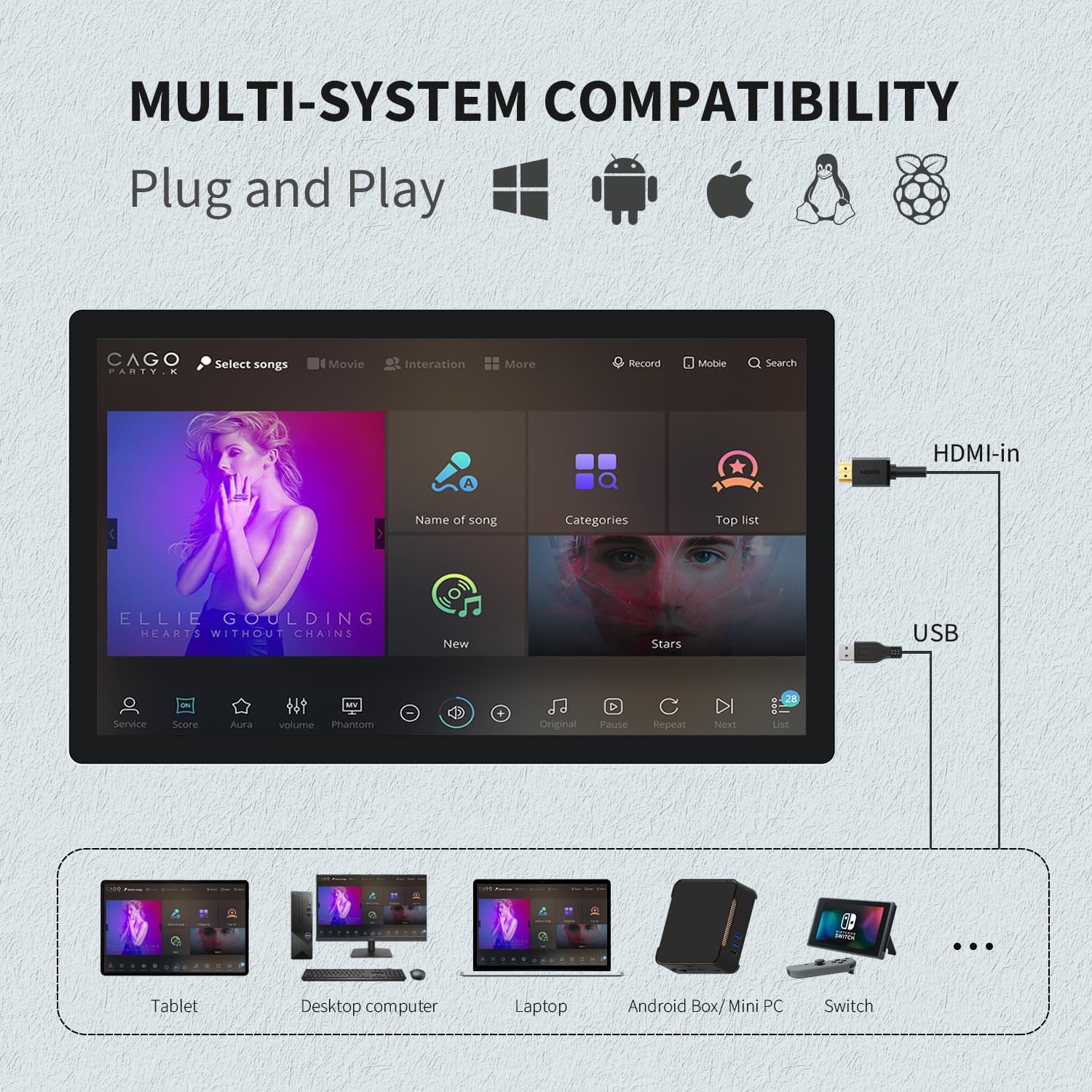
Image: Diagram showing the monitor's compatibility with various operating systems and devices such as tablets, desktop computers, laptops, Android boxes, mini PCs, and Nintendo Switch.
5.3 Display Modes
When connected to a computer, the monitor can operate in several display modes:
- Copy Screen: Duplicates the content of your primary display.
- Second Screen Only: Displays content only on the TouchWo monitor.
- Extended Screen: Extends your desktop across both displays, providing more workspace.

Image: Illustrations of Copy Screen, Second Screen Only, and Extended Screen display modes for the monitor.
5.4 Orientation
The monitor supports both horizontal and vertical orientations, allowing for flexible installation and usage scenarios.
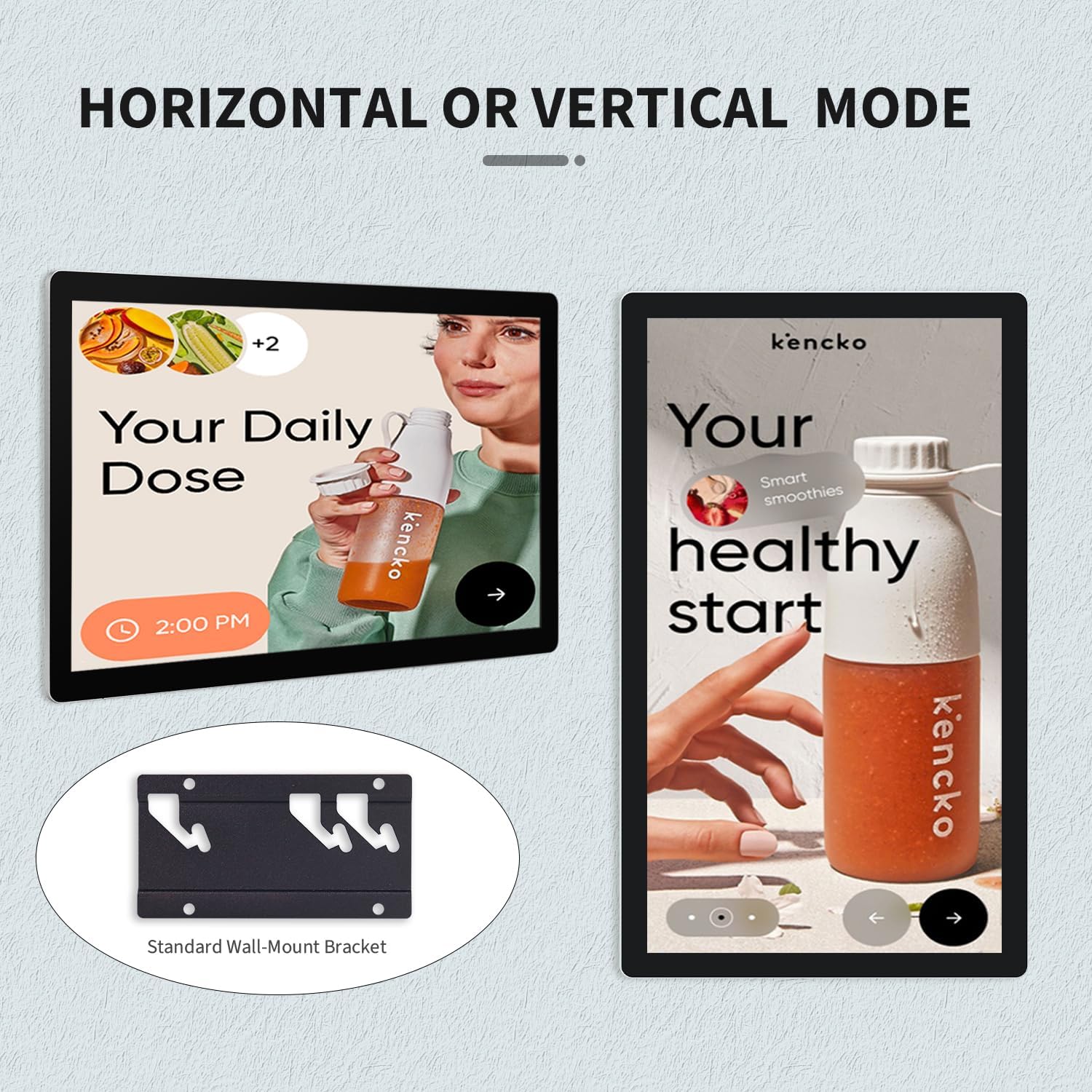
Image: The monitor displayed in both horizontal and vertical orientations, demonstrating its adaptability for different content and environments.
6. Maintenance
- Cleaning the Screen: Use a soft, lint-free cloth slightly dampened with water or a non-abrasive screen cleaner. Avoid harsh chemicals.
- Cleaning the Casing: Wipe the monitor casing with a soft, dry cloth.
- Storage: If storing the monitor for an extended period, ensure it is powered off, disconnected from all cables, and stored in a cool, dry place.
7. Troubleshooting
This section addresses common issues you might encounter with your TouchWo monitor.
| Issue | Possible Cause | Solution |
|---|---|---|
| No display/Power LED off | Power cable disconnected; Power adapter faulty; Monitor off. | Check power connections; Replace power adapter; Press power button. |
| No touch response | USB touch cable disconnected; Incorrect USB port; Device driver issue. | Ensure USB touch cable is connected to the correct port; Try a different USB port; Reinstall touch screen drivers on your device. |
| Flickering or distorted image | Video cable loose or damaged; Incorrect resolution/refresh rate. | Check video cable connections; Adjust display settings on your device to match monitor specifications (1920x1080, 60Hz). |
| No sound from built-in speakers | Volume too low; Audio output not selected; Audio cable disconnected (if using 3.5mm). | Increase monitor/device volume; Select monitor as audio output device; Check 3.5mm audio cable connection. |
8. Specifications
Detailed technical specifications for the TouchWo 21.5-inch Capacitive Multi-Touch Industrial Monitor (Model HD215T).
| Feature | Specification |
|---|---|
| Brand | TouchWo |
| Model Number | HD215T |
| Screen Size | 21.5 Inches |
| Resolution | 1920 x 1080 (FHD 1080p) |
| Aspect Ratio | 16:9 |
| Image Brightness | 300 lm |
| Screen Surface Description | Glossy |
| Touch Technology | 10 Points Capacitive Multi-Touch |
| Connectivity | HDMI, VGA, USB (Touch), 3.5mm Audio Jack |
| Total USB Ports | 1 (for touch functionality) |
| Built-in Speakers | Yes |
| Voltage | 12 Volts (DC) |
| Product Dimensions | 1.63 x 19.84 x 11.63 inches |
| Item Weight | 10.8 pounds |
| Manufacturer | Guangzhou Touchwo Electronics Co., Ltd |
| Certifications | FCC, CE, RoHS |

Image: Detailed diagram showing the monitor's dimensions and a table summarizing key specifications.

Image: Highlights the monitor's durability features including IP65 waterproof and dustproof rating, high and low temperature resistance, and suitability for day-to-day high traffic work.
9. Warranty and Support
The TouchWo 21.5-inch Capacitive Multi-Touch Industrial Monitor is FCC, CE, and RoHS certified, ensuring compliance with international standards.
For any usage or quality issues, 24/7 online support is available. Please contact us directly for assistance.
- Official Email: touchwoamz@outlook.com
- Seller Page: Visit TouchWo Seller Page

Image: Information on how to contact TouchWo for assistance, including email and a QR code for quick access.