
1. Introduction
This manual provides detailed instructions for the installation, operation, maintenance, and troubleshooting of your Veise KS02C Fingerprint Keyless Entry Door Lock. Please read this manual thoroughly before installation and use to ensure proper function and safety.
The Veise KS02C is a smart front handle set featuring a fingerprint keypad deadbolt combined with two knobs, offering multiple unlocking methods for enhanced security and convenience.
2. Safety Information
- Battery Safety: Use only 4 AA alkaline batteries. Do not mix old and new batteries, or different types of batteries. Replace all batteries at the same time. Remove batteries if the lock will not be used for an extended period.
- Environmental Conditions: The lock is rated IP54 waterproof, suitable for outdoor use. However, extreme weather conditions may affect performance. Ensure the fingerprint sensor is clean and dry for optimal recognition.
- Physical Security: While the lock is designed with an ANSI Grade 3 sturdy lock cylinder and alloy, it is important to ensure your door and frame are also secure.
- Code Security: Avoid sharing your master code. When entering codes, utilize the anti-peeping feature by entering random digits before or after your actual code.
- Fingerprint Management: Be cautious when adding or deleting fingerprints. Deleting a fingerprint requires the registered finger to be scanned. If a user is no longer available, a factory reset may be necessary to remove their fingerprint access.
3. Package Contents
Verify that all components are present before beginning installation:
- Fingerprint Door Lock (Exterior Keypad and Interior Assembly)
- 2 Knobs (Interior and Exterior)
- 2 Physical Keys
- Latch
- Strike Plate
- Mounting Plate
- Screws
- Installation Instruction Manual
- Programming Quick Set Up Guide
4. Installation
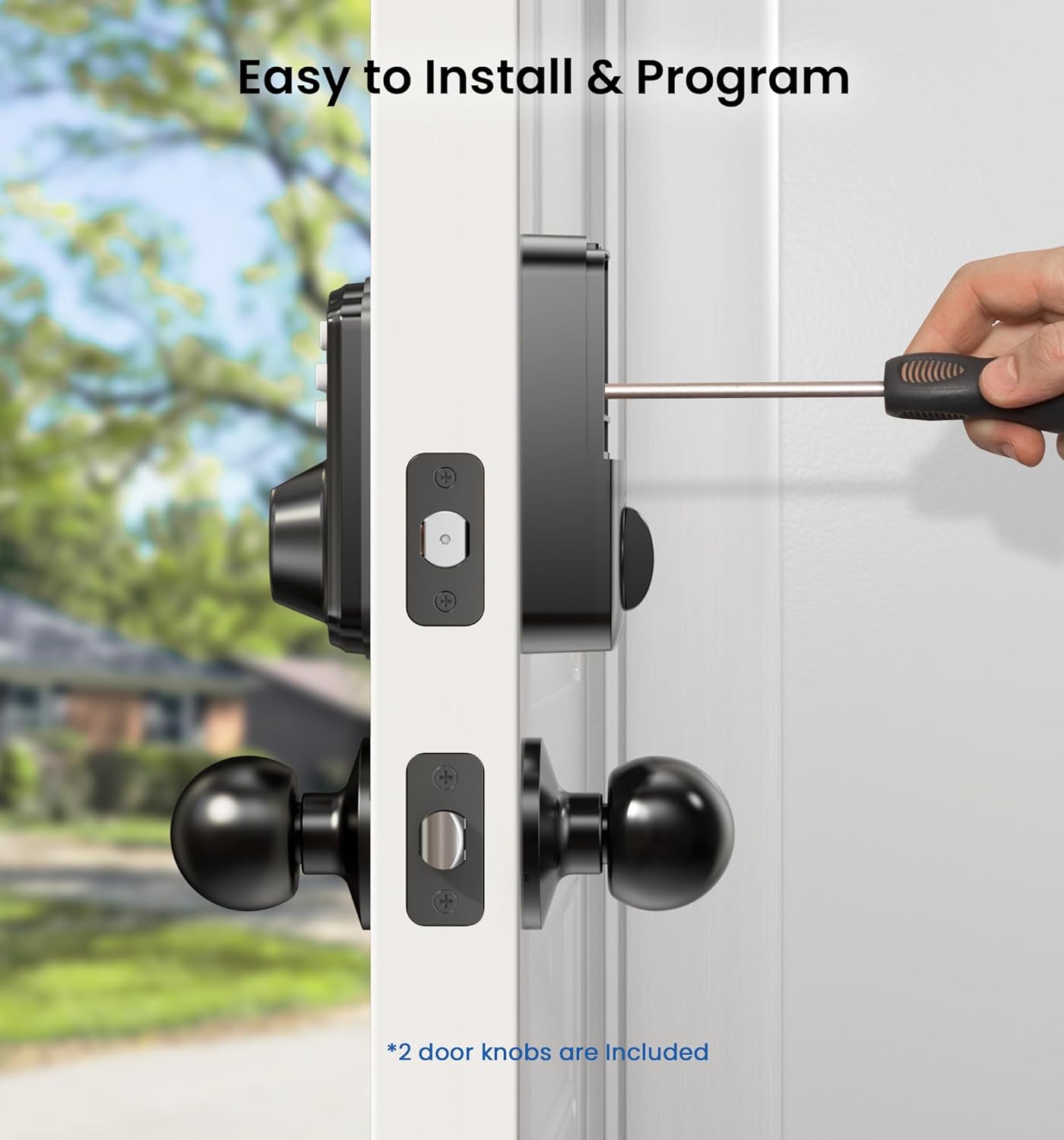
The Veise KS02C lock is designed for easy installation with a standard screwdriver. It is compatible with all American standard left- and right-handed doors.
4.1 Door Compatibility Check
Before installation, ensure your door meets the following specifications:
- Hole Diameter: 2-1/8 inches (54mm)
- Minimum Distance (between deadbolt and knob holes): 4 inches (101.6mm)
- Backset: 2-3/8 inches or 2-3/4 inches (60mm or 70mm)
- Bore Diameter (for latch): 1 inch (25mm)
- Door Thickness: 1-3/8 inches to 2 inches (35mm-50mm)
The lock is compatible with doors having a chiseled latch hole and a single cylinder deadbolt. It is not compatible with Mortise, Integrated, or Rim Cylinder lock types.

4.2 Installation Steps
- Prepare the Door: Ensure the door is properly prepped according to the dimensions above. Remove any existing hardware.
- Install the Latch: Insert the latch into the door edge and secure it with screws. Ensure the latch bolt faces the correct direction for your door swing.
- Install the Exterior Keypad Assembly: Place the exterior keypad assembly onto the door, feeding the cable through the deadbolt hole to the interior side.
- Install the Mounting Plate: Secure the interior mounting plate to the exterior assembly using the provided screws. Ensure the cable is not pinched.
- Connect the Cable and Install Interior Assembly: Connect the cable from the exterior assembly to the interior assembly. Carefully tuck the excess cable into the door. Attach the interior assembly to the mounting plate and secure it with screws.
- Install Knobs: Attach the interior and exterior knobs according to the instructions.
- Insert Batteries: Open the battery cover on the interior assembly and insert 4 new AA alkaline batteries.
- Test Operation: After installation, test the lock with the physical key and ensure the latch operates smoothly.
5. Operating Instructions
The Veise KS02C offers multiple convenient ways to unlock your door.

5.1 Fingerprint Unlock
The lock identifies your fingerprint within 0.3 seconds and unlocks the door within 1 second, with a 99.99% recognition rate.
- Adding Fingerprints: Follow the programming guide to register up to 20 unique fingerprints. Ensure your finger is clean and dry for accurate scanning.
- Unlocking: Place your registered finger on the fingerprint sensor. The lock will verify and unlock.

5.2 Code Unlock (User Codes)
You can program up to 20 user codes for regular access.
- Adding User Codes: Refer to the programming guide to set up new user codes.
- Unlocking: Enter your programmed user code on the keypad, then press the unlock button (or equivalent confirmation key).
5.3 One-Time Codes
Generate temporary one-time codes for visitors, delivery personnel, or service providers.
- Generating One-Time Codes: Follow the programming guide to create a one-time code. These codes are typically valid for a single use.
- Unlocking: The recipient enters the one-time code on the keypad.

5.4 Key Unlock
Traditional physical keys are provided as a backup unlocking method.
- Unlocking: Insert the key into the keyhole and turn to unlock the deadbolt.
5.5 Auto-Locking Feature
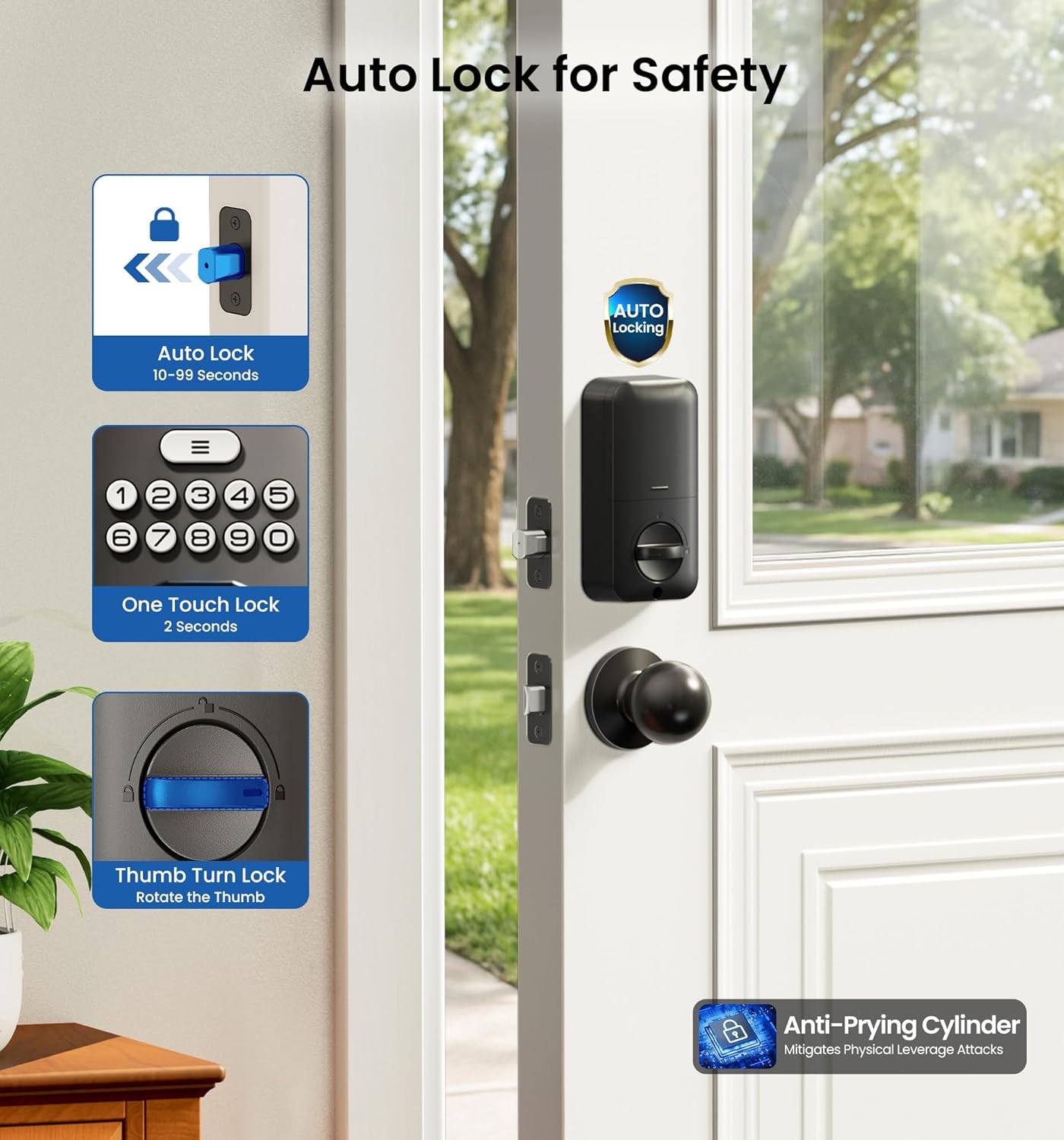
The lock can be set to automatically lock after a specified period.
- Setting Auto-Lock: Refer to the programming guide to enable and configure the auto-lock delay, which can be set between 10-99 seconds.
- Manual Locking: To manually lock the door, press any key on the keypad for 2 seconds.
5.6 Anti-Peeping Password
Enhance security when entering your code in front of others.
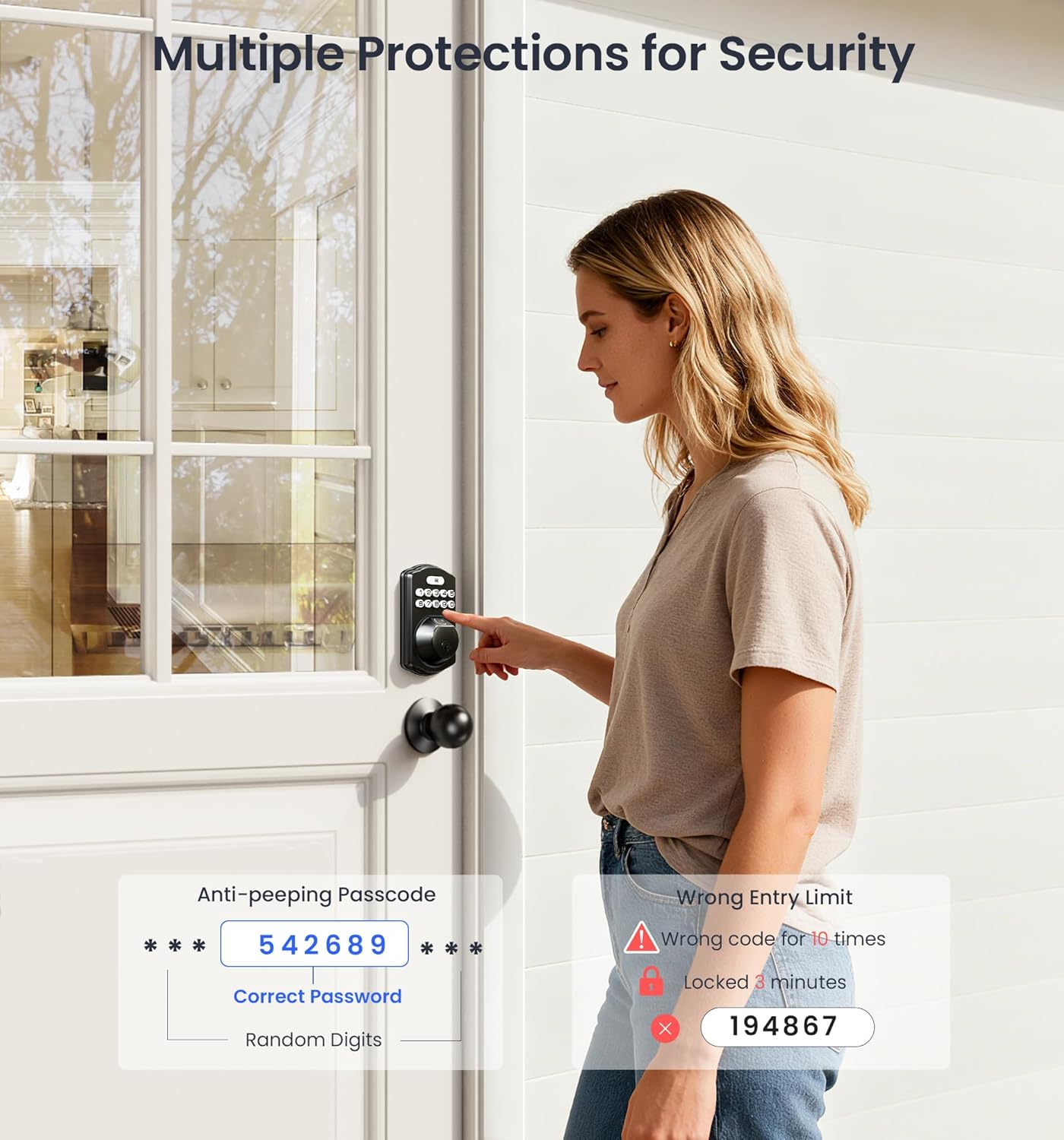
- Usage: Enter any random digits before or after your actual code. The lock will still recognize the correct sequence within the longer string of numbers.
5.7 Mute Mode
Disable keypad sounds for quiet operation.
- Activating/Deactivating: Refer to the programming guide for instructions on enabling or disabling mute mode.
5.8 Vacation Mode
A security feature for extended absences.
- Activating: Refer to the programming guide to enable vacation mode, which typically disables all electronic entry methods until a master code or physical key is used.
6. Maintenance
6.1 Battery Replacement
The lock is powered by 4 AA batteries, which typically last for more than 1 year. The lock features a low battery alert.
- Low Battery Alert: The keypad will indicate a low battery status (e.g., a specific light or sound pattern). Replace batteries promptly when this alert appears.
- Replacement: Open the battery cover on the interior assembly. Remove old batteries and insert 4 new AA alkaline batteries, ensuring correct polarity.
6.2 Cleaning
Clean the lock's exterior with a soft, damp cloth. Avoid abrasive cleaners or solvents that could damage the finish or electronic components.
6.3 Fingerprint Sensor Care
Keep the fingerprint sensor clean and dry for optimal performance. Wipe it gently with a soft cloth if smudges or dirt accumulate.
7. Troubleshooting
- Lock Not Responding: Check battery levels. Replace batteries if low. Ensure the cable connection between the exterior and interior assemblies is secure.
- Fingerprint Not Recognized: Ensure your finger is clean and dry. Try re-registering your fingerprint. If the issue persists, try a different finger or use a code/key.
- Keypad Not Responding: Check for low battery. If the keypad is backlit but not responding to input, try a factory reset (refer to programming guide).
- Cannot Delete Fingerprint: To delete a specific fingerprint, the registered finger must be scanned during the deletion process. If the person is unavailable, a factory reset of the lock may be required to clear all stored fingerprints and codes, after which you can reprogram new ones.
- Wrong Entry Limit: If incorrect codes are entered 10 times, the lock will temporarily disable for 3 minutes as a security measure. Wait for the lockout period to expire before attempting entry again.
- Auto-Lock Not Working: Verify that the auto-lock feature is enabled and correctly configured in the programming settings.
8. Specifications
| Feature | Detail |
|---|---|
| Brand | Veise |
| Model Name | KS02C |
| Lock Type | Biometric, Deadbolt, Keypad |
| Special Features | Anti-Peeping Password, Auto-Lock, Back-Lit Keypad, Fingerprint, One-Touch Lock |
| Material | Aluminum |
| Finish Type | Matte Black |
| Color | Black |
| Item Dimensions (L x W x H) | 3.54 x 7.24 x 9.61 inches |
| Item Weight | 1.45 Kilograms (3.19 pounds) |
| Power Source | 4 AA Batteries (not included) |
| Battery Life | Approximately 1+ year |
| Connectivity Protocol | Nonconnected |
| ANSI Grade | 3 |
| Waterproof Rating | IP54 |
| Operating Temperature | -31°F to 158°F |

9. Warranty and Support
Veise offers comprehensive support for your product:
- Warranty: At least a 1-year warranty is provided from the date of purchase.
- Phone Support: Lifetime online phone support is available Monday to Friday, 9 AM to 5 PM PST.
- Email Service: 24/7 after-sales email service is available for any inquiries or issues.
Please refer to the contact information provided with your product packaging or on the official Veise website for specific support channels.


