
Introduction
Thank you for purchasing the HOU FY-10 Keyboard Case. This manual provides essential information for setting up, operating, and maintaining your new keyboard case. Please read it thoroughly to ensure proper use and to maximize your product's lifespan.
Compatibility
The HOU FY-10 Keyboard Case is designed for specific iPad models:
- iPad 10th Generation (10.9-inch, 2022): Models A2757, A2777, A2696
- iPad 11th Generation (11-inch, A16, 2025)
Please verify your iPad model before use. This keyboard case is not compatible with other iPad models.

Package Contents
Ensure all items are present in the package:
- HOU FY-10 Keyboard Case
- USB Charging Cable
- User Manual (this document)

Setup
1. Attaching Your iPad
Align your compatible iPad with the magnetic back panel of the case. The strong magnets will securely hold the iPad in place. No force is required; simply place the iPad onto the case.

2. Bluetooth Pairing
- Ensure your iPad's Bluetooth is turned on.
- On the keyboard, long-press the Fn + Control + R keys simultaneously.
- Continue holding until the red indicator light on the keyboard begins to flash. This indicates the keyboard is in pairing/reset mode.
- On your iPad, go to Bluetooth settings and select the HOU keyboard from the list of available devices.
- Once connected, the keyboard is ready for use.
3. Charging the Keyboard
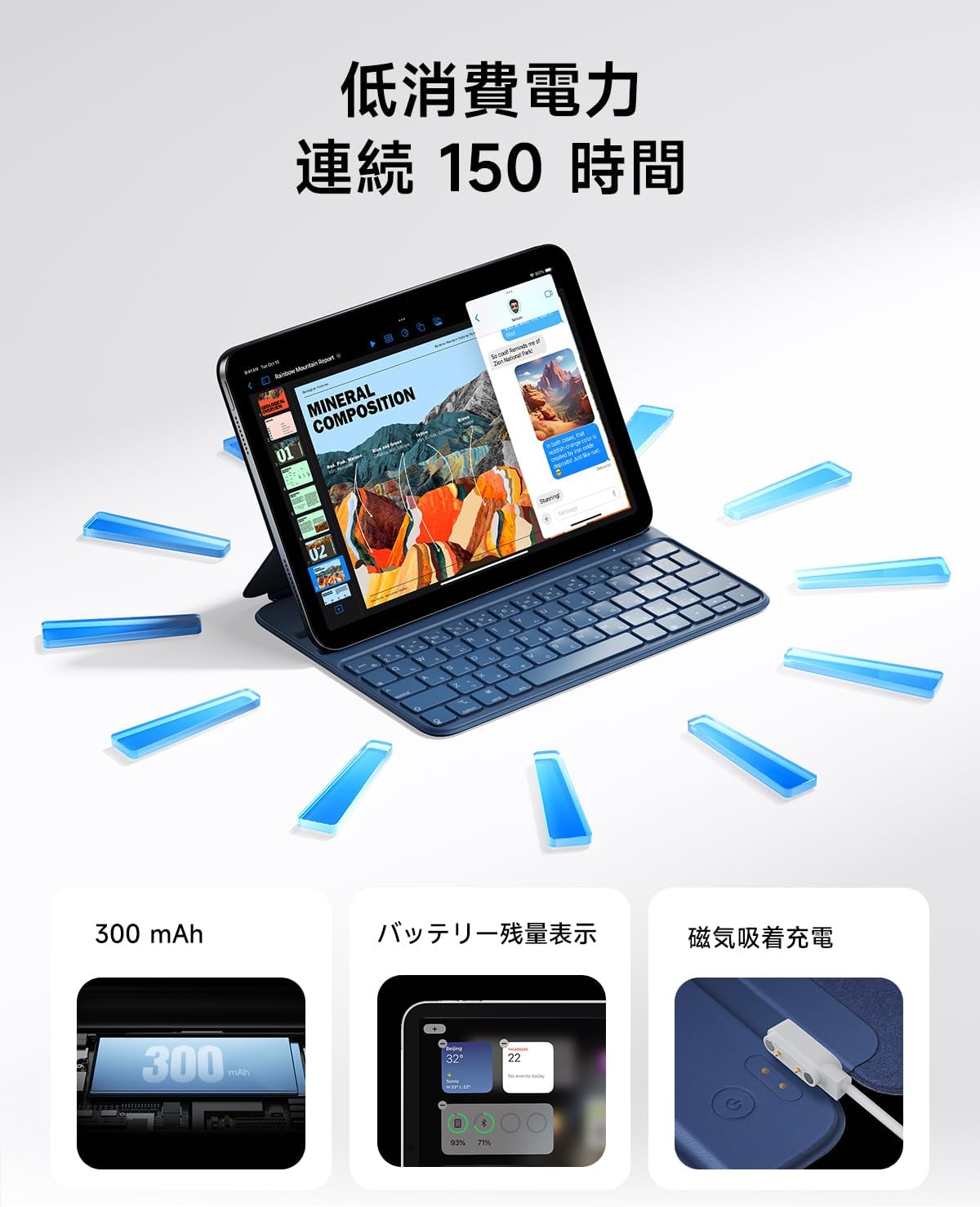
The keyboard features magnetic charging. Connect the provided USB charging cable to the magnetic charging port on the keyboard and to a suitable USB power source. The keyboard's battery level can be displayed on your iPad.


Operating Instructions
1. Adjusting Viewing Angles
The keyboard case offers two adjustable viewing angles: 115° and 125°. These angles are designed to provide optimal comfort for various tasks, such as typing, watching videos, or drawing.


2. Using Shortcut Keys
The keyboard features large keycaps and sufficient key travel for a comfortable typing experience. It also includes dedicated shortcut keys to enhance productivity:
- Volume Adjustment: Control audio output directly from the keyboard.
- Brightness Adjustment: Adjust screen brightness for optimal viewing conditions.
- Search Function: Quickly access your iPad's search feature.
- Home Screen Operations: Navigate to the home screen with a dedicated key.

3. Auto Sleep/Wake Function
The keyboard case supports the iPad's auto sleep/wake feature. Closing the case will automatically turn off your iPad screen, and opening it will wake the screen, helping to conserve battery life.
Maintenance
1. Cleaning
The case is made from durable PU material, which is resistant to dirt, wear, and yellowing. To clean, gently wipe the surface with a soft, slightly damp cloth. Avoid using harsh chemicals or abrasive materials.
2. Storage
When not in use, store the keyboard case in a cool, dry place away from direct sunlight and extreme temperatures to prevent damage and prolong its lifespan.
Troubleshooting
- Keyboard not connecting via Bluetooth: Ensure the keyboard is charged. Repeat the Bluetooth pairing process by long-pressing Fn + Control + R until the red indicator light flashes, then re-pair with your iPad.
- Keys are unresponsive: Check the keyboard's battery level. If low, recharge the keyboard using the provided USB cable.
- iPad not entering sleep/wake mode: Ensure the iPad is correctly seated in the case and that the case is fully closed/opened.
Specifications
| Brand | HOU |
| Model | FY-10 |
| Compatible Devices | iPad 10th Gen (10.9-inch, 2022: A2757/A2777/A2696), iPad 11th Gen (11-inch, A16, 2025) |
| Keyboard Description | Standalone, Dual Angle Adjustment |
| Features | Key combination function, Smart Wake, Dual Angle Adjustment, Ultra-thin bezel full flap |
| Color (This Variant) | Blue |
| Product Dimensions (L x W x H) | 25.1 x 18.2 x 0.9 cm |
| Included Components | USB Cable |
| Operating System Family | iPadOS |
| Item Weight | 423.8 grams |
| Material | PU Leather |
Warranty and Support
HOU products come with a standard manufacturer's warranty. For warranty claims, technical support, or any inquiries regarding your HOU FY-10 Keyboard Case, please contact our customer service team through the retailer where you purchased the product or visit the official HOU website for contact information.


