
Introduction
Thank you for choosing the HOLMES 4-Inch Portable Rechargeable Personal Fan. This fan is designed to provide personal cooling with its compact, lightweight, and versatile features. It can be used handheld or placed on a surface, offering adjustable airflow for various environments.

Image: The HOLMES 4-Inch Portable Rechargeable Personal Fan shown with common personal items like sunglasses, a phone, and a hat, highlighting its portability.
Key Features:
- 3 Speeds and 6 Blades: Easily adjust airflow with simple digital controls.
- Multi-Purpose Design: Use as a handheld fan or fold the base to rest it on a tabletop or other flat surface.
- Portable and Lightweight: Space-saving design makes it ideal for on-the-go use, home, or office.
- 180° Adjustable Head Tilt: Direct airflow precisely where needed for optimal comfort.
- Rechargeable Battery: Features a long-lasting battery that provides up to 6 hours of operation on the lowest speed setting. Includes a USB-C charging cable.
- Ready to Use: No assembly required.
Setup
The HOLMES 4-Inch Portable Rechargeable Personal Fan comes ready for immediate use with no assembly required. Before first use, it is recommended to fully charge the fan's internal battery.
Charging the Battery:
- Locate the USB-C charging port on the fan's base.
- Connect the provided USB-C charging cable to the fan's charging port.
- Connect the other end of the USB-C cable to a compatible USB power source (e.g., computer USB port, USB wall adapter, power bank).
- The battery indicator lights will illuminate to show charging status. A solid red light typically indicates charging. The lights may not change color or turn off when fully charged, so monitor charging time. A full charge typically takes approximately 4-5 hours.
- Once fully charged, disconnect the charging cable.

Image: Detailed view of the fan's control panel, highlighting the power/speed button, battery indicator lights, and the USB-C charging port with its included cable.
Operating Instructions
Powering On/Off and Adjusting Speed:
- To turn the fan on, press the power button located on the control panel. The fan will start at the lowest speed setting.
- To increase the fan speed, press the power button repeatedly. Each press will cycle through the 3 available speed settings (Low, Medium, High).
- To turn the fan off, press the power button after the highest speed setting, or press and hold the power button for a few seconds.
Adjusting Airflow Direction:
The fan head can be adjusted up to 180 degrees to direct airflow as desired.
- Gently tilt the fan head to your preferred angle. The fan's base is designed to provide stability whether used handheld or on a surface.
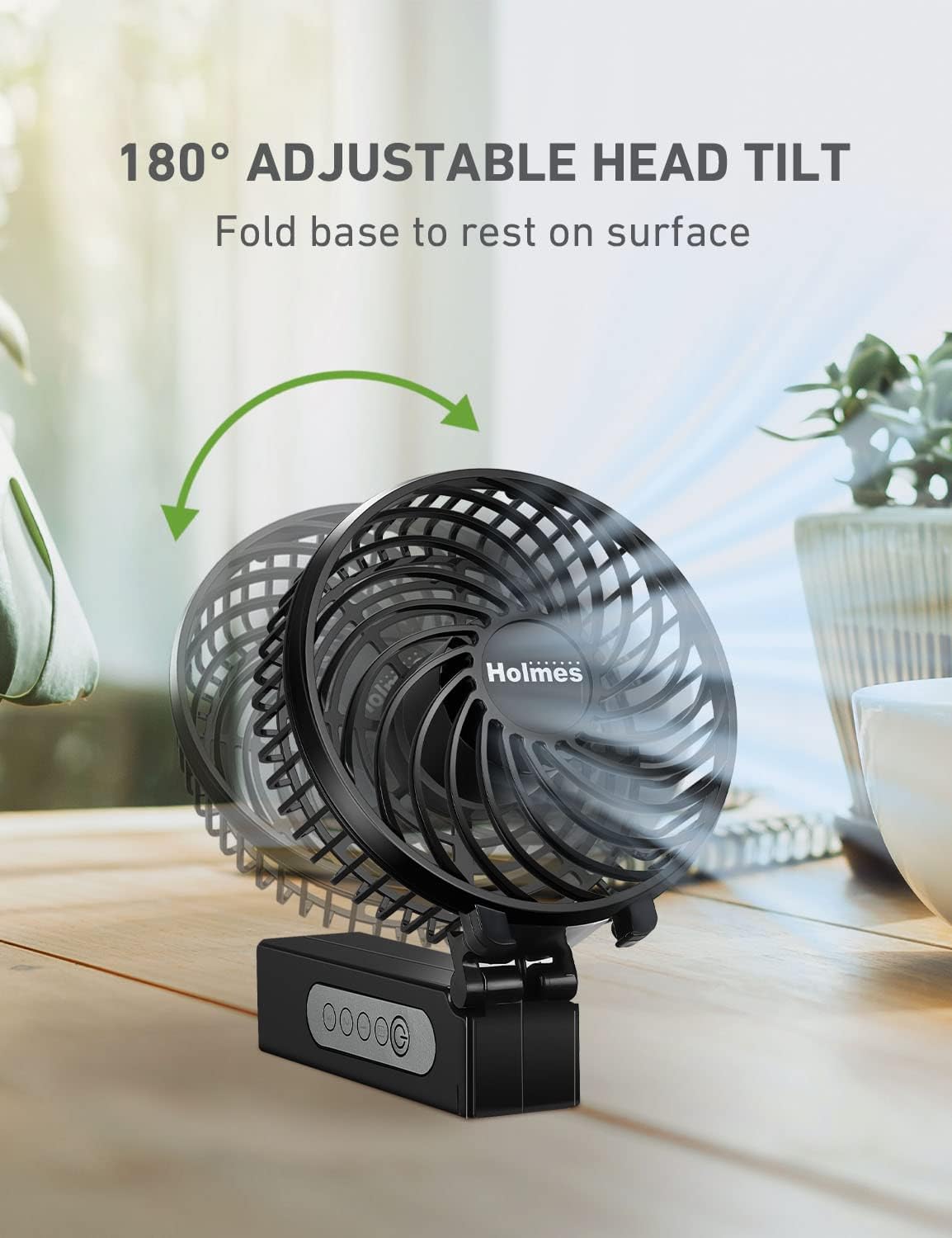
Image: The fan demonstrating its 180-degree adjustable head tilt, allowing users to position it for optimal airflow.
Using as a Desk Fan:
- Fold the handle of the fan to create a stable base.
- Place the fan on a flat, stable surface such as a desk, table, or nightstand.
- Adjust the head tilt to direct the airflow.

Image: A woman comfortably using the fan in a living room, showcasing its compact design suitable for personal spaces like homes or offices.
Maintenance
Regular cleaning helps maintain the fan's performance and extends its lifespan.
Cleaning the Fan:
- Ensure the fan is turned off and disconnected from any power source before cleaning.
- Use a soft, damp cloth to wipe the exterior surfaces of the fan.
- For dust accumulation on the fan blades or inside the grille, use a soft brush or a vacuum cleaner with a brush attachment to gently remove dust. Do not attempt to disassemble the fan.
- Do not use abrasive cleaners, solvents, or harsh chemicals, as these may damage the fan's finish or internal components.
- Allow the fan to dry completely before storing or using it again.
Storage:
When not in use for extended periods, store the fan in a cool, dry place, away from direct sunlight and extreme temperatures.
Troubleshooting
| Problem | Possible Cause | Solution |
|---|---|---|
| Fan does not turn on. | Battery is depleted. | Charge the fan using the provided USB-C cable. Ensure the charging cable is securely connected to both the fan and a working power source. |
| Fan runs for a short period after charging. | Battery not fully charged or battery degradation. | Ensure the fan is charged for the recommended 4-5 hours. If the issue persists, the battery may require service or replacement (refer to warranty). |
| Fan makes unusual noise. | Obstruction in fan blades or motor vibration. | Turn off and unplug the fan. Carefully check for any obstructions in the fan blades and remove them. If the noise is due to motor vibration, ensure the fan is on a stable, flat surface. |
| Charging indicator light does not change. | Normal operation for this model. | The indicator light remains solid red during charging and may not change color or turn off when fully charged. Monitor charging time (approx. 4-5 hours for a full charge). |
Specifications
| Feature | Detail |
|---|---|
| Brand | HOLMES |
| Model Number | 32510014 |
| Color | Black |
| Style | Handheld / Table Fan |
| Blade Length | 4 Inches |
| Number of Speeds | 3 |
| Power Source | Battery Powered (Rechargeable) |
| Connector Type | USB Type C |
| Battery Life (Lowest Speed) | Up to 6 hours |
| Product Dimensions (D x W x H) | 4.3"D x 8.7"W x 1.7"H |
| Item Weight | 0.42 Pounds |
| Material | Plastic |
| Special Features | Adjustable Tilt (180°), Foldable |

Image: A diagram illustrating the physical dimensions (height, width, depth) of the fan.
Warranty and Support
Warranty Information:
This HOLMES Personal Fan (Model 32510014) comes with a Limited 1-Year Warranty from the date of purchase. Please retain your proof of purchase for warranty claims. The warranty covers defects in material and workmanship under normal use.
Customer Support:
For further assistance, troubleshooting not covered in this manual, or warranty inquiries, please refer to the official HOLMES customer support channels or visit the HOLMES Store on Amazon.
An official User Manual (PDF) is also available for download: Download PDF Manual


