
1. Introduction
This manual provides detailed instructions and information for the ReplacementScrews Hex Screws, designed for assembly and repair of the Target Brightroom 13-inch 8-Cube Organizer Storage Shelf System. Please read this manual carefully before proceeding with assembly to ensure correct usage and optimal performance.
2. Product Overview
This product consists of a complete set of eight (8) hex head screws specifically compatible with the Target Brightroom 13-inch 8-Cube Organizer. These screws are essential for the structural integrity of the organizer.
2.1 Key Features and Compatibility
- Quantity: Eight (8) zinc-plated confirmat furniture screws.
- Dimensions: Approximately 3-1/4 inches long.
- Head Style: Flat head with a hex drive.
- Tool Requirement: A 4mm Allen key is required for assembly (not included).
- Compatibility: Designed for Target Eight (2 x 4) Cube Organizer Shelves measuring 57.8 inches (H) x 30 inches (W) x 14.6 inches (D).
- Important Note: These screws are for the larger 13-inch cube shelf system with thick outer panels, not the smaller 11-inch system.
- Included Components: Only the screws are included. Wooden dowels are NOT included.
- Compatible Styles/Item Numbers: Styles 4274, 4280, 4291, and Item Numbers 002-11-0793 (Avington), 002-11-0794 (White), 002-11-0796 (Weathered Gray).
- Product Type: These are compatible assembly screws, not Original Equipment Manufacturer (OEM) parts.
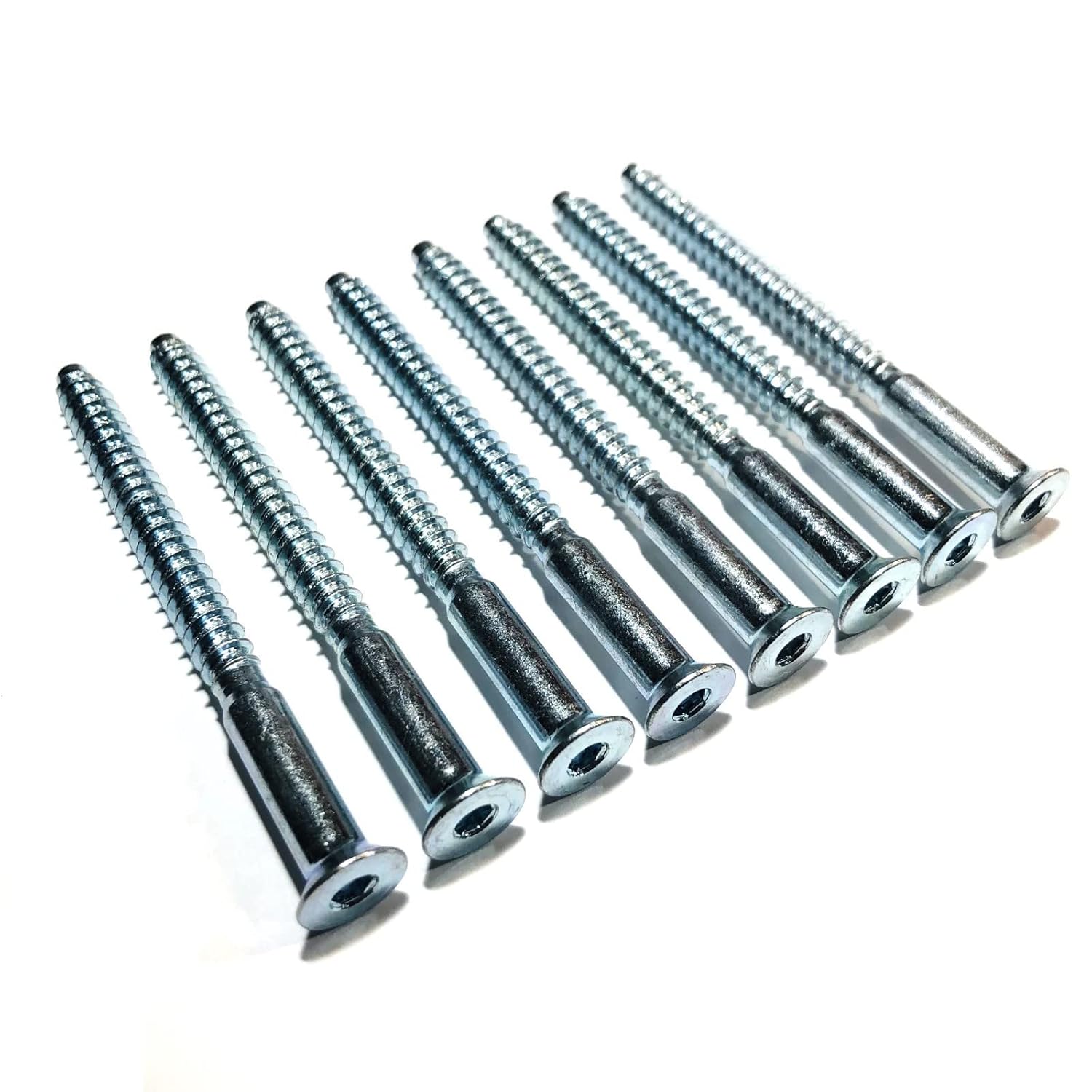
Figure 1: A complete set of eight ReplacementScrews hex screws.

Figure 2: Detailed view of the hex screws, highlighting the flat head and hex drive mechanism.
3. Setup and Installation
Follow these steps to properly install the ReplacementScrews Hex Screws into your Target Brightroom 13-inch 8-Cube Organizer.
- Verify Organizer Compatibility: Ensure your organizer is the Target Brightroom 13-inch 8-Cube model (57.8" H x 30" W x 14.6" D). These screws are not compatible with the 11-inch cube system.
- Gather Tools: You will need a 4mm Allen key (hex wrench) for installation. This tool is not included with the screws.
- Identify Screw Locations: Refer to your original Target Brightroom organizer assembly instructions to identify the specific locations where the hex screws are to be inserted. Typically, these screws secure the main panels of the cube organizer.
- Insert Screws: Place each hex screw into its designated pre-drilled hole.
- Tighten Screws: Using the 4mm Allen key, turn each screw clockwise to tighten. Tighten until snug, but avoid over-tightening, which can strip the wood or the screw head.
- Check Stability: After all screws are installed, gently shake the organizer to ensure it is stable and all connections are secure.

Figure 3: Top-down view of the hex screws, illustrating the hex drive opening for the Allen key.
4. Usage
These hex screws are designed for the specific purpose of assembling or reassembling the compatible Target Brightroom 13-inch 8-Cube Organizer. They provide the necessary structural fastening for the unit's panels.
- Ensure screws are fully seated and tightened to prevent wobbling or instability of the organizer.
- Do not use these screws for purposes other than their intended application, as this may compromise safety and product integrity.
5. Maintenance
The ReplacementScrews Hex Screws require minimal maintenance. To ensure longevity and proper function:
- Periodically check the tightness of all screws in your organizer. Loose screws can lead to instability.
- If disassembling the organizer, store the screws in a dry place to prevent corrosion.
- Clean screws with a dry cloth if necessary. Avoid abrasive cleaners or harsh chemicals.
6. Troubleshooting
6.1 Common Issues and Solutions
| Issue | Possible Cause | Solution |
|---|---|---|
| Screws do not fit into the organizer holes. |
|
|
| Screws cannot be tightened properly. |
|
|
| Organizer feels unstable after assembly. |
|
|
7. Specifications
| Attribute | Detail |
|---|---|
| Model Number | RSAZN4380326 |
| Material | Zinc |
| Head Style | Flat, Hex |
| Exterior Finish | Zinc |
| Point Style | Flat Point |
| Package Dimensions | 6.34 x 3.43 x 0.55 inches |
| Item Weight | 4.97 ounces |
| Manufacturer | ReplacementScrews |
8. Warranty and Support
For specific warranty information regarding your ReplacementScrews Hex Screws, please refer to the purchase documentation or contact the seller directly. As these are replacement parts, warranty coverage may vary.
For technical support or inquiries, please contact ReplacementScrews through their official channels or the platform where the purchase was made.