1. Introduction
Thank you for choosing the ZEBRONICS Pods 2 Wireless TWS Earbuds. These earbuds are designed to provide a high-quality audio experience with advanced features such as Bluetooth 5.3 connectivity, touch controls, and voice assistant support. This manual provides detailed instructions for setup, operation, and maintenance to ensure optimal performance and longevity of your device.
2. Package Contents
Please verify that all items are present in your package:
- Earbuds - 2 Units (Left and Right)
- Charging Case - 1 Unit
- Charging Cable (Type-C) - 1 Unit
- Extra Eartips - Multiple Sizes
- QR Code Guide - 1 Unit

Image: ZEBRONICS Pods 2 Earbuds and their transparent charging case.
3. Product Overview
The ZEBRONICS Pods 2 feature a compact design with a transparent charging case that includes an LED display for battery percentage indication. The earbuds are equipped with 6mm dynamic drivers for clear audio output.
3.1 Earbuds
- Touch Control Area: For media playback, call management, and voice assistant activation.
- Microphone: Built-in for call function and voice assistant.
- LED Indicator: Displays connection status and charging status.
3.2 Charging Case
- Earbud Charging Slots: Securely holds and charges the earbuds.
- LED Display: Shows the charging case battery level and earbud charging status.
- Type-C Charging Port: For recharging the case.

Image: The transparent charging case with its digital battery display.
4. Setup
4.1 Charging the Earbuds and Case
Before first use, fully charge the earbuds and the charging case.
- Place both earbuds into the charging case. Ensure they are correctly seated.
- Connect the Type-C charging cable to the charging port on the case and the other end to a USB power source (e.g., wall adapter, computer USB port).
- The LED display on the case will indicate the charging status. A full charge is indicated when the display shows 100%.
- Once fully charged, disconnect the charging cable.
The earbuds offer up to 10 hours of playback time on a single charge, with additional charges provided by the case.
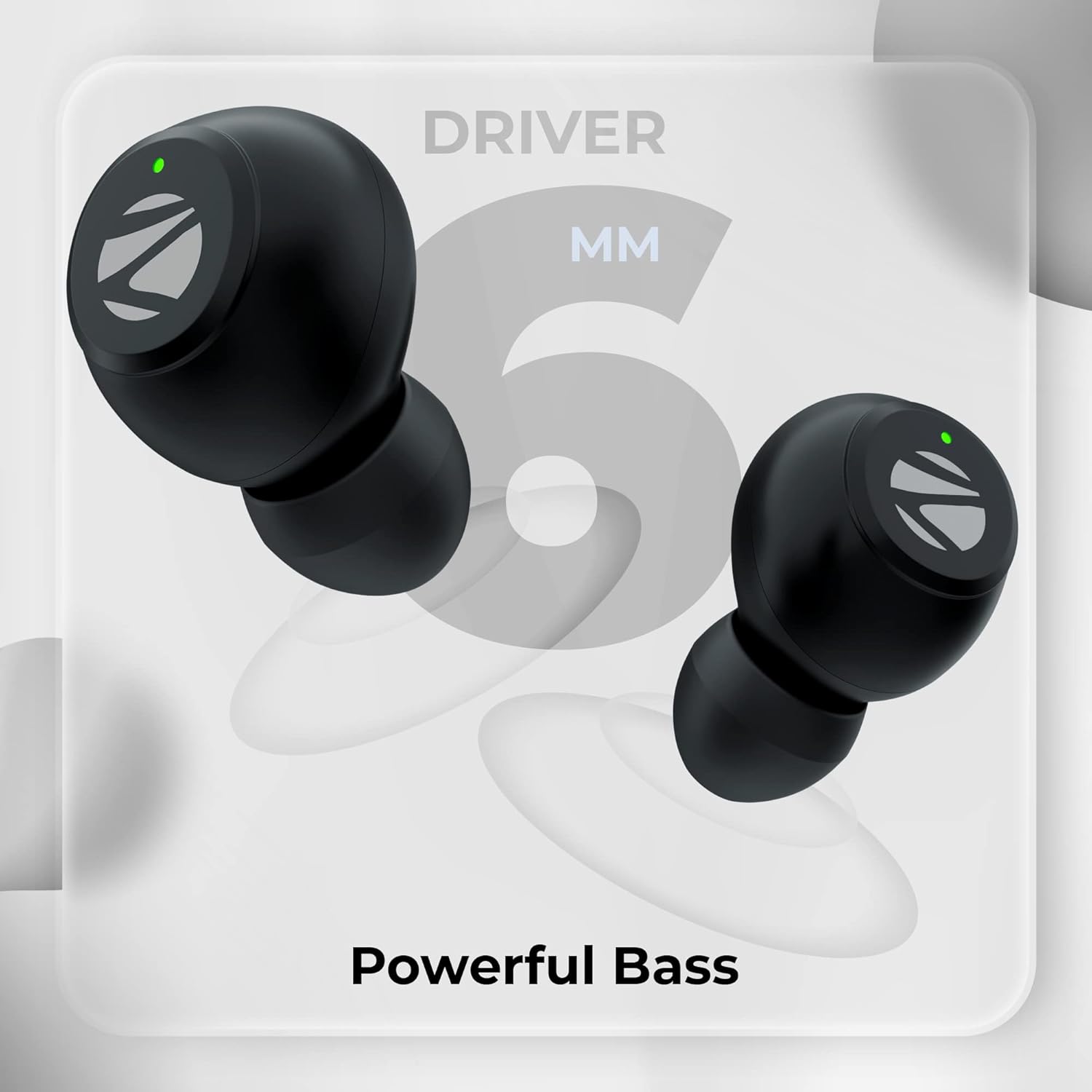
Image: Visual representation of Type-C charging, battery level indication, splash-proof design, and touch control functionality.
4.2 Bluetooth Pairing
Follow these steps to pair your ZEBRONICS Pods 2 with your device:
- Ensure the earbuds are charged and placed inside the charging case.
- Open the charging case lid. The earbuds will automatically enter pairing mode.
- On your smartphone, tablet, or other Bluetooth-enabled device, go to the Bluetooth settings.
- Search for available devices and select "ZEB-PODS 2" from the list.
- Once connected, you will hear an audible confirmation, and the earbud LED indicators will change.
- The earbuds will automatically reconnect to the last paired device when removed from the case, if Bluetooth is enabled on the device.

Image: Depiction of voice assistant integration, call function, Bluetooth 5.3 technology, and a device's Bluetooth pairing screen showing "ZEB-Pods 2".
5. Operating Instructions
5.1 Touch Controls
The ZEBRONICS Pods 2 feature intuitive touch controls on each earbud:
- Play/Pause: Single tap on either earbud.
- Next Track: Double tap on the right earbud.
- Previous Track: Double tap on the left earbud.
- Answer/End Call: Single tap on either earbud during an incoming call.
- Reject Call: Press and hold either earbud for 2 seconds during an incoming call.
- Activate Voice Assistant: Triple tap on either earbud.
5.2 Voice Assistant
The earbuds support voice assistants like Google Assistant (Android) and Siri (iOS). Triple tap either earbud to activate your device's voice assistant.
5.3 Call Function
With the built-in microphone, you can make and receive calls directly through the earbuds. Refer to the touch controls section for call management.
6. Maintenance
To ensure the longevity and optimal performance of your earbuds, follow these maintenance guidelines:
- Cleaning: Regularly clean the earbuds and charging case with a soft, dry cloth. Avoid using harsh chemicals or abrasive materials.
- Storage: When not in use, store the earbuds in their charging case to protect them and keep them charged.
- Water Resistance: The earbuds are splash-proof. Avoid submerging them in water or exposing them to heavy rain. Dry them thoroughly if they get wet.
- Temperature: Avoid exposing the earbuds to extreme temperatures (hot or cold) or direct sunlight for extended periods.
- Charging: Use only the provided Type-C cable or a certified equivalent for charging.
7. Troubleshooting
If you encounter issues with your ZEBRONICS Pods 2, refer to the following common solutions:
| Problem | Possible Solution |
|---|---|
| Earbuds not pairing |
|
| Only one earbud working |
|
| No sound or low volume |
|
| Charging case not charging |
|
8. Specifications
| Feature | Detail |
|---|---|
| Model Name | ZEB-PODS 2 |
| Connectivity Technology | Wireless (Bluetooth) |
| Bluetooth Version | 5.3 |
| Bluetooth Range | 10 Metres |
| Audio Driver Type | Dynamic Driver (6mm) |
| Playback Time | Up to 10 Hours (Earbuds) |
| Charging Time | Not specified for earbuds, case charging time varies. |
| Charging Interface | Type-C |
| Control Type | Touch Control, Voice Control |
| Microphone Format | Built-In |
| Water Resistance Level | Water Resistant (Splash Proof) |
| Compatible Devices | Smartphones, Tablets, Laptops, PC, Smart TVs (Bluetooth enabled) |
| Item Weight | 30 Grams |
| Material | Plastic |
| Color | Black |
9. Warranty and Support
The ZEBRONICS Pods 2 Wireless TWS Earbuds come with a 1-Year Warranty from the date of purchase. For warranty claims, technical support, or service inquiries, please refer to the contact information provided in the QR code guide included in your package or visit the official ZEBRONICS website.
Please retain your purchase receipt as proof of purchase for warranty purposes.


