
1. Product Overview
The Derynome Solar Post Cap Lights are designed to provide ambient lighting for outdoor spaces such as decks, fences, and patios. These lights feature a high-quality plastic body with an aluminum base and a clear glass light shade, housing a unique tungsten wire shape LED lamp. Equipped with upgraded high-efficiency solar panels and a high-capacity battery, they automatically charge during the day and illuminate from dusk till dawn. The durable construction ensures long-lasting performance under various weather conditions, including waterproof, heat-resistant, and frost-resistant properties.

Image: Derynome Solar Post Cap Lights demonstrating automatic charging during the day (4-6 hours) and automatic illumination at night (8-10 hours).
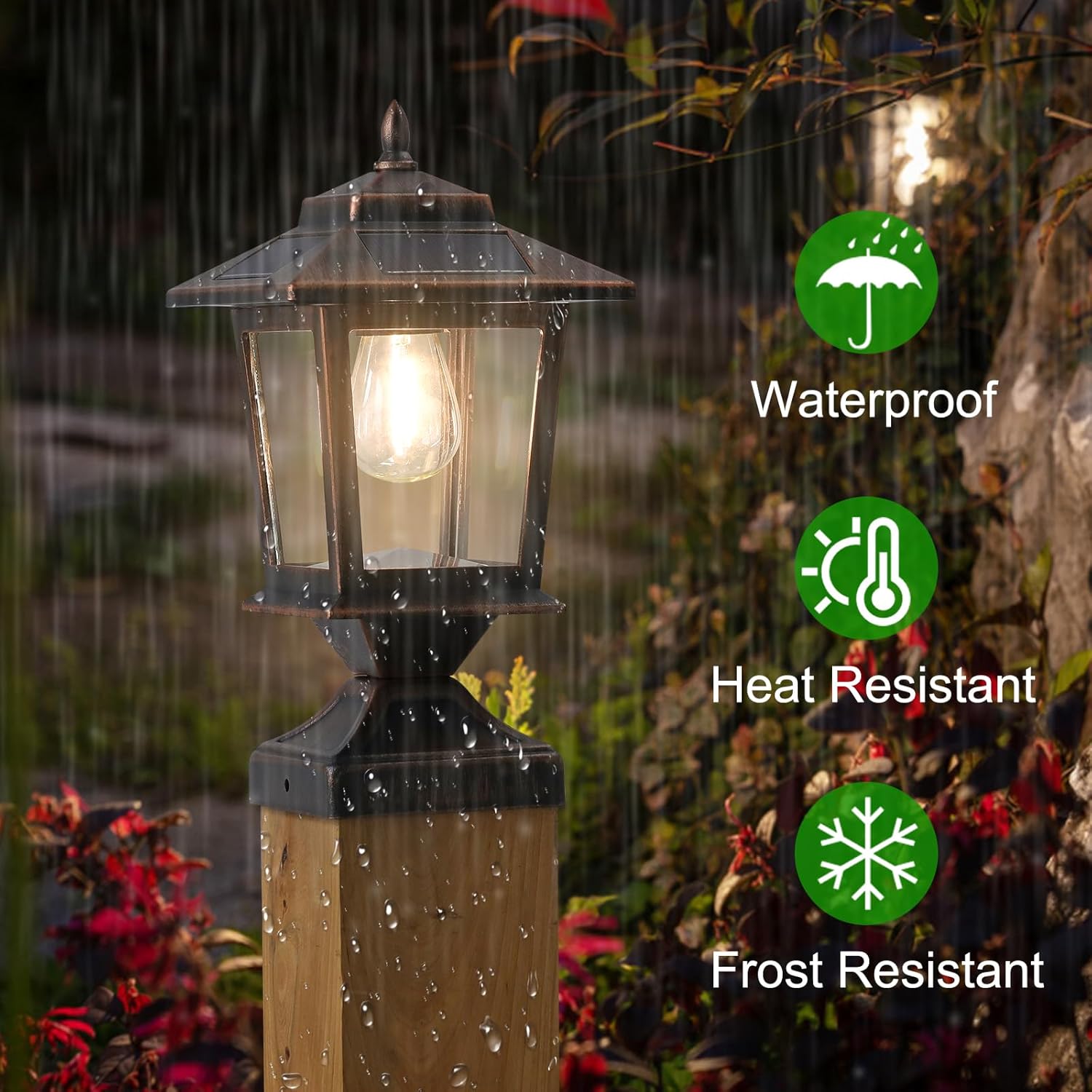
Image: A Derynome Solar Post Cap Light on a wooden post in the rain, highlighting its waterproof, heat-resistant, and frost-resistant capabilities.
2. What's in the Box
- Derynome Solar Post Cap Lights (2 units)
- Batteries (pre-installed)
- Bulbs (pre-installed)
- Mounting hardware (screws and optional bracket)
- Welcome Guide

Image: A close-up view of the Derynome Solar Post Cap Light, illustrating its design and components.
3. Setup and Installation
The Derynome Solar Post Cap Lights are designed for easy assembly and installation without the need for complex wiring or external power sources. They are suitable for 4x4 wooden posts, as well as 5x5 and 6x6 posts or flat surfaces using different assembly methods.
Installation Steps:
- Turn On Switch: Locate the 'ON' button on the base of the light unit and switch it to the 'ON' position.
- Assemble Light Cover: Fit the string light cover onto the base.
- Secure Top Component: Twist the top component to secure it in place.
- Install Base: Position the base on your desired post or flat surface.
- Mounting on 4x4 Posts: For 4x4 wooden posts, simply screw the base directly onto the top of the post using the provided screws.
- Mounting on 5x5 & 6x6 Posts or Flat Surfaces: For larger posts (5x5, 6x6) or flat surfaces, use the integrated design. The strong metal base (3.74"x3.74") can be secured with the provided screws. Note that the base may not fully cover 5x5 or 6x6 posts, but it will securely mount.

Image: A visual guide detailing the six steps for installing the solar post cap lights on wooden posts, including turning on the switch, assembling the light cover, twisting the top, installing the base, and specific mounting for 4x4 and larger posts.

Image: Illustration showing two optional installation methods: direct screw-in for 4x4 posts and using a bracket for other post sizes or flat surfaces.
4. Operating Instructions
The Derynome Solar Post Cap Lights operate automatically once installed and activated.
- Automatic Charging: During daylight hours, the integrated solar panels will collect sunlight and charge the internal battery. Ensure the lights are placed in an area that receives direct sunlight for 4-6 hours daily for optimal performance.
- Automatic Illumination: The lights are equipped with a light sensor. They will automatically turn on at dusk or in dark conditions and turn off at dawn.
- Battery Life: A full charge typically provides 8-10 hours of illumination.
5. Maintenance
To ensure the longevity and optimal performance of your Derynome Solar Post Cap Lights, follow these maintenance guidelines:
- Clean Solar Panels: Regularly wipe the solar panels with a soft, damp cloth to remove dust, dirt, leaves, or snow. A clean panel ensures efficient charging.
- Clear Obstructions: Ensure no trees, buildings, or other objects are shading the solar panels, especially during peak sunlight hours.
- Inspect for Damage: Periodically check the lights for any physical damage to the glass shade, housing, or mounting.
- Battery Replacement: While designed for long life, if the lights' performance significantly diminishes over time, the internal rechargeable battery may need replacement. Refer to the welcome guide for specific battery type and replacement instructions.
6. Troubleshooting
If your Derynome Solar Post Cap Lights are not functioning as expected, consider the following:
- Light Not Turning On:
- Ensure the 'ON' switch on the base is activated.
- Verify the solar panel is receiving adequate direct sunlight for charging (4-6 hours).
- Check if the solar panel is clean and free from obstructions.
- Test the light in a completely dark environment to ensure the light sensor is not detecting ambient light.
- Short Illumination Time:
- Insufficient sunlight exposure during the day can lead to a partial charge. Relocate the light to a sunnier spot if possible.
- The battery may be reaching the end of its lifespan and require replacement.
- Flickering Light:
- This could indicate a low battery charge. Allow the light to charge fully in direct sunlight.
- Check for loose connections or damage to the bulb.
7. Specifications
| Brand | Derynome |
| Model Number | SPCL002 |
| Color | Bronze |
| Material | Aluminum, Glass, Plastic |
| Power Source | Solar Powered |
| Light Source | LED (Tungsten wire shape) |
| Light Color | Warm Light |
| Brightness | 15 Lumen |
| Voltage | 3 Volts |
| Water Resistance Level | Waterproof |
| Item Dimensions (L x W x H) | 5.5"L x 5.5"W x 9.84"H |
| Item Weight | 3.3 Pounds (per pack of 2) |
| Required Assembly | Yes |
8. Warranty and Support
The Derynome Solar Post Cap Lights come with a 1-year manufacturer's limited warranty. For any product inquiries, technical support, or warranty claims, please refer to the contact information provided in your welcome guide or visit the official Derynome store.
Visit the Derynome Store for more information and products.