
Introduction
This manual provides detailed instructions for the setup, operation, and maintenance of your FANMIS Men's Multifunction Chronograph Watch, Model CX-972.973.976. Please read this manual thoroughly to ensure proper use and care of your timepiece.
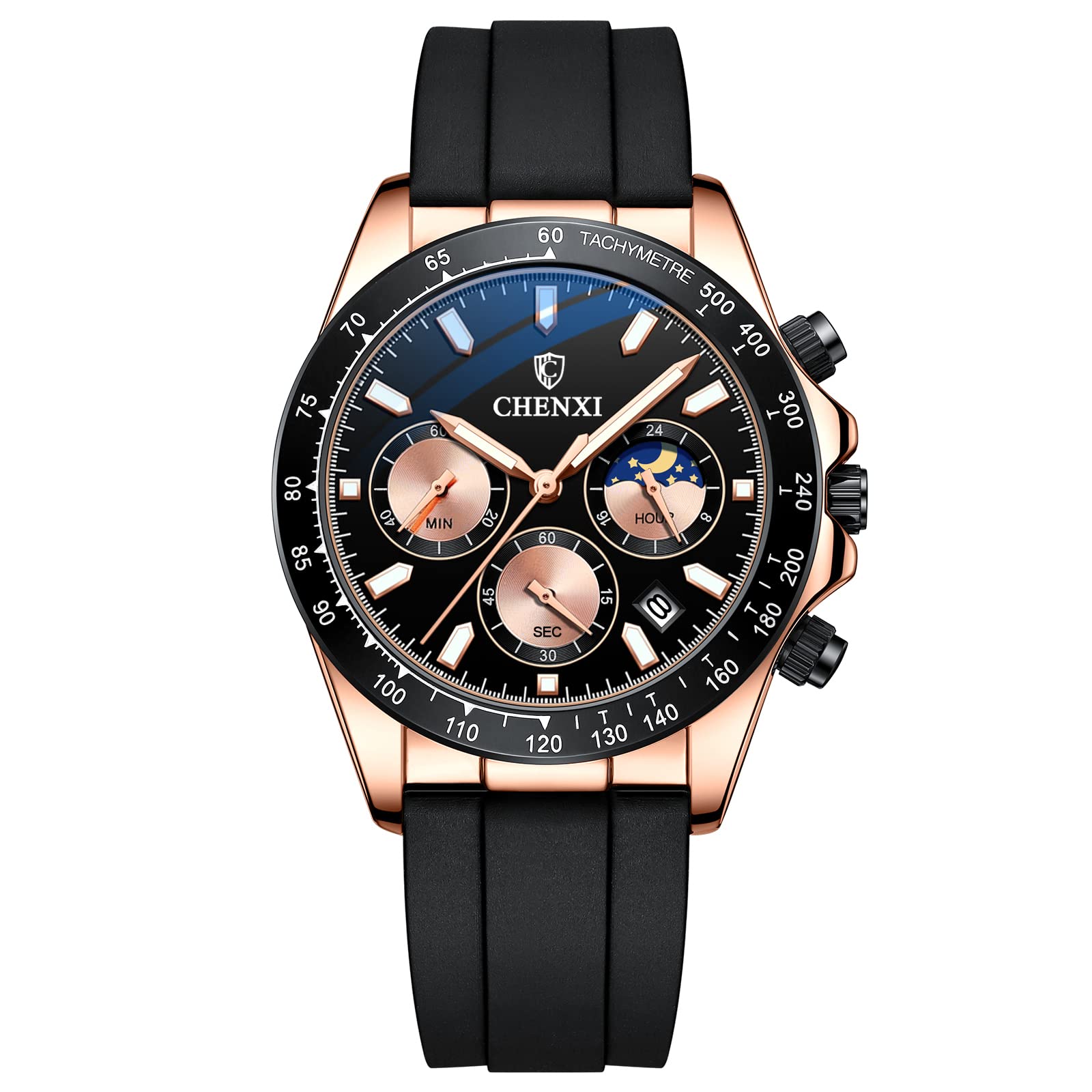
Figure 1: Front view of the FANMIS Multifunction Chronograph Watch.
Product Overview
The FANMIS Multifunction Chronograph Watch features a quartz movement, chronograph sub-dials, a moonlight display, and a durable silicone strap. It is designed for daily wear with practical functions.

Figure 2: Overview of watch functions and controls.
Watch Components
- Main Crown: Used for setting time and date.
- Pushers (Top & Bottom): Control chronograph functions.
- Hour, Minute, Second Hands: Indicate current time.
- Chronograph Sub-dials: Measure elapsed time (minutes, seconds).
- Moonlight Display: Indicates AM/PM (daylight/night shows).
- Date Window: Displays the current date.
- Silicone Strap: Comfortable and durable band.
Setup and Initial Adjustment
1. Setting the Time
- Pull the main crown out to the second position.
- Turn the crown to adjust the hour and minute hands to the correct time. Observe the moonlight display to ensure AM/PM is set correctly.
- Push the crown back into the first position to start the watch.
2. Setting the Date
- Pull the main crown out to the first position.
- Turn the crown to adjust the date in the date window.
- Push the crown back into the closed position.
Note: Avoid setting the date between 9 PM and 3 AM, as this may interfere with the automatic date change mechanism. If the date needs to be adjusted during this period, first set the time outside this range, adjust the date, then reset the time.
3. Adjusting the Strap
The silicone strap features a metal buckle system for secure and comfortable wear. Adjust the strap length by moving the buckle pin to the desired hole on the strap. Ensure the watch fits snugly but comfortably on your wrist.

Figure 3: Silicone strap and buckle for adjustment.
Operating the Chronograph
The chronograph function allows you to measure elapsed time independently of the main time display.
- Start: Press the top pusher to start the chronograph. The chronograph second hand will begin to move.
- Stop: Press the top pusher again to stop the chronograph. The elapsed time will be indicated by the chronograph sub-dials (seconds and minutes).
- Reset: After stopping the chronograph, press the bottom pusher to reset all chronograph hands to their zero positions.
Note: Ensure the chronograph is stopped before attempting to reset it.
Water Resistance Guidelines
Your FANMIS watch is rated for 3 ATM (30 meters) water resistance. This means it is splash-resistant and suitable for:
- Rain exposure
- Water splashes
- Hand washing
- Other occasional contact with cold water
Important Precautions:
- DO NOT wear the watch for swimming, diving, or bathing.
- DO NOT expose the watch to hot water or steam, as this can compromise the water seals.
- DO NOT operate the crown or pushers while the watch is wet or submerged.

Figure 4: Water resistance capabilities of the watch.
Maintenance and Care
Cleaning Your Watch
- Wipe the watch case and strap with a soft, dry cloth regularly to remove dust and dirt.
- For the silicone strap, a mild soap solution and a soft brush can be used, followed by rinsing with cold water and thorough drying.
- Avoid using harsh chemicals or abrasive materials, as these can damage the watch's finish or strap.
Crystal Durability
The watch features a mineral-reinforced glass mirror, offering high clarity, anti-explosion properties, scratch-resistance, and wear-resistance. While durable, avoid unnecessary impacts to prevent damage.

Figure 5: Mineral-reinforced glass mirror features.
Battery Replacement
This watch is powered by a battery. When the watch stops or its functions become erratic, it may be time for a battery replacement. It is recommended to have the battery replaced by a qualified watch technician to ensure the water resistance seal is maintained.
Troubleshooting
| Problem | Possible Cause | Solution |
|---|---|---|
| Watch not running | Depleted battery; Crown not pushed in. | Replace battery (professional service recommended); Ensure crown is fully pushed in. |
| Time/Date not setting | Crown not pulled out to correct position; Setting date during restricted hours. | Ensure crown is pulled out to the first or second position; Avoid setting date between 9 PM and 3 AM. |
| Chronograph hands not resetting to zero | Chronograph not stopped before reset; Malfunction. | Press top pusher to stop chronograph before pressing bottom pusher to reset; If issue persists, seek professional service. |
| Condensation inside watch | Exposure to extreme temperature changes; Compromised water resistance. | Avoid extreme temperature changes; Seek professional service immediately to prevent damage. |
Specifications
| Model Number | CX-972.973.976 |
| Brand | FANMIS |
| Movement Type | Quartz |
| Display Type | Analog |
| Case Material | Alloy |
| Band Material | Silicone |
| Crystal Type | Mineral |
| Case Diameter | 39 mm |
| Case Thickness | 13 mm |
| Band Width | 20 mm |
| Band Length | 240 mm |
| Water Resistance | 3 ATM (30 Meters) - Splash Resistant |
| Power Source | Battery Powered |
Warranty Information
Your FANMIS watch comes with a Limited Warranty. For specific details regarding warranty coverage, duration, and claims process, please refer to the warranty card included with your purchase or contact FANMIS customer support directly.
Support
If you encounter any issues not covered in this manual or require further assistance, please contact FANMIS customer support. Contact information can typically be found on the product packaging, the official FANMIS website, or through your retailer.
Manufacturer: Fanmis