
1. Introduction
This manual provides essential information for the safe and efficient operation of your Vieta Pro VAQ-BS22BK Portable Bluetooth Speaker. Please read these instructions carefully before using the product and retain them for future reference.
2. Safety Information
- Do not expose the speaker to extreme temperatures or direct sunlight for extended periods.
- Avoid dropping or subjecting the speaker to strong impacts.
- Do not attempt to disassemble, repair, or modify the speaker. This will void the warranty.
- Keep the speaker away from medical devices, as it may interfere with their operation.
- Use only the provided charging cable or a certified equivalent.
- Ensure the charging port cover is securely closed when the speaker is exposed to water to maintain its IPX7 water resistance.
3. Package Contents
- Vieta Pro VAQ-BS22BK Portable Bluetooth Speaker
- Charging Cable
- Instruction Manual
4. Product Overview
Familiarize yourself with the speaker's components and controls.

Image 4.1: Side view of the Vieta Pro VAQ-BS22BK speaker, showing the volume up (+), volume down (-), play/pause/mode (M), and virtual assistant (microphone icon) buttons.

Image 4.2: Back view of the Vieta Pro VAQ-BS22BK speaker, highlighting the power button and the integrated carrying loop.

Image 4.3: Top view of the Vieta Pro VAQ-BS22BK speaker, featuring the Vieta Pro logo and an illuminated LED ring.
5. Setup
5.1 Charging the Speaker
Before first use, fully charge the speaker. Connect the provided USB-C charging cable to the speaker's USB-C port and the other end to a USB power adapter (not included) or a computer's USB port. The LED indicator will show charging status and turn off when fully charged.
5.2 Powering On/Off
- To Power On: Press and hold the Power button (located on the back) for approximately 3 seconds until the LED indicator lights up and you hear an audible prompt.
- To Power Off: Press and hold the Power button for approximately 3 seconds until the LED indicator turns off and you hear an audible prompt.
5.3 Bluetooth Pairing
- Ensure the speaker is powered on and in Bluetooth pairing mode (the LED indicator will flash).
- On your device (smartphone, tablet, etc.), enable Bluetooth and search for available devices.
- Select "Vieta Pro VAQ-BS22BK" from the list of devices.
- Once paired, the LED indicator will stop flashing and remain solid, and you will hear a confirmation sound.
5.4 True Wireless Stereo (TWS) Pairing
TWS allows you to connect two VAQ-BS22BK speakers for a stereo sound experience.
- Ensure both speakers are powered on and not connected to any Bluetooth device.
- On one speaker (this will be the primary speaker), double-press the 'M' (Mode) button. The speaker will enter TWS pairing mode.
- The primary speaker will automatically search for the secondary speaker. Once connected, both speakers will emit a confirmation sound.
- Now, connect your device to the primary speaker via Bluetooth as described in section 5.3. Both speakers will play audio in stereo.

Image 5.4.1: Two Vieta Pro VAQ-BS22BK speakers demonstrating True Wireless Stereo (TWS) connection for enhanced audio.
5.5 Aux-In Connection
To connect a device using an auxiliary cable (not included):
- Connect one end of a 3.5mm audio cable to the speaker's Aux-In port.
- Connect the other end to the audio output of your device.
- The speaker will automatically switch to Aux-In mode. If not, press the 'M' (Mode) button to cycle through modes until Aux-In is selected.
6. Operating Instructions
6.1 Music Playback
- Play/Pause: Press the 'M' (Mode) button once.
- Volume Up: Press the '+' button. Hold to continuously increase volume.
- Volume Down: Press the '-' button. Hold to continuously decrease volume.
- Next Track: Press and hold the '+' button for 2 seconds.
- Previous Track: Press and hold the '-' button for 2 seconds.
6.2 Call Management
When connected via Bluetooth, the speaker's built-in microphone allows for hands-free calls.
- Answer Call: Press the 'M' (Mode) button once.
- End Call: Press the 'M' (Mode) button once during a call.
- Reject Call: Press and hold the 'M' (Mode) button for 2 seconds.
6.3 Virtual Assistant
The speaker supports virtual assistant functionality (e.g., Alexa, Google Assistant) when connected to a compatible smartphone.
- Activate Virtual Assistant: Press the microphone icon button once. Speak your command after the prompt.
Video 6.3.1: This video demonstrates the speaker's features, including its IPX7 water resistance, virtual assistant activation, and True Wireless Stereo (TWS) pairing. It shows the speaker being used in various environments, such as by a pool and during social gatherings.
6.4 Water Resistance (IPX7)
The Vieta Pro VAQ-BS22BK speaker is IPX7 rated, meaning it can be submerged in water up to 1 meter for 30 minutes. Ensure the charging port cover is securely closed before exposing the speaker to water.
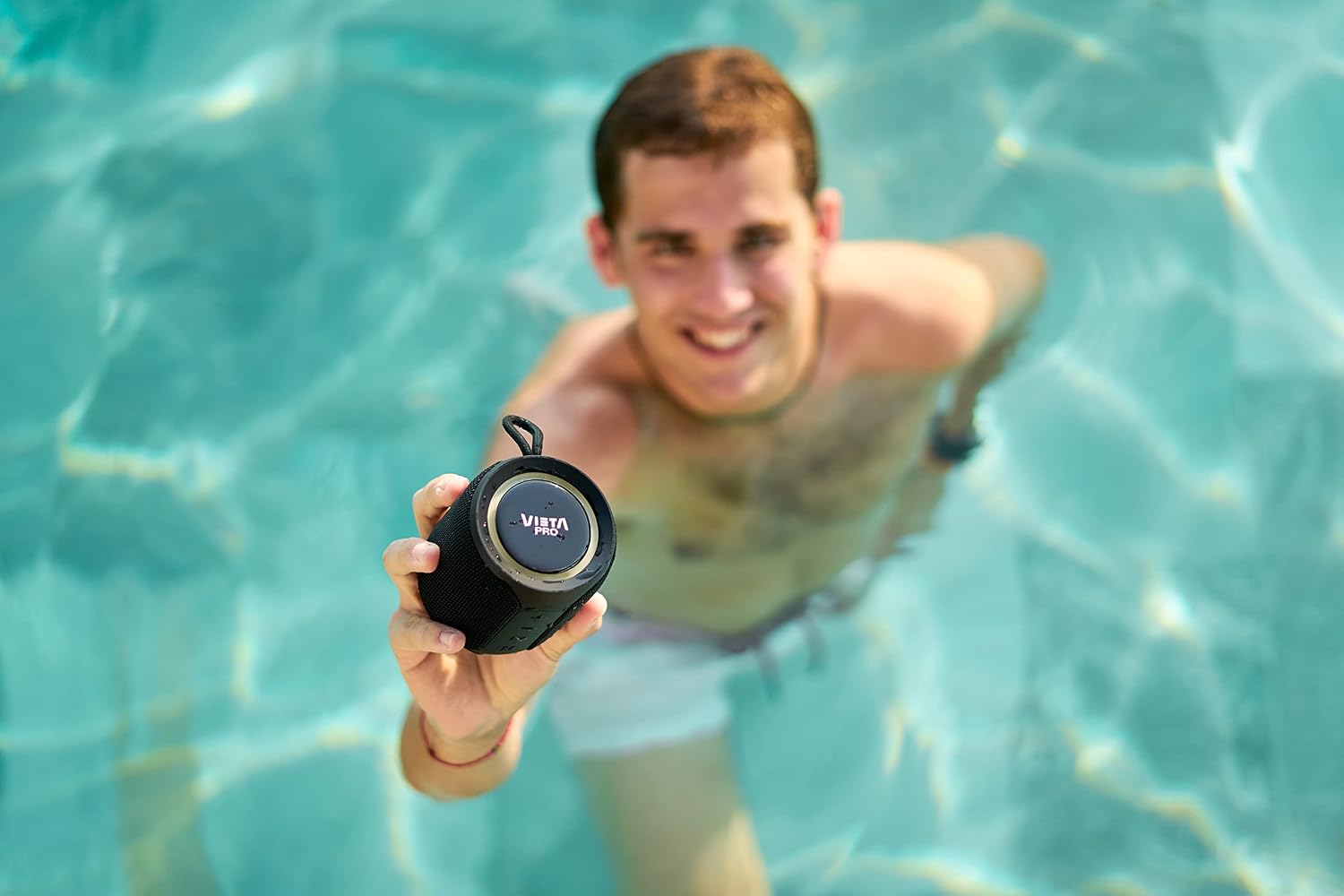
Image 6.4.1: A person holding the Vieta Pro VAQ-BS22BK speaker underwater, demonstrating its IPX7 water resistance.
7. Maintenance
- Cleaning: Wipe the speaker with a soft, damp cloth. Do not use abrasive cleaners or solvents.
- Storage: Store the speaker in a cool, dry place away from direct sunlight and extreme temperatures.
- Battery Care: To prolong battery life, avoid fully discharging the speaker frequently. Charge it regularly, even if not in use for extended periods.
8. Troubleshooting
- Speaker does not turn on: Ensure the battery is charged. Connect the speaker to a power source and try again.
- Cannot pair via Bluetooth: Make sure the speaker is in pairing mode (flashing LED). Ensure your device's Bluetooth is enabled and within range. Try unpairing and re-pairing.
- No sound: Check the volume levels on both the speaker and your connected device. Ensure the correct input mode (Bluetooth/Aux-In) is selected.
- Poor sound quality: Move the speaker closer to your Bluetooth device. Ensure there are no obstructions between the speaker and the device. Check for interference from other electronic devices.
- TWS pairing fails: Ensure both speakers are not connected to any other Bluetooth device before initiating TWS pairing. Make sure both speakers are the same model.
9. Specifications
| Feature | Specification |
|---|---|
| Model Number | VAQ-BS22BK |
| Brand | Vieta Pro |
| Connectivity Technology | Auxiliary, Bluetooth, USB |
| Maximum Speaker Output Power | 20 Watts |
| Audio Output Mode | Stereo |
| Speaker Type | Multimedia |
| Special Feature | Bluetooth |
| Compatible Devices | Smartphone, Tablet |
| Surround Sound Channel Configuration | 2.0 |
| Product Dimensions | 8.4 x 9.5 x 8.4 cm |
| Weight | 350 g |
| Battery | 1 Lithium Ion (Type of battery needed) |

Image 9.1: Dimensional diagram of the Vieta Pro VAQ-BS22BK speaker.
10. Warranty and Support
Vieta Pro products are designed for reliability and performance. For warranty information and technical support, please refer to the official Vieta Pro website or contact their customer service. Keep your purchase receipt as proof of purchase.


